ReCaptcha check box no longer available?

I am verifying that the checkbox is no longer available in V3? Although google's own documentation says to use the check boxes in forms:
Checkbox keys are appropriate for forms, logins, and signups on web pages. Though it might cause extra friction for users, an extra step such as CAPTCHA challenge helps to deter unsophisticated attackers.
source: https://cloud.google.com/recaptcha/docs/choose-key-type?hl=en#differences-keys
I am just looking for verification.
-

Hello Jose,
You are right; reCAPTCHA v2 requires users to complete a specific challenge, such as clicking a checkbox or solving an image recognition task. It verifies if the user passes the challenge or they don't. v2 is more intrusive than v3, as it requires user interaction to verify their humanity.
reCAPTCHA v3 operates in the background, analyzing user behavior to assign a score between 0.0 and 1.0. A higher score indicates a higher likelihood that the user is human. v3 does not require a user interaction or triggering a challenge if the score is low. Aims for a more seamless user experience by minimizing user interaction.
0 -
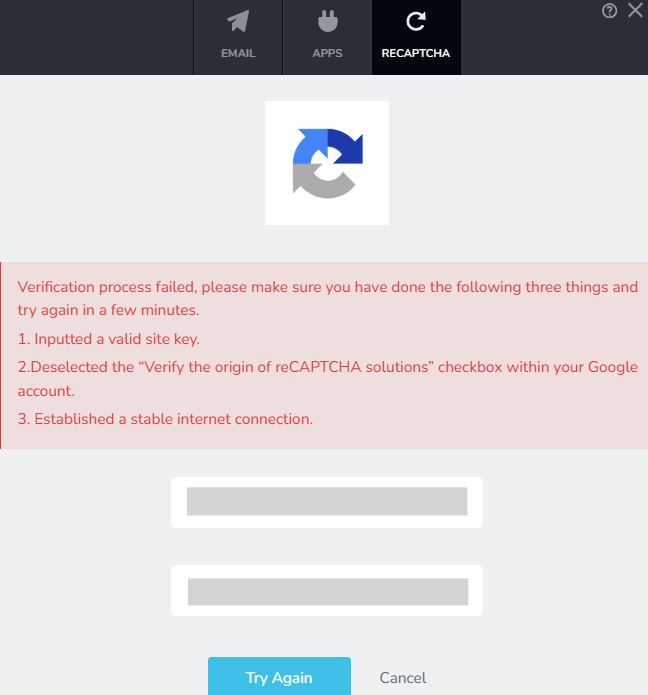
Is there is no longer a way to put V2 on the site within brizy forms? It appears that only V3 is allowed. My client would prefer V2.When I try to use V2 I get the following:
Verification process failed, please make sure you have done the following three things and try again in a few minutes.
1. Inputted a valid site key.
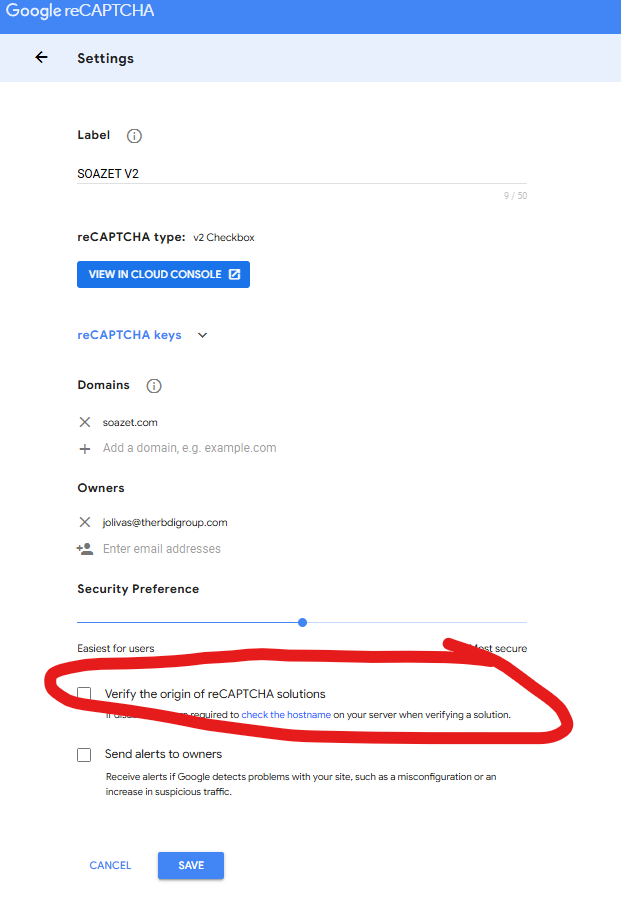
2.Deselected the “Verify the origin of reCAPTCHA solutions” checkbox within your Google account.
3. Established a stable internet connection.
no where in the recaptcha am I able to find #2
0 -
I actually found the legacy V2 console. Still getting the failure.
 0
0 -
Hello Jose,
Brizy form is compatible only with reCAPTCHA V3 and it does not work with V2. If the checkbox version of reCAPTCHA is a project requirement, kindly install the WPForms Lite plugin, recreate your form in the plugin, setup reCAPTCHA following the procedure at How to Set Up and Use Google reCAPTCHA with WPForms Embed the form to a Brizy page by pasting the form shortcode to the Brizy "Shortcode" element.
0
Please sign in to leave a comment.
Comments
4 comments