Assistance Needed with URL Issues in Brizy

Hi,
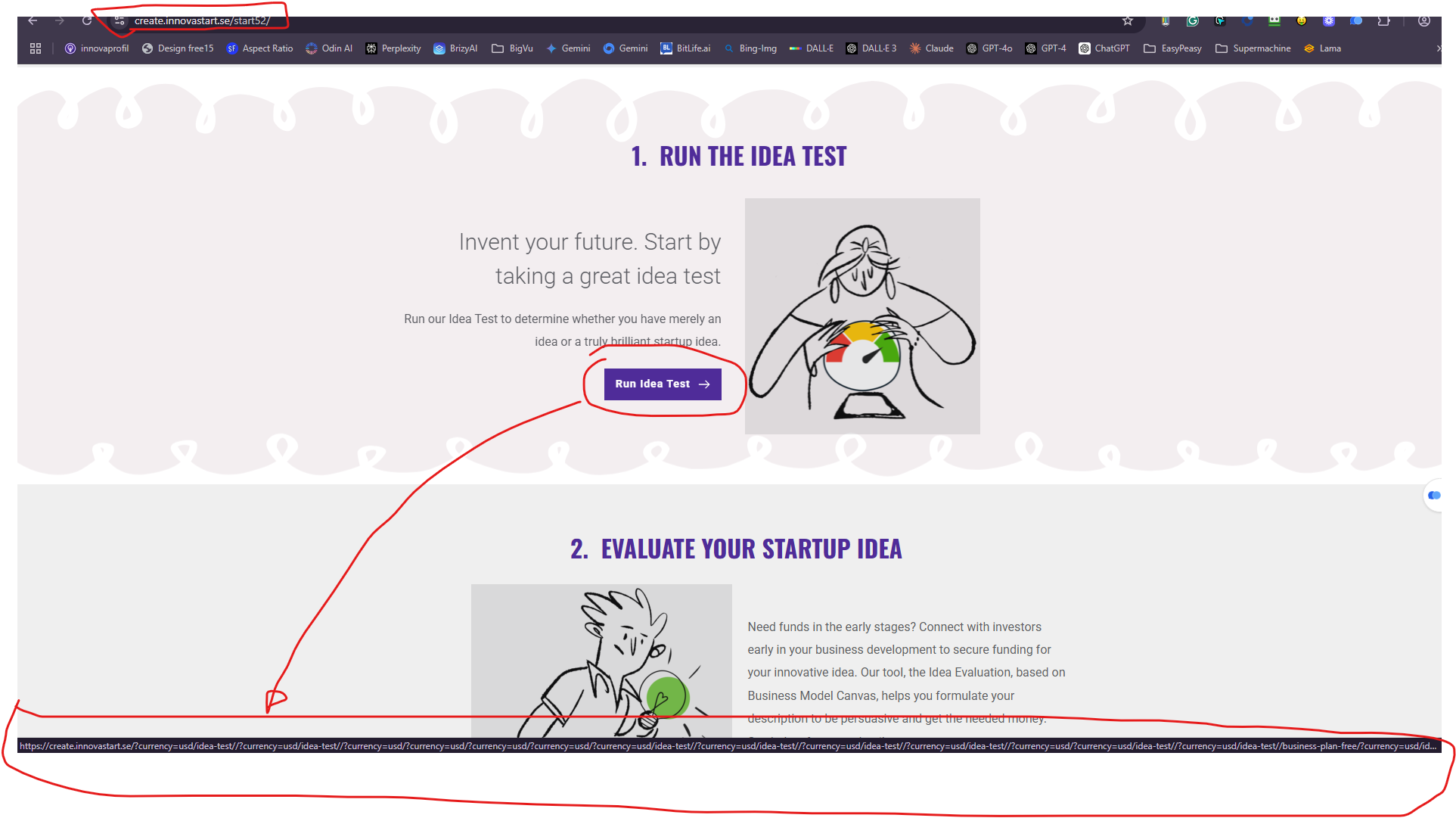
I am experiencing issues with corrupted URLs on https://create.innovastart.se. When I create a button in Brizy with the correct URL, it shows different content in the command line, including currency codes and other symbols, which causes the URL to malfunction.
I have attached a screenshot for your reference;
B-link-corrupt-03.png
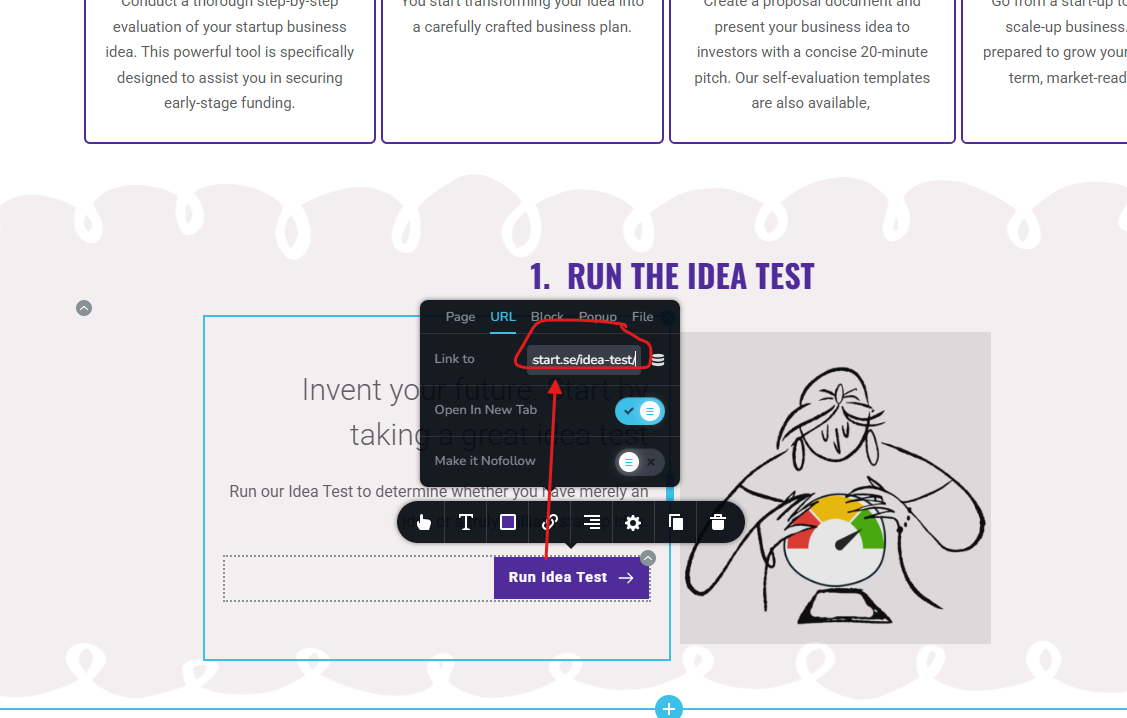
C-set URL in Brizy page -start52.png
The problem resolves itself when I deactivate the Surecart WordPress plugin.
I first contacted Surecart support and informed them that the issue began after they changed the currency in the Surecart product model from USD to EUR. I also mentioned that deactivating the Surecart plugin resolved the problem.
However, after an extensive email exchange, they have now instructed me to contact Brizy Support instead. I'm unsure how much effort they put into finding a solution within the Surecart plugin. Hence, I am now reaching out to you for assistance.
Could you help me with this issue? If you do not have a solution, please refrain from advising me to contact Surecart support again. Instead of pushing me back and forth, I suggest that you communicate with your colleagues at Surecart to resolve my issue. Please comment
Here are the steps to replicate the issue:
1. Go to https://create.innovastart.se.
2. Select "Member Login" in the navigation menu.
3. Sign in using the username_____ and password _____'
4. You are directed to the page https://create.innovastart.se/start52.
5. You can select any of the five buttons on this page. (Please note that in the bottom left corner of the screen, you will see the corrupted URL command appear.)
6. When you press the button, instead of opening the specific Ninja Forms, you are redirected to the homepage https://create.innovastart.se.
Please let me know if you need additional information or if I can provide you with login details to access create.innovastart.se using an administrator profile.
I appreciate your support.
Regards,
Johnny Carlsson
-

Hi Johnny,
Thank you for reaching out and for providing detailed information.
To isolate what might be causing the corrupted URL behavior, could you please try the following steps:
1.Please try to reset the Permalinks: https://www.wpbeginner.com/beginners-guide/how-to-regenerate-your-permalinks-in-wordpress/
This often helps resolve URL-related issues.2. Temporarily switch to a default WordPress theme (like Twenty Twenty-One) to see if the issue persists.
3. Please deactivate all other plugins except Brizy and Brizy Pro, then check if the issue can still be replicated.
If the issue disappears during these tests, it may help us narrow down any conflicts.
If the issue persists, please share your WordPress admin login details with us so we can take a closer look? Kindly add us as an Admin user to your WordPress Dashboard and send the following details to communitysupport@brizy.io.
Community Post link: https://support.brizy.io/hc/en-us/community/posts/27880448504594
WordPress Admin URL:
Username:
Password:Also make a full backup of your site as a precaution.
Looking forward to your reply.
Best regards,
Ariel H.0 -
Hi,
I followed your instructions, step 1. Reset of permalinks. That solved my problem.
Additionally, from Suredesk support, I received alternative instructions on how to adjust the URL in each Button configuration in Brizy manually. For example, change the setting from full command line https://create.innovastart.se/test-idea to only keep '/test-idea'. That instruction worked as well.
I hope the issue with corrupt URLs is solved, but I will contact you if the same problem returns and your instructions do not resolve my issue.
I appreciate your support.Regards
Johnny Carlsson0
Please sign in to leave a comment.
Comments
2 comments