Hamburger Menu Icon

Hi Brizy team!
Is there a way to change the menu icon? That would open up a lot of new design possibilities.
It would be really great if you could even use JSON animations.
Thanx.
Marc
-

Hi Marc,
Thank you for reaching out!
You can change the hamburger menu icon by clicking on it, then selecting the star icon, switching to the "Icons" tab, and clicking the hamburger icon again. From there, you’ll be able to choose from the existing icon library or upload a custom one.
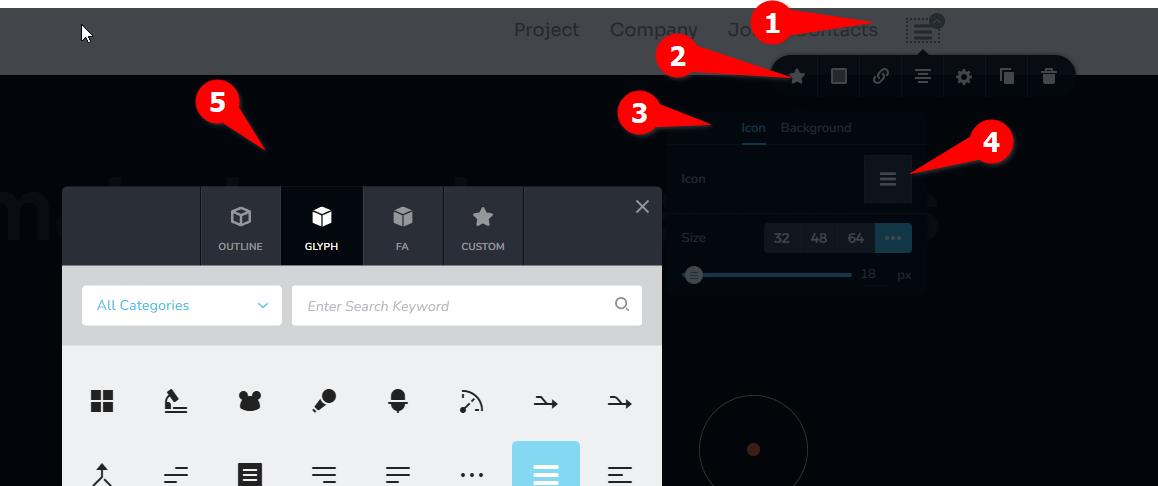
Unfortunately, it's not currently possible to use custom icons like JSON animations. We understand how this could open up more creative design possibilities. We recommend submitting this idea on our Ideas & Roadmap page at https://www.brizy.io/ideas-and-roadmap so our developers can consider it for future updates. Every vote and comment help prioritize new features.
Best regards,
Ariel H.0 -
Hi Ariel H.
Thank you for your reply. Unfortunately, I can't find the icon button here on WordPress. Your image also shows an icon element, not the menu element.
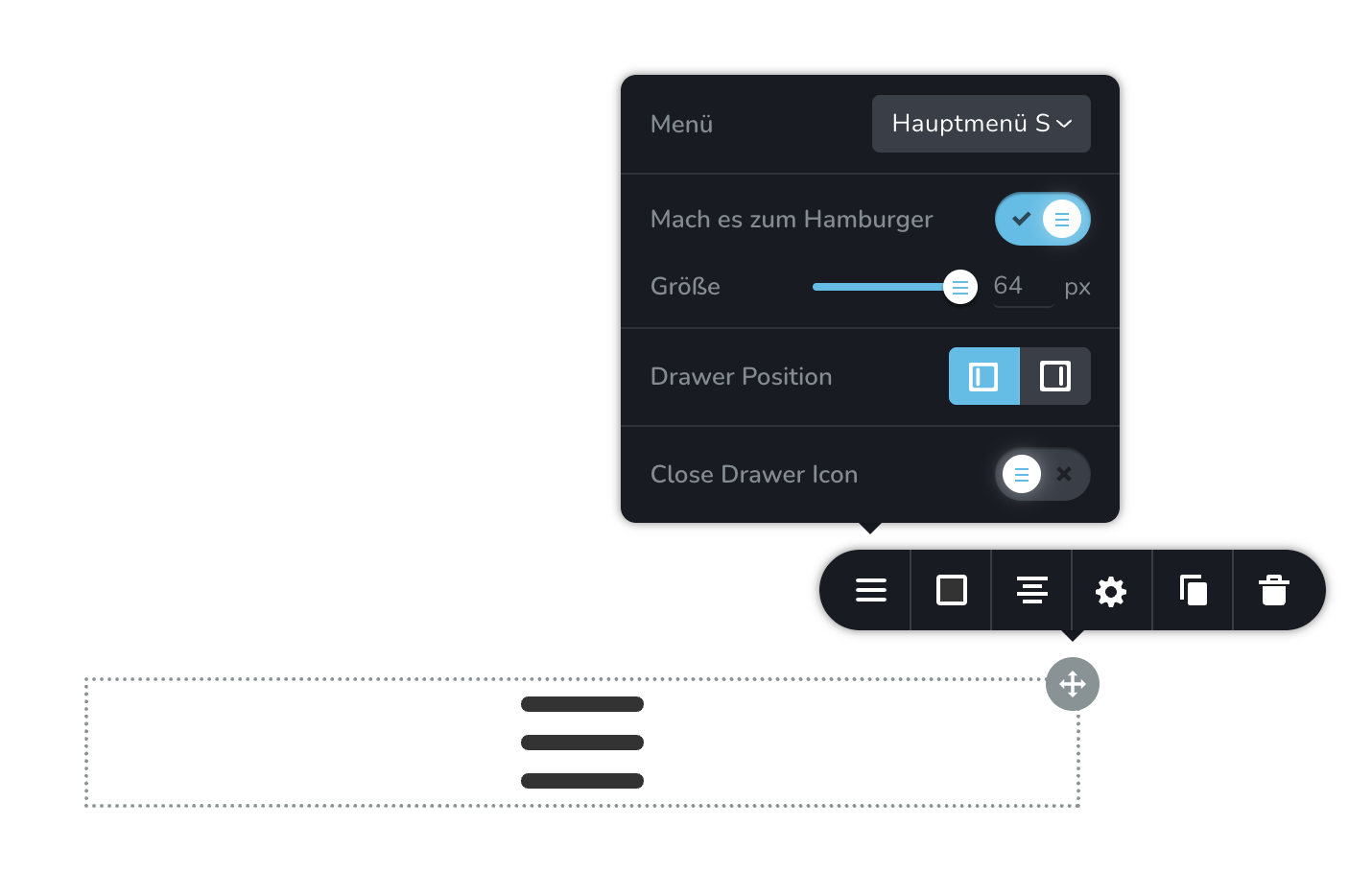 0
0 -

Hello Marc,
There is no option to change the hamburger menu icon. However, you can setup a hamburger menu like at https://www.rishikeshwalks.in/ by designing your hamburger menu using the Popup Builder. Have a look at the first part of the tutorial 3 Ways to Use Popup Builders: Website Navigation, Back to Top Button, Deals or Cookie Notification for the procedure.
0 -
Thanx George, thats exactly what i need.
0
Please sign in to leave a comment.
Comments
4 comments