Put in AppSumo codes, now current sites are messed up

Hello,
I have had 3 Lifetime sites thru AppSumo several years ago. I just added a new AppSumo code with 5 websites and now everything looks messed up. My current 3 are now showing up "Free" and I just made a new test and that one is showing up "PRO". Now all the blocks are giving me error messages. Here's a picture: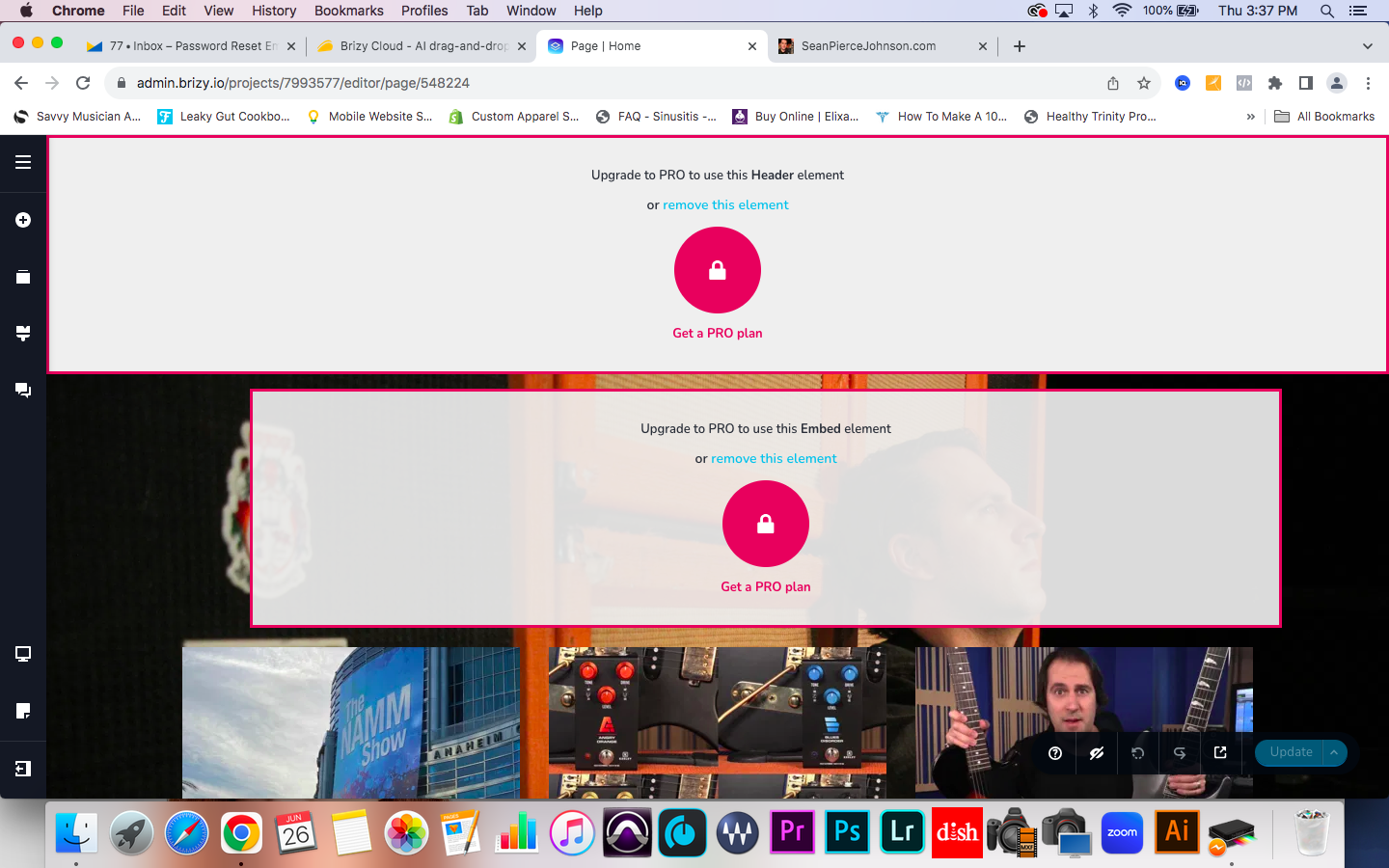
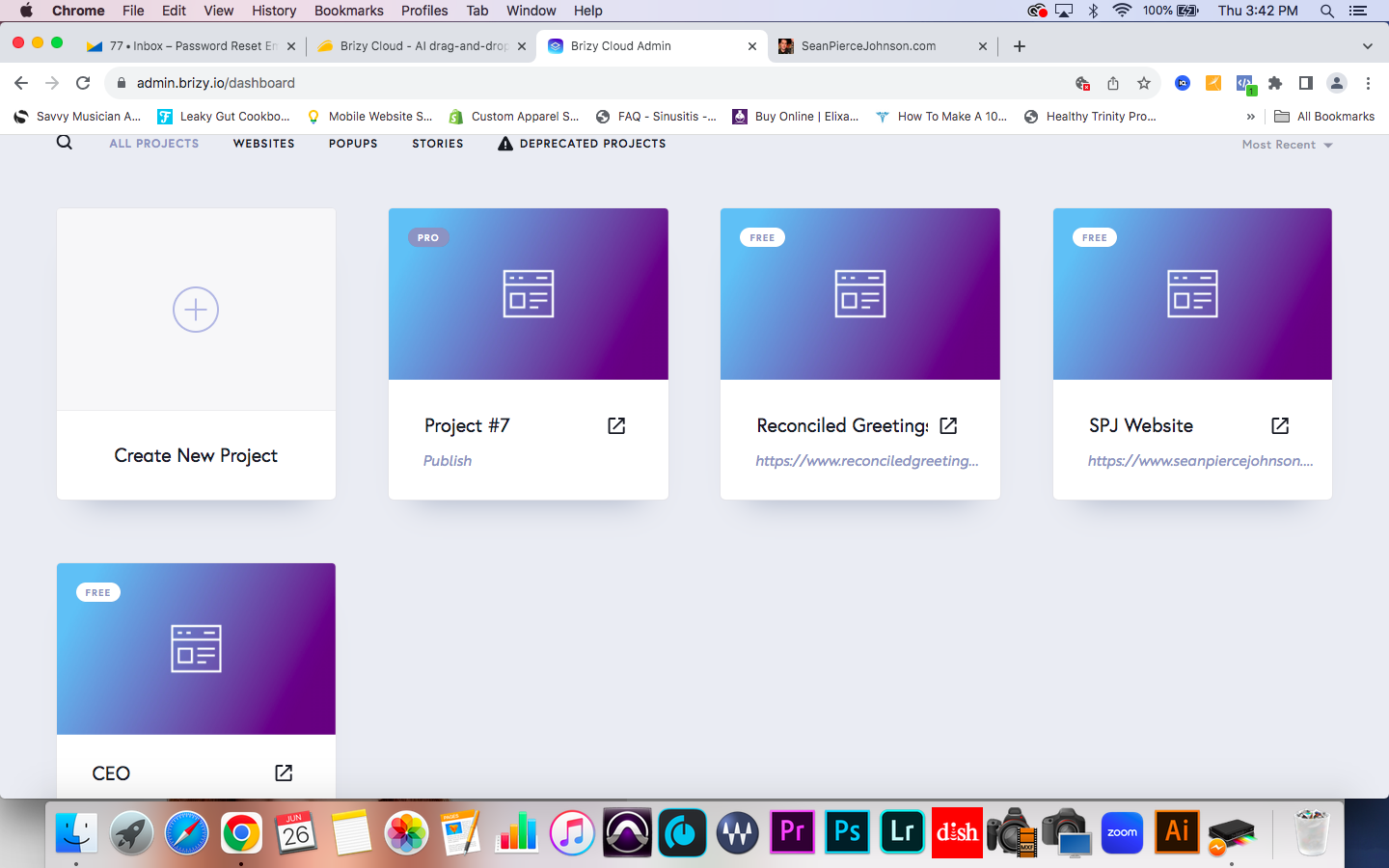
-
I figured it out! I just had to click on the 3 dots and click "Activate Pro" then it says it will use one of your licenses. It just sorta auto-kicked the previous Pro licenses which were On to Off.
0 -

I have kind of the same issue, but differently.
I also have the 2019 deal with 3 websites (none used) and upgraded with the appsumo deal with 5 websites.
I get the same message, but .... on website designs that I normally export to html or with server sync and then host on my own servers!!!!
It gets even stranger, because in my dashboard suddenly 3 'websites' that are not published at all, anywhere, are suddenly labeled as 'Pro'.
I am not sure, but reason tells me that it was not I who did this. I haven't used custom domains until now, and while the original deal had unlimited websites to export to (html / server sync) to my own server I cannot see why any of my websites turned into 'pro'.
Brizy, what is happening???? And, please solve this!0 -

Hello Hans,
With the AppSumo Deal 2019, you have access to 3 PRO licenses. With the AppSumo Brizy Cloud 2024 plan, you have access to 5 additional PRO licenses. You have a total of 8 PRO licenses. You have full control over how you want to use your PRO licenses
- To activate PRO features on a FREE project, kindly use the "Activate PRO" option.
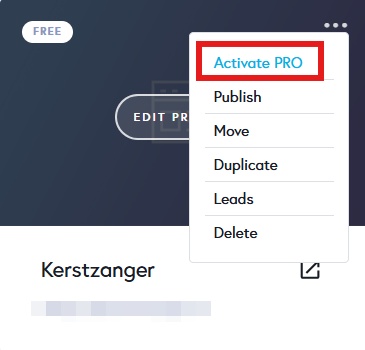
- To deactivate PRO features on a PRO project, kindly select the "Deactivate Pro" option
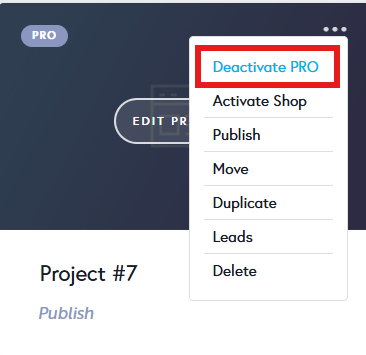
0 - To activate PRO features on a FREE project, kindly use the "Activate PRO" option.
Please sign in to leave a comment.
Comments
3 comments