brizy and woocommerce shop page issue

Hi Brizy Support,
I am having issues with Brizy and WooCommerce, specifically the shop page. Here’s a video: https://vento.so/view/f91425de-8ffa-4c2a-bb85-2a4df5f2ca60?utm_medium=share
The shop page is working when using the default template, which is via the Blocksy theme. But when I create a shop template using Brizy, selecting Product Archive and Shop, the dynamic content that should be in the content area does not appear.
I want to be able to use Brizy to create a shop template so I can create nice headers and footers and have the WooCommerce content appear in the center. Please let me know what the issue is.
Thanks.
Fran.
-

Hi Fran,
Thank you for contacting us.
From what I can see in the video, it looks like you’re using the #post_content tag in your dynamic template to display the main content on the Shop page. Just to clarify, the #post_content tag is typically used to render the content of a standard post or page and not WooCommerce product archives.
For displaying products on archive pages like the Shop, we recommend using the Archive or Products elements instead, as they’re designed specifically to pull in and display product listings dynamically.
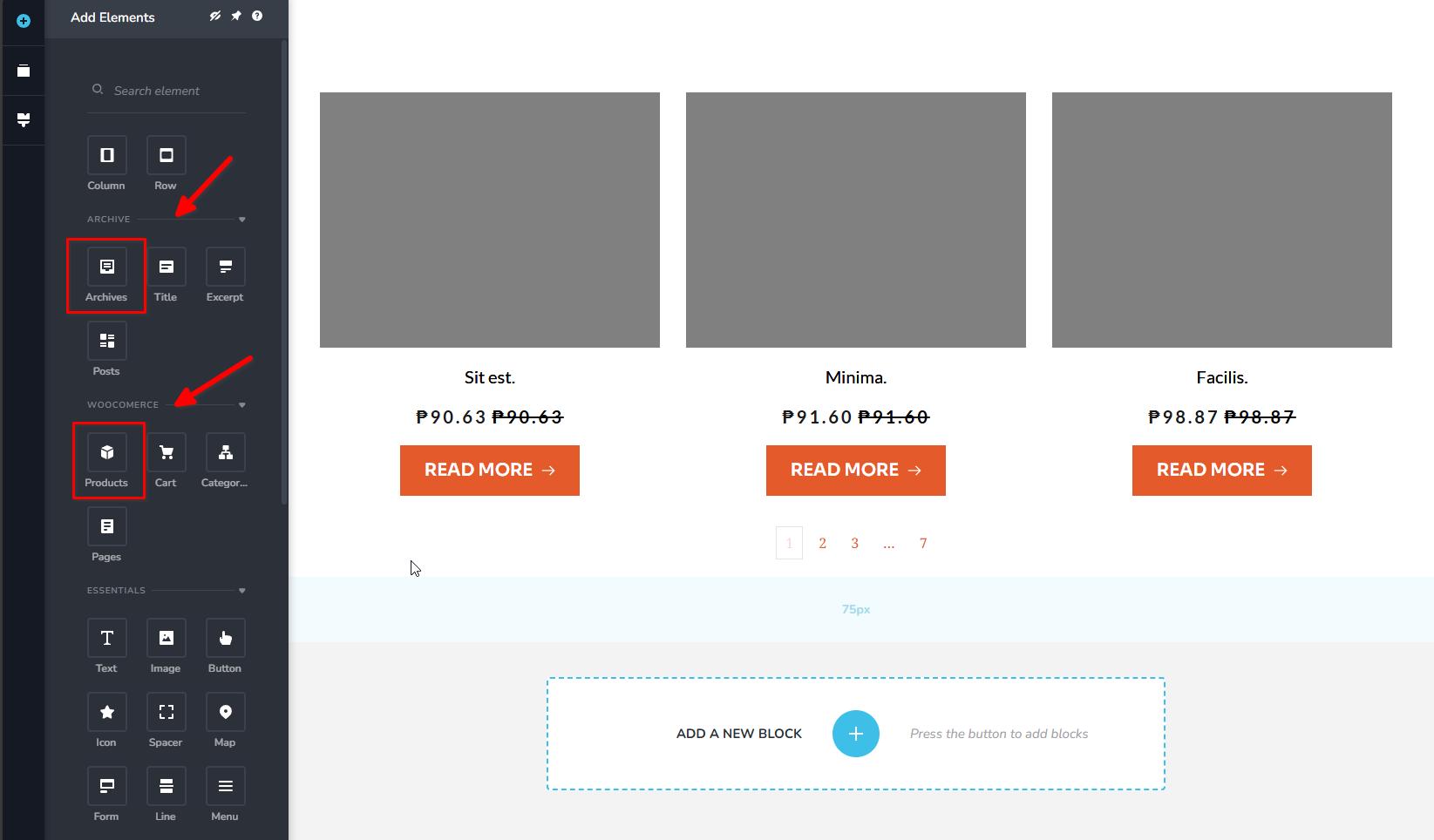
Let me know if you have any other questions or need further details.
Best regards,
Ariel H.0 -
OK. Thanks. I have added the products and customized the look but how do I get the linking to work? I want the photo and the name of the product to link to the corresponding product page. When I select the link, choose Products then I have to select a product, but the display needs to be able to work that out dynamically.
0 -

Hello Fran,
Select any element within a product card in the "Archive" or "Products" element, then the "Link" icon, the "Database" icon and in the first drop down list, select "Auto" and in the second drop down list, select the dynamic value "Post URL" to link to the respective product pages
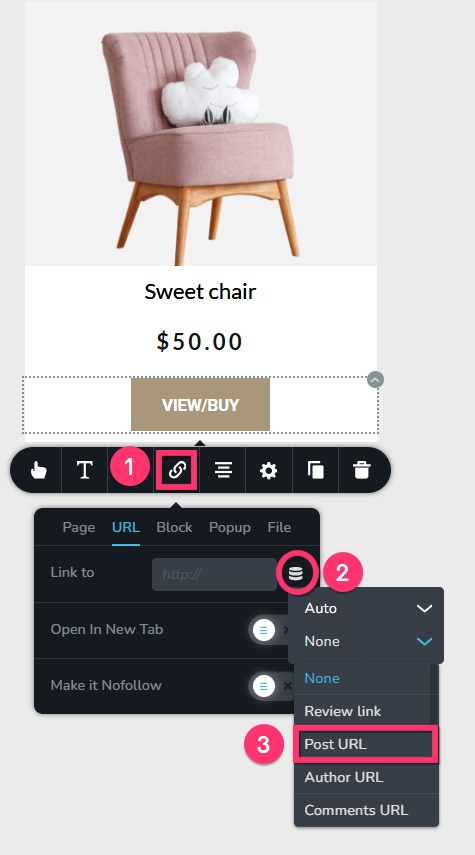 0
0 -
Thank you!
0
Please sign in to leave a comment.
Comments
4 comments