Failed to upload icon

Hello. I can't upload my own icon for the button.
When I try, it says "Failed to upload icon" https://skr.sh/sWIf0fmvyFI
SVG loading is allowed in the settings.
Brizy Pro version 2.6.14
Brizy version 2.6.22
-

Hello Evgeny,
Errors in the SVG code, such as incorrect syntax, missing elements, or invalid attributes can cause the above error. Kindly visit https://www.svgviewer.dev/ and follow the procedure at https://jmp.sh/k7ZUUsAZ and upload the optimized SVG file and check if the issue persists.
0 -
I tried to optimize the SVG as you suggested. It didn't help.
I also tried to take random svg from three sources - none of them loaded.
I also tried to load an SVG that was previously loaded on another site on Brizy - the current site failed to load it.
However, SVGs can be loaded without any problems using the Image block. But the loading of my own SVGs through the Button and Icon blocks ( https://skr.sh/sWI6SKF2jyG ) is not working ( https://skrinshoter.ru/sWIf0fmvyFI )
0 -

Hi Evgeny,Thank you for the update and for testing those different SVGs.
To help us reproduce and investigate the issue further, could you please send over the three SVG files you’ve tried to upload? Additionally, kindly share your WordPress Admin login credentials so we can check this directly on your site.
Please add us as an Admin user to your WordPress Dashboard and send the following details to communitysupport@brizy.io.Community Post link: https://support.brizy.io/hc/en-us/community/posts/27624258298642
WordPress Admin URL:
Username:
Password:
(Attach the SVG files)Please make a full backup of your site as a precaution.
Looking forward to your reply.
Best regards,
Ariel H.0 -
Thank you for your response. I have sent you an email with the all information
0 -
Hi Evgeny,
Thank you for your patience.
We were able to successfully upload the SVG icons on our testing site:
https://staging.brizywp.online/demo01/button-icon/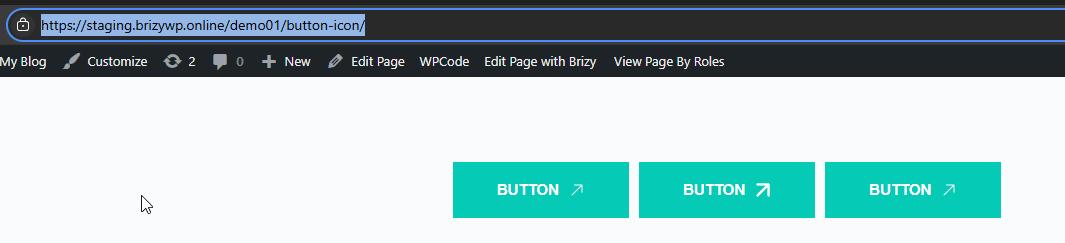
We also managed to upload a smaller SVG file directly on your website, as shown in the screenshot below. This suggests that the issue may be related to server-specific security restrictions.
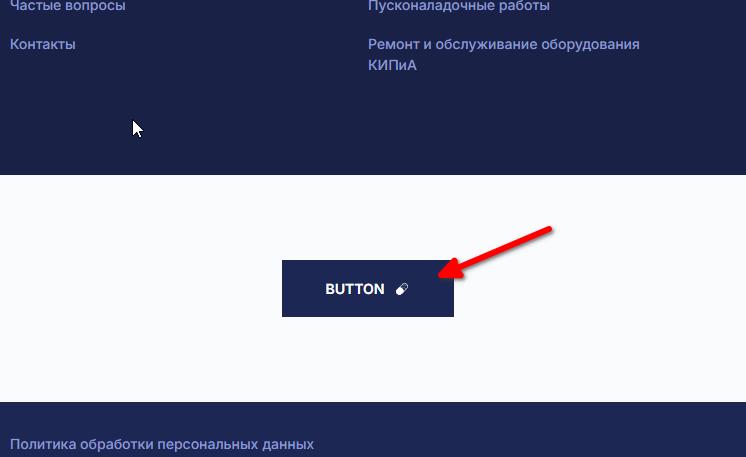
Your hosting provider may have rules in place that block certain file contents. They can usually whitelist or adjust these if needed.
Best regards,
Ariel H.0 -
"We also managed to upload a smaller SVG file directly on your website, as shown in the screenshot below."
How did you manage to upload this image?
0 -
Hi Evgeny,
I've recorded a short screencast for you, which you can view here: - https://youtu.be/p_PywLA7C4o
I also linked the SVG file we used in the example so you can try it. As shown in the screencast, the SVG upload is working as expected on our end.At this point, we recommend checking with your hosting provider. Please ask them to review any security settings and, if possible, temporarily disable ModSecurity to see if that resolves the issue.
Let us know how it goes.
Kind regards,
Ariel H.0 -
Your file is indeed loading https://skr.sh/sWIOLJ8qGic
But why isn't any of the ones I've tried loading as well? I'm completely confused and don't understand how your file differs from mine.
0 -
The hosting company's technical support was unable to assist me.
Is there a way to manually upload custom icons without using this uploader? For example, can I use FTP to upload them to a specific folder so that they appear in the list? Or is there a way to convert SVGs so that they load like your pill icon in the example?
Could you give me instructions on how to bypass this loader?
I really need to use buttons with my own icons
0 -
Hi Evgeny,Thank you for the update.
Since the SVGs work fine on our end, and the test icon I sent uploads successfully for you as well, the issue could to be isolated to how your environment handles certain SVG files.
Unfortunately, Brizy doesn’t currently support uploading SVG icons manually via FTP. The icons you upload through the builder are stored and referenced dynamically, so adding them directly via FTP wouldn’t make them appear in the interface.
Here are a few things you can try to work around this:
1. Try uploading the SVGs using another browser like Chrome, Firefox, or Edge (latest versions). Sometimes browser extensions or cached content can interfere with uploads.
2. Some SVGs have metadata or script elements that security rules on some hosts may block. Try opening the file using SVGOMG (https://svgomg.net/) or an app like Inkscape, then export a clean version and try uploading again.
Let us know how it goes.
Kind regards,
Ariel H.0 -
Good afternoon.
1. I tried loading the icon through three browsers: Firefox, Chrome, and Edge.
2. I also tried using the SVGOMG service.
None of the attempts were successful.
Can you add an alternative way to load icons so that the loader displays the icons in the media library?
0 -
Hello Evgeny,
Can you send us the SVG files you are trying to upload? You can possibly make a new folder in an online drive like Google Drive or Dropbox, upload the SVGs to the folder and send us a link to the folder. We will attempt to upload those SVGs to your Icons Library.
0 -
I have already provided the files before https://support.brizy.io/hc/en-us/community/posts/27624258298642/comments/27640363431954
I also tried using completely random files downloaded from different websites.
I need an alternative way to load my own SVGs, bypassing your loader, which doesn't work on my hosting.
0 -
Hi Evgeny,
I’ve uploaded the custom icons into the three buttons and saved the block. I’ve also exported it as a ZIP file for your convenience.
Please download and import the block into your pages, and let me know if everything works as expected.
Best regards,
Ariel H.0 -
"I’ve also exported it as a ZIP file for your convenience."
I don't have access to this file.
I also tried to create a block with the desired custom icons on another hosting, where there are no problems with loading.
I tried to export this block and then import it to my main site, also tried to synchronize saved blocks - but on my site the icons just did not load. Instead, a blank space was displayed.
That is, there is also a problem with exporting and importing blocks - some data is lost in the process.
0 -
Hi Evgeny,
Thanks for the update. It looks like we’ve lost access to your website, so we haven’t been able to try importing the files from our end. If you could temporarily grant us access again, we’d be glad to test it out for you.
Best regards,
Ariel H.0 -
Icon loading is now working. Either one of your updates fixed the issue, or an upgrade of PHP version to the latest
0
Please sign in to leave a comment.
Comments
17 comments