WP Brizy not saving

Hi Brizy Support Team,
I am reaching out for support due to a problem that I recently encounter when working on a client's webpage that I started building with Brizy Pro (LT) + Wordpress.
Context:
- Site Design was built in the Brizy Cloud first https://saveplumbingco.brizy.site/ (This is a common practice that I do, on most of the client projects, I create the design concepts in cloud first, to show multiple live prototypes to the client before building on their servers)
- After the design version is approved, I go ahead and save, label and download each block of the approved page to my local computer as a backup version control.
- I get access to the clients server/hosting and start setting up the WP installation and Brizy Pro license key.
- I go ahead and start rebuilding the page(s) on their WP Server now by uploading the previously saved blocks created in Brizy cloud, that are labeled from 1,2,3,4…and so on to follow an ordered structure,
- After the pager are reconstructed then I go ahead and start connecting, third party plugins and integrations, and making SEO adjustments to the content.
In this case I was following exactly this process that I usually do with other projects, but in this case I encounter a problem when trying to re-build the page, I was able to load some of the block (from block 1-7) after that one is when I realized that the page was not saving, Ii tried multiple time to save the page without any luck, the saving SPINNING WHEEL kept going and going and after a while it was just showing an error screen " This page needs a refresh. You've probably updated this page ( or another page) in a different browser." But I didn't saved or updated anywhere else.
I tried multiple times, in different browsers, in different computers, even at different times as I thought it was perhaps related to internet speed but no luck on any attempt.
Below I recorded a loom video for you guys to take a look at the problem that I am describing, hoping to get some technical support from your teaam in addressing this problem.
Loom Video: https://www.loom.com/share/472b3d6c438b4f19aeeb8a99ed419643?sid=e2845814-f0f1-4e5e-9217-0e805c07ad6f
Details about the site:
WP Domain: http://saveplumbingco.com/
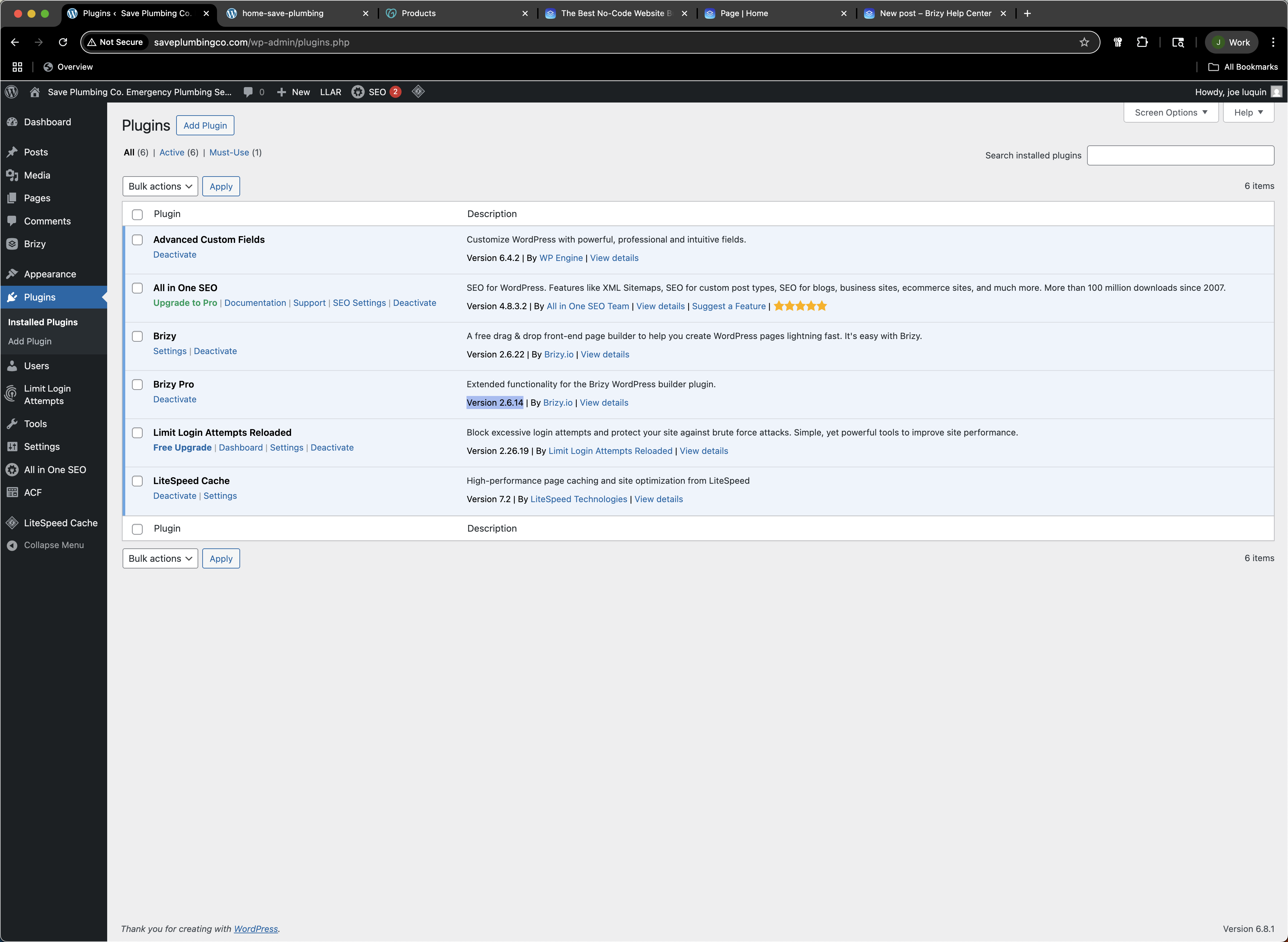
Wordpress version: 6.8.1
Brizy: Version 2.6.22
Brizy Pro: Version 2.6.14
Hosting Provider: Godaddy
cPanel Version: 126.0 (build 19)
Apache Version: 2.4.63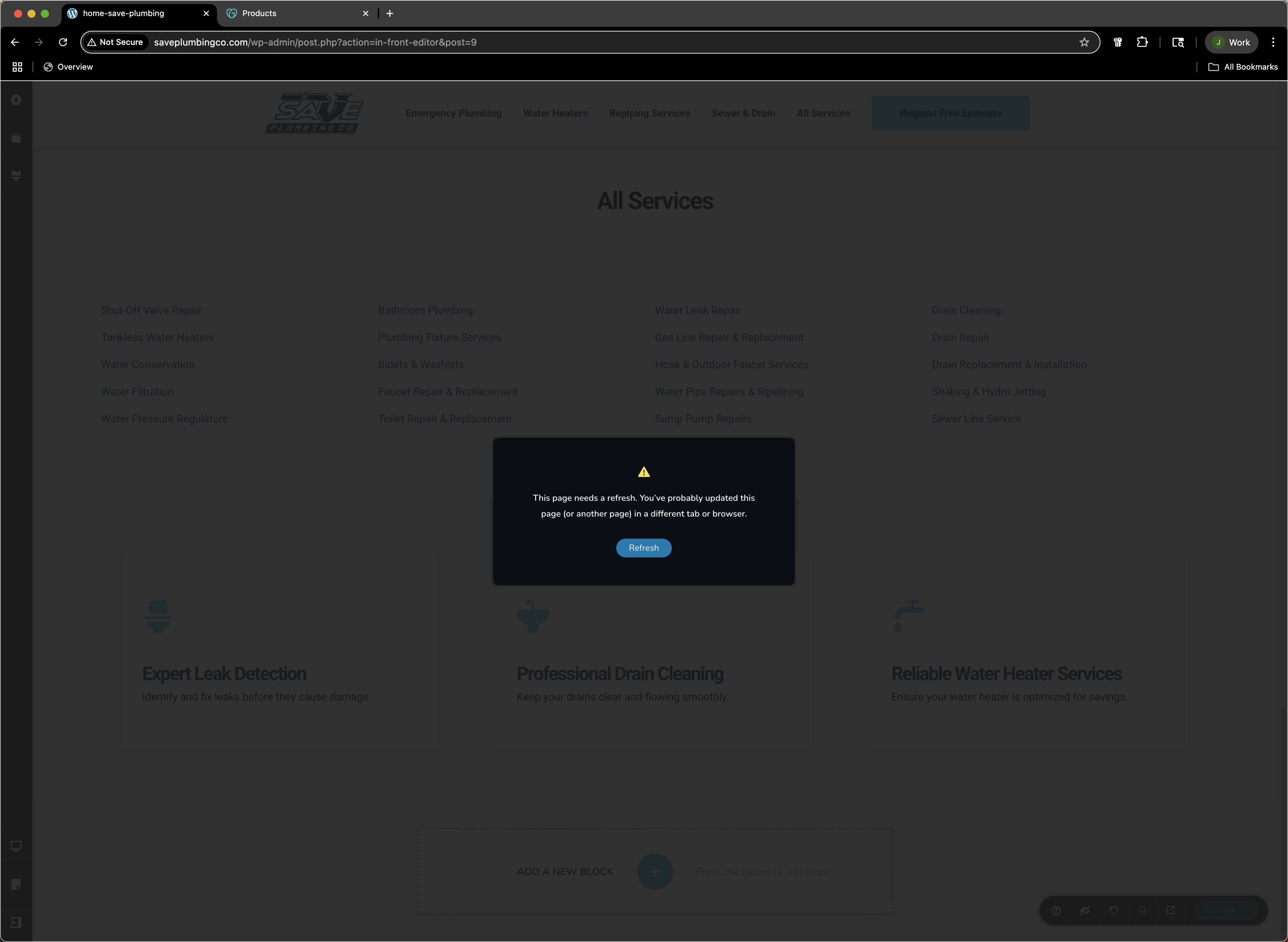
-

Hi Jose,
Thank you for reaching out and for the detailed explanation of the steps you followed.
We've seen similar issues specifically with Brizy sites hosted on GoDaddy. This typically happens on more complex pages with many blocks and elements. Smaller pages generally save without any issues.
When this occurs, it often means the site has hit a certain threshold that prevents saving, and based on our experience, this issue originates from GoDaddy’s Web Application Firewall (WAF). The WAF seems to block AJAX requests when attempting to save larger pages in Brizy, which unfortunately is outside of our control.
To confirm this, I’ve created a staging site for you where you can replicate the issue. You can perform a password reset using your email address to gain access.
https://staging.brizywp.online/3490/wp-login.php?action=lostpasswordI’ve assigned you as an administrator. Please try recreating the issue there and see if the same problem occurs.
Alternatively, you may want to test this in a local environment using tools like XAMPP or Local by Flywheel. If the issue does not occur locally, it would further confirm that the problem is hosting-related.
In cases like this, the best long-term solution may be to consider a different hosting provider that doesn’t impose such restrictions on AJAX requests.
Let us know if you need help accessing the staging site or if you have any further questions.
Best regards,
Ariel H.0
Please sign in to leave a comment.
Comments
1 comment