Just to clarify—are these limitations by design, or might they require some troubleshooting or updates?

After using Brizy Shop over the past six days, here are a few issues I’ve encountered:
-
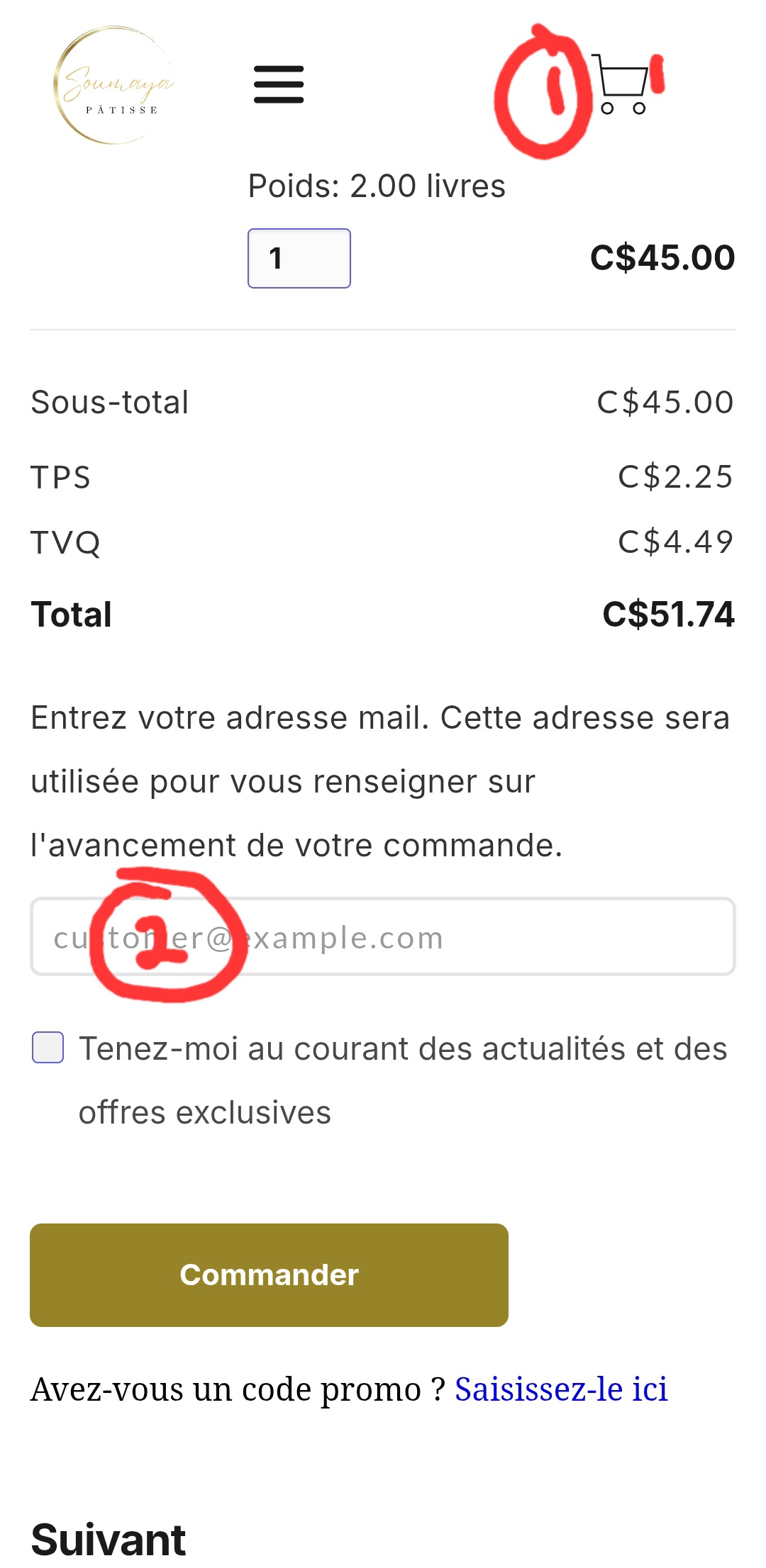
When adding a product to the cart, there’s no visual update or cart icon indicator on the top menu to show that an item has been added.
-
When customers are prompted to enter their email address, the input field appears to be locked or unwritable, preventing any information from being entered.
-
I tested a few apps like Easyship and AfterShip, but both required an Ecwid account, so I couldn’t connect them to my store. I’m not sure if this will be the case with other apps as well. If there's a workaround or configuration needed, I’m all in and ready to make it work.
Accordingly!
-

Hello Mahfoudh,
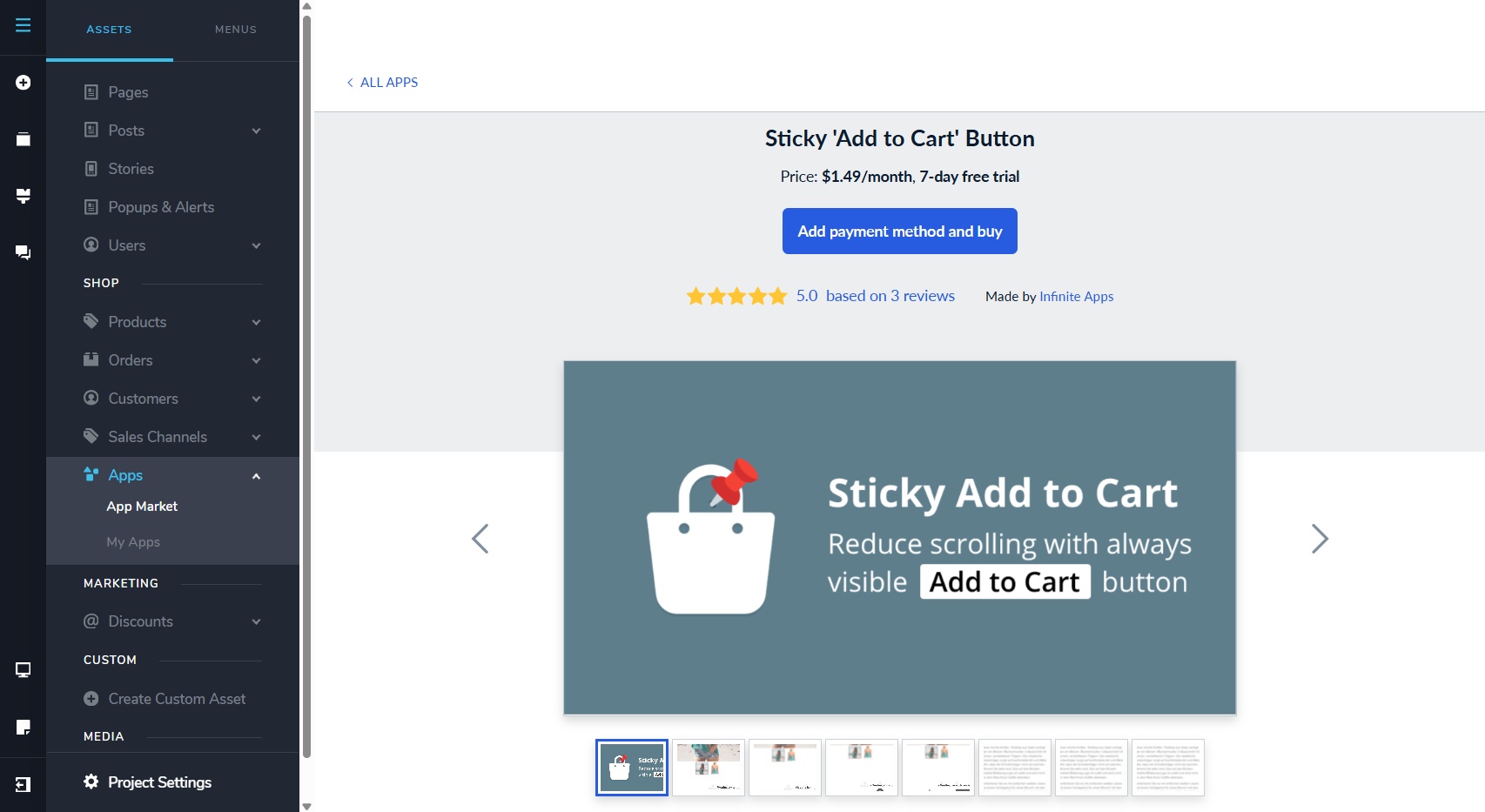
- The cart icon which displays the total number of cart items is not part of the native features of Brizy Shops. It can however be added using an app.
-
When customers are prompted to enter their email address, the input field may have appeared locked or unwritable, due to the restrictions of the trial plan you are using. If you try the same at https://lunea.brizy.site/, it should work.
- Apps in the ECWID App Market are designed to work with ECWID. To integrate those apps with Brizy Shops, additional effort will be required from our side. Our developers are still looking into it. We will keep you informed as this becomes available.
0 - The cart icon which displays the total number of cart items is not part of the native features of Brizy Shops. It can however be added using an app.
-
Hello George,
Thank you for your feedback—it's always appreciated. I really value how direct and clear you are.
I have a quick question regarding the trial period. Is it intentional that the system still treats it as active, even though I’ve already purchased a plan? I’m still seeing the “Upgrade” button and some features appear restricted, which is a bit confusing.
Thanks in advance for the clarification.
Best regards,
Mahfoudh.0 -
Hello Mahfoudh,
After purchasing a Pro license, you must also activate it with one of your projects. Kindly follow these two steps.
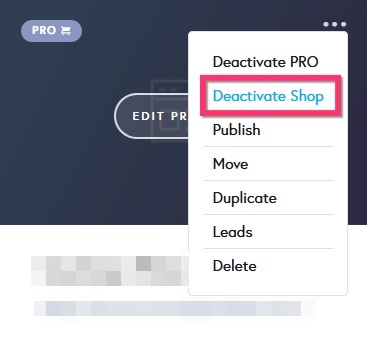
- Deactivate the Shop Free(14 days) plan from any of your three projects by selecting the "Deactivate Shop" option in the project thumbnail
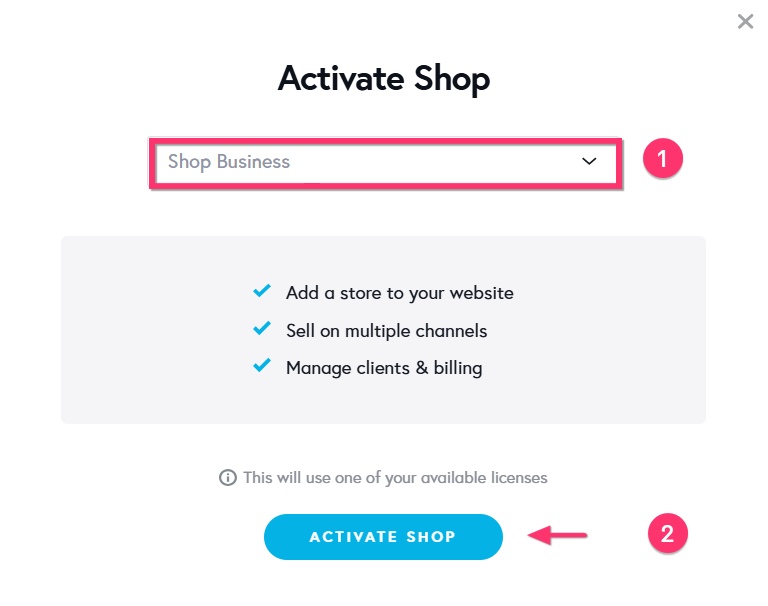
- Activate the "Shop Business" plan in the same project by selecting the "Activate Shop" option in the project thumbnail, "Shop Business" option in the drop down list and clicking the "Activate Shop" button towards the bottom
0 - Deactivate the Shop Free(14 days) plan from any of your three projects by selecting the "Deactivate Shop" option in the project thumbnail
Please sign in to leave a comment.
Comments
3 comments