Double H tags

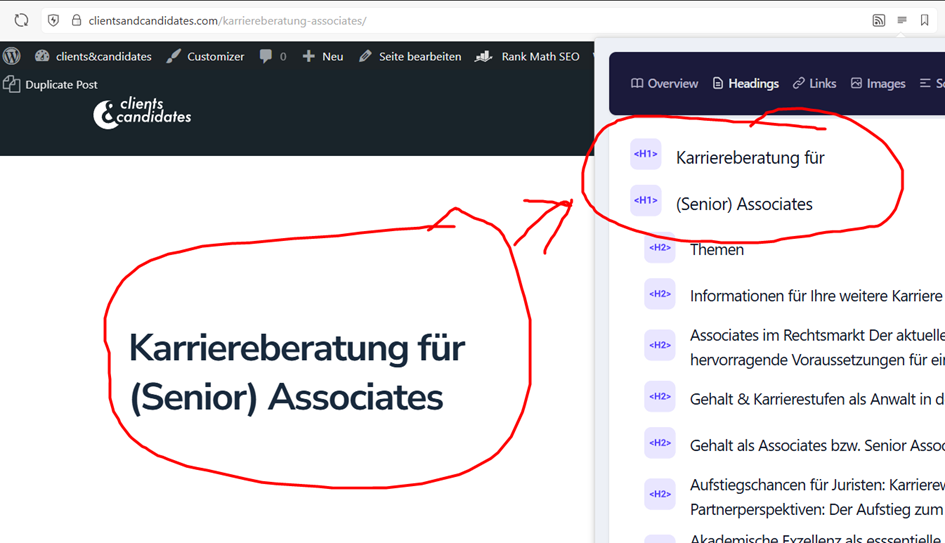
How can I remove duplicate H tags in headings? If I make a small paragraph, the H1 doesn't follow in this example. The day will restart. That's why we have a lot of empty H2 and H3 tags across the entire website. A paragraph is sometimes inserted after headings. How can this be fixed?
-

Hi Burkhard,
Thank you for contacting us.
When checking with Ahrefs SEO Toolbar, we’re seeing a slightly different result. Could you please try checking the page again in an incognito/private browser window and see if that changes anything?

Please give it a try and let me know how it goes.
Best regards,
Ariel H.0 -

Hello Burkhard,
This could be due to inaccurate analysis by the tool you are using to check heading tags. Please use these tools also to check the same.
0 -
Hello everyone,
thank you for your answers.
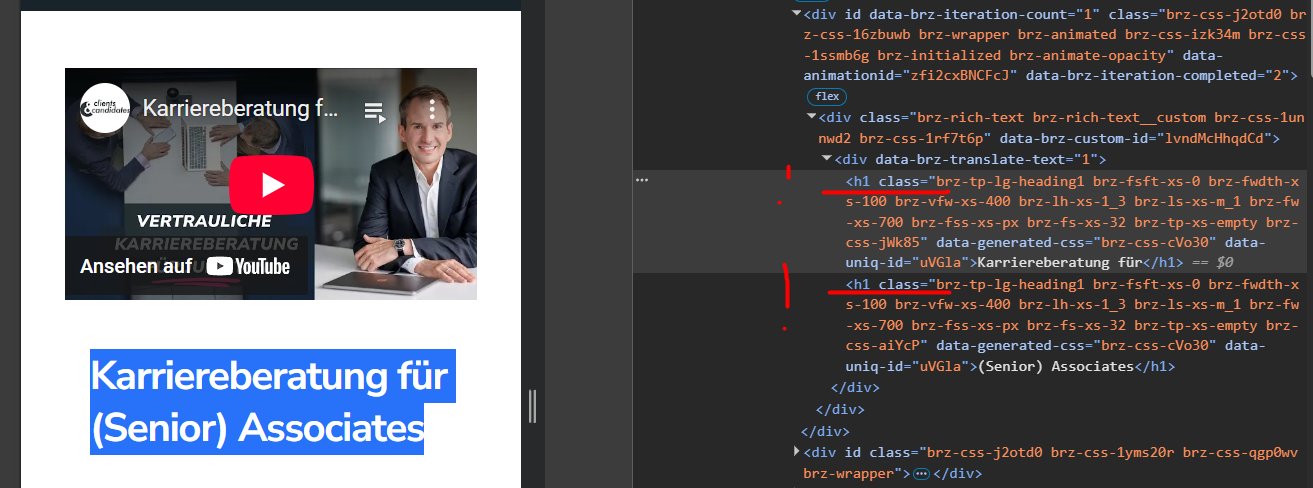
It's due to upheaval. In this case, each new line opens a new H1 tag. The same thing happens with all other H tags. I added the break again. Look at the picture, the source code is clearly twice the H1.Sometimes we want to separate headings sensibly and not open another H1 tag. I don't know of any pageuilder where this happens.
How can the error be fixed?
 0
0 -
Hello Burkhard,
Currently this is a limitation with Brizy. If you add a line break, Brizy will assign two different heading tags to a text. Kindly keep the texts together without a line break to avoid having multiple heading tags.
0 -
Hey George,
thanks for your answer.
Unfortunately we can't work with Brizy like that. Headings often have a break. This is for design purposes and sometimes makes headings read better. The fact that empty H-tags are generated when we set a break is also unfavorable. The new accessibility law in the EU clearly indicates that H-tags must be set sensibly.You have created a great builder. But such subtleties are important to many people.
Will you let me know when the H-tag issues are resolved?
0 -
Hello Burkhard,
Kindly add it as a suggestion at our idea board at https://brizy.canny.io/. Based on the interest from other Brizy users, we will work on revising the way heading tags are currently implemented.
0 -
Hey George,
automatically created headings do not have an H1 tag. Press Enter once when I'm still in an H1, H2, H3 or H4 and an empty H tag is created.
We now have to correct over 200 pages. Recreate H1 correctly because it only has "Heading 1" but no H1 tag. And delete empty H tags everywhere.
This goes against all the rectifications and behaves completely differently than other WP builders, such a builder is supposed to save us time, Brizy now costs us a lot more time.
Please let me know if a fix is expected in the next few days. You know now. I won't put any more effort into correcting basics.
Unfortunately, we cannot continue to use your theme on this basis.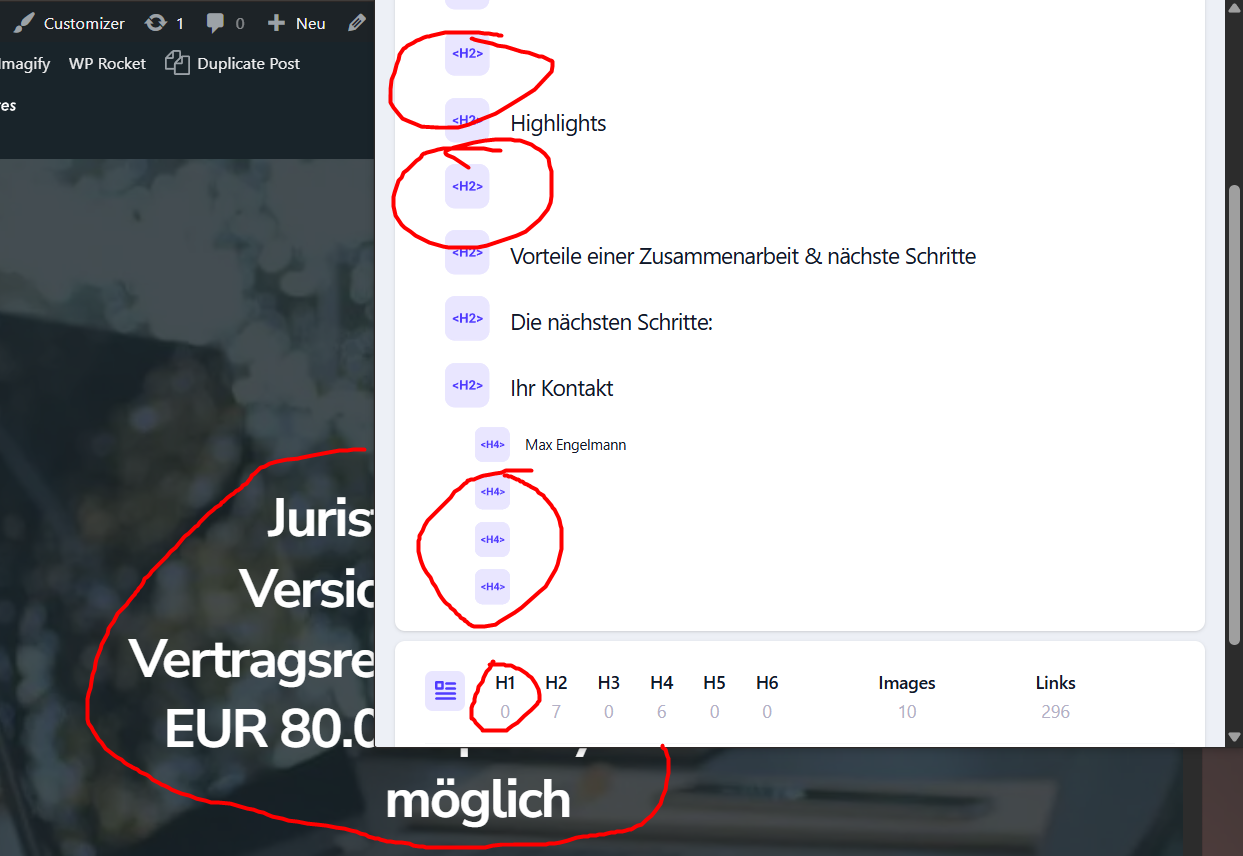 0
0 -
Hi Burkhand,Thank you for bringing this to our attention. I understand how frustrating this must be.
We’ve already reported the issue to our developers. While we can’t guarantee an immediate fix due to the current workload, it is now in their queue. We’ll make sure to keep you updated as soon as we have any news.
We appreciate your patience and understanding.
Kind regards,
Ariel H.0
Please sign in to leave a comment.
Comments
8 comments