Templates created by Brizzy looks weird all of sudden

Hi,
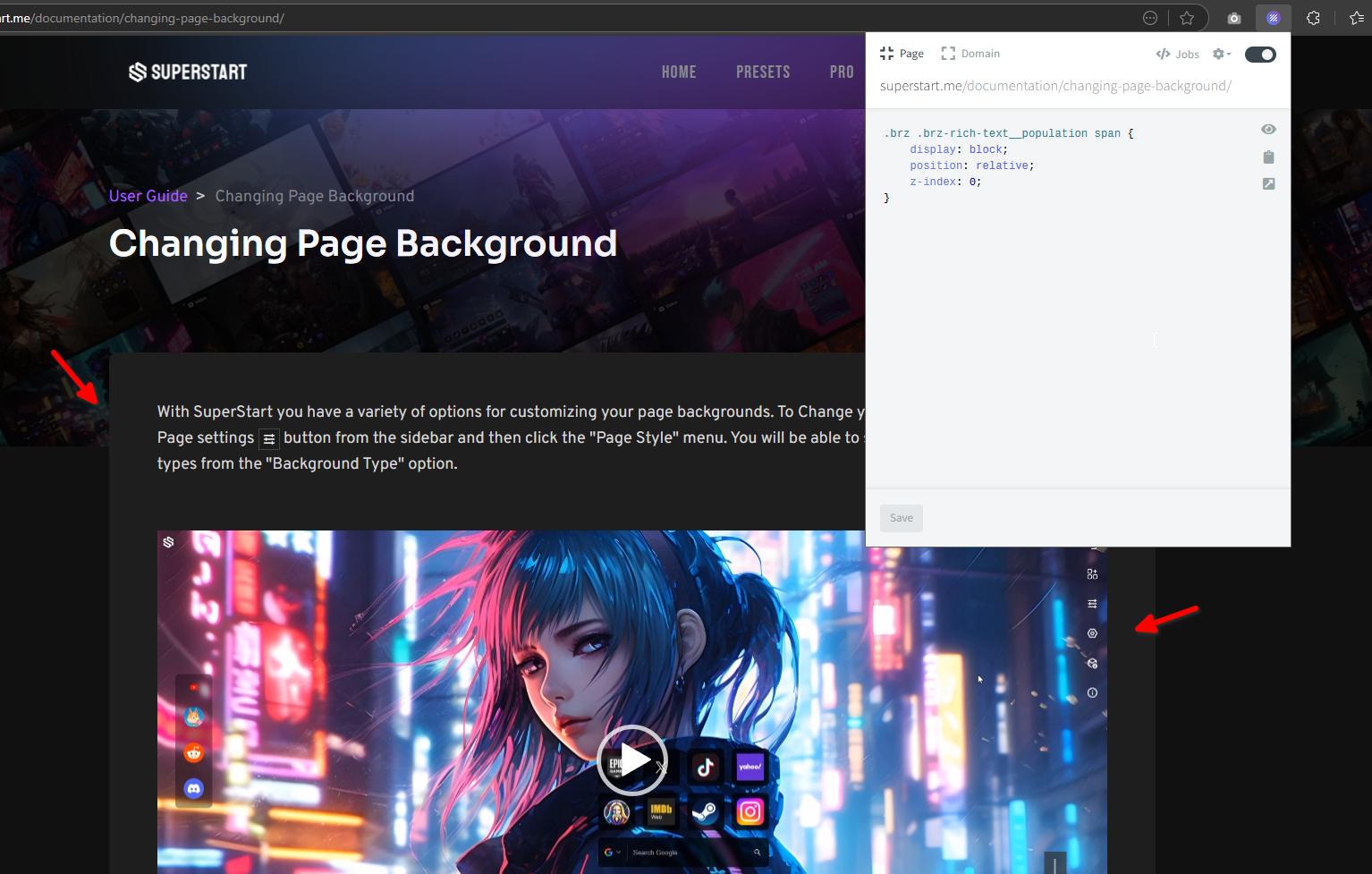
I created a template using the Brizzy Pro WordPress template 2 years ago. The pages that used that template looked fine at that time. I just updated the Brizzy plugin, and the page's content is overflowing its container, and the video element inside it appears broken. Here you can check out a sample page that displays the issue: https://superstart.me/documentation/changing-page-background/
Best Regards
-

Hi Towfiq,
Thank you for contacting us.
It’s possible that the issue you're seeing is related to cached content from before the Brizy plugin update. Sometimes, outdated cache can interfere with how updated elements are rendered on the front end.
Could you try purging any active caching plugins on your site, as well as your browser cache, and then check the affected pages again? That usually helps clear up display inconsistencies after an update.
Alternatively, if the issue persists, you can try applying this CSS as a temporary fix:
.brz .brz-rich-text__population span {
    display: block;
    position: relative;
    z-index: 0;
}
This helps correct the overflow behavior and resets stacking context for affected elements.
Please try this and let me know how it goes.
Best regards,
Ariel H.0 -
I am not using any cache plugin. I cleared the browser cache, but that did not fix the issue. I also made some changes to the Brizy template and updated the template. That did not fix it as well.
I then tried adding the custom CSS you provided to my child theme's CSS file. You can see it at the start of the CSS file (as /* Brizzy Bug Fix 2025 */):
https://superstart.me/wp-content/themes/superstart/style.css?ver=1750511036
But it does not seem to override the style. Not sure what's going on here.
Regards0 -
Hi Towfiq,
Thank you for the update.
To help us narrow down the issue, could you please check if the same problem occurs when you switch to a default WordPress theme (like Twenty Twenty-Four)? Also, try deactivating all other plugins except Brizy and Brizy Pro to see if there’s a conflict.
If the issue still persists after these steps, please share your WordPress admin credentials with us so we can take a closer look. You can add us as an Admin user from your Dashboard and send the following details to communitysupport@brizy.io:
Community Post link: https://support.brizy.io/hc/en-us/community/posts/27522787878674
WordPress Admin URL:
Username:
Password:Looking forward to your response.
Best regards,
Ariel H.0
Please sign in to leave a comment.
Comments
3 comments