Editor Blocked by Wordfence After Editing Global Elements

Hi Brizy Support Team,
I hope this message finds you well.
I am currently experiencing a recurring issue while editing my website using Brizy on WordPress. This has happened twice today.
Whenever I update or remove global elements such as the header or footer and then update the page, I receive a popup in the editor saying:
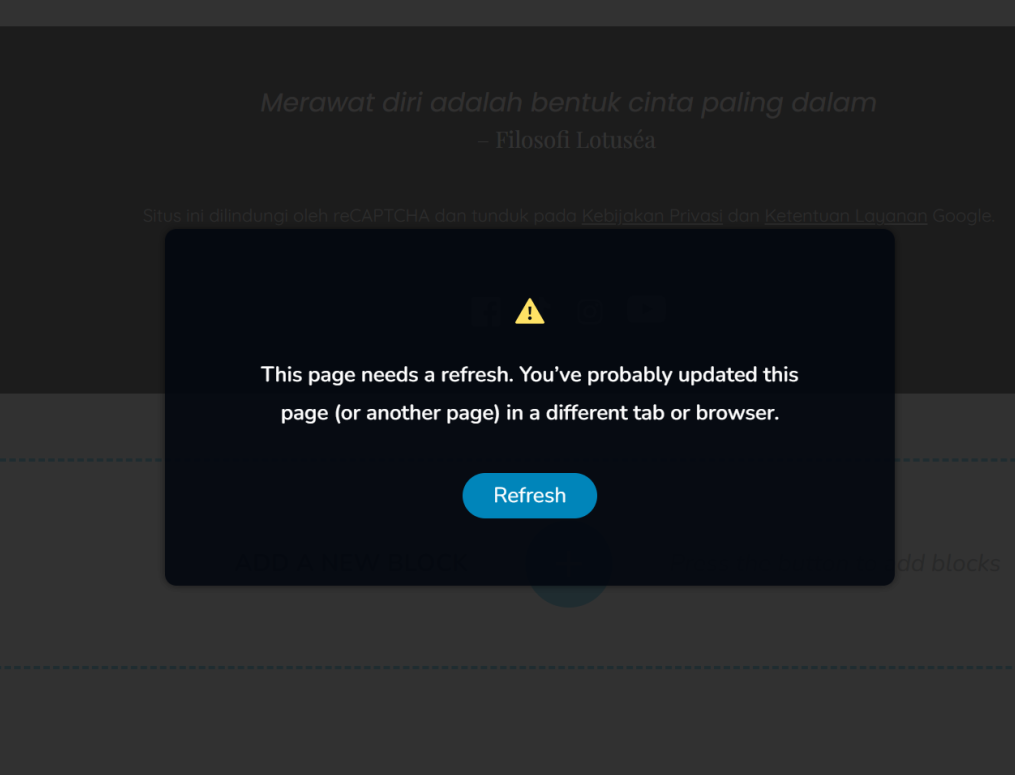
After refreshing, I am suddenly blocked from accessing my site’s backend. The block page is from Wordfence with the following error:
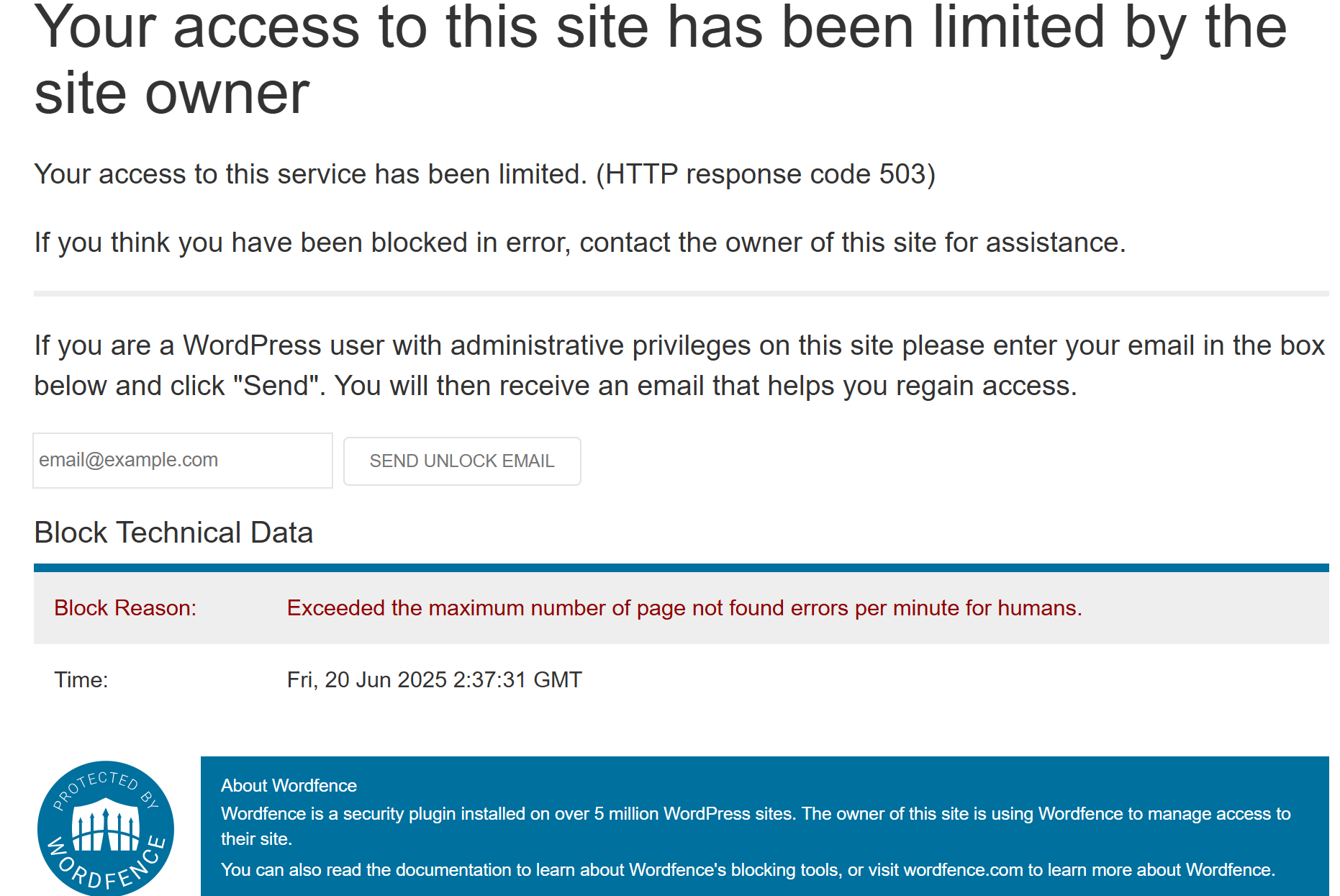
This issue has disrupted my workflow, and I am unable to continue editing until the block is lifted. I suspect it may be related to how Brizy handles updates or requests for deleted global elements, which triggers multiple 404 errors in a short period.
My questions:
-
Is there a recommended way to safely update or remove global elements without triggering this error?
-
Are there any known compatibility issues between Brizy and Wordfence’s security settings?
-
Do you have any suggested settings for Wordfence to avoid this problem, or should I temporarily disable Wordfence during major edits?
Any guidance or suggestions would be greatly appreciated, as this issue is becoming quite disruptive.
Thank you so much for your help!
Best regards,
Ganjar
-

Hi Ganjar,
Thank you for contacting us.
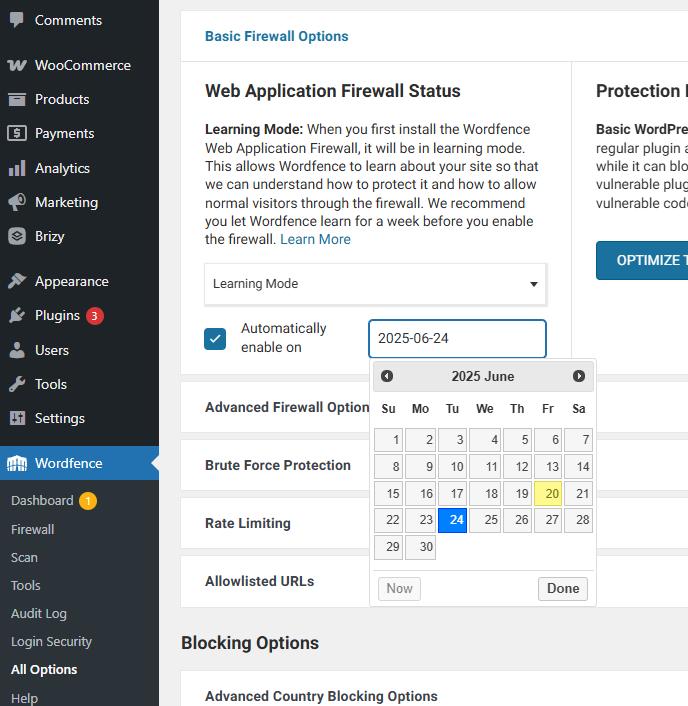
To address this issue this, we recommend setting Wordfence to Learning Mode temporarily while making major edits. This allows Wordfence to adapt to Brizy’s behavior without flagging it as suspicious.
We suggest allowing Learning Mode to run for a couple of days. After that, Wordfence can automatically revert to Enabled and Protecting to resume regular site protection.
Best regards,
Ariel H.0 -
Hi Ariel,
Thank you for your prompt support and guidance.
Just to update you on the situation:
Initially, I tried switching Wordfence to Learning Mode as you suggested, but unfortunately, I was still being blocked from accessing the site. After that, I decided to reset my modem to get a new public IP address. I then added this new IP to the Wordfence allowlist, and now I’m able to access my site without any issues. So far, I haven’t experienced any more blocks.I will keep monitoring the site, but for now, everything seems to be working fine.
Thanks again for your help!
Best regards,
Ganjar0
Please sign in to leave a comment.
Comments
2 comments