Change of owenership

Hi, I have been purchasing the Wordpress Plugin for the charity I am connected to for several years. I am Clive Owen, email, clivejowen@yahoo.co.uk. The Plugin is linked to meditationinexeter.org . They want to buy the Plugin themselves and link it to this website, which is fine by me as it saves me the cost. How do we do this so that they have there own Plugin and can link it please?
regards,
Clive Owen
0
-

Hello Clive,
To change ownership of your account to your client, kindly follow these steps
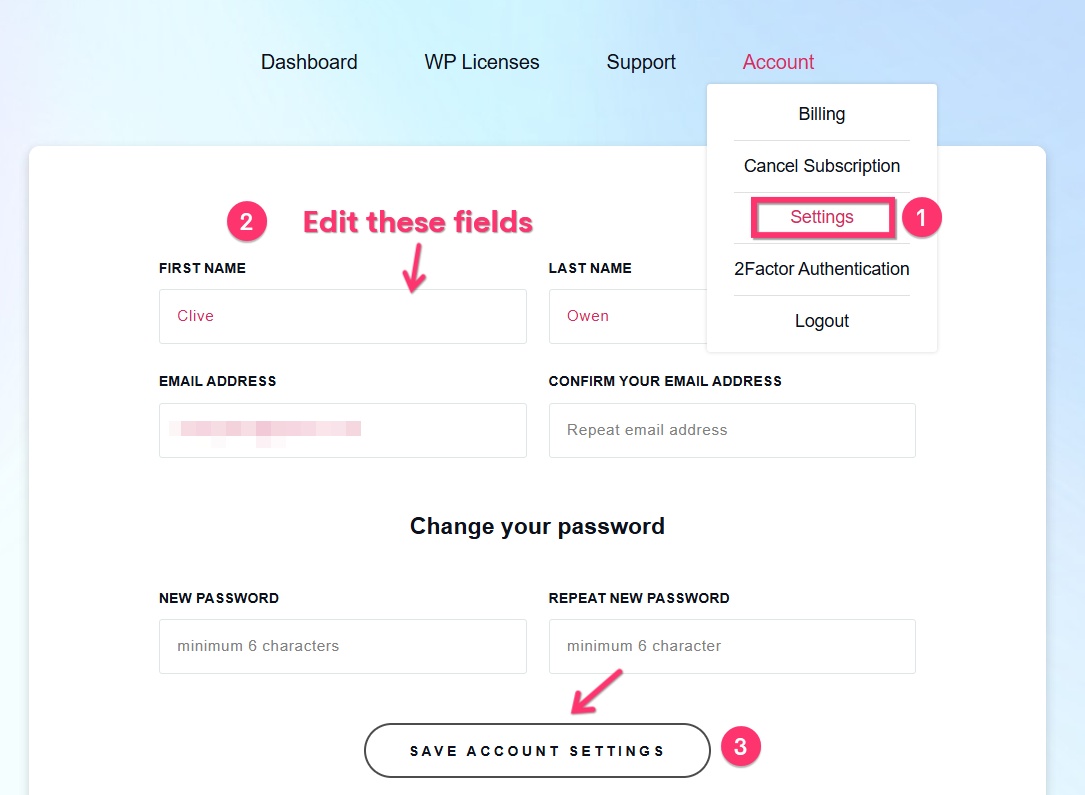
- Sign into your Brizy account at https://www.brizy.io/account/login and navigate to the "Settings" option under "Account" menu
- Change your First Name, Last Name and email address to that of your client.
- Click the "Save Account Settings" button to save your changes.
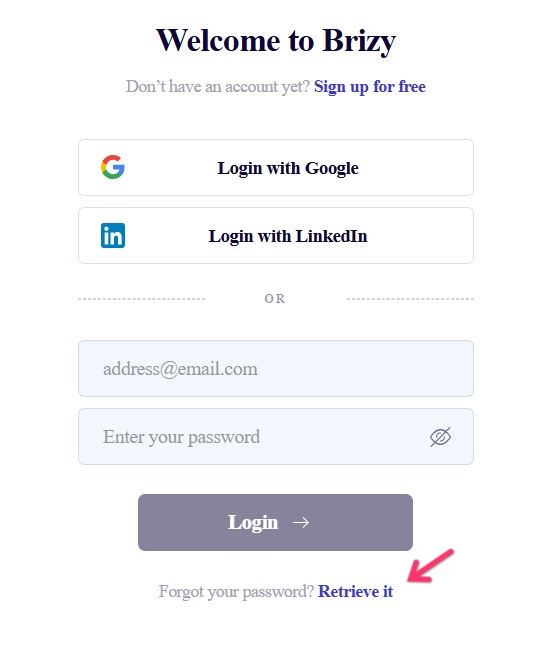
- Request your client to reset the password by clicking the "Retrieve it" link at https://www.brizy.io/account/login
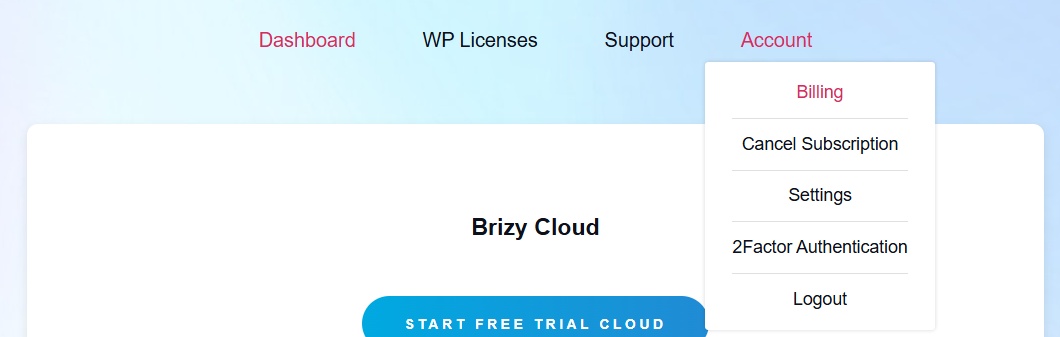
- Your client should sign into their Brizy account and navigate to the "Billing" option under "Account" menu
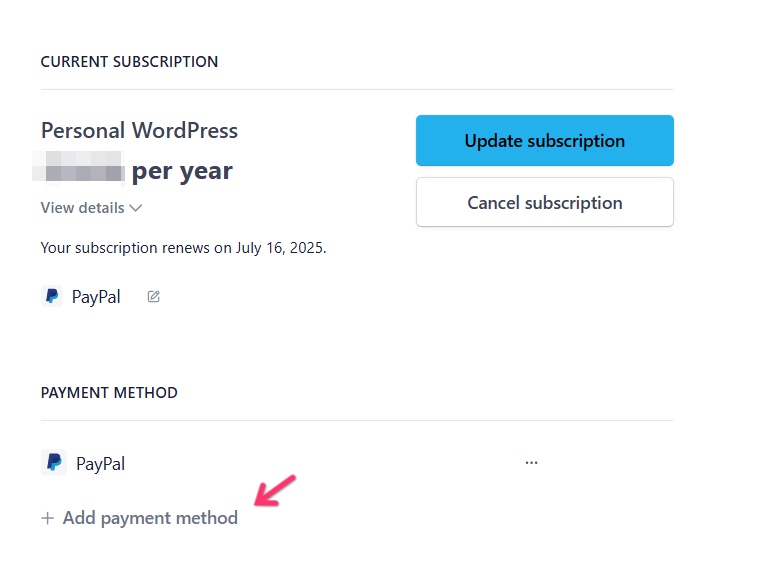
- and add a new payment method for future renewals and set it as the Default Payment Method. Then they can delink your PayPal account by clicking on the 3 dots next to it.
0
Please sign in to leave a comment.
Comments
1 comment