log in not working

I've had this working and now when a user logs in it doesn't work. The login info is correct but it stays logged out. The site is below. It's membership site that's connected to WooCommerce. Customer is the role... I changed the password for the user within my admin WordPress for the user after they bought a membership.
-

Hi Daniel,
Thanks for reaching out.
The issue might be related to caching or cookies, especially since the password was changed manually. Please make sure the login page isn’t being cached. Try logging in using a private browser window. Also, double-check the user’s role and membership status to ensure everything’s correct.
Please try this and let me know how it goes.
Best regards,
Ariel H.0 -
I did try that before... I also tried more than one login, one that did not have a recently changed password. It takes the login info (it doesn't say it's wrong) but then just refreshes back to not logged in...
0 -
I just emailed you an admin login to communitysupport@brizy.io so you can look around...
0 -
Hi Daniel,
Thank you for the update.
I tried to replicate the issue from my end, but it doesn't seem to occur. I created a quick screencast to show you what I’m seeing: https://youtu.be/hsCmZRYEc2Q
Since you mentioned changing the user’s password, please try clicking the Log Out Everywhere button under the user’s profile. This ensures the user is fully logged out from any previous sessions before trying to log in again.
Also, please try clearing the ALM – Cache from your dashboard, as cached sessions may sometimes interfere with the login process.
Best regards,
Ariel H.0 -
I figured out the reason it wasn't working, but it's still a problem that I'm hoping there's a solution for. The issue was caused by my VPN (I use NordVPN). After I turned it off, it worked. Many people use VPNs. What can be done to make logging in with a VPN possible?
0 -
P.s. But it's more than that, it's also a cache issue. It never logs in with the VPN, but the home template will login without the VPN after the cache is cleared. BUT, after I logout, it will not log in again unless I clear the cache.
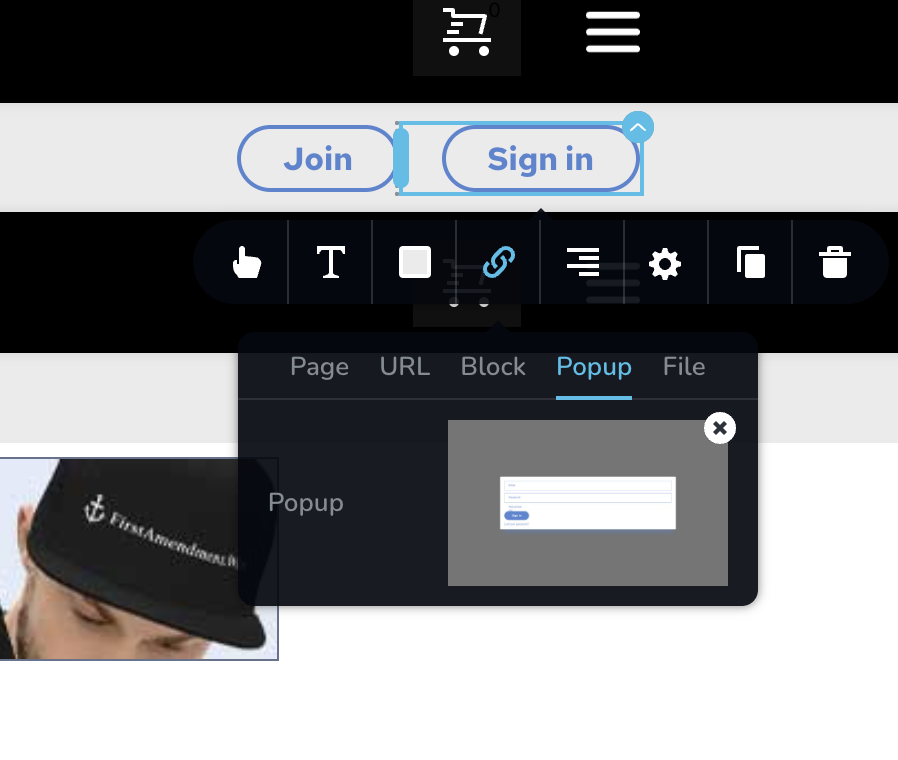
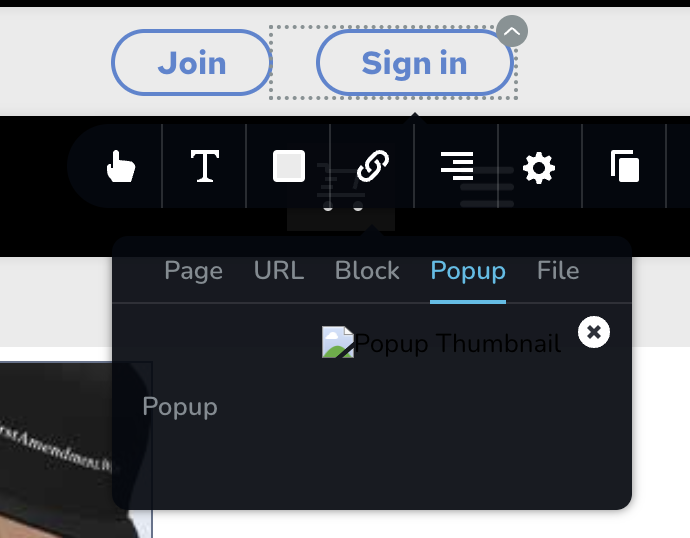
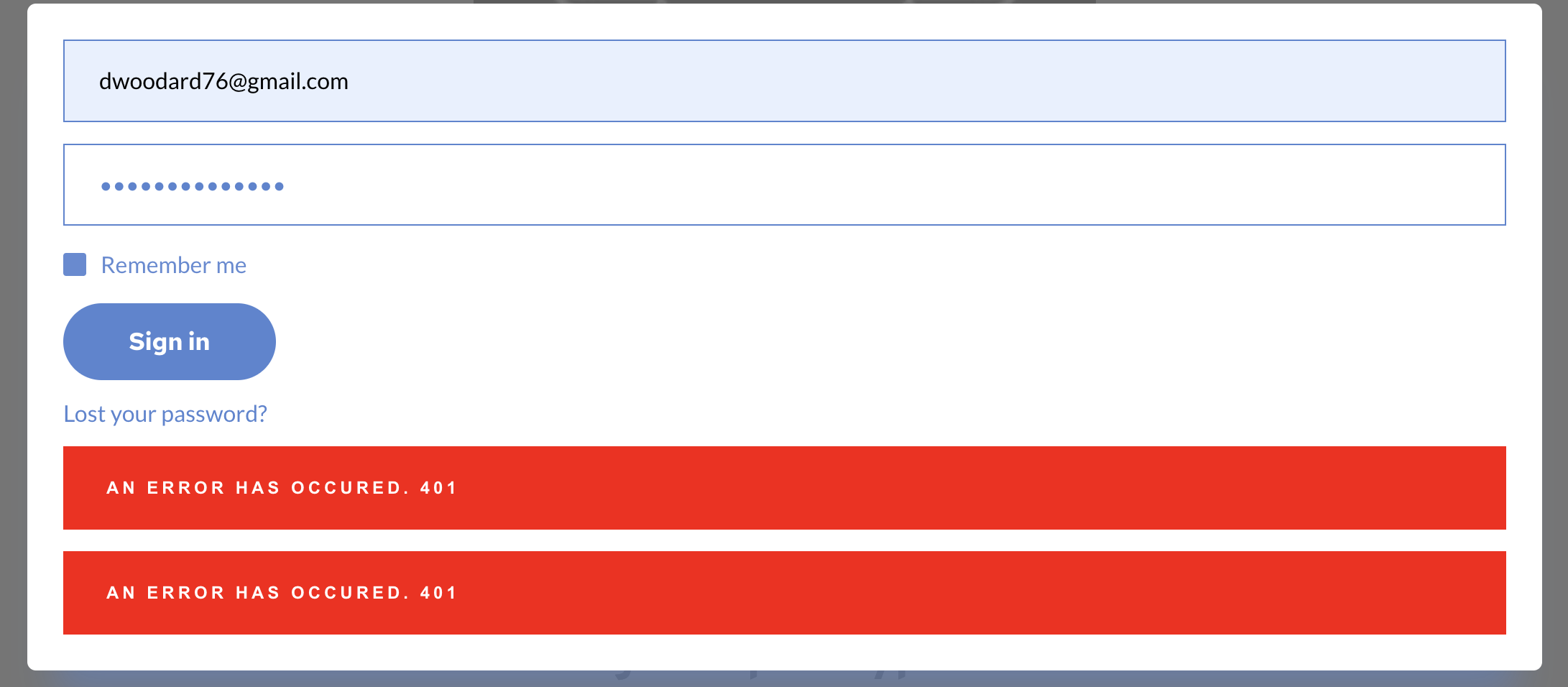
I also noticed that the login popup only appears to be linked on the home template within the backend, whereas on the other templates it shows the login popup is missing, even though on the front end it opens the popup but never works, even after cached is cleared, it gives a 401 error after clicking login. It only works on the home page after the cache is cleared (and VPN is off). Why the login popup is missing on templates other than the home one doesn't make sense, because it's a global block so it should be the same one...
Home template (login popup is linked)
Other templates (login popup is not linked)
Result after clicking login on other templates (Home template works, after cache cleared and VPN off)
 0
0 -
I got it to login with VPN on by changing a Jetpack setting. I'm still trying to figure out the caching problem. I still have to clear the cache in order to login after logging out, and it doesn't say failed to login or anything, it just reloads the page unlogged in... any ideas on that would be good... but the missing popup link I don't think is related to caching but I don't know... I was able to login once from another template, so I don't know what's up there...
0 -
Hi Daniel,
Thank you for the update.
The issue you're experiencing is likely due to a combination of VPN use and aggressive caching. When a VPN is active, your IP address can change frequently, which may invalidate security tokens and lead to 401 errors.
In addition, the login popup could be cached incorrectly on pages other than the homepage. Even though it is a global block, some templates might not be displaying the most current version because of caching. We recommend excluding all login-related pages from caching to ensure proper functionality, as these pages often involve sensitive user interactions and should be loaded dynamically.
If you're using Jetpack or similar tools, please check if it's possible to exclude the login page from their caching system. You might also want to reach out to your hosting provider for guidance on setting up such exclusion's server-side.
Best regards,
Ariel H.0 -
FYI. The brizy template login was not working well as described previously, no matter what I tried, and I tried everything you mentioned. I got around this by using the WooCommerce "my-account" page instead (I had to replace the popup login and login page with this WooCommerce page). But for whatever reason, the WooCommerce "my-account" page (which goes to a login page when logged out) works perfectly every time, regardless of VPN or cache settings. Not sure why, but it may be useful if you do know why...
0 -
Hi Daniel,
Thank your for the update.
The reason the WooCommerce “My Account” page works more reliably is because it uses the standard WordPress login function and reloads the page after login, which handles cookies and sessions more consistently.
In contrast, Brizy’s login block uses AJAX and JavaScript to submit the login request in the background without refreshing the page. While that can improve user experience, it's more sensitive to things like VPNs, browser extensions, caching, or security plugins that might interfere with background requests. That’s likely why you were seeing issues with the Brizy login, and why switching to the WooCommerce login page turned out to be a more stable.
Best regards,
Ariel H.0 -
interesting. good to know for future. so it may be good to not use brizy for login and instead use brizy for everything else but use a plugin to customize the wp login to ensure it functions best.
0
Please sign in to leave a comment.
Comments
11 comments