slow loading webpage

Hi, tried different things as resizing images and different optimization plugins and cleaning cache but unfortunately the webpage keeps loading slow https://gnnhealth.com/
Using wordpress webpage with brizy pro
-

Hi,
Thanks for reaching out and sharing your concerns.
We’ve checked your website, and GTmetrix is currently giving it a performance score of 98% (Grade A), which indicates that the site is well optimized overall.
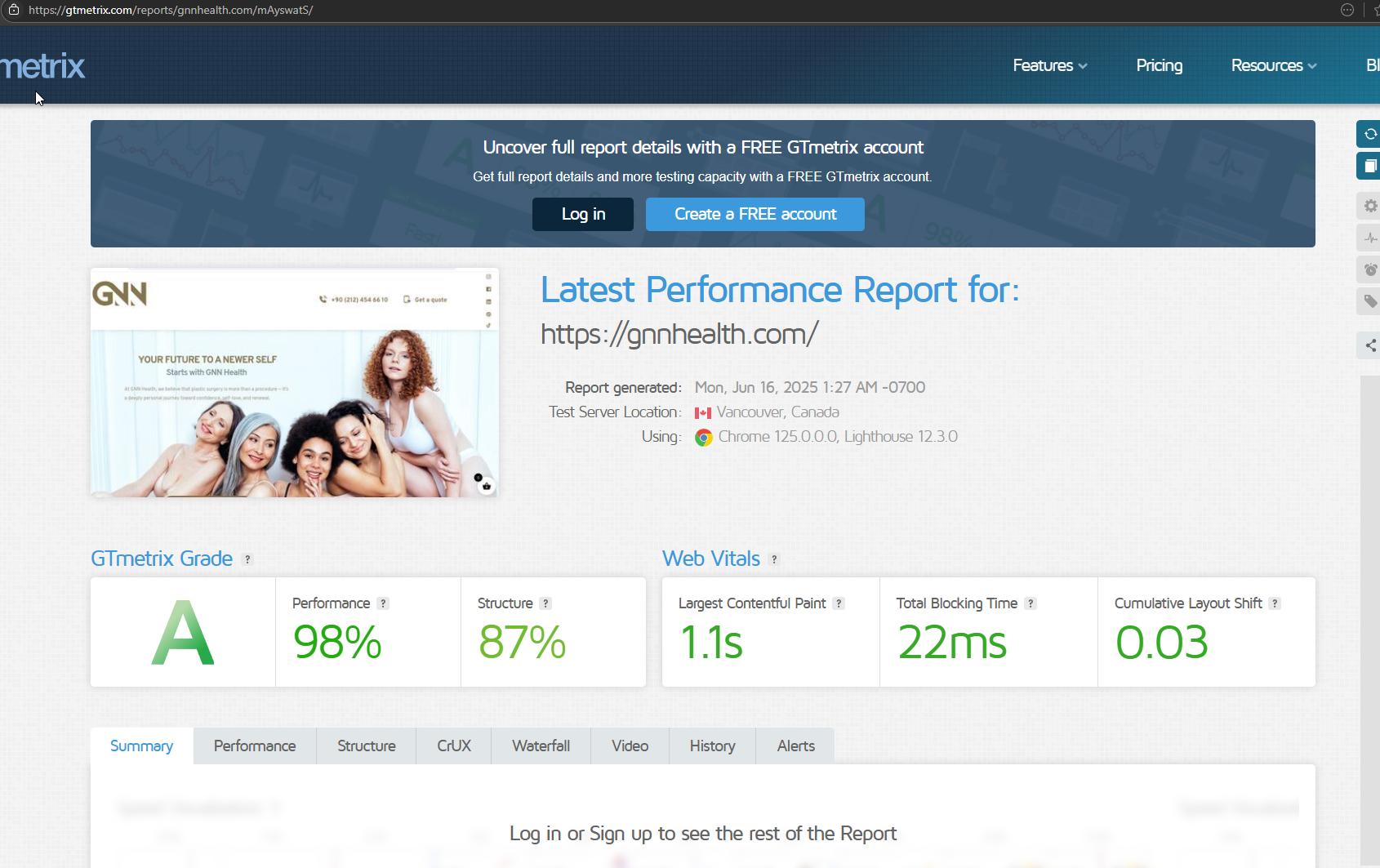
If you’re still experiencing slowness, it could be due to local caching, network issues, or server performance at certain times. You might also want to test the site in incognito mode or from a different device to rule out browser-related factors.
Let us know if you'd like us to investigate further.
Best regards,
Ariel H.0 -
HelloAriel,
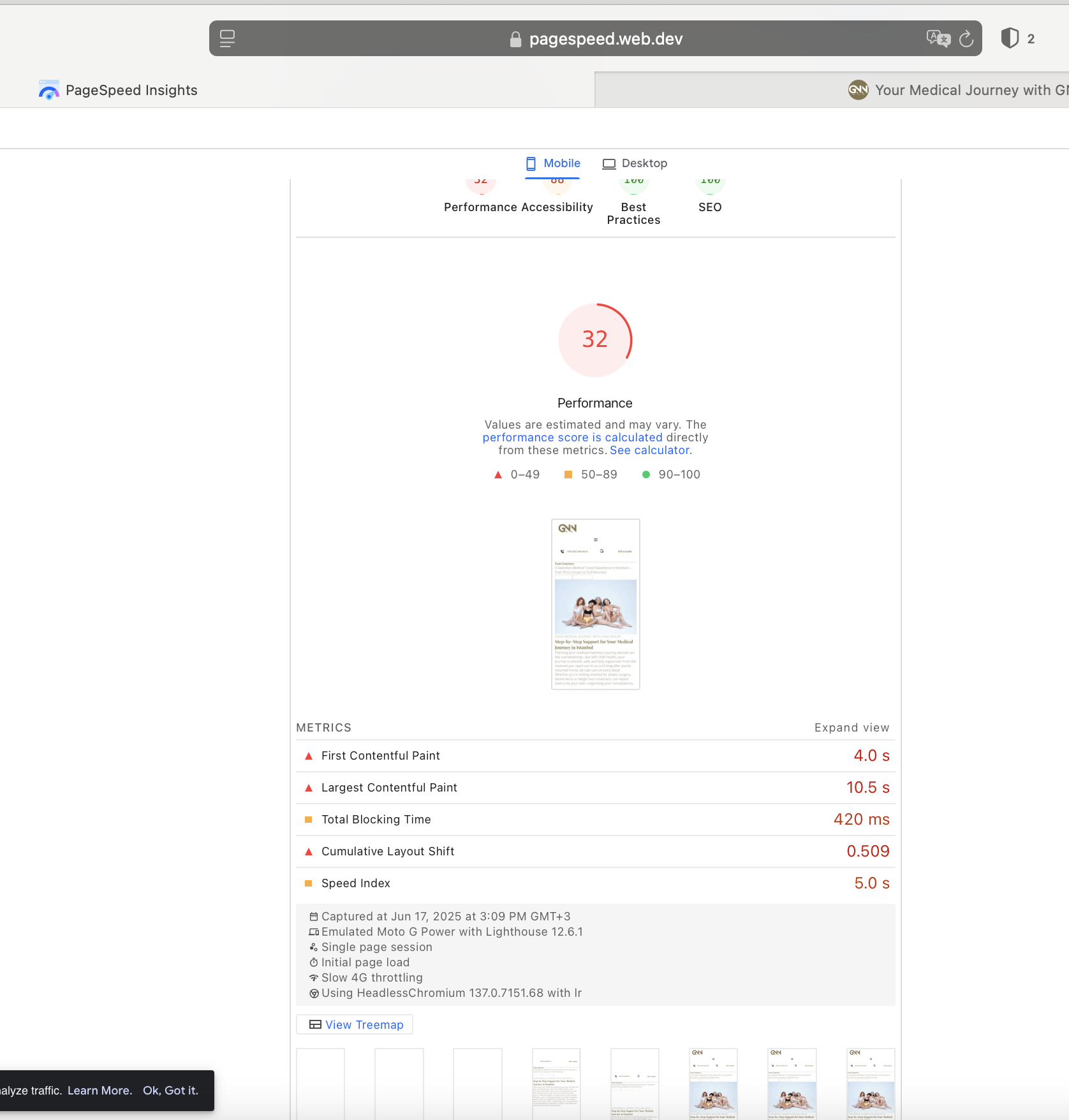
Thank you for getting back. The Main page got better after reducing the image size. But unfortunately when we look to the general webpage there are issues in all different topics including CLS. The below picture is made in incognito form.
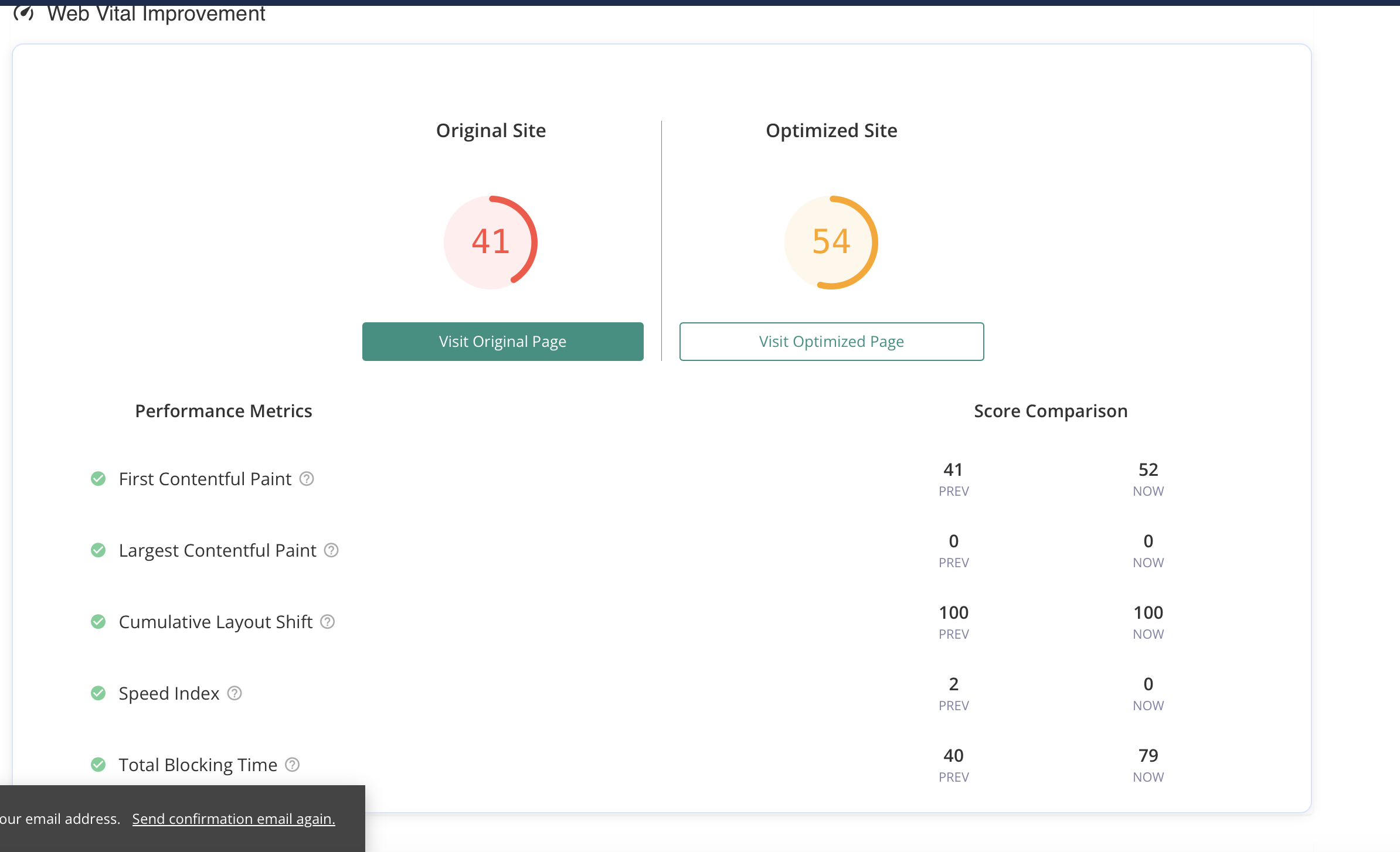
Also with another optimization plugin, they were only able to improve the webpage overall performance from 41 to 54. See below the print screen.
I would appreciate if we could figure out how to improve the overall speed of our webpage. Thank you in advance.
Best Regards,
Zeynep0 -

Hello Zeynep,
Currently the size of your homepage is 16.5 MB. Different images make up 90% of the size of your homepage. You have 4 very big PNG images that can be converted to JPG and compressed to reduce the overall page size. Kindly use https://cloudconvert.com/ to convert these files to JPG and use https://tinypng.com/ to compress the JPG images. Ideal image sizes for uploading to a webpage is 200-350 KB
- https://gnnhealth.com/wp-content/uploads/2025/05/Dikey-GNN-Health-Posts-91.png - 5.35 MB
- https://gnnhealth.com/wp-content/uploads/2025/05/Teresa-Italian-for-liplift.png - 4.31 MB
- https://gnnhealth.com/wp-content/uploads/2025/06/Aesthetic-surgeries-front-SMALL-SIZE.png - 3.26 MB
- https://gnnhealth.com/wp-content/uploads/2025/05/Niloofar-Germany-%E2%80%93-22-Kilos-Down-and-a-Whole-New-Wardrobe-to-Match.png - 2.75 MB
0 -
Hi George,
Thank you for getting back about the compressing tool. I see that the pagespeed is not seeing the images as the main problem anymore. Right now, the problem is in the layout shifts as stated below. How can I change this part?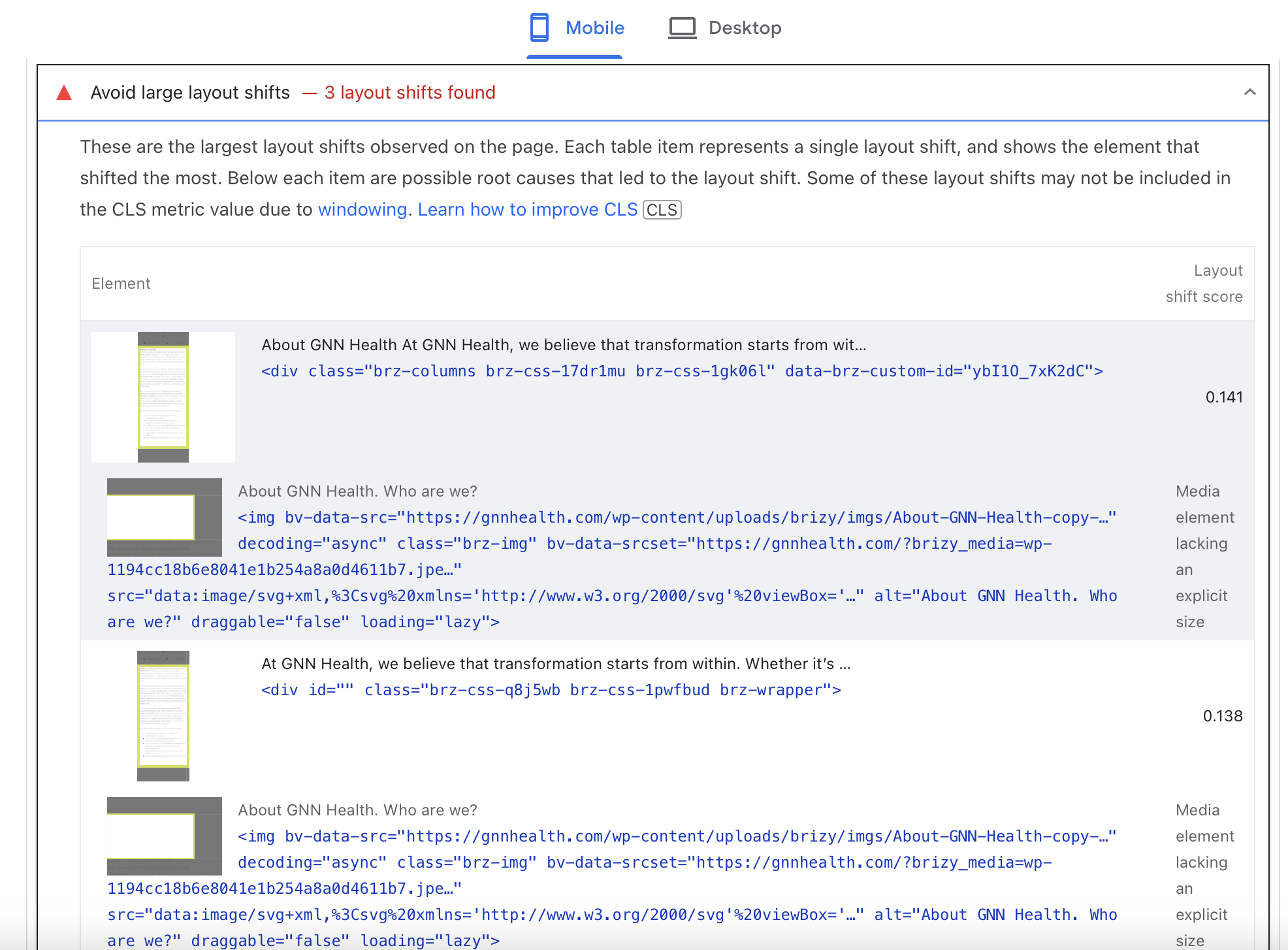
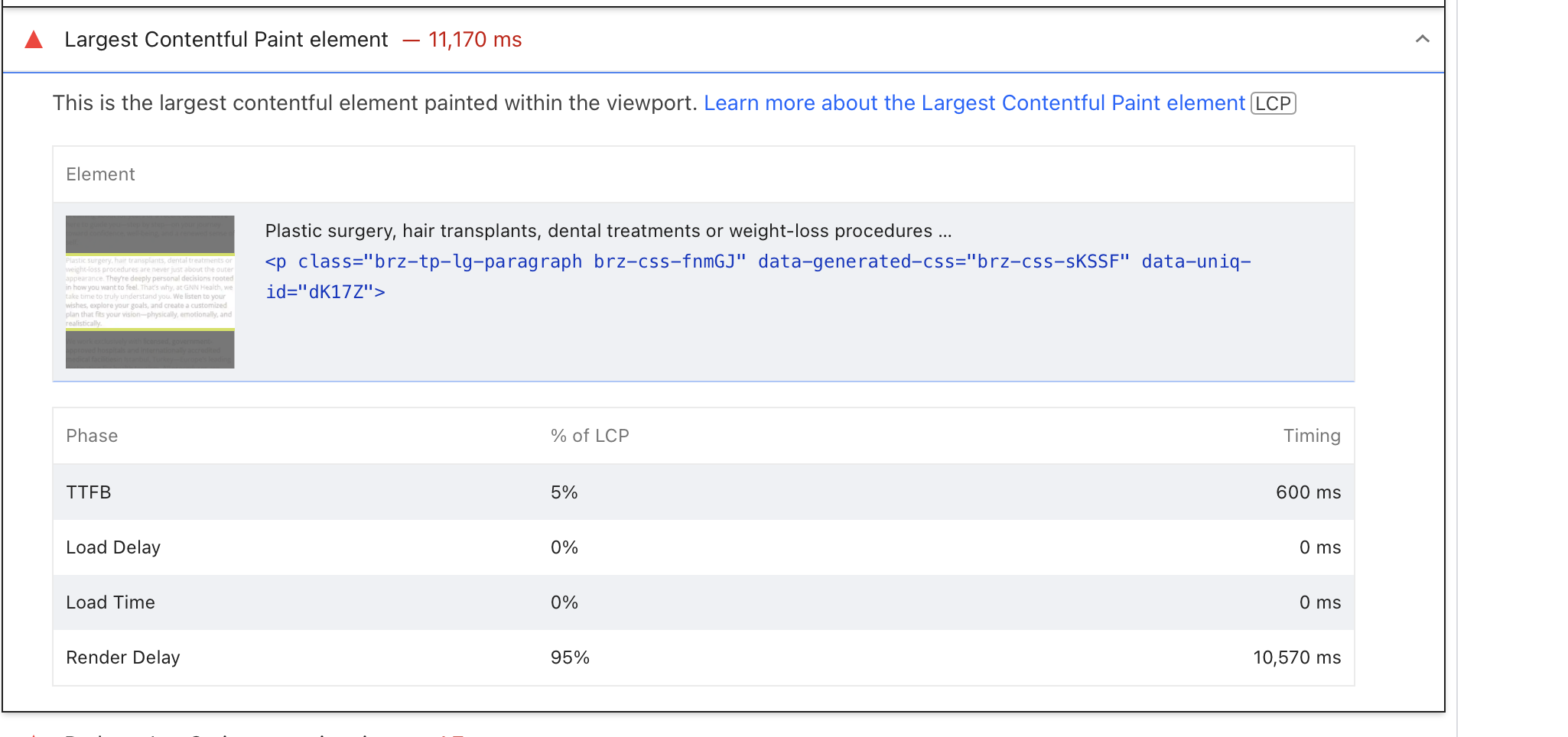 As far as I understand it is in the element? 0
 -
Hello Zeynep,
Implementing PageSpeed Insights recommendations can be challenging for websites with dynamically generated HTML, as modifications need to be integrated into the code generation process. Since server-side logic addresses issues like render-blocking resources, inefficient image formats, or excessive JavaScript end-users can do very little to fix these issues. A caching and optimization plugin can help improve performance marginally; you are already using Airlift for this purpose.
My suggestion to bring down your page size from 16 MB to around 1 MB by converting and compressing 4 specific images is within your control and can improve the overall performance of your homepage. This image optimization can possibly increase your PSI score by 10-15 points.
0




Please sign in to leave a comment.
Comments
5 comments