How To Dynamically Display Add To Cart or Select Options On WooCommerce Category Page Buttons

I've tried all the dynamic text options on the product buttons on my custom category template page, but none of the dynamic text options will let WooCommerce add their default Add To Cart for Single Products or Select Options for variation products.
How can I get this to display the dynamic button text to be correct. I don't want all my buttons to say Buy Now, since it's an extra step on Single Products.
Thanks,
Chad
-

Hello Chad,
Are you saying that for products with no variations, Product Details page should display "Add To Cart" button whereas for products with variations, the button should say "Select Option" ( in place of "Add To Cart")?
Let's look at how a Blocksy starter site handles this at https://startersites.io/blocksy/e-bike/product/aliquam-sodales/ After selecting the desired "color" variation, the user clicks on "Add To Cart" and not on "Select Option". From this example, you can see that it is not mandatory to change "Add to Cart' for products with variations.
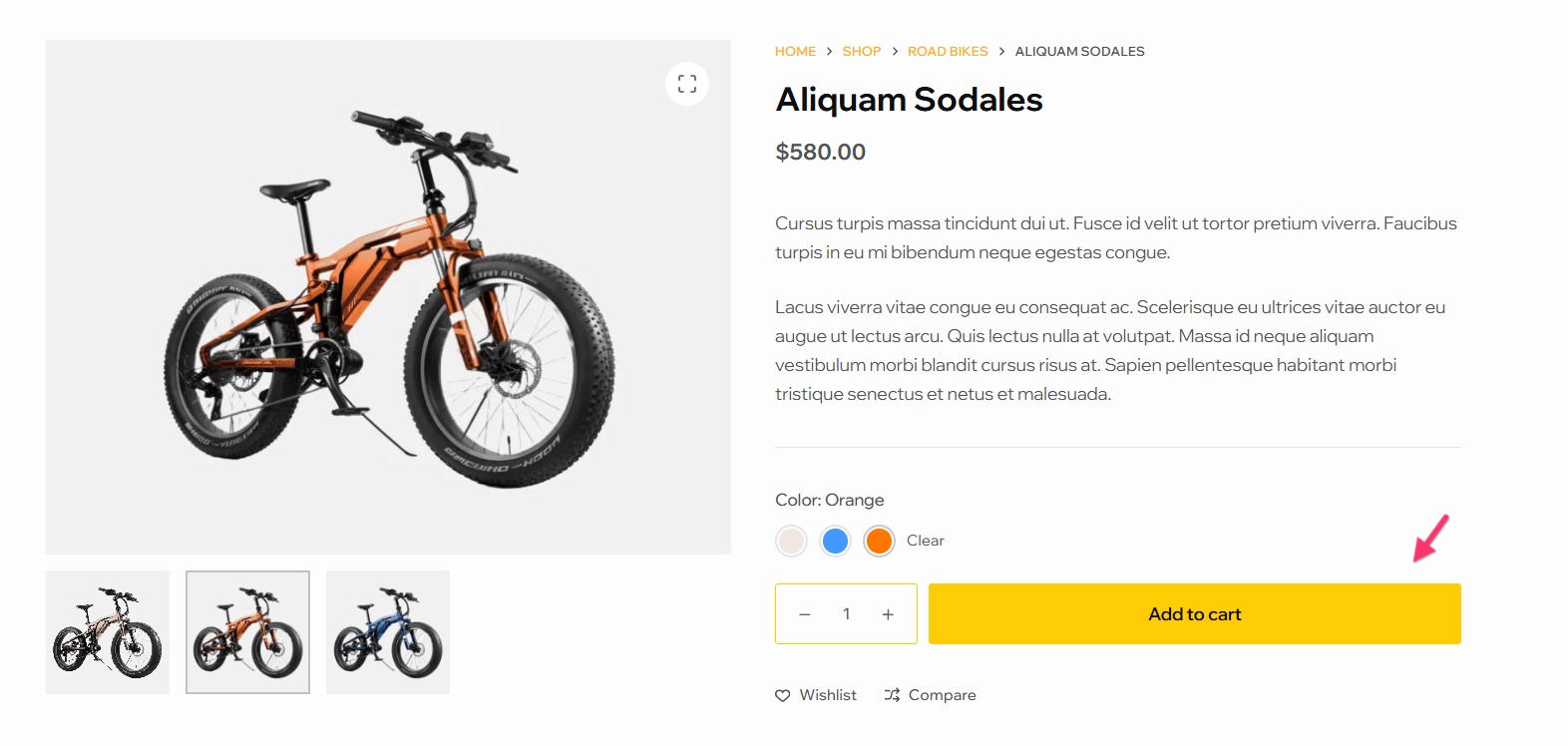
Kindly elaborate your request for us to understand it better.
0 -
KC,
I think you misunderstood ;) I'm referring to a category page or an all products page. For products that don't have a variation, we would like to display the default dynamic woocommerce Add To Cart but if the product has a variation the button would say Select Options. This is default in woocommerce. Here's a site example that's showcased on woocommerce. https://sarugbyshop.co.za/teams/springboks/ If shows you the example of the Add To Cart and Select Options.
I'm assuming this can be done with Brizy's dynamic text feature for the button.
0 -
Hello Chad,
Unfortunately there is no option to implement this design using Brizy. In a Brizy archive page (either category archive or shop archive), all buttons will display the same text and will carry out the same action. Button text and the click behavior cannot be changed based on the product type. You may need to design your shop archive pages using your theme to achieve this.
0
Please sign in to leave a comment.
Comments
3 comments