Failed Page Title Fonts

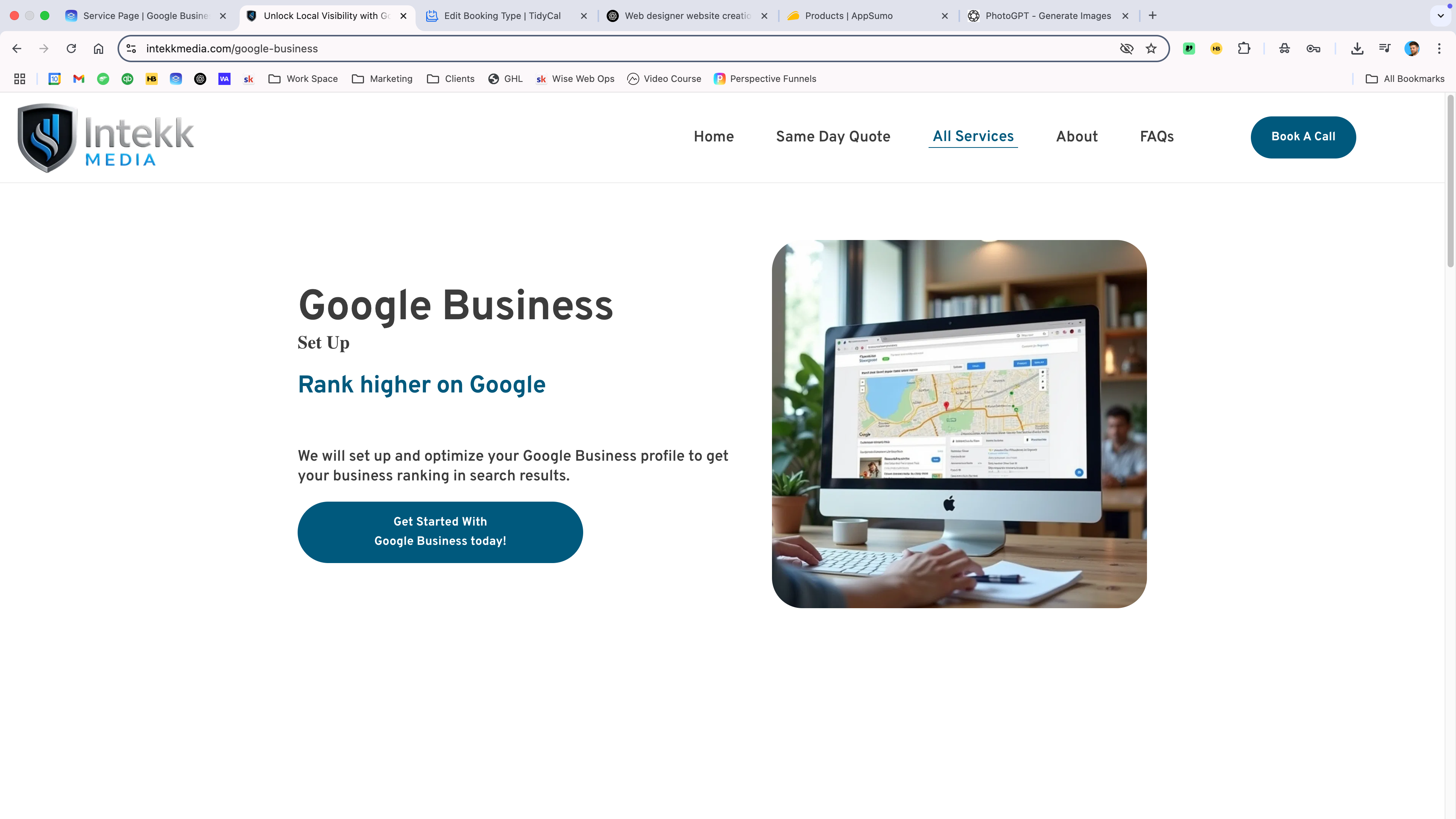
Hi, My page title fonts keep changing the font and sizes.
Please fix this and let me know what I'm doing wrong
https://www.intekkmedia.com/google-business
-

Hello John,
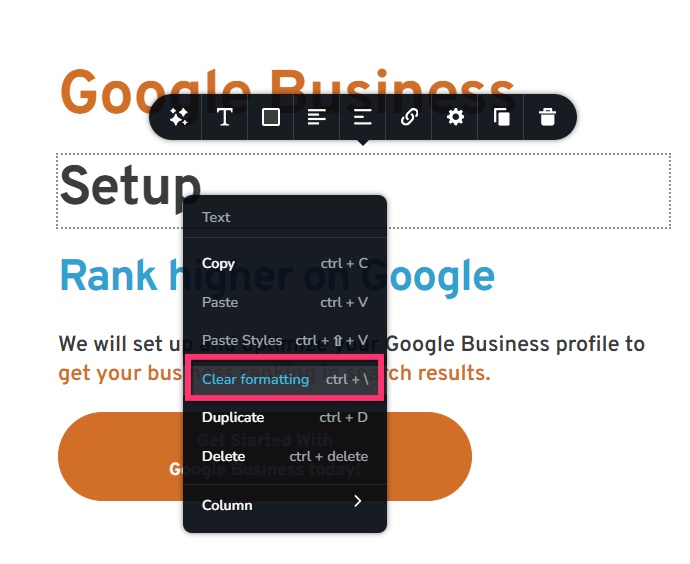
When pasting text from an external source, the text formatting is also pasted. Your text came with the "Times New Roman" font when you pasted it. I have cleared formatting by right clicking and selecting the "Clear Formatting" option. Please check if the issue is resolved.
 0
0 -
Hi George, thanks for your help.
The Google business page seems ok now but the Home page is acting up again. I tried purging the cloudflare cache, deleting and manually writing as well as clear formatting but nothing seems to work. Is there something else I'm missing?
0 -
It's embarrassing to have a mistake that size on a web design agency website. Please help.
Thanks
0 -
Hello John,
Your homepage appears like the screenshot at https://jmp.sh/sUh0JrQe. Everything looks good on your homepage at our end.
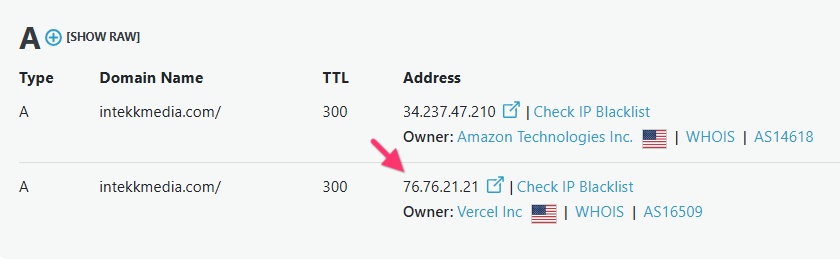
Your root domain should exclusively point to the Brizy Cloud server with IP 34.237.47.210 and no other external servers for your domain to resolve to your Brizy Cloud project. Your domain points to an external server with the IP 76.76.21.21. Kindly delete this IP for the domain name to resolve accurately.
 0
0 -
Thanks for the heads up.
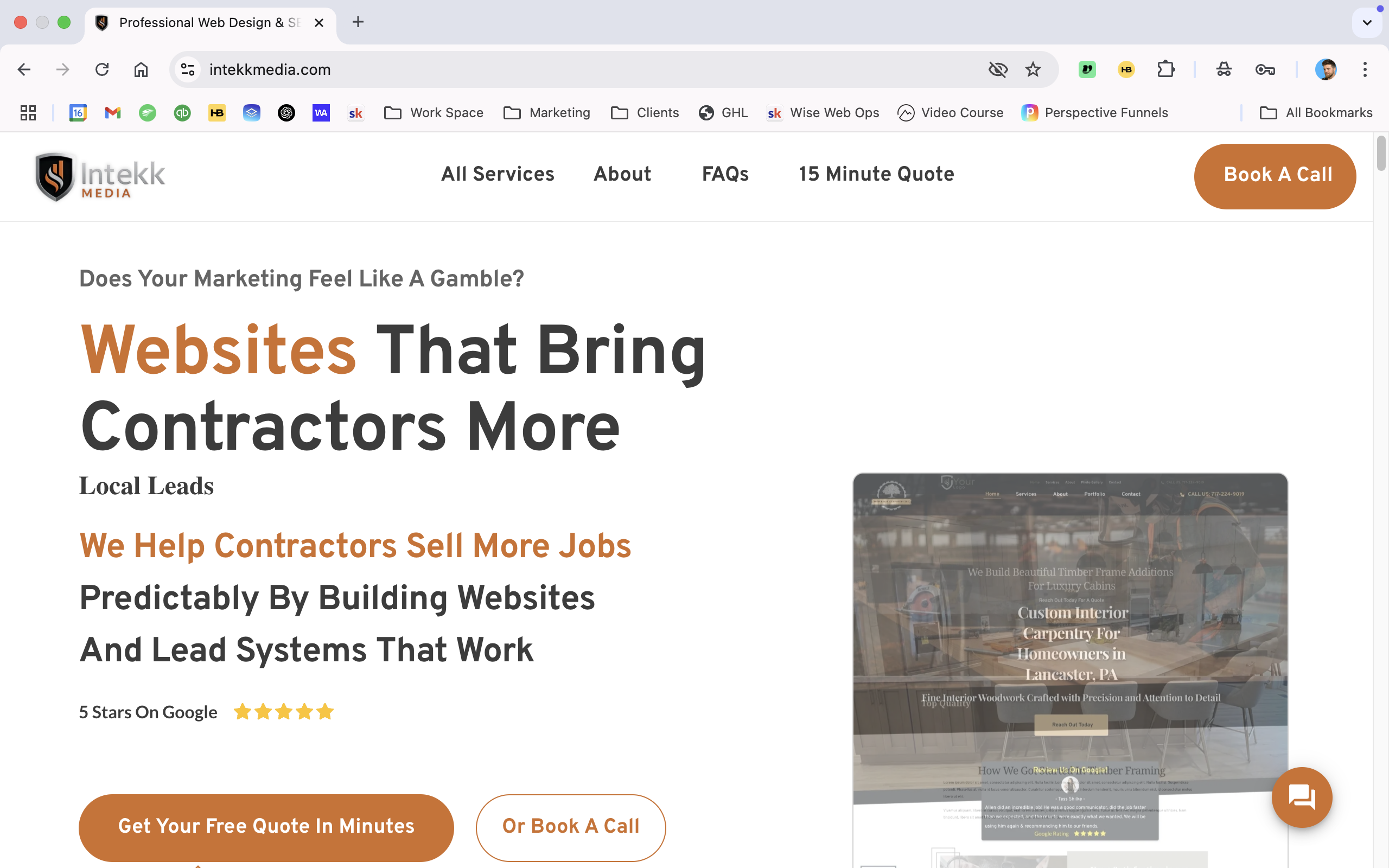
That did not fix it though, I finally had to change the words. It seems that every time I used the words "local Leads" it reformatted. As long as those two words are not in my title, there seems to be no issue. I'll keep an eye on it.
 0
0 -
@ K C George The bad font is back again. I tried everything except erasing the website and rebuilding it. I even rebuilt parts of the website from scratch in a n attempt to delete whatever the issue is.
I think the H1 global font is broken.
I finally used H2 global Font and no more problems(fingers crossed) but now google wont read it properly.
Please help me fix this. I bought 500 Brizy lifetime deals on appsumo because I believed in Brizy but now I'm really starting to regret my decision. Please tell me this is not going to start happening on my client sites down the road. This could be very bad.
0 -
Hello John,
I have setup a new home page for you at https://www.intekkmedia.com/home1. I have added "Local Leads" and have applied H1 to your hero section heading. Those issues do not happen on the newly added page. Please check.
If everything looks good on the newly created page, kindly delete your homepage and set this page as your new homepage.
0 -
Hello George, The problem is back. https://www.intekkmedia.com/
This time I did not fix anything first before reaching out so the problem should still be there. I changed the page you made for me to be the home page and deleted the old problem page.
Every time you or me fixes the problem I notice it again about 4-6 hours later. This is becoming a very big problem so I stopped all advertising for now because no one will buy my websites if my own looks like this.
Please figure this out, I think something is broken
0 -
Hello John,
You heading text was split into three different lines like this.
Smart Websites
That Get Contractors
More Clients
Each of the above 3 texts carried an H1 tag. From an SEO perspective, you must have only a single H1 tag on a page. Looks like your JavaScript embed code from https://www.clickrank.ai/ was automatically setting a non H1 heading typography to the second and third texts.
I have removed the line breaks in your heading and combined three texts into one to resolve the issue. Wait it for 24 hours and check if this resolves the issue.
0
Please sign in to leave a comment.
Comments
9 comments