How to get SSL installed on my custom domain

I made an attempt to point the records to Brizy and successfully, but I kept getting an error message pertaining to SSL certificate.
-

Hello Racquel,
Your root domain should exclusively point to the IP 34.237.47.210 (and no other external servers) in order for your domain to properly resolve to your Brizy Cloud project. In addition to pointing to the Brizy Cloud server, your domain points to another server with the IP 173.236.250.3.
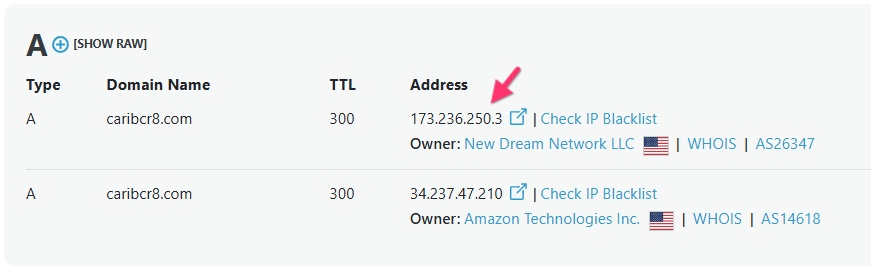
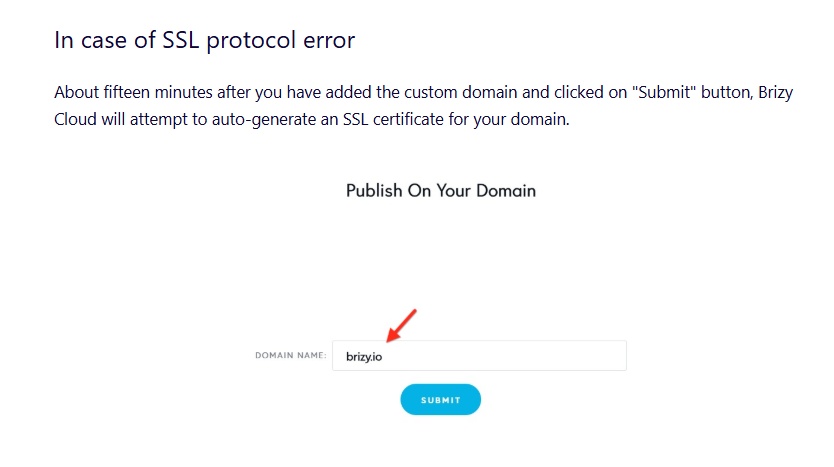
Kindly sign into your Dreamhost account and delete the A record with the IP 173.236.250.3 following the procedure at https://help.dreamhost.com/hc/en-us/articles/360056012291. Then follow instructions under the heading "In case of SSL protocol error" at https://support.brizy.io/hc/en-us/articles/360041764052 to auto generate the SSL certificate.
 0
0 -
Thanks so much for your help so far. I have managed to delete the record and I re-added the domain to Brizy. But I'm still facing the same SSL Protocol Error message, plus it will display firstly another configuration error message saying- The Page is Not Working Properly, then after the page redirects to the SSL Protocol Error message.
As well upon trying to preview the page from Brizy's dashboard I see a message- Project not configured.
So asking if there was something else I missed that I should have done to avoid the error messages, thanks.
0 -
Hello Racquel,
Due to multiple attempts to generate the SSL certificate, our SSL provider, Let's Encrypt has blocked your domain for 24 hours. We will auto generate the SSL certificate for you after 24 hours. Kindly do not delete and re-add the domain until then.
0 -
Got you. I just made one attempt before I saw this message. But won't do anything else from hereon, thanks.
0 -
Hello Racquel,
Since you have decided to switch to the Brizy WordPress plugin, and SSL is no longer required for the Cloud website? Is that correct?
0 -
Hey George,
yes, everything has been rectified now since I made the switch to Brizy's Wordpress plugin. I appreciate your help.
0
Please sign in to leave a comment.
Comments
6 comments