Table of contents generates the content double

Hi, we use the Table of Contents Brizy element in a blog template.
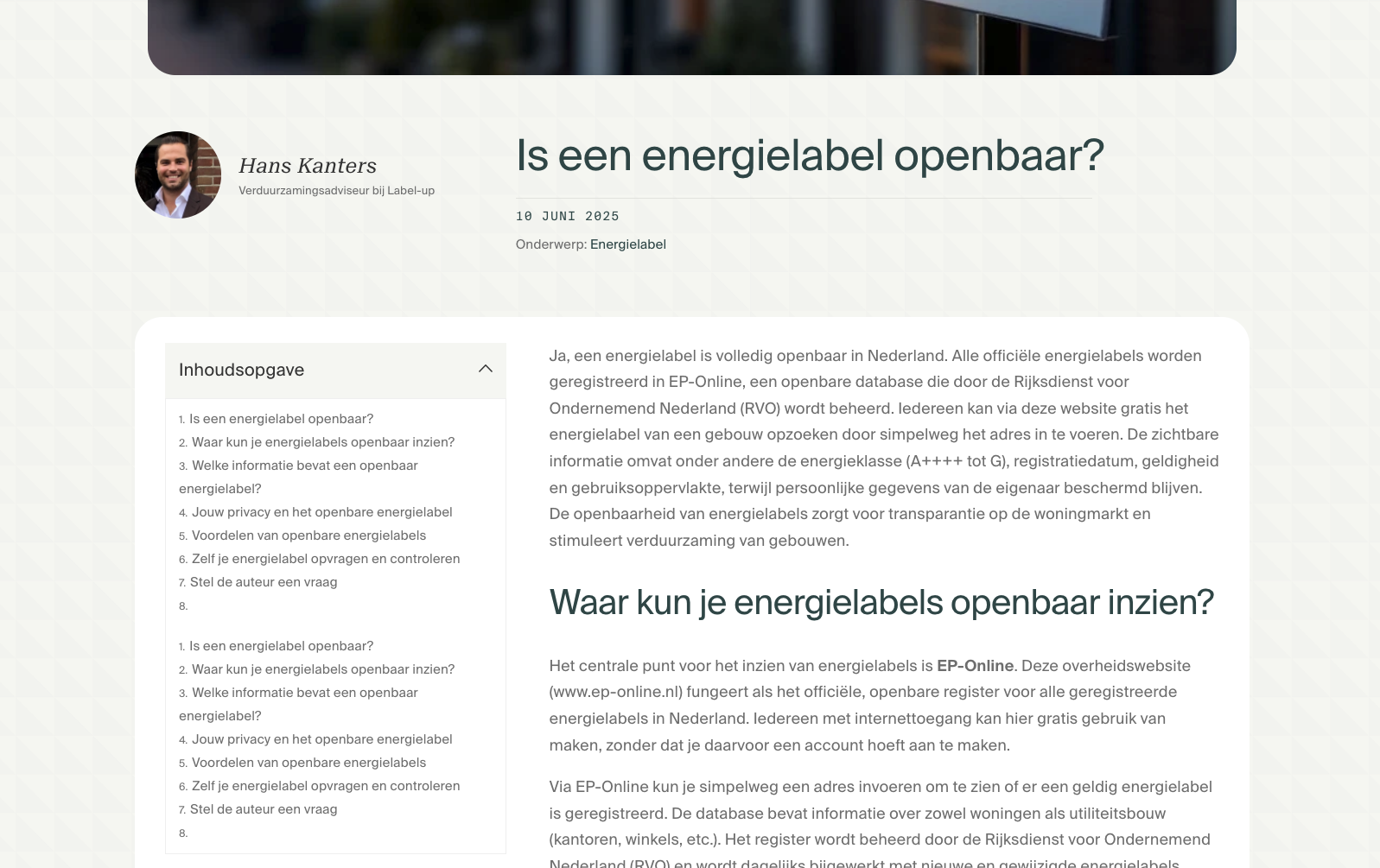
When using this Brizy element, it shows the content of the Table of Contents twice.
We write the blog as normal content in WordPress (in the default WP editor). Then Brizy wraps a template around. But then it shows the content twice in the Table of contents ("Inhoudsopgave" in Dutch). See screenshot:
example: https://label-up.nl/is-een-energielabel-openbaar-2/
Tested with all plugins except brizy disabled and with a default WP theme.
-

Hi,
Thank you for reaching out to us.
Please ensure you're using the latest versions of Brizy and Brizy Pro.
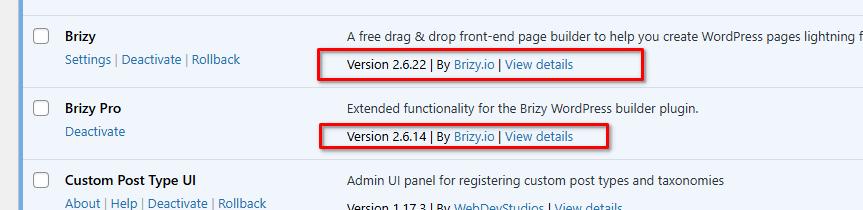
If you're still experiencing layout issues, try a simple update to the page, like add 1px of padding on the affected block or element, save, and preview the front-end. If that resolves the problem, then go back to the page, undo or revert your changes and save again. This extra step forces Brizy to recompile the page, which often fixes layout issues.
Please try this and let me know how it goes.
Best regards,
Ariel H.0 -
I can confirm we were already run the latest versions.
We have tried your suggestion. It did not change anything unfortunately.
We look forward to hearing your thoughts.
0 -
Hi,
Thank you for the update.
Please provide us with temporary access to your WP Admin page so we can take a look. Kindly add us as an Admin user to your WordPress Dashboard and send the following details to communitysupport@brizy.io.
Community Post link: https://support.brizy.io/hc/en-us/community/posts/27307072475538
WordPress Admin URL:
Username:
Password:Looking forward to your reply.
Best regards,
Ariel H.0 -
Hi,
Thank you for your cooperation. I’ve been unable to determine the cause of the issue so far. I wasn’t able to reproduce it on my local test environment using a fresh WordPress installation with the latest versions of Brizy and Brizy Pro.
I’ve escalated this to a colleague for further investigation and will get back to you as soon as I have an update.
Apologies for the inconvenience, and thank you for your patience.
Best regards,
Ariel H.0 -
Hi Ariel,
Here are the steps to reproduce:
1. Create a brizy template for Posts and add a Table of Content element.
2. Add standard text with basic html (<h1> etc.) to a Post (in the normal default wordpress editor in the back-end, not through the Brizy WSIWYG editor) so that the content is wrapped in the Brizy template when viewing as a visitor.
0 -
Hi,
Thank you for your patience. I tested the same setup on my own test website, but I did not see the same issue. You can check the page here: https://staging.brizywp.online/demo01/dolores-cumque-sint-sint-quia-magnam/
It seems the issue is only happening on your website. I also noticed that when using an older version of Brizy and Brizy Pro, the issue does not appear.
Right now, I’m still waiting for a response from our senior support team. I will let you know as soon as I get an update.
Kind regards,
Ariel H.0 -
Hi B.j.,
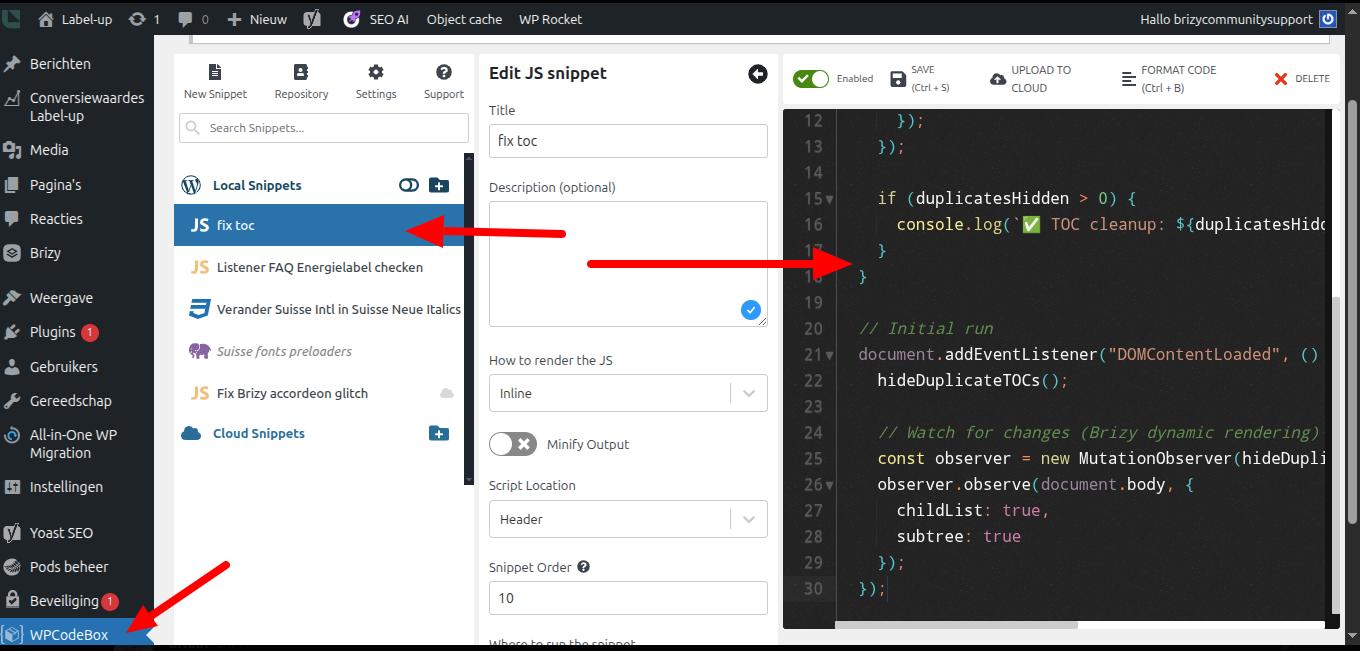
Just a quick note to let you know that we've temporarily added a script to help address the issue. I'll reach out again if we have any further updates.
Best regards,
Ariel H.0 -
Thanks for looking into this and providing the (temporary) fix. Appreciated.
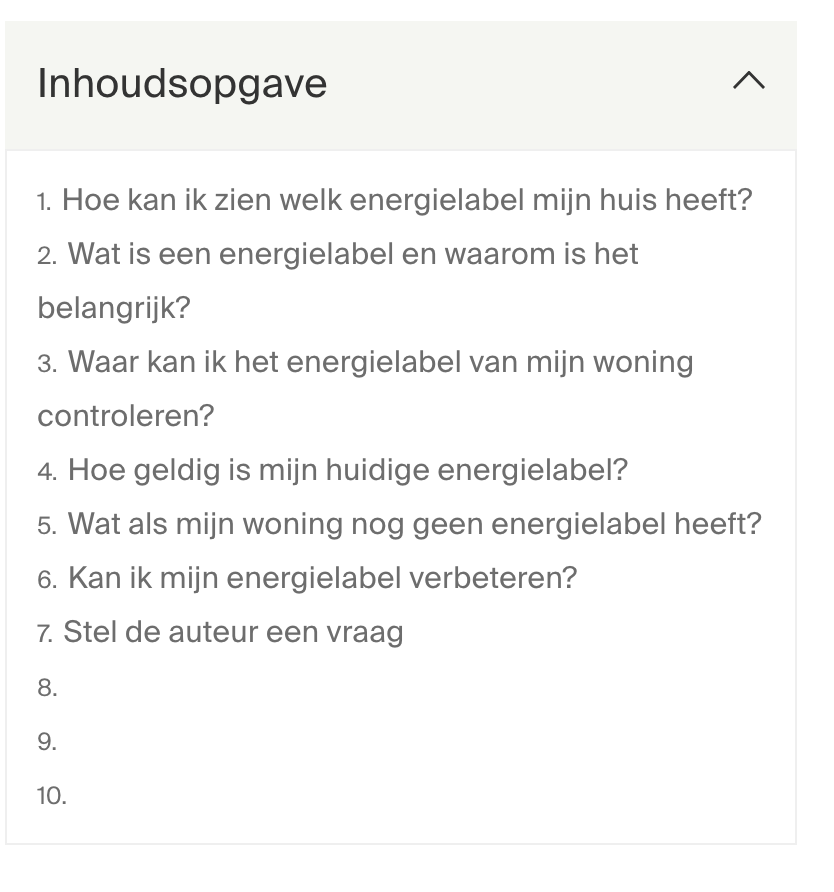
One more question related to this. All the table of contents have 3 empty lines at the end (8., 9., 10.). They seem to be anchored to something on the top of the page. Is this a bug? I have double checked there are no H-tags in the header (if it would, they would've been on the top of the list of the table of contents anyways).
 0
0 -
Hi B.j.,
Thanks again for your message and we apologize for the delay.
We're still looking into the issue. We'll update you as soon as we have more information.
Thanks for your patience.
Best regards,
Ariel H.0
Please sign in to leave a comment.
Comments
9 comments