How to preview changes without publish on a live website

Hi there.
during the creation of a website, the draft can be previewed with the temporary domain name.
Once published there is no way to preview the changes on a page of the live website without publish and make it available for all the visitors right?
Because is very important to check before make it a mess on a live website.
As alternative i can only see to duplicate the page, set as protected page, make all the tests, and then remove the protection or save the block and import the block into the live page and publish.
Am I wrong?
-

Hello Valerio,
Using a staging site to make changes before pushing them to a live website is a widely followed practice. This allows to make changes in a safe, private environment without affecting the live site or its visitors. Brizy Cloud does not have an built-in staging feature. However you can implement the staging concept in Brizy Cloud following these steps.
- Use the "Duplicate" option in the project thumbnail to make a duplicate of a project.
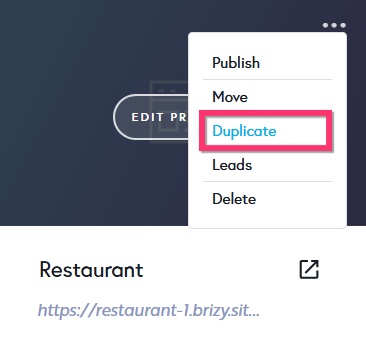
- Make changes to the project that is duplicated.
- When you're ready to publish the changes, add the custom domain to the duplicated site and it will be the new live site.
0 - Use the "Duplicate" option in the project thumbnail to make a duplicate of a project.
Please sign in to leave a comment.
Comments
1 comment