Images not loading in page builder but look fine on the front-end

I just applied a starter template to do some testing and learn and the images don't display. I tried multiple starter templates. However, everything loads fine when viewing the website on the frontend.
URL- https://norzer.net/demos/ryan/
Also, when im going into settings for each element to learn I'm trying to determine if the element type im looking at. For example, is it a column, row, etc...? Is there a way the properties popup box can display the element type I'm working with?
I can create you an account. thanks
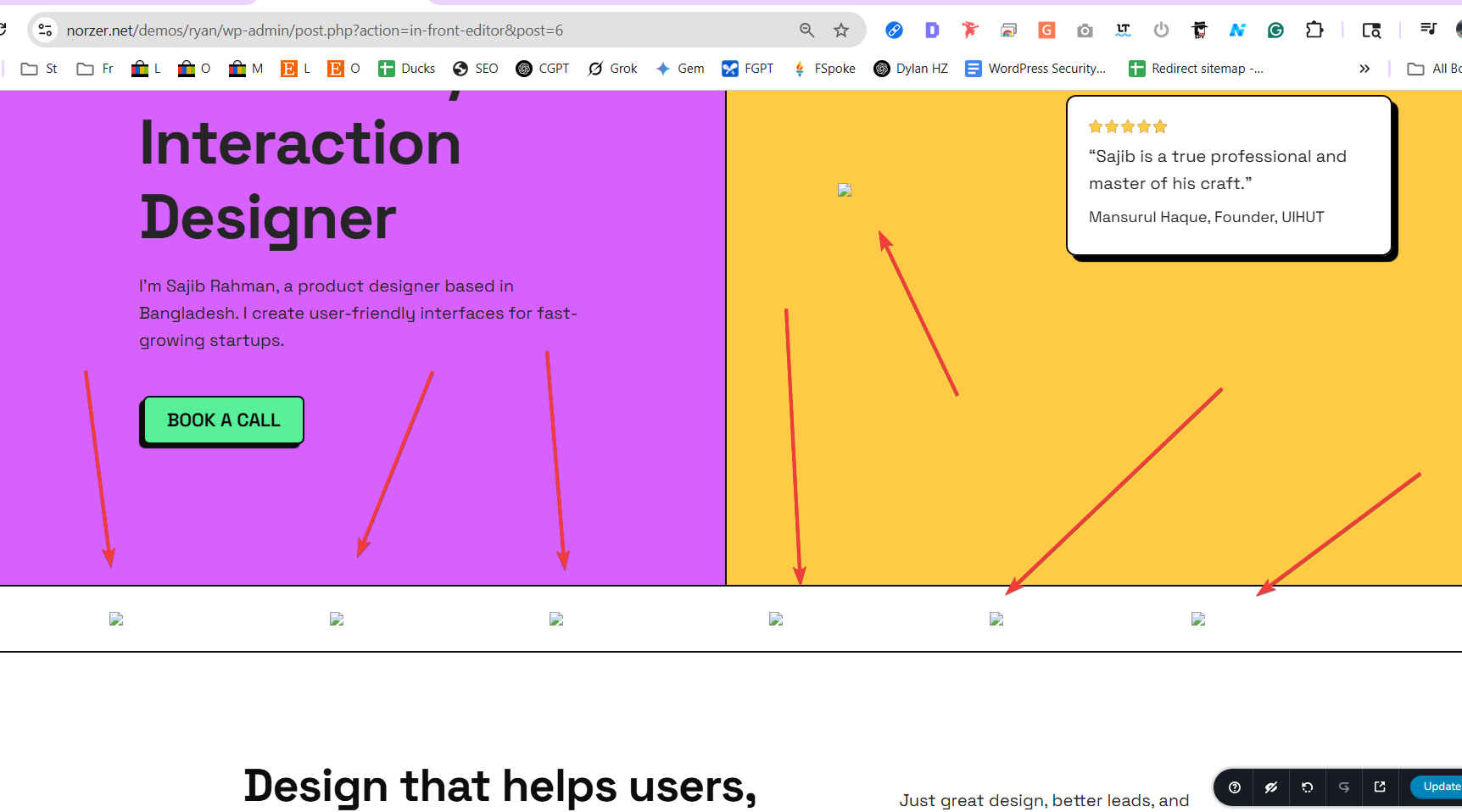
-

Hi Ryan,
Thank you for reaching out.
When images don’t appear in the Brizy editor but load fine on the front-end, it’s often due to caching or optimization plugins like LiteSpeed, Smush, or Jetpack affecting how images are rendered in the editor. Try temporarily disabling these plugins and clearing your browser or CDN cache to see if that helps. You can also isolate the issue by disabling non-essential plugins.
If the issue persists, feel free to share your WordPress admin credentials and send the following details to communitysupport@brizy.io:
Community Post link: https://support.brizy.io/hc/en-us/community/posts/27239608671122
WordPress Admin URL:
Username:
Password:Regarding your second question, the Brizy editor doesn’t currently label element types like column or row. As a guide, a column is the vertical container that holds elements like text or images, while a row refers to the horizontal group that holds one or more columns.
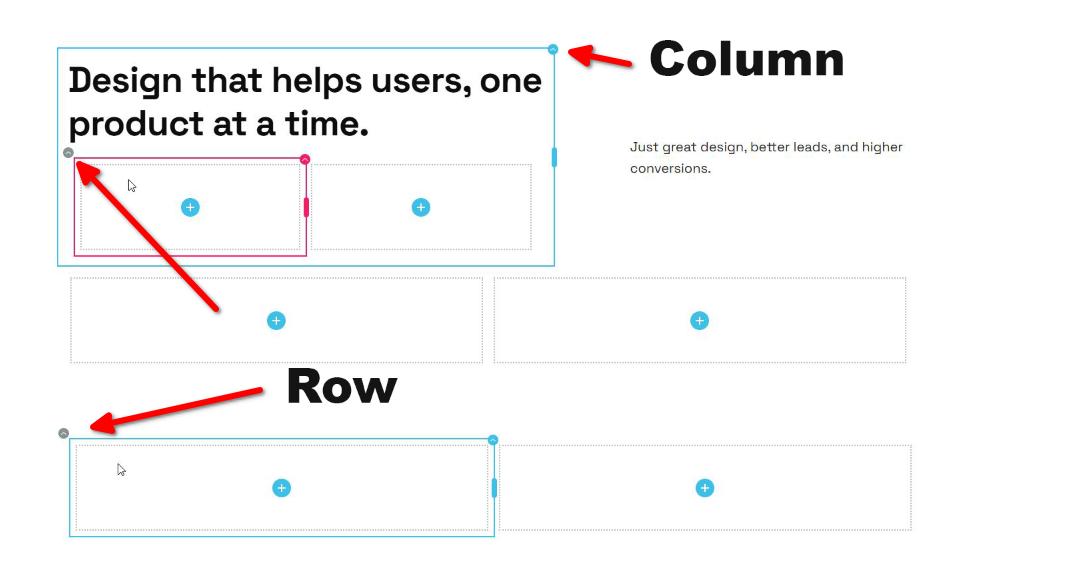
Best regards,
Ariel H.0
Please sign in to leave a comment.
Comments
1 comment