Problems with alignment

Hi there!
Once again there seems to be a problem with the alignment of icons and buttons in brizy after the latest update. While in the backend it looks like this: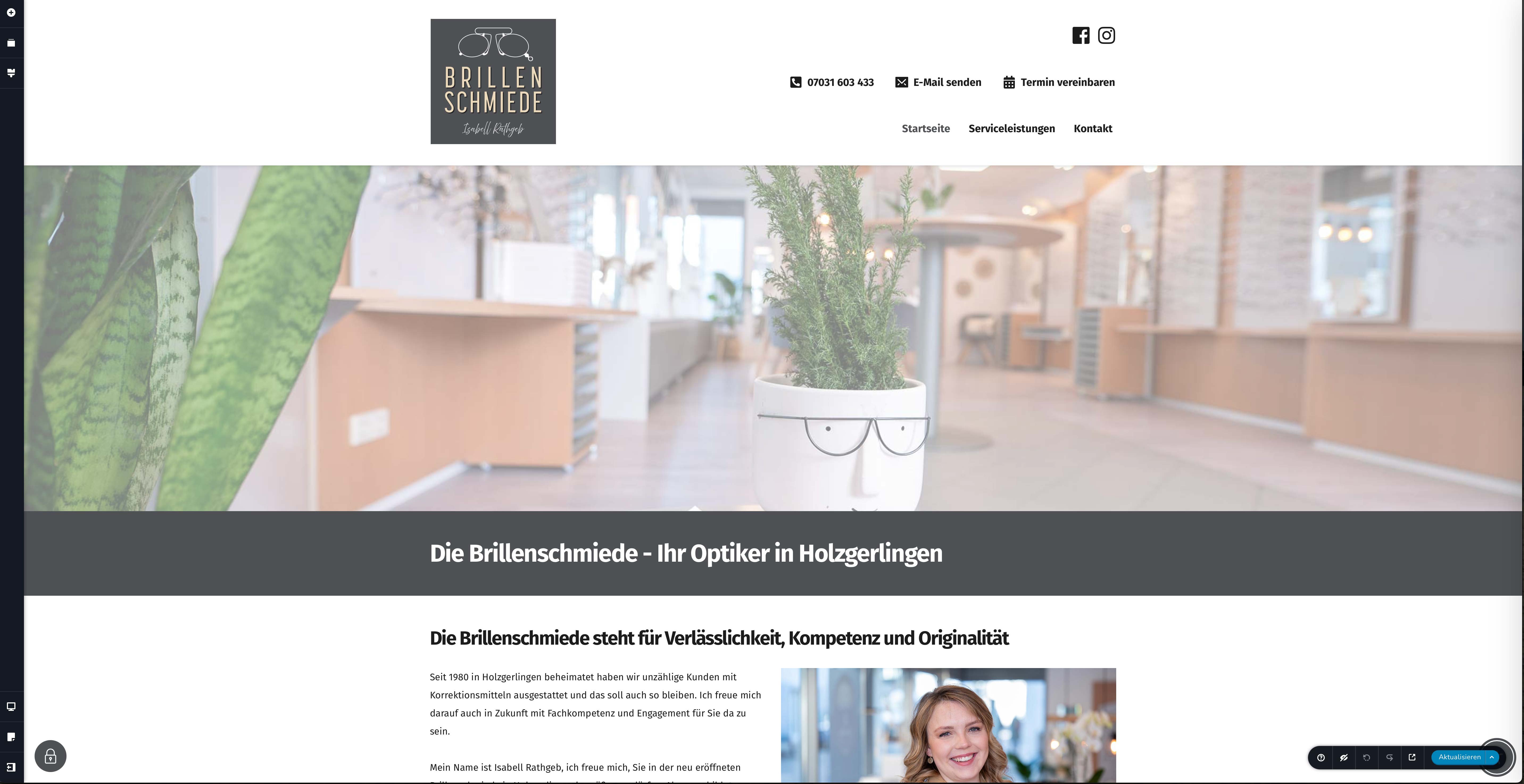
The output on the website looks like this:
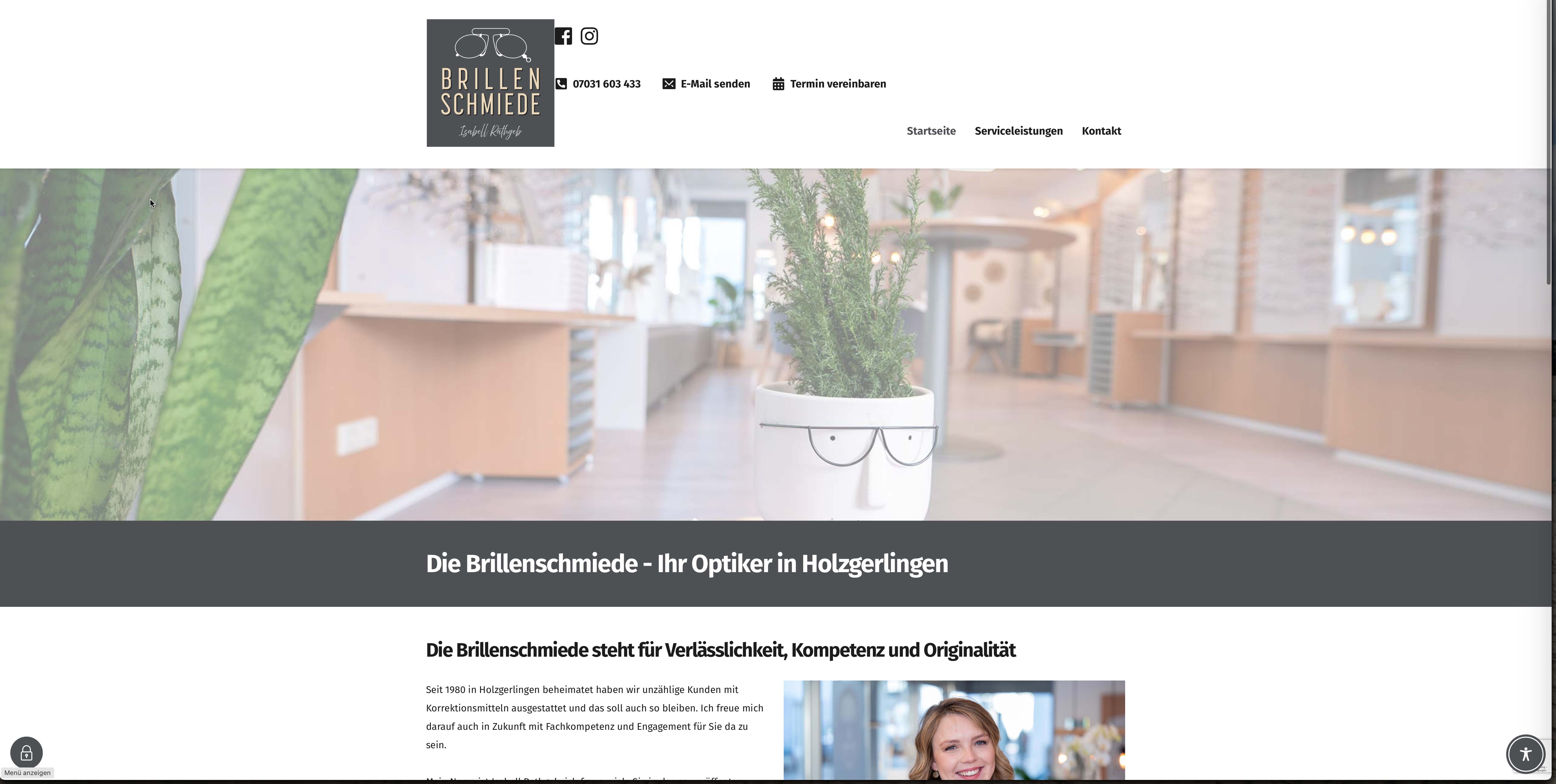
Website: www.brillenschmiede-holzgerlingen.de
-

Hello Martin,
Please carry out this test and get back to us with your finding; deactivate these plugins temporarily and check if the issue resolves
- Real Cookie Banner
- Real Cookie Banner Pro
- Accessibility Plugin Onetap Pro
0 -
I tried. Deactivating those plugins doesn't resolve the issue...
0 -
Hello Martin,
We would like to take a look at your WordPress Dashboard to help fix this issue. Please add a new user to your WordPress Dashboard and send the following details to our email: communitysupport@brizy.io.
- Support Forum link: https://support.brizy.io/hc/en-us/community/posts/27173538556050
- WordPress Admin URL:
- Username
- Password
Please let us know in this forum when you send us the email.
0 -

Hi Martin,
Thank you for your cooperation.
We’ve fixed the layout issue by making a small adjustment to the global header block, temporarily adding 1px padding on all sides, saving the page, and then checking the front end to see if the layout is fixed. If the issue is resolved, you can safely revert the padding changes and save again. This step helps force the page to recompile, which often resolves layout glitches.
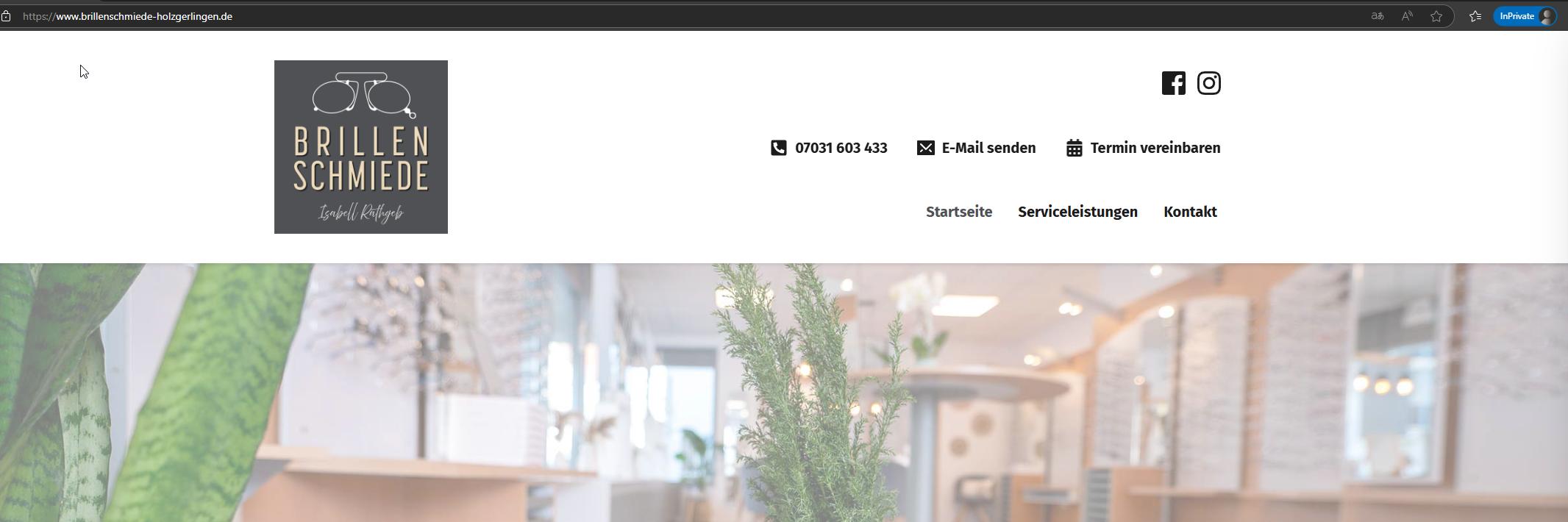
Please let us know if you need any further help.
Best regards,
Ariel H.0
Please sign in to leave a comment.
Comments
4 comments