buy button message issue

hi there,
i am using brizy with woo + woo bookings and accommodation plug-ins.
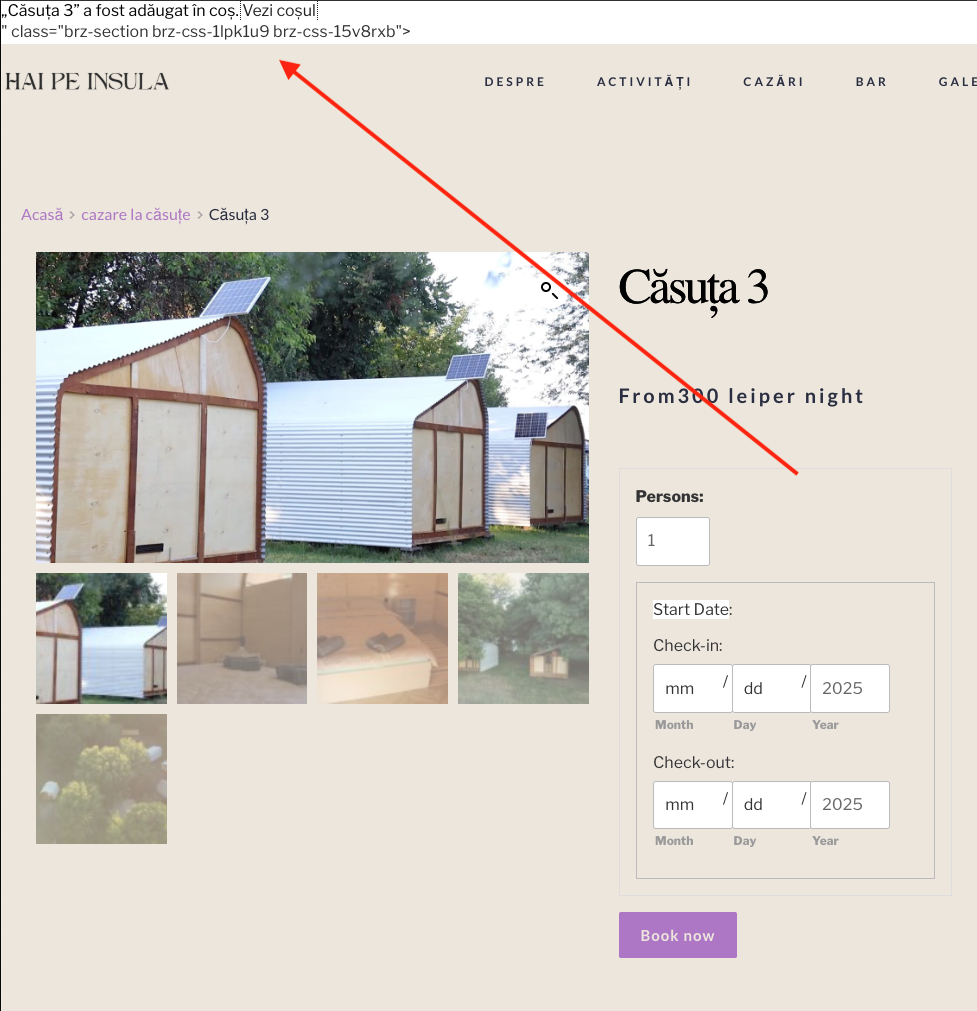
After i choose the reservation dates and hit the book now button the following text message appears in the top left instead of the normal cart message:
how to fix this?
the product/reservation page: https://haipeinsula.ro/produs/casuta-3/
-

Hello Val Entin,
We do not see the reservation page at https://haipeinsula.ro/produs/casuta-3/. Instead we see this notification.
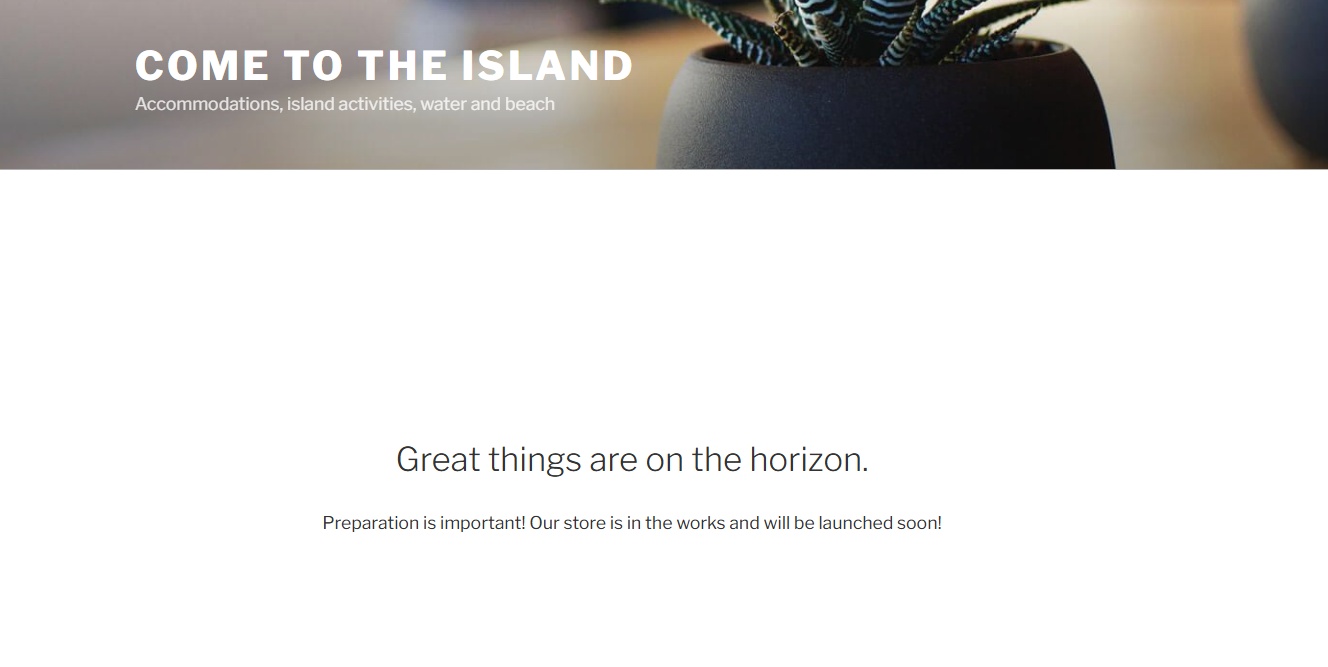
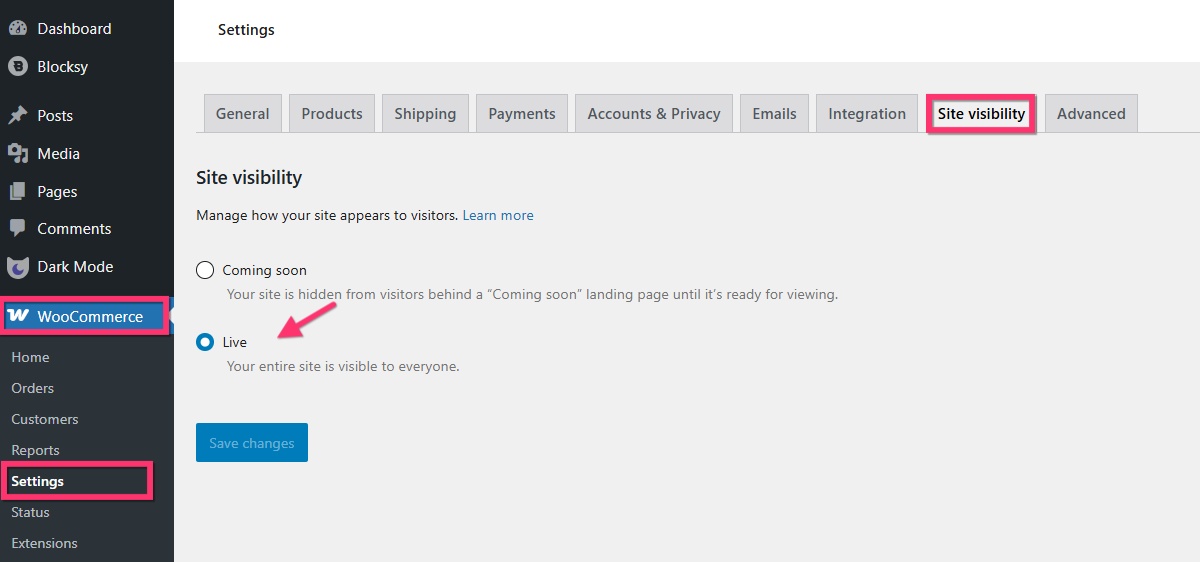
In your WordPress Dashboard under WooCommerce > Settings > Site Visibility, you may need to set the store to "live" for us to see the reservation page.
 0
0 -
hi K,
please try again. it should be live now.0 -

Hi Val,
Thank you for the update.
We tried to reproduce the issue on our end, including testing it with the Twenty Seventeen theme, but we weren’t able to replicate the behavior you described.
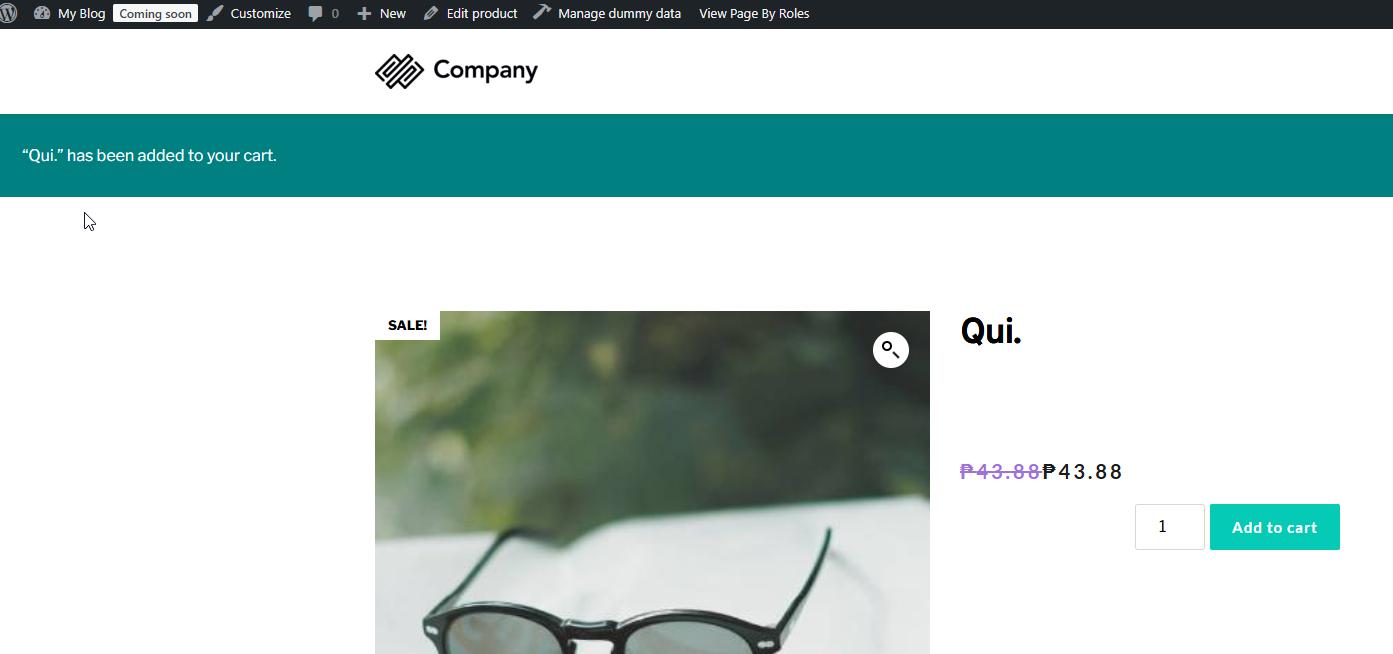
To help narrow it down, could you please try replicating the issue with all other plugins temporarily disabled—keeping only WooCommerce, Brizy, and Brizy Pro active? This will help check for any potential plugin conflicts that might be affecting the notice placement.
Let us know how it goes, and we’ll be happy to assist further based on what you find.
Best regards,
Ariel H.0 -
 0
0 -
Hi Val,
Thanks for your message. We’ve checked on our end, and we’re also unable to replicate the issue you mentioned.
Could you please confirm if you’ve tried the steps we provided in our last email to check for any possible conflicts? This will help us narrow down the cause.
You may also share your WordPress admin login details with us so we can take a closer look. Please add us as an Admin user to your WordPress Dashboard and send the following details to communitysupport@brizy.io.
Community Post link: https://support.brizy.io/hc/en-us/community/posts/27132234434194
WordPress Admin URL:
Username:
Password:Also make a full backup of your site as a precaution.
Looking forward to your reply.
Best regards,
Ariel H.0 -
hi Ariel,
it seems the text was lost in the last message with the screenshot.
in the Seventeen theme works fine. when i switch to the brizy template for products that i create, the issue appears.
check the support@ email, u r admin now
0 -
Hi Val,
Thank you for your cooperation.
It looks like there may be an issue with your product dynamic template.
To investigate further, I imported your current template into my test environment and was able to replicate a similar error. However, after rebuilding the template from scratch, the issue was resolved on my end. This is demonstrated on this screencast: https://youtu.be/ioolPp6QCgU
Could you please try rebuilding the template on your side as well and see if that makes a difference?
Let me know how it goes.
Best regards,
Ariel H.0 -
hi Ariel,
already tried that.
again after i saw your video, tx, but does not work...0 -
Hi Val,
I went ahead and created a new template from scratch. Please see the screencast linked below: https://youtu.be/ivrJViq-Wqo
Best regards,
Ariel H.0 -
hi Ariel,
thank you. i have no ideea how you did it. i tried the same thing...
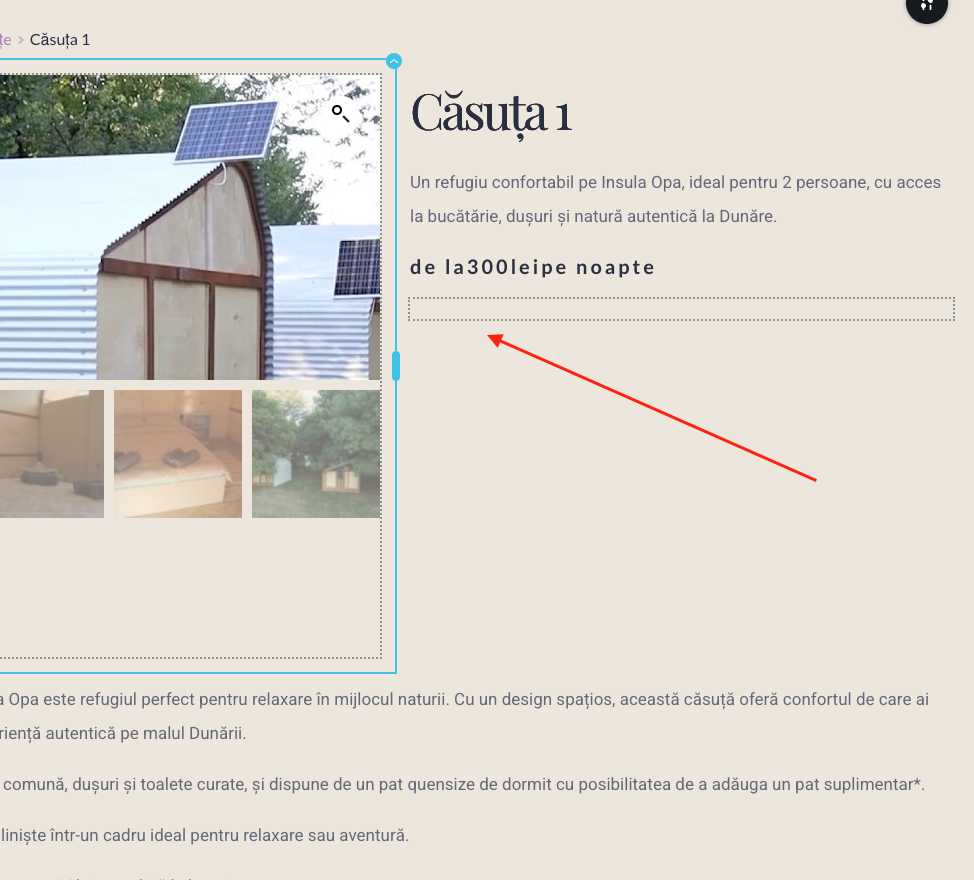
now there is another issue the options for the „Add to cart” element do not appear. I want to put the button under the calendar and i know there are some options for the element because i used them a couple of days before but now, does not appear.
also, how to add space before and after de priceper night
 0
0 -
hi again, the issue came back :))
this is very frustrating, i was thinking brizy is the best no-code website builder....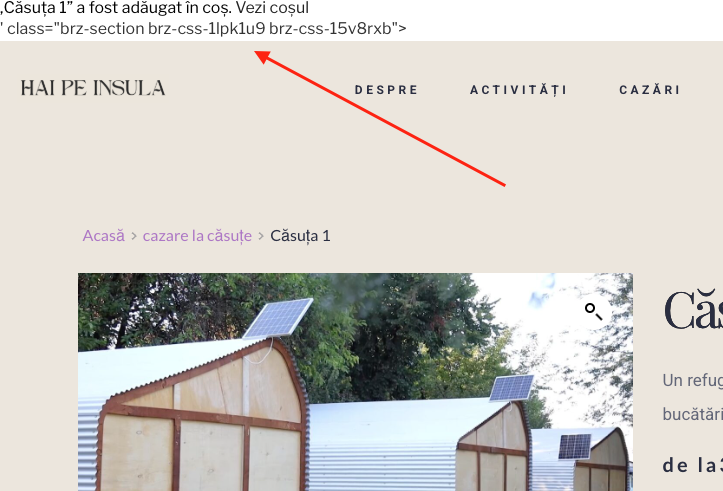 0
0 -
Hi Val,
Thank you for the update.
It looks like the issue is related to the global header. In this example, I’ve recreated the entire header from scratch. You’ll need to do the same, as shown in this screencast: https://youtu.be/zEXLmhTiMUI
About the missing button in the editor, it appears to be a compatibility issue with the WooCommerce Accommodation Bookings plugin. I recommend reporting this to the plugin’s developers so they’re aware and may be able to provide a fix. Alternatively, we might be able to offer a CSS-based workaround to resolve it on your end.
If you have any further questions, feel free to reach out.
Best regards,
Ariel H.0 -
hi Ariel, thank you.
lets try the alternative with a css-based workaround.
0 -
Hi Val,
Thank you for keeping in touch, we have added the CSS as requested.
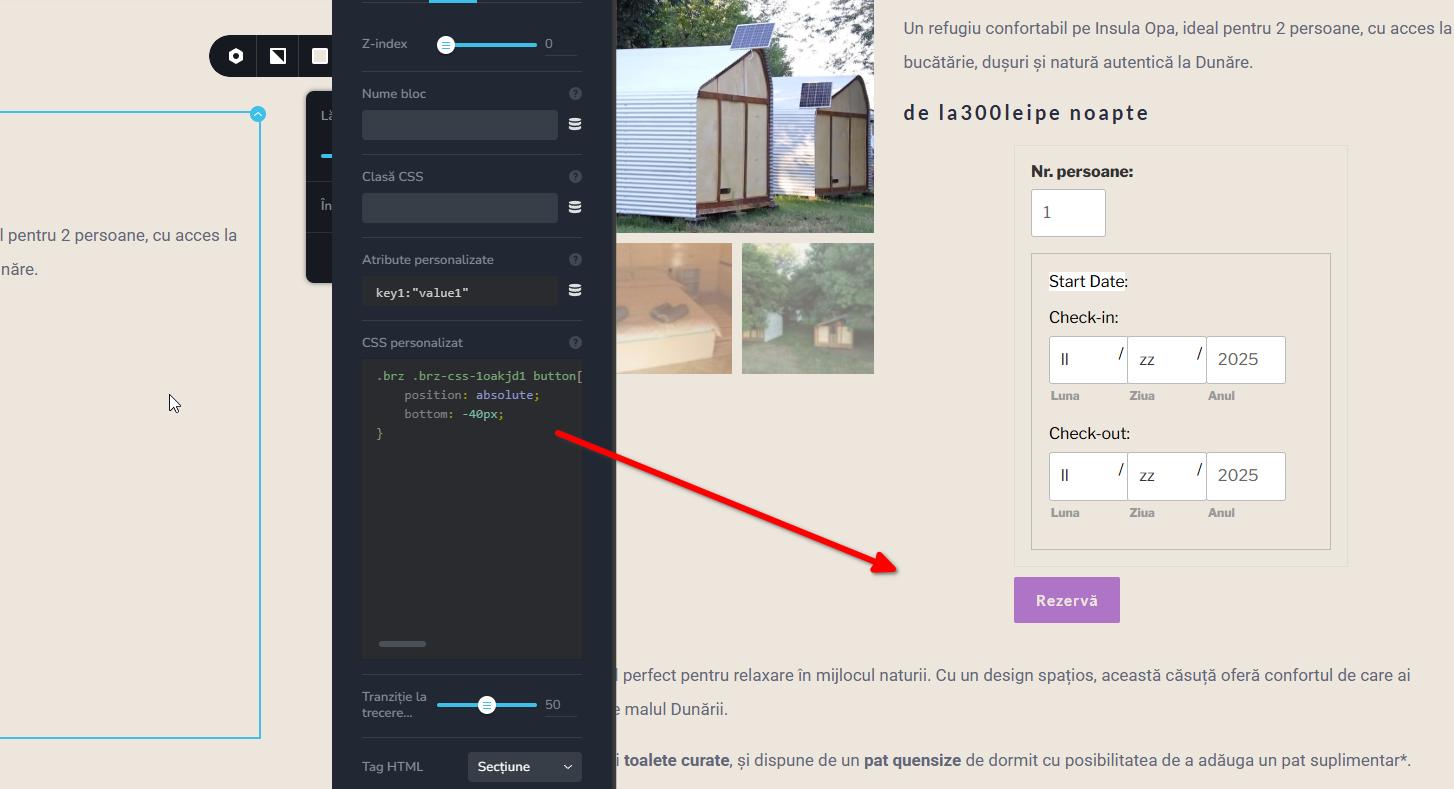
Please feel free to check and let us know if you need any further assistance.
Best regards,
Ariel H.0 -
thank you Ariel for you input.
the whole element nr. persoane / calendar / buy button should pe aligned left.
also the space before and after the price.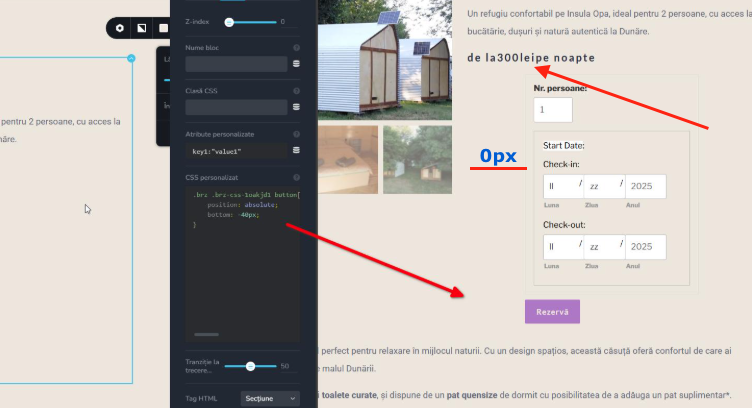 0
0 -
Hi Val, I will get back to you on this.
0 -
Hi Val, thank you for waiting, we updated the CSS.
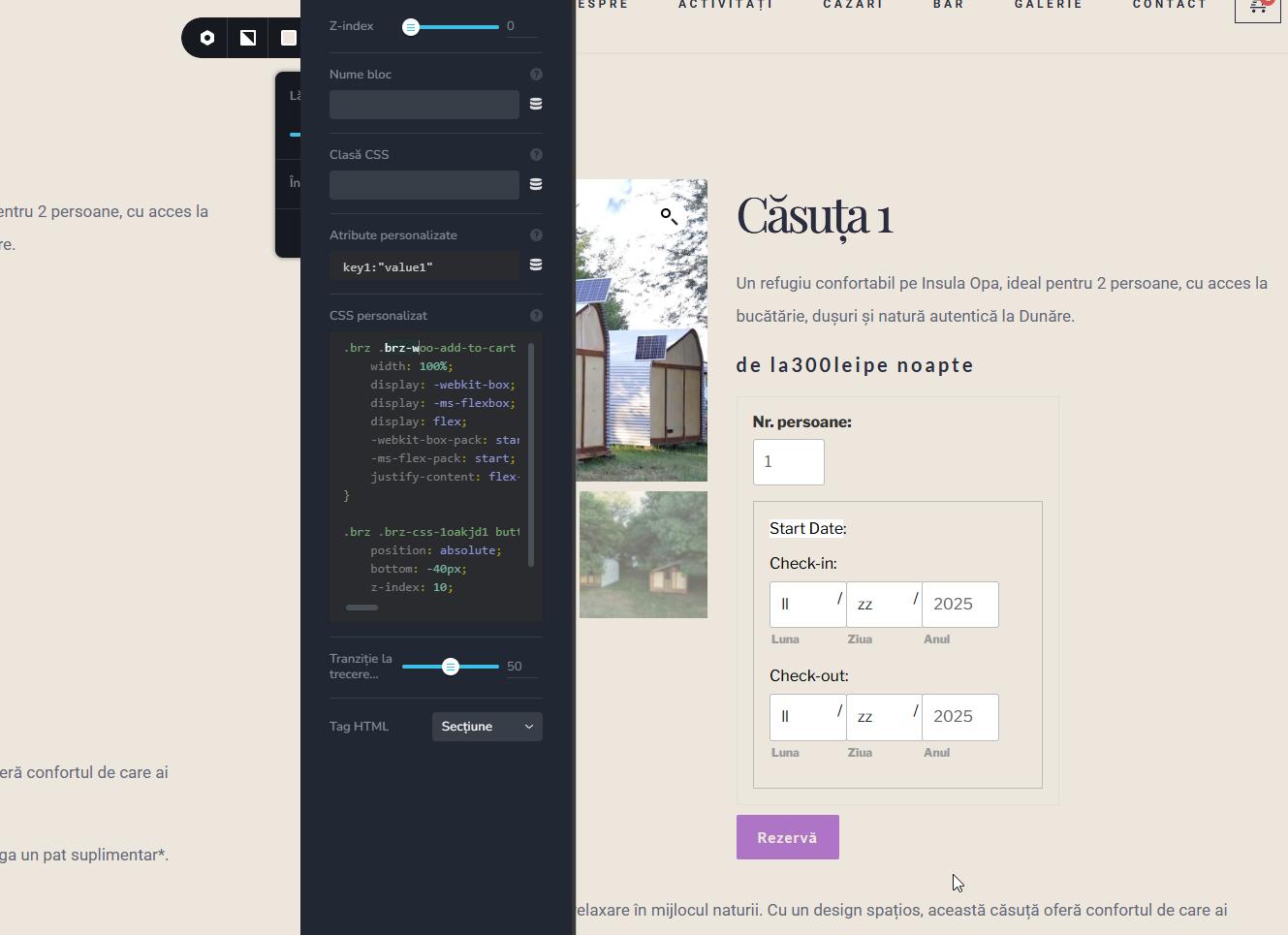 0
0 -
hi Ariel,
it is better now
the price is still without spaces as you can see de la300leipe noapte - should be de la 300lei pe noaptenow the cart notifications go under the header :))
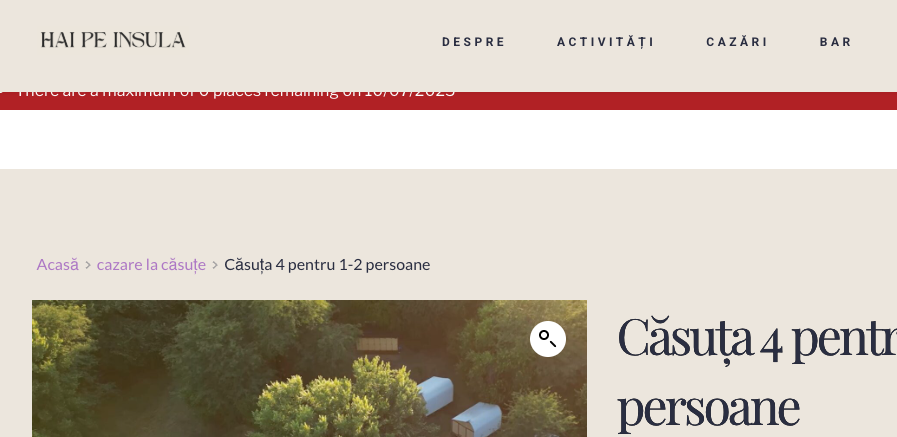
every step i go further with brizy it gives me more frustration and things to do...
0 -
Hi Val,
Thank you for bringing this to our attention.
It looks like the price was expecting a currency symbol, which may have caused the issue with how the text was displayed. We've added a CSS snippet under Appearance > Customizer > Additional CSS to add spacing between the price elements, so it should look much better now.
As for the notifications, they appear to be working correctly on our end. Could you let us know which specific page or product you encountered the issue on? We’ll be happy to take a closer look.
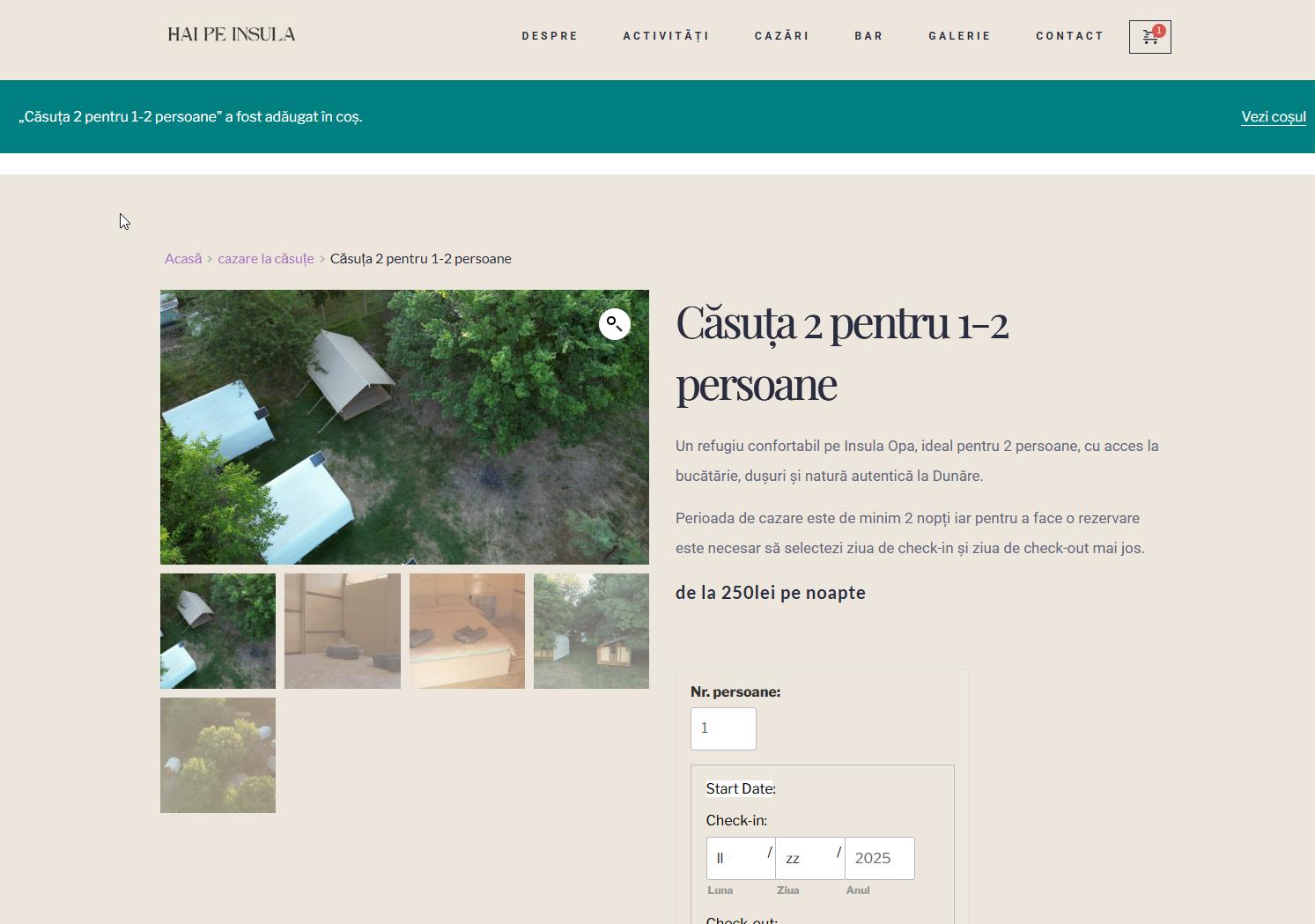
Best regards,
Ariel H.0 -
hi Ariel, tx for the extra info.
you can check here:
https://drive.google.com/file/d/1aXEQ7fJYS-WimQ8QV8osJOZh-tsOxkEY/view?usp=sharing
this happens on brave, ark, firefox browsers
i cleared the cache
also, why is there a whit line under the notification? and how can i remove it?0 -
Hi Val,
Thank you for the update.
I created a short screencast to show how the site behaves on my end: https://youtu.be/UBKjV3TEzIs.
I’m currently using Firefox on Windows, and I wasn’t able to replicate the scrolling issue you mentioned, it seems to be working normally here.Could you let me know which operating system you’re using? That might help us narrow down the cause.
As for the white gap under the WooCommerce notification, it looks like WooCommerce adds a 24px margin at the bottom by default. We’ve added some custom CSS to remove that, so the layout should look cleaner now.
Let me know if you're still seeing the issue on your end.
Best regards,
Ariel H.0 -
On your end try a refresh on the same page after u added the booking in cart.
I use the apple os.
Also, it seems it goes under the header on mobile too...0 -
Hi Dan,
It looks like the current CSS is missing some necessary WooCommerce classes for message types, we have updated the CSS as demonstrated on this screencast: https://youtu.be/OkZoeMlIE9w
Best regards,
Ariel H.0 -
hi Ariel,
I also have issues with the new PRO updates as many other users. the licence area does not appear to put the key.
https://support.brizy.io/hc/en-us/community/posts/28084421421842-Activating-Brizy-Pro-Keeps-requesting-Update-New-Website
could you please help in this and rolle back to a safety version without loosing data?
tx0 -
Hi Val,
Thank you for reaching out.
This issue typically occurs due to a version mismatch, as mentioned in the support thread you referred to. To resolve it, please uninstall Brizy 2.7.0 and install Brizy 2.6.22 using the link below:
https://supportfiles.brizy.site/
No data will be lost during this process, your pages and content will remain intact.
We kindly recommend continuing to use Brizy 2.6.22 together with Brizy Pro 2.6.14, as we’ve received reports of other issues related to the recent updates, which our developers are actively working on.
We truly apologize for the inconvenience.
Best regards,
Ariel H.0 -
hi Ariel, what can i say... the pages and content is not intact
actually the whole website does not work0 -
Hi Val,
Thank you for the update and we apologize for the inconvenience.
Please provide us with temporary access to your WP Admin page so we can take a look. Kindly add us as an Admin user to your WordPress Dashboard and send the following details to communitysupport@brizy.io.
Community Post link: https://support.brizy.io/hc/en-us/community/posts/27132234434194
WordPress Admin URL:
Username:
Password:Looking forward to your reply.
Best regards,
Ariel H.0 -
you already have acces
just sent you a reset pass link0 -
Hi Val,
Thank you for your cooperation, and once again, I sincerely apologize for the issue caused by the recent update.
Your site is now working. We applied a minor adjustment to the global header, adding 1px of padding, which triggered a recompilation of the pages and resolved the issue.
For now, I recommend continuing to use Brizy 2.6.22 along with Brizy Pro 2.6.14, as we've received reports of other issues with the latest updates that our developers are currently addressing. The next version, Brizy 2.7.1, should be available soon and is expected to include a fix for this.
We truly apologize for the inconvenience this has caused.
Best regards,
Ariel H.0 -
the notification goes again under the menu after adding to cart
how can i improve the mobile performance, now it is at 68
https://pagespeed.web.dev/analysis/https-haipeinsula-ro/i5jpreubra?form_factor=mobile0
Please sign in to leave a comment.
Comments
34 comments