buy button message issue

hi there,
i am using brizy with woo + woo bookings and accommodation plug-ins.
After i choose the reservation dates and hit the book now button the following text message appears in the top left instead of the normal cart message:
how to fix this?
the product/reservation page: https://haipeinsula.ro/produs/casuta-3/
-

Hi Val,
Thanks for your message.
Can you please try it again and let me know if the notification still appears under the menu after adding a product to the cart?
Regarding the mobile performance, I suggest running the PageSpeed test at least 3 times to get a more accurate average score. On my end, it currently shows a score of 86, so results may vary slightly based on timing and server response.
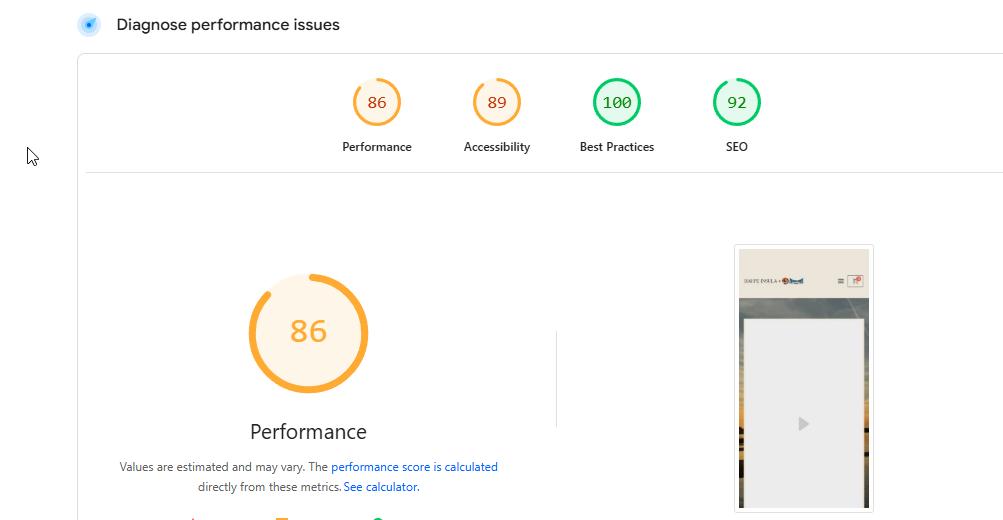
Let me know how it goes.
Kind regards,
Ariel H.0 -
Hi Val,
I just wanted to let you know that your website is now featured in our showcase!
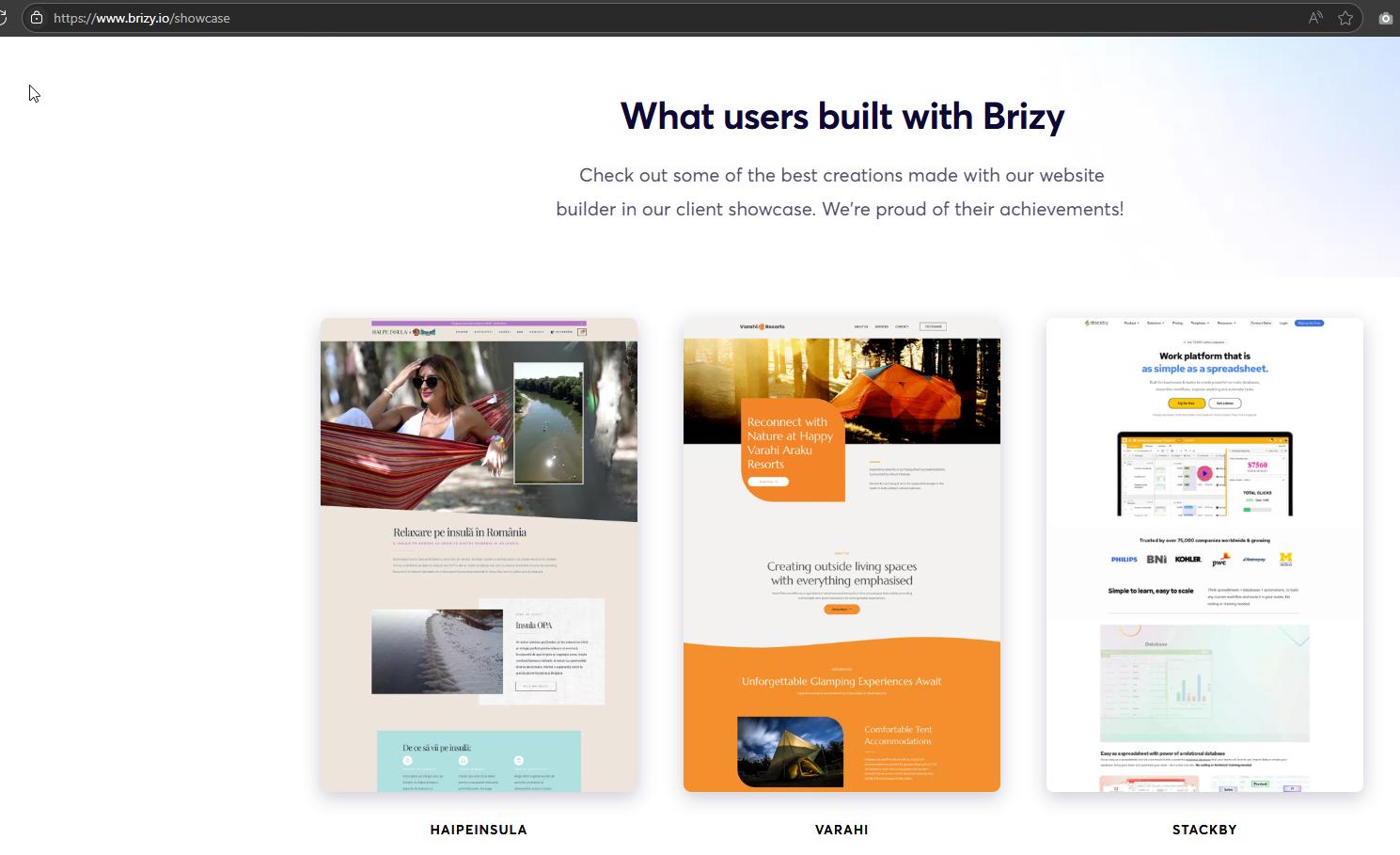
Thank you for creating with Brizy — we’re excited to highlight your work and hope it inspires others in the community.
Best regards,
Ariel H.0 -
hi Ariel, thank you for highlighting this site. honestly i do not think it deserves this
getting back, i do not know how it shows you 86 performance, i tried 50 times - same almost 72 result.
i noticed something else: why is so much space before H2 in on product pages: and how to decrease this space.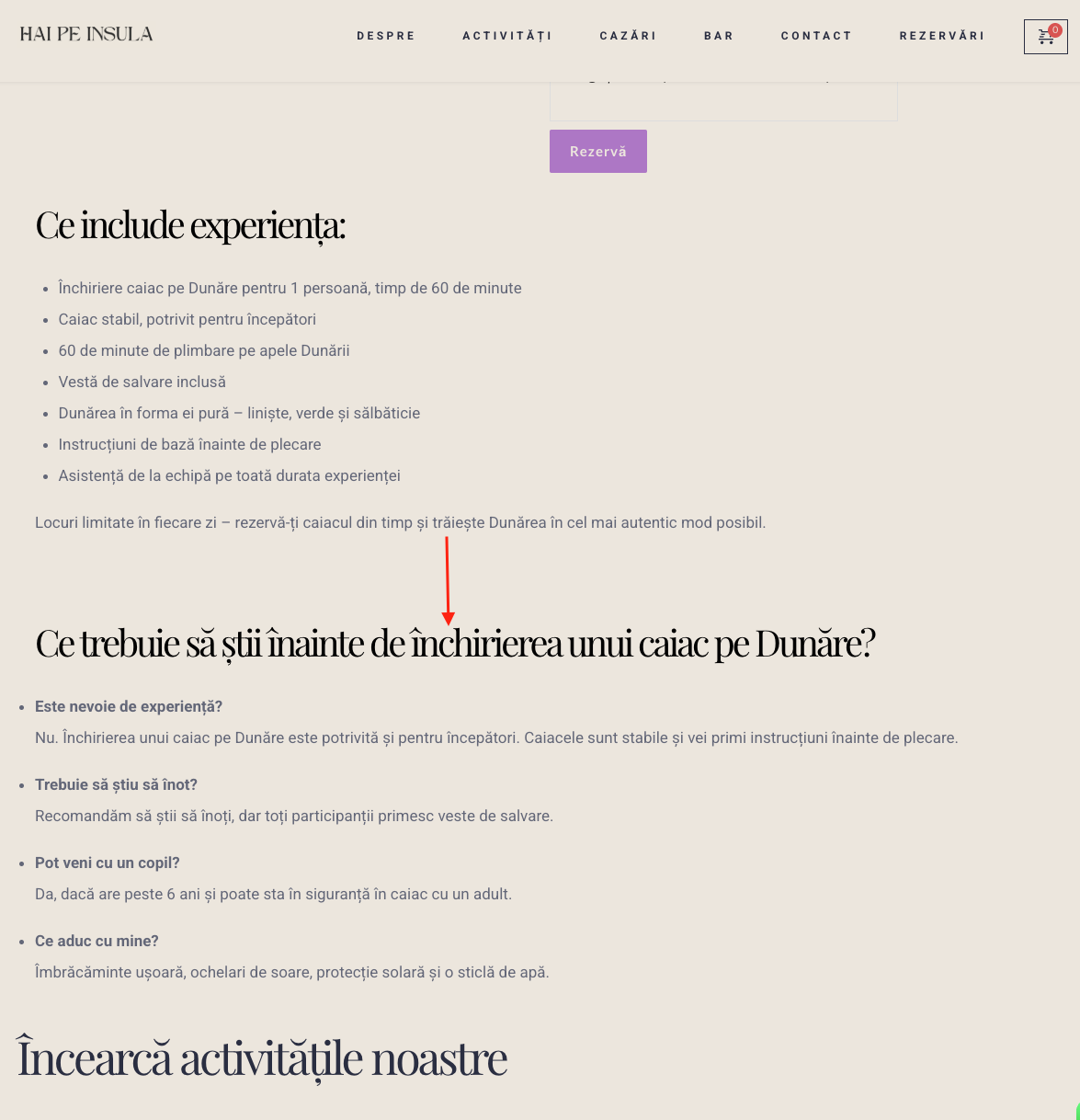
this h2 issue it is present on another brizy site i did and could not fix it0 -
Hi Val,
Thank you for keeping in touch.
About the the showcase, all websites featured go through an internal review and are approved by our team, including our lead designer. He makes the final decision on which websites are selected to be featured.
As for the speed issue, I checked your site using Google PageSpeed Insights, and it appears the Largest Contentful Paint (LCP) is quite high on mobile. This can affect your overall page speed score. One thing you might try is adding a cover image to your video so it doesn’t auto-play until the user clicks the play button. Just make sure the cover image is optimized for web, this should make a noticeable difference in mobile performance.
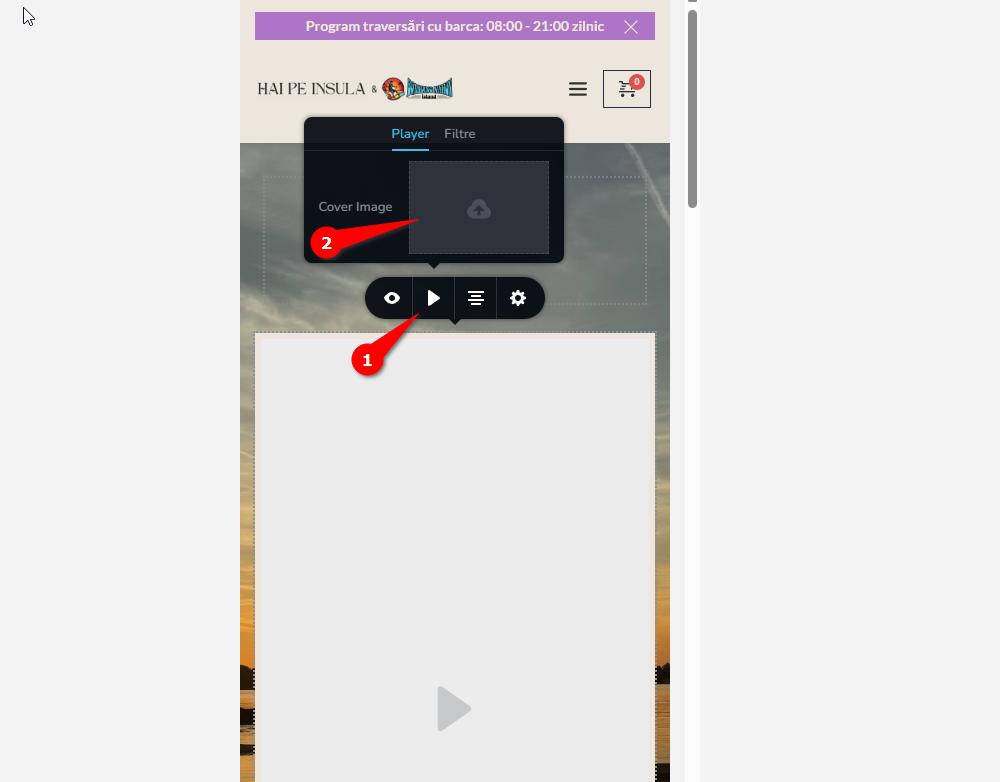
Regarding the large gaps under your H2 tags, this seems to be coming from your theme’s default styling.
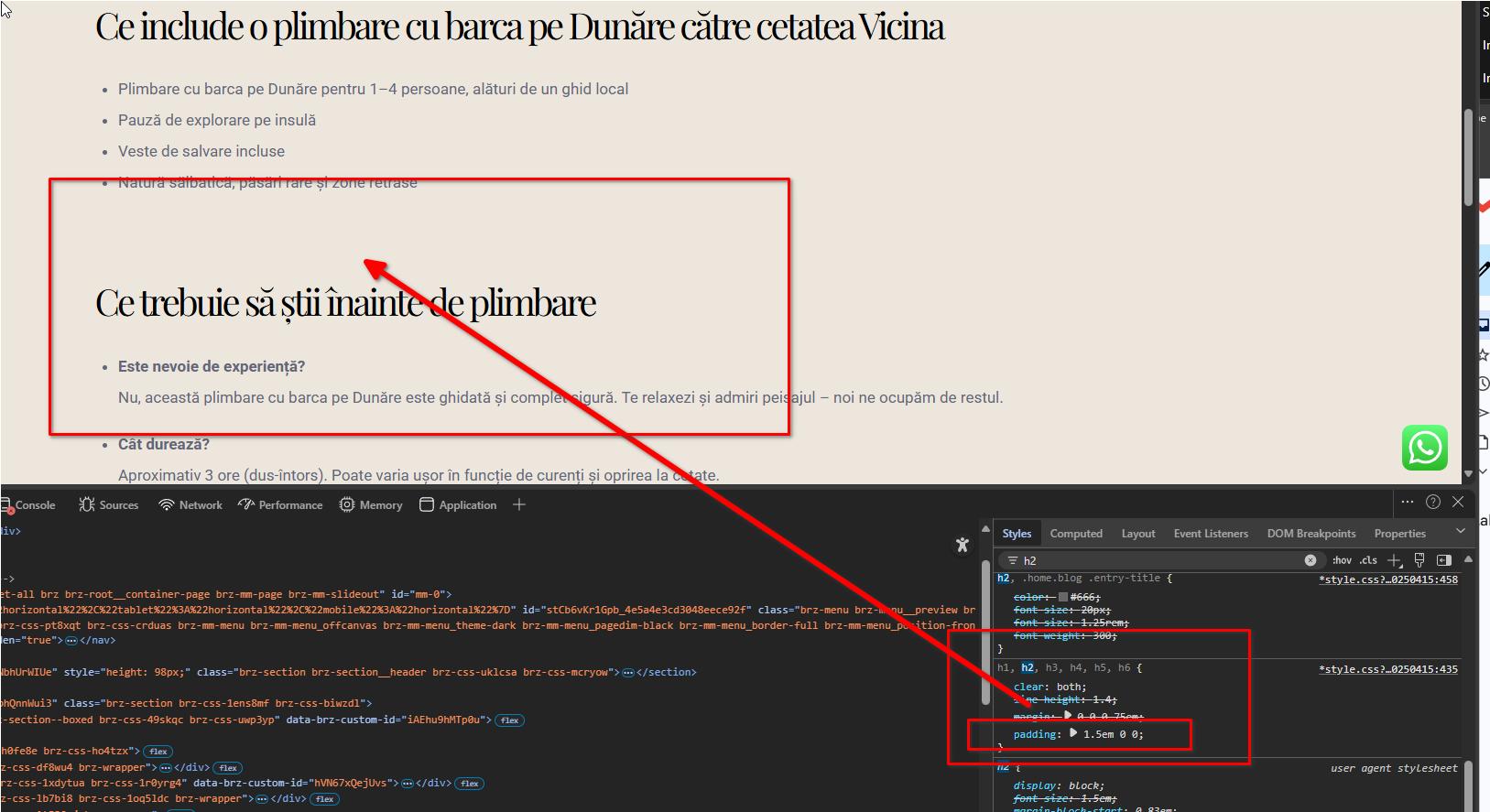
I’ve added some custom CSS to reduce the space. You can adjust the padding values further to match your preference or even set it to 0 if you'd prefer no extra spacing.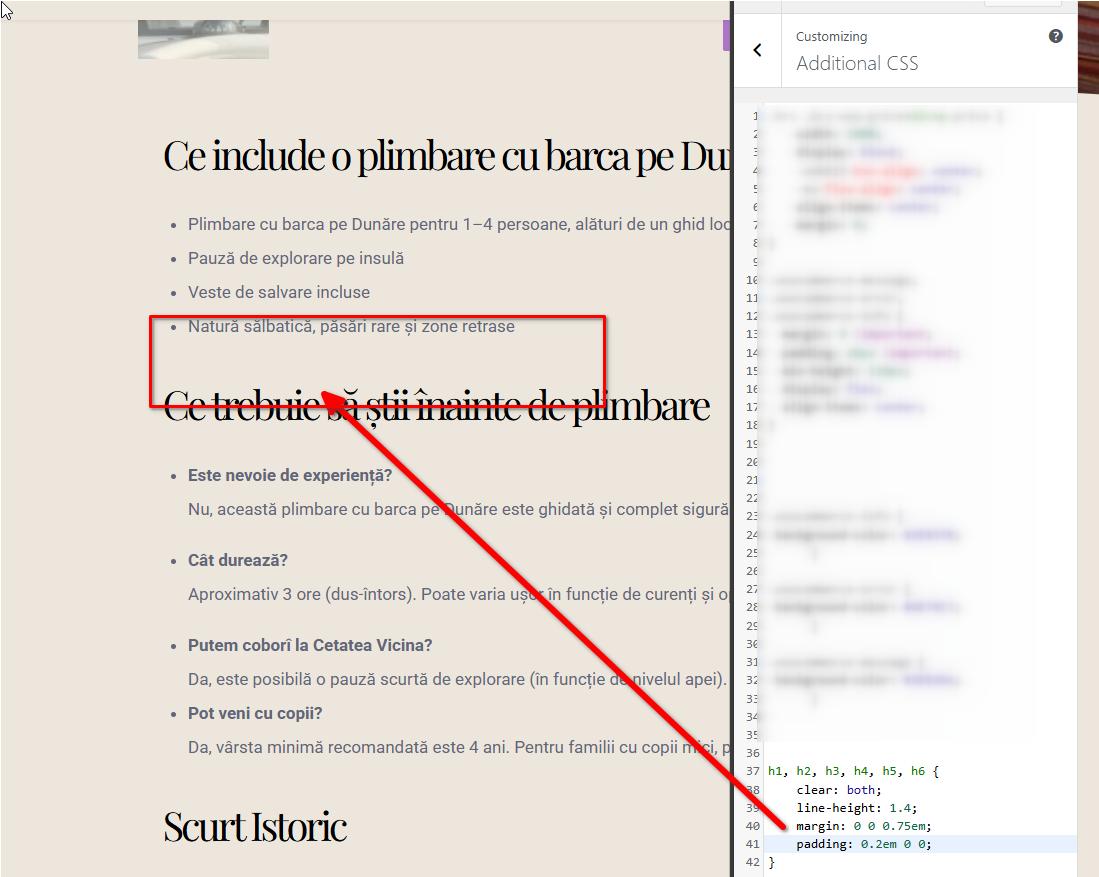
If you have any further questions, please let us know.
Best regards,
Ariel H.0
Please sign in to leave a comment.
Comments
34 comments