Blog is completely non-intuitive. Every time I change or add a blog post, all the others change.

Hi,
-

Hello Daniel,
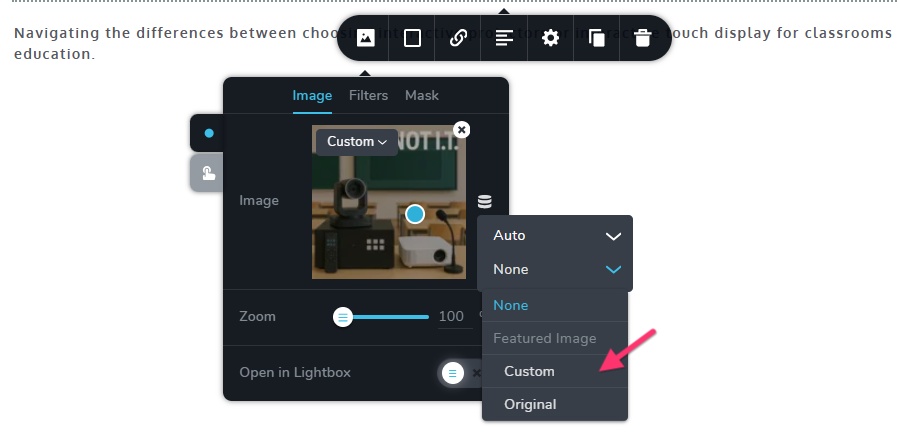
Your blog post Featured Image is a static image at the moment. In the image element, select the image icon, then the "database icon" and select "Auto" in the first drop-down list and "Custom" in the second drop-down list under "Featured Image" in order to configure dynamic featured images for your blog posts.
Since content is unique to every blog post, please do not place the main blog post content within a global block. Your blog post content must be placed within a regular (non-global) block. I have implemented this change in your blog posts with the title "Interactive Displays vs. Projectors: Selecting the Best Visual Technology for Your Classrooms"
Have a look at these tutorials for the right procedure to add blog posts in Brizy Cloud0
Please sign in to leave a comment.
Comments
1 comment