Site Migration - all blocks missing

Dear Brizy Team,
I want to clone a website (https://www.la-campania.at/) to a new domain (https://www.pizzeria-ciro.at).
I backed up the old site, changed all domain names and config files to mach the new Serve and domain. The site works just fine, except all blocks are missing for some reason.
I tried:
- Deactivating all plugins but brizy and brizy pro.
- Changing the permalinks to refresh them.
I've send you a user to investigate.
Regards Leonhard
-

Hi Leonhard,
Thank you for contacting us.
Before migrating the site to a new domain, we recommend temporarily deactivating all plugins, including Brizy and Brizy Pro. Then, use a migration plugin like WP Vivid (or your preferred plugin for this purpose) to create the backup, only the backup or migration plugin should be active during this process.
On the new domain, install WP Vivid (or your preferred plugin), upload the backup, and restore the site.
Once the restoration is complete:
1. Go to the Plugins area and activate Brizy and Brizy Pro first.
2. Then go to Settings > Permalinks and click Save to refresh them. Ensure that it is set to 'Post name'.
3. Check if the website and all blocks load correctly.
4. If everything looks good, you can go back and enable the rest of the plugins.Please try this and let me know how it goes.
Best regards,
Ariel H.0 -
Hi Ariel,
as mentioned in my beginning post, I tried that already.
Tried again, but only the global blocks are showing.Regards Leonhard
0 -
Hi Leonhard, please also provide access to https://www.la-campania.at/ site, so I could check.
0 -
Thanks for your swift reply!
On the way...0 -
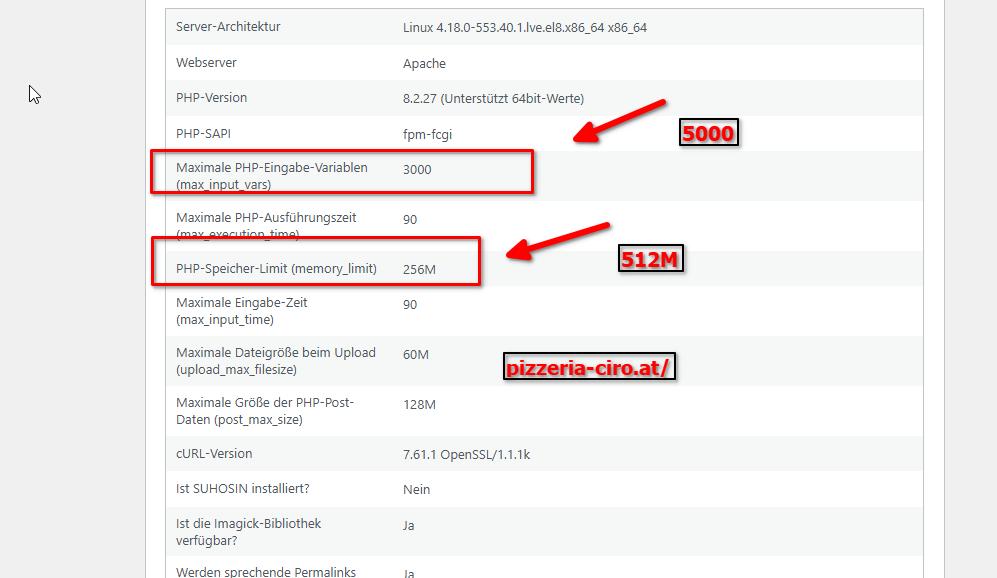
Hi Leonhard, I am now recreating the backup, in the meantime, please also update the following in your server:
 0
0 -
Sorry this site doesn't run on my VPS but on a shared hosting.
The la-campania.at site is on the same host and running fine...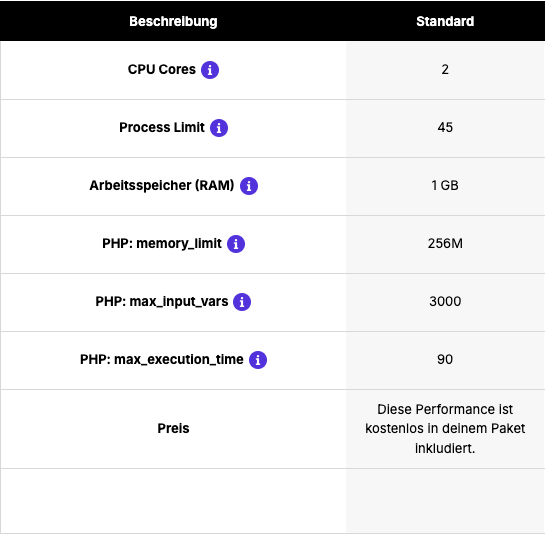 0
0 -
Hi Leonhard, if it's on a VPS that's perfectly fine.
0 -
Hi Leonhard,
Thank you for waiting. We’ve successfully migrated your site to this test environment: https://staging.brizywp.online/pizzeria/
Please let us know if you’d like us to proceed and overwrite the current content on pizzeria-ciro.at.Kindly note that this testing site is set to expire in a few hours, and everything will be automatically wiped from the server.
Best regards,
Ariel H.0 -
Hi Leonhard,
My shift has ended, but I wanted to make sure you have everything you need to proceed. If you follow the steps I provided earlier, you should be able to successfully migrate your site.
Before starting the migration, please ensure that all plugins are disabled, especially security plugins like WordFence, as they may interfere with the process.
After the migration is complete, don’t forget to reset the permalinks. Then, enable only Brizy and Brizy Pro first to check the layout of your site. You may need to open each page and re-save it to ensure everything is recompiled properly and there are no broken layouts.
Once everything looks good, you can go ahead and enable the rest of your plugins.
If you run into any issues, feel free to reply. I will check this back in the morning.
Best regards,
Ariel H.0 -
Hi Ariel, thank you very much (again) for your great support!
Yes please proceed migrating the site to pizzeria-ciro.at!
I would be delighted if you share your method with me, so I could replicate it in the future.
Regards Leonhard0 -
Hi Leonhard,
The site has now been successfully migrated to pizzeria-ciro.at.

The steps I followed during the migration are exactly as described in my previous emails. Feel free to refer back to those as a guide if you'd like to replicate the process in the future.
If you have any other questions or need further assistance, don’t hesitate to reach out.
Best regards,
Ariel0 -
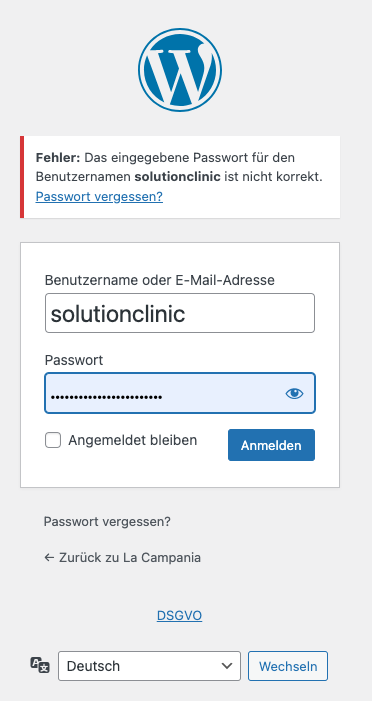
Thanks very much. The thing is - I cant log in. Neither with my nor with your account...
 0
0 -
Hi Leonhard, I sent the login details from our community support email address.
0 -
Thanks - that worked!
Last question for this site:
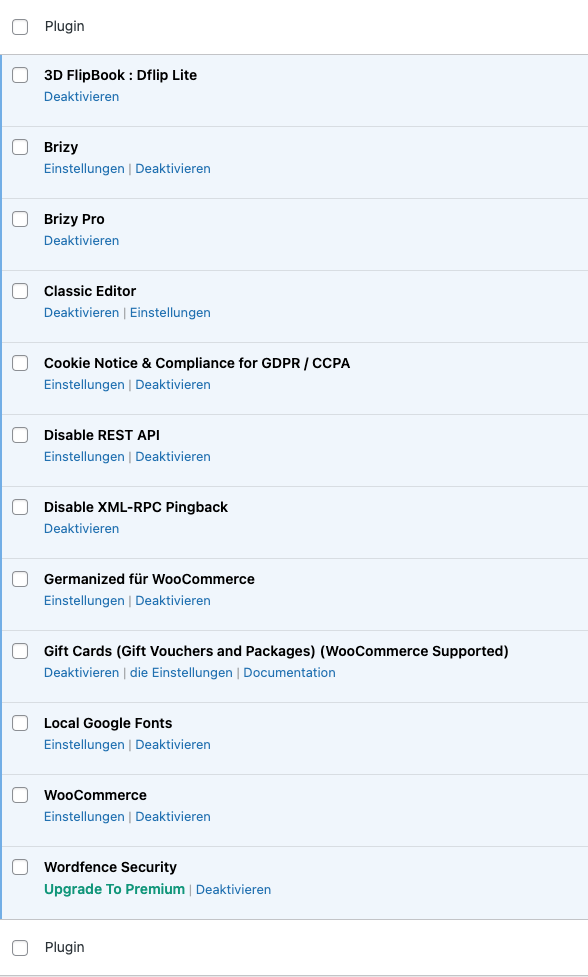
These files are new. But I cant see the corresponding plugins.
Can I just delete them to clean things up or what is the way to go here?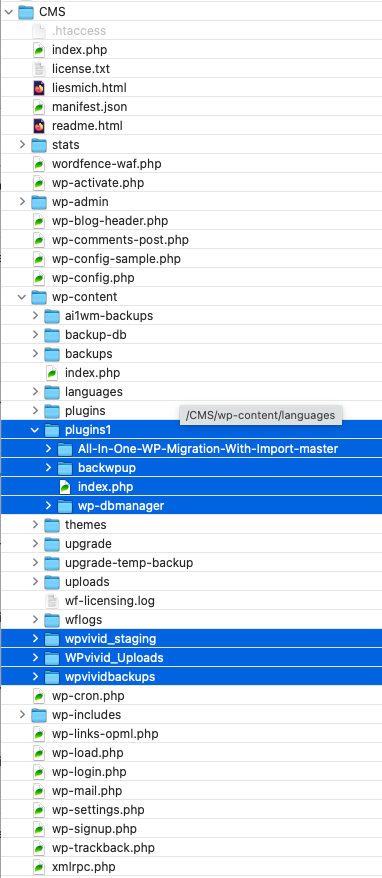
 0
0 -
Hi Leonhard, you can clear those directories directly on the server to help reduce the overall size of your website.
0
Please sign in to leave a comment.
Comments
15 comments