video background

Hi, I added a video background on a column with autoplay. And it works but it shows subtitles and music. I just want the images to be shown. How can I do that?
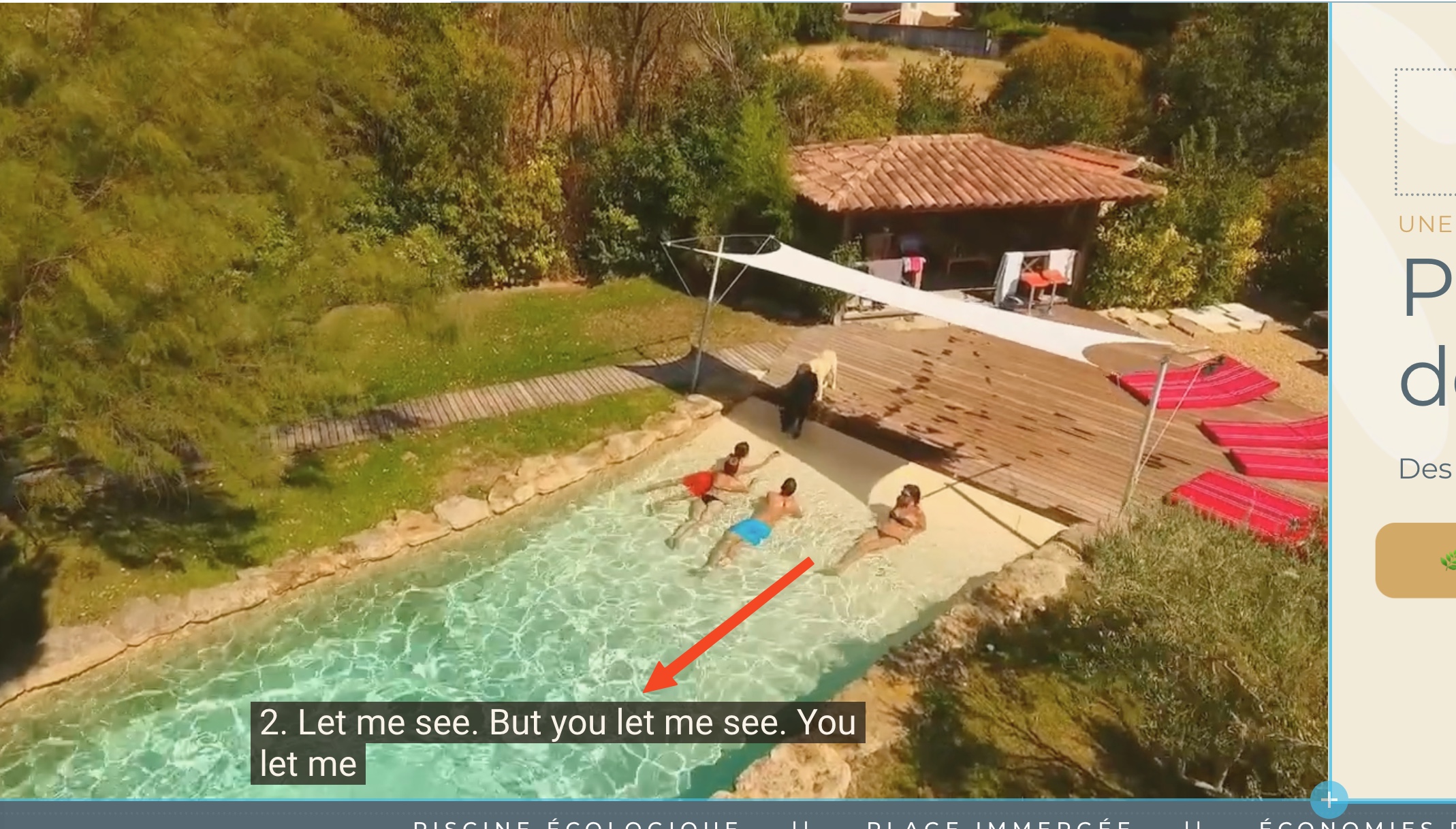
-

Hello Jean-Pierre,
If you are seeing subtitles in an embedded background video, there might not be a simple way to disable them. A different approach will be needed to remove the subtitles, depending on how they were added.
- Hardcoded: If the subtitles are "hardcoded" into the video (which means they are part of the video frames), you'll need to edit the video file itself to remove the subtitles. You could consider a tool like https://www.media.io/video-watermark-remover.html and remove hard coded sub titles following the procedure at How to remove subtitles from a video
- Sidecar: If they are "sidecar" subtitles (added using a separate file), you can remove the subtitle file using the VLC Media player following the procedure at How to Easily Remove Soft Subtitles from a Video
0 -
I KC, I just uploaded the video. I did nothing else. It’s a google thing. When watching yt video I can disable automatic subtitles but not with brizy background.
0 -
Hello Jean-Pierre,
Can you share the video URL and the Brizy page URL?
0 -
Sure here is the staging site. I also have an issue with the content padding with blocksy. When I add a page default padding I see a blank padding over the brizy page. It’s ok when I remove the default blocksy padding but then my woocommerce is stuck on the sections. https://outlandish-seahorse-ae053d.instawp.xyz/
0 -
Hello Jean-Pierre,
I don't see subtitles in the website frontend. Please check subtitles again in different devices and browsers.

You said "It’s ok when I remove the default Blocksy padding but then my WooCommerce is stuck on the sections" Can you elaborate this with a screenshot?
0 -
I solved the blocksy issue. We need to pmanage the brisy page with a different setting than the theme's. It's fixed now. It's strange that you don't see the subtitles I have on my side. I even have the music...
0 -

Hi Jean-Pierre,
Regarding the YouTube video, could you please add the following parameter to the embed URL to prevent subtitles from showing by default?
&cc_load_policy=0
Example:
https://www.youtube.com/embed/sjyfw-snhAY?autoplay=1&controls=0&start=0&end=0&modestbranding=1&wmode=transparent&enablejsapi=1&loop=1&rel=0&mute=1&playlist=sjyfw-snhAY&cc_load_policy=0
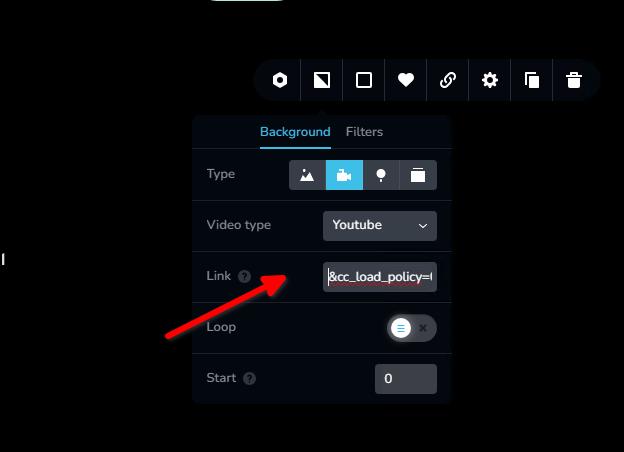
This will ensure captions don’t appear automatically when the video loads.
Best regards,
Ariel H.0 -
Thanks a lot Ariel. Is there also a tip for the sound to be off ?
0 -
I saw the mute parameter so that should do it. Thanks a lot
0 -
I modified the link but it stills plays with captions...
0 -
Hi Jean-Pierre,
Thank you for the update. Just to help us replicate the issue on our end, could you please let us know which browser you're using and the type of device or computer you're viewing the site on (e.g., Mac, PC, tablet, etc.)?
Looking forward to your reply.
Best regards,
Ariel H.0 -
Mac, chrome. And it works the same with my phone. On my phone the videos of my website plays full screen. For now I reupload another video without any music or sound in it to be sure there won't be captions
0 -
Hi Jean-Pierre,
Thanks so much for the additional details. Removing the music and audio is indeed the best solution for now to ensure captions don’t appear unexpectedly.
We’ll go ahead and test the issue on a Mac using Chrome, as well as on a mobile device, to try and replicate the behavior you described. Once we’ve completed our testing, we’ll let you know what we find.
Best regards,
Ariel H.0 -
Thanks a lot.
0
Please sign in to leave a comment.
Comments
14 comments