Website menu not visible on mobile

When I look at my website on my iphone, I don't see the hamburger menu. I tried going into the mobile view from my desktop in the editor, but also don't see anywhere to enable the menu. Thanks in advance for your help!
https://heartsalignedcoaching.brizy.site/
0
-

Hello Sharon,
To setup hamburger menu for mobiles, kindly follow these steps. I have completed steps 1 and 2 for you. Kindly complete steps 3,4, and 5.
- Publish all your pages. Menu can be created only after publishing your pages. Pages other than home page were in draft mode. I have now published 5 of your pages.
- Add a "Left Menu" and a "Right Menu". Since your navigation is split into two, you will need two menus. A Left Menu with "Home", "About" and "Services" and a Right Meu with "Contact" and "Reviews". I have created these two menus for you
- Add menus to your global header: Add the Brizy "Menu" element to the column on the left and right of your logo. Select appropriate menus in each menu element and stylize it according to your preferences
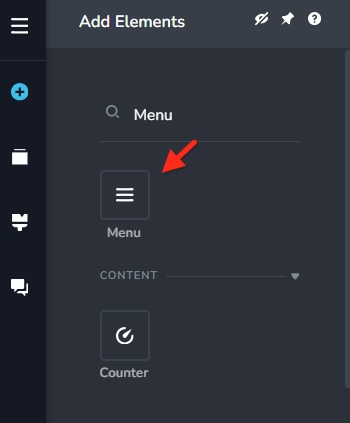
- Delete the text based menu from your header
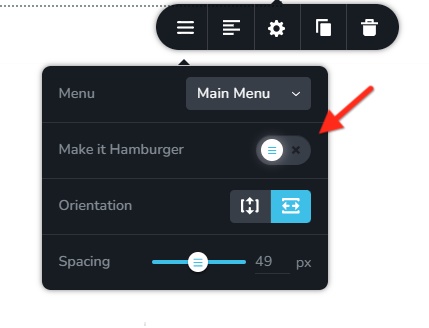
- Switch to the mobile design view and set the mobile menu to hamburger
0
Please sign in to leave a comment.
Comments
1 comment