Error Installing Captcha

Hello,
I have been trying to install reCAPTCHA into the form included with Brizy on my wordpress site. I have gone through all of the steps - Site Key, Secret Key, Disabled the Verify Origin of reCaptcha solution . Hit "Connect" and I get this error message. I've gone over and over, reinstalled, cleared cache. made sure HackGuardian is deactivated.
The Advanced Google reCAPTCHA is installed correctly.
This is the error message
"Verification process failed, please make sure you have done the following three things and try again in a few minutes.
1. Inputted a valid site key.
2.Deselected the “Verify the origin of reCAPTCHA solutions” checkbox within your Google account.
3. Established a stable internet connection."
-

Hello there
I added reCAPTCHA to a Brizy form now. Kindly see my test at https://jmp.sh/HJn3fE6H. Try connecting reCAPTCHA to your form once again following the steps in the screen capture and let us know if it works.
0 -
Thank you - I have followed the steps you've shown multiple times. Also I have disable the HackGuardian.
I have tried additional trouble shooting:
- connected to the internet via ethernet to ensure stability
- followed the steps on a different PC in case there was an issue with my laptop.
I have just now deleted and set up a new recaptcha account and have tried all over again using new keys. still getting the same error.
"Verification process failed, please make sure you have done the following three things and try again in a few minutes.
1. Inputted a valid site key.
2.Deselected the “Verify the origin of reCAPTCHA solutions” checkbox within your Google account.
3. Established a stable internet connection."
0 -

Hi Patti,
Thank you for the update.
Please provide us with temporary access to your WP Admin page so we can take a look. Please add us as an Admin user to your WordPress Dashboard and send the following details to communitysupport@brizy.io.
Community Post link: https://support.brizy.io/hc/en-us/community/posts/26842556410642
WordPress Admin URL:
Username:
Password:Best regards,
Ariel H.0 -
Ok - Thank you.
I'm not really sure how to add you as admin. I think I did with just the email address you provided.I always login to my WP admin through my Namecheap account (credentials above) So I don't know how to log in to wordpress admin directly.The form I'm trying to add the CAPTCHA to is on the Contact page.Thank you,0 -
Hello there,
We are encountering a reCAPTCHA error in your WordPress Dashboard login page and hence could not sign in.
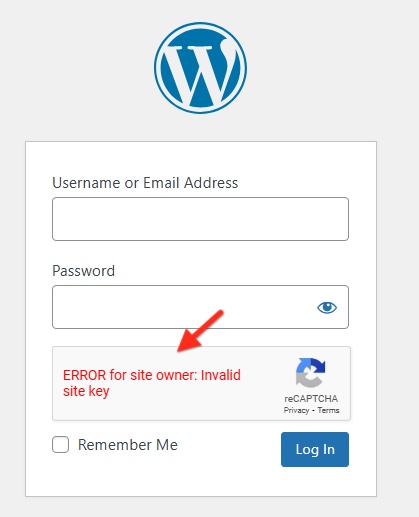
Kindly check if you have installed the plugin Advanced Google reCAPTCHA or another similar plugin. Incomplete setup of Google reCAPTCHA in the plugin could be cause of the above error and errors you see while setting up captcha with Brizy form. To confirm this, kindly deactivate the plugin, setup up reCAPTCHA for the Brizy form once again and check if the issue resolves.
0 -
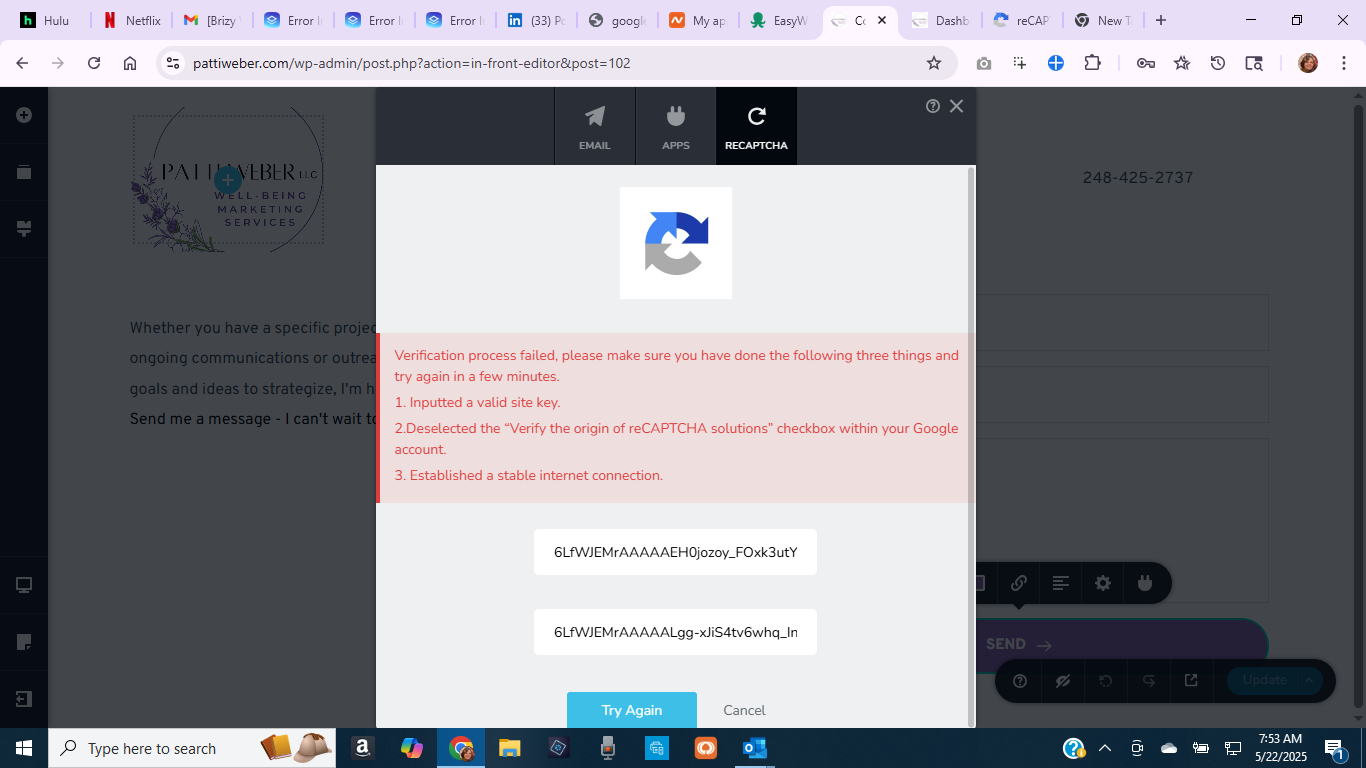
Thank you - I have reactivated reCAPTCHA and it appears to be set up properly now. However, I am still getting the error when I try to add to the form:
This same error as before:
"Verification process failed, please make sure you have done the following three things and try again in a few minutes.
1. Inputted a valid site key.
2.Deselected the “Verify the origin of reCAPTCHA solutions” checkbox within your Google account.
3. Established a stable internet connection."
 0
0 -
Hello there
I have temporarily disabled the Advanced Google reCAPTCHA plugin and added reCAPTCHA to the form at https://pattiweber.com/?page_id=102. After adding reCAPTCHA to your contact form, I activated the plugin. Please check if everything works fine.
0 -
Wonderful Thank you. . I see the protected by reCAPTCHA.
Now another issue and question: I sent myself a test message and haven't received it in my email.
Also, where do I go to set up the message settings - such as which email to direct responses, are the responses captured somewhere?
Thank you so much for your assistance,
Patti
0 -
Oh disregard - I found the settings for where to send the email. I may have set that up incorrectly.
0 -
I'm testing again. I'll let you know.
0 -
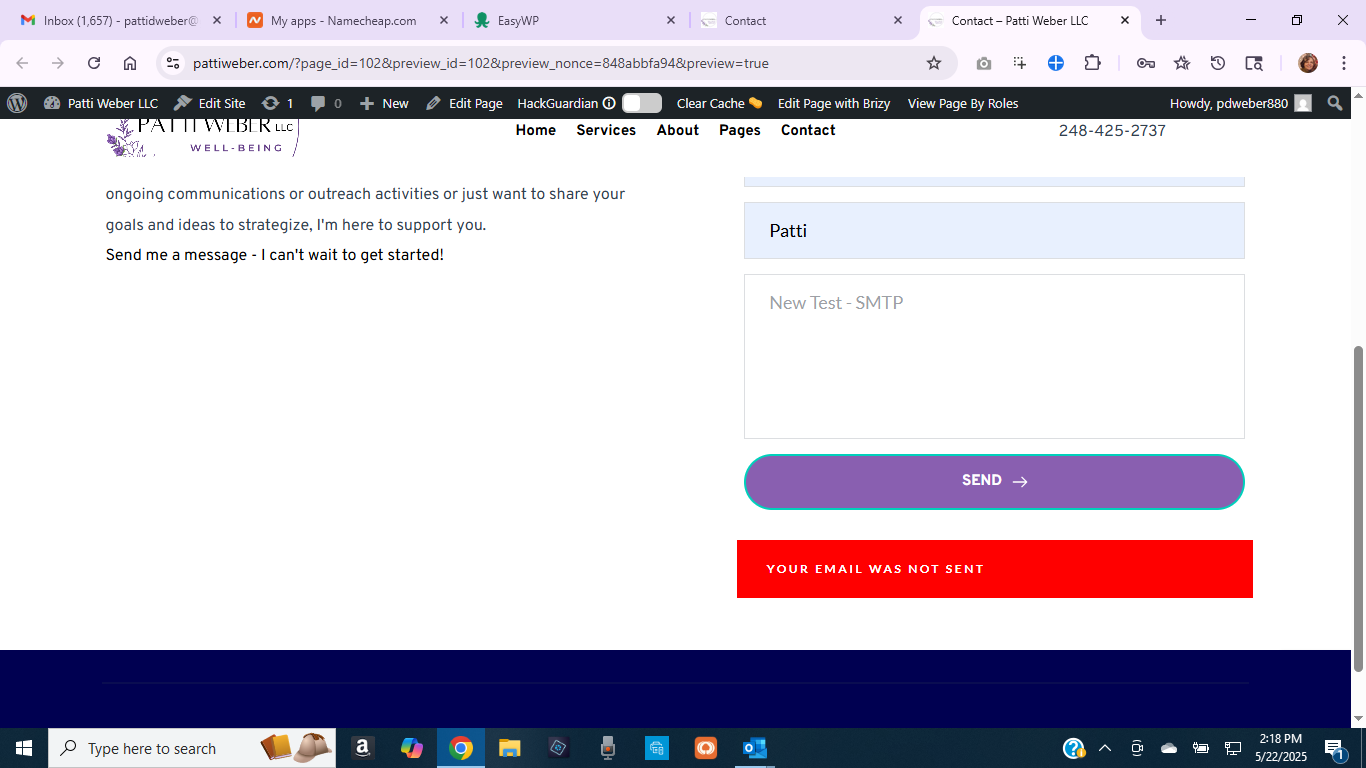
Unfortunately - when I sent a test - I received this message...
 0
0 -
Hello there,
I see the following error when submitting your form. Have a look at https://jmp.sh/3S3m3Fhp
"SMTP Error: The following recipients failed: patti@pattiweber.com: <wordpress@pattiweber.com>: Sender address rejected: not owned by user patti@pattiweber.com\r\n"
This means that the "From Email" address you are using is not permitted by the PrivateEmail.com SMTP server. For information on whitelisting your "From Email" address with their SMTP server, please visit https://www.whitelist.guide/private-email/. You could also share the above error with Namecheap Support and ask them what more needs to be done to adhere to all SMTP server guidelines.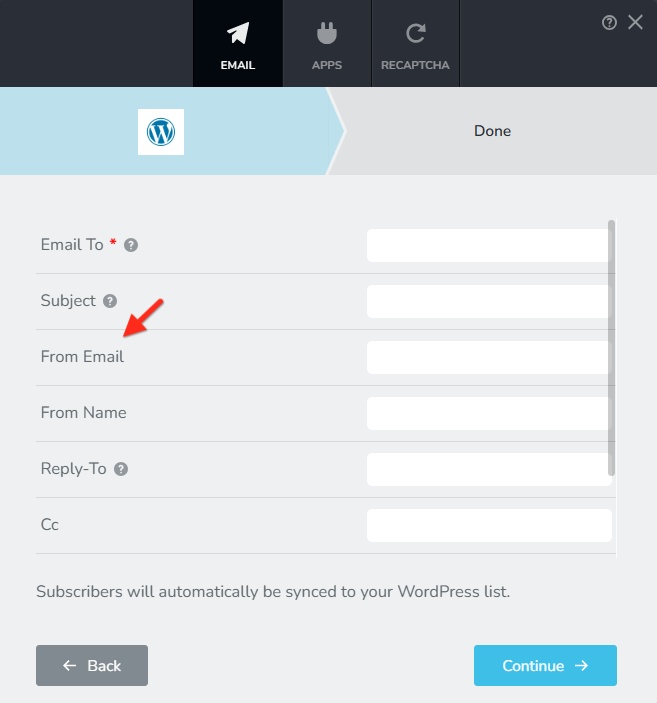 0
0 -
Thank you so much for you time and expertise! I have moved this issue now over to NameCheap because I can't figure out the STMP situation.
Appreciate all you did to get the CAPTCHA working and uncovering this new issue.
Be well
0 -
Hello again,
It appears I'm still having problems with the form. I worked with Namecheap and worked out the SMTP issue. but now they tell me I'm getting this error.
While submitting the form from the page you provided, we monitored the logs on the server and detected some PHP errors followed by the warning below:
"NOTICE: PHP message: PHP Warning: Undefined property: stdClass::$type in /var/www/wptbox/wp-content/plugins/brizy/editor/forms/api.php on line 299"
Because of all we did to install the CAPTCHA, I don't want to take a chance on re-doing the form.
Can you help?
Here is the page where the form resides: https://pattiweber.com/demo-home/contact/
0 -
Hello there,
When testing the form at https://pattiweber.com/home/contact/, I see a different error. Please see the screenshot at https://jmp.sh/U5lQQIm6
"SMTP Error: Could not connect to SMTP host. Failed to connect to server"
Please check if you have set mail.privateemail.com as the Host in our Brizy form (without http:// or https://)
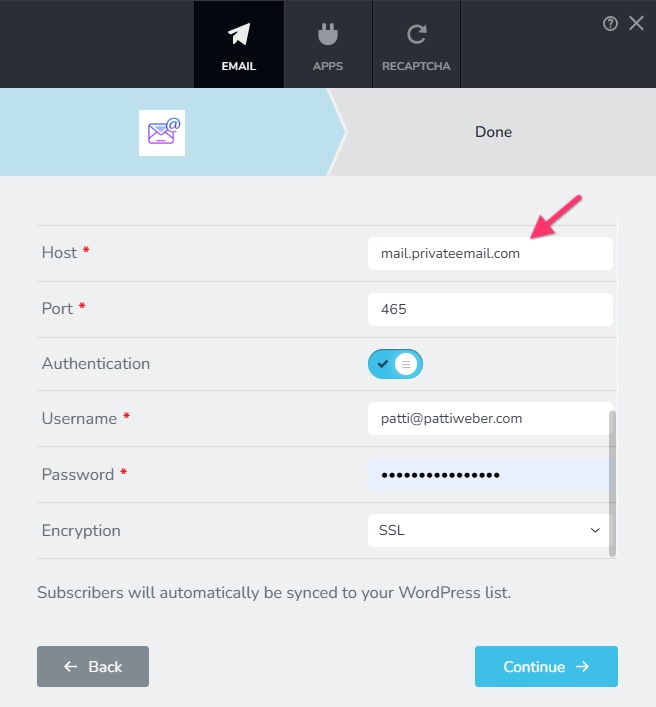 0
0 -
Hi - Thanks so much,
I've been working with the folks at Namecheap and they said that was all resolved.
I've been working with the folks at Namecheap and they said that was all resolved.
As far as we see here, the test email is being sent now, so your password is correctly added to the plugin:
https://pattiweber.com/wp-admin/admin.php?page=easy-wp-smtp-tools&tab=testWe also added the DMARC record
You can see I have the proper settings See screenshot.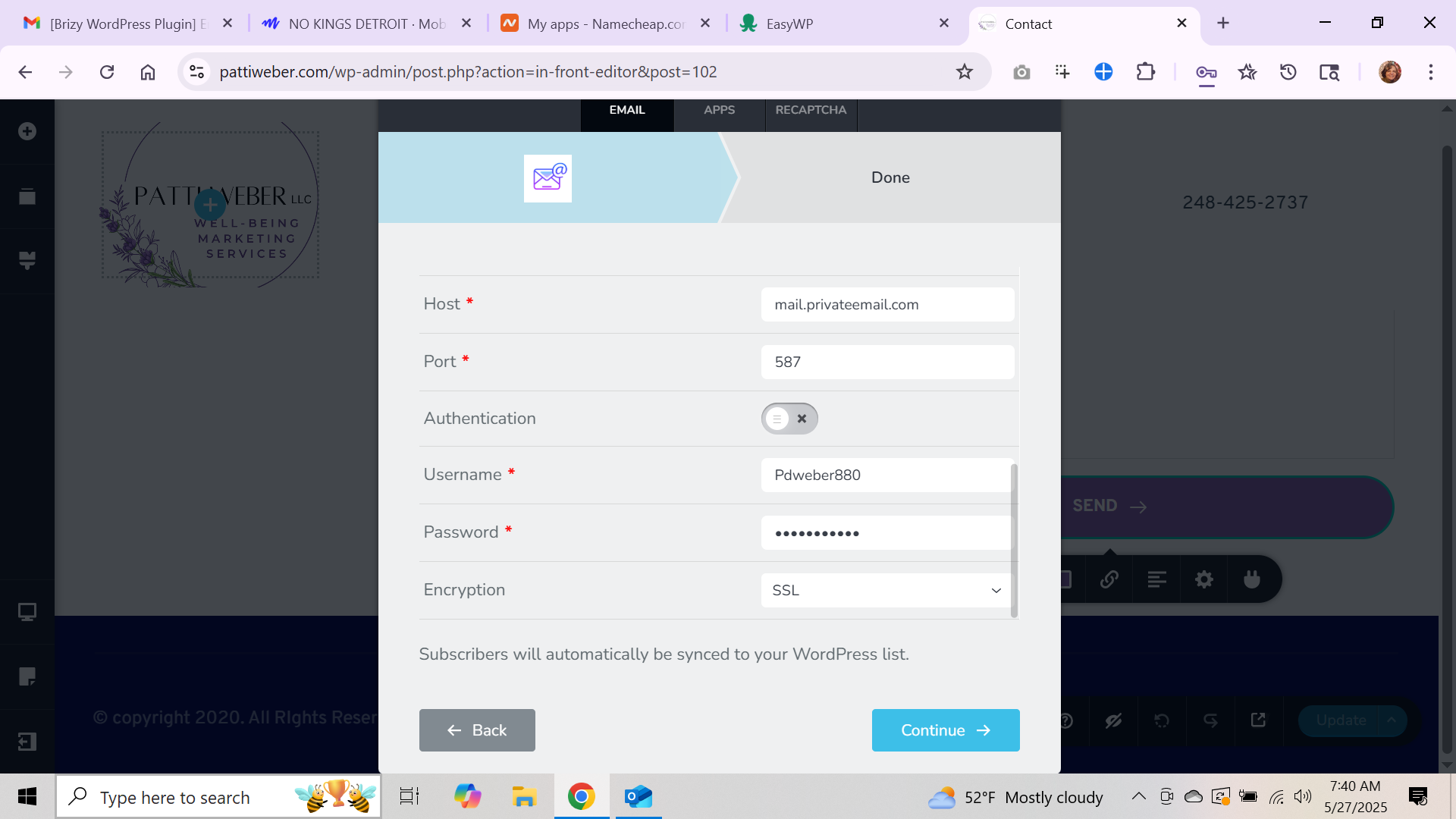
Also - I have sent a test via the SMTP WP plugin and it was successful.
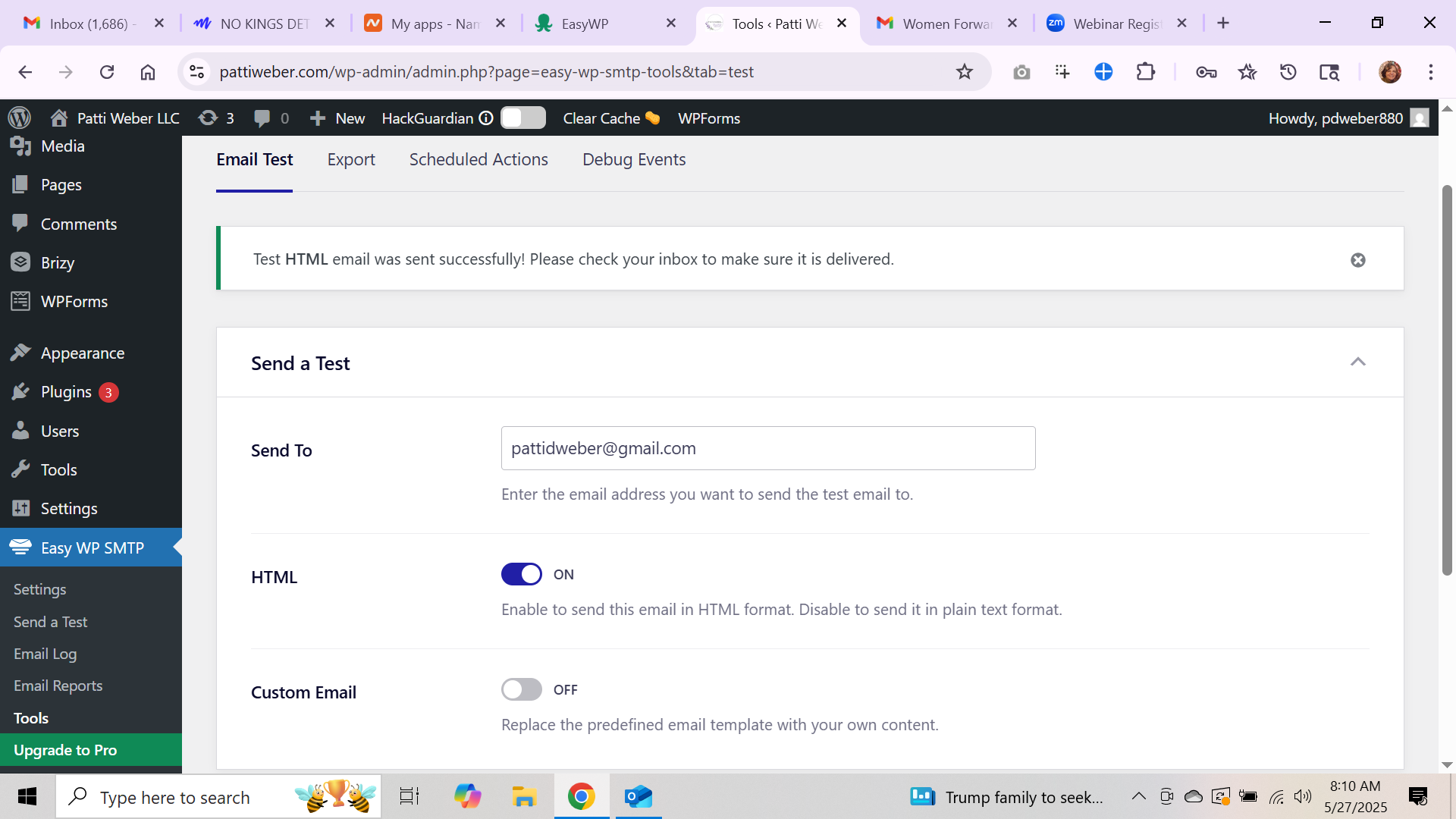
Thanks for continuing to look into this for me!
0 -
Hello - checking back in to see if you've had a chance to look at this. Still getting the error - SMTP appears to be set up correctly
Thank you
Patti Weber
0 -
Hello there,
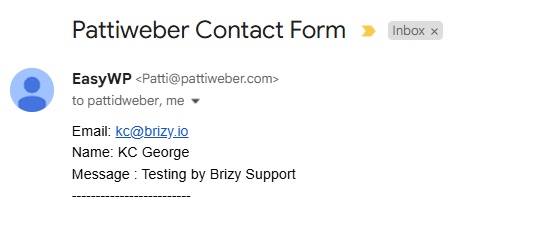
We apologize for the delay in getting back to you. I have made some changes to your form and now it works through the WordPress option. Since you have setup Easy WP SMTP, your emails will be sent out through this plugin. The form now return the success message "Your email was sent successfully"
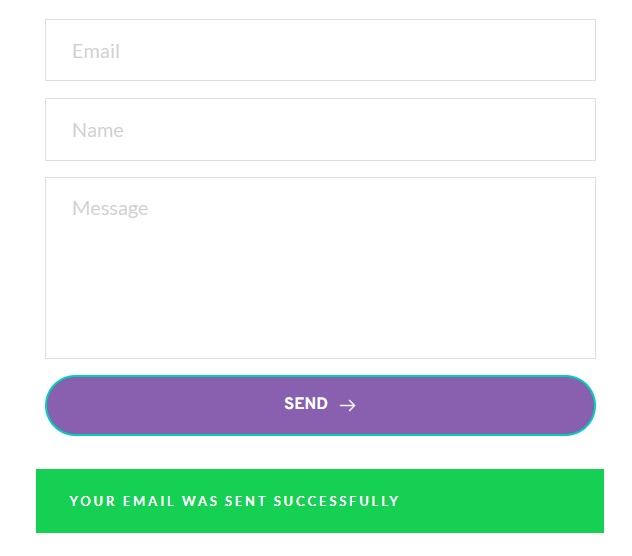
I also received an email notification from the form. Please check if you received the same notification in your Gmail address.
 0
0 -
oh my goodness!! You are the best! Thank you so much!!
This means I can launch my new site now - and start my business.
Thank you so very much!
Patti Weber0
Please sign in to leave a comment.
Comments
19 comments