How to Fix this Mess

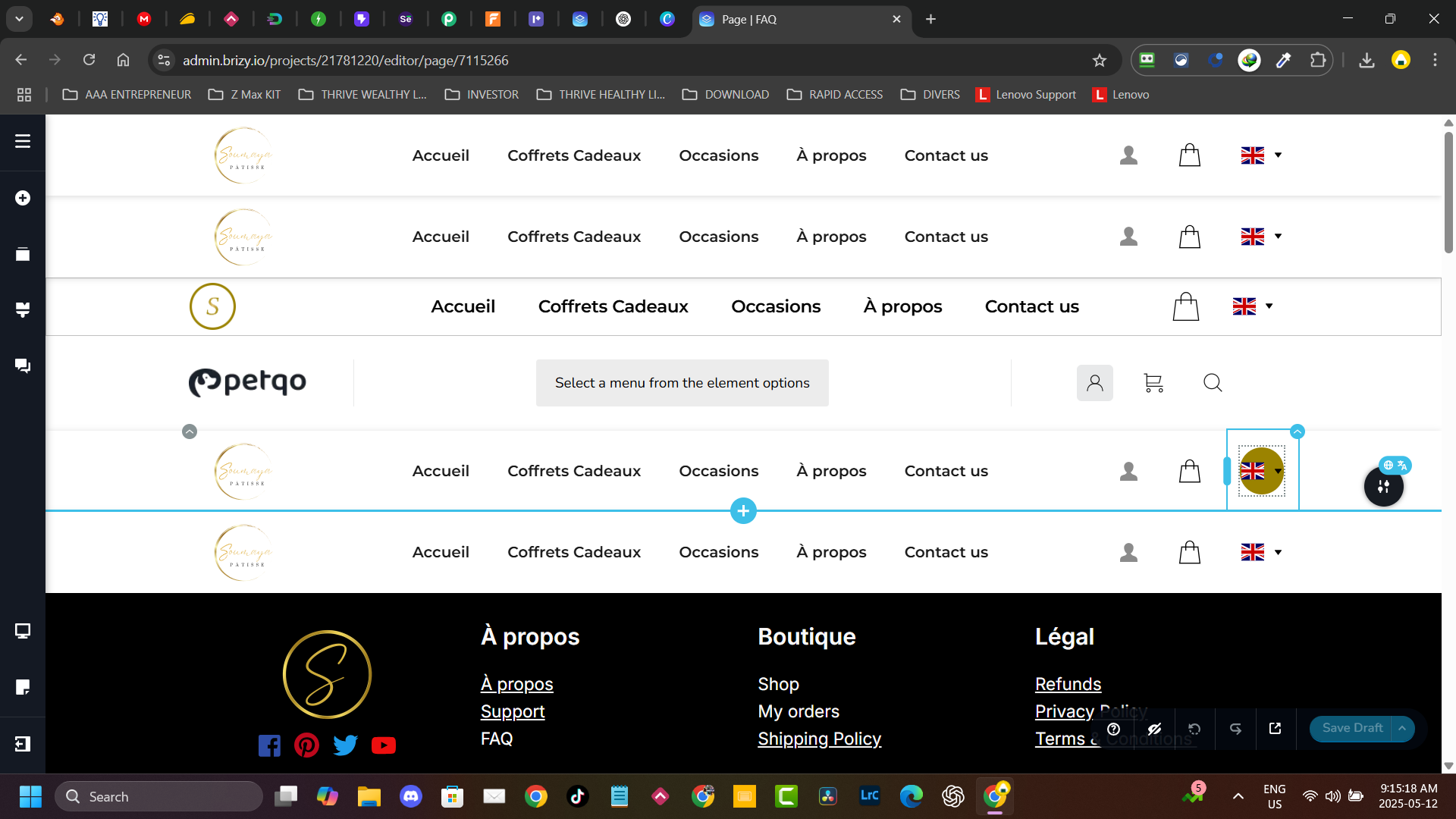
When I create a new page, it comes with all the menu I created before, and all the footer. Is there any way to fix this
-

Hi Mahfoudh,
Thank you for contacting us.
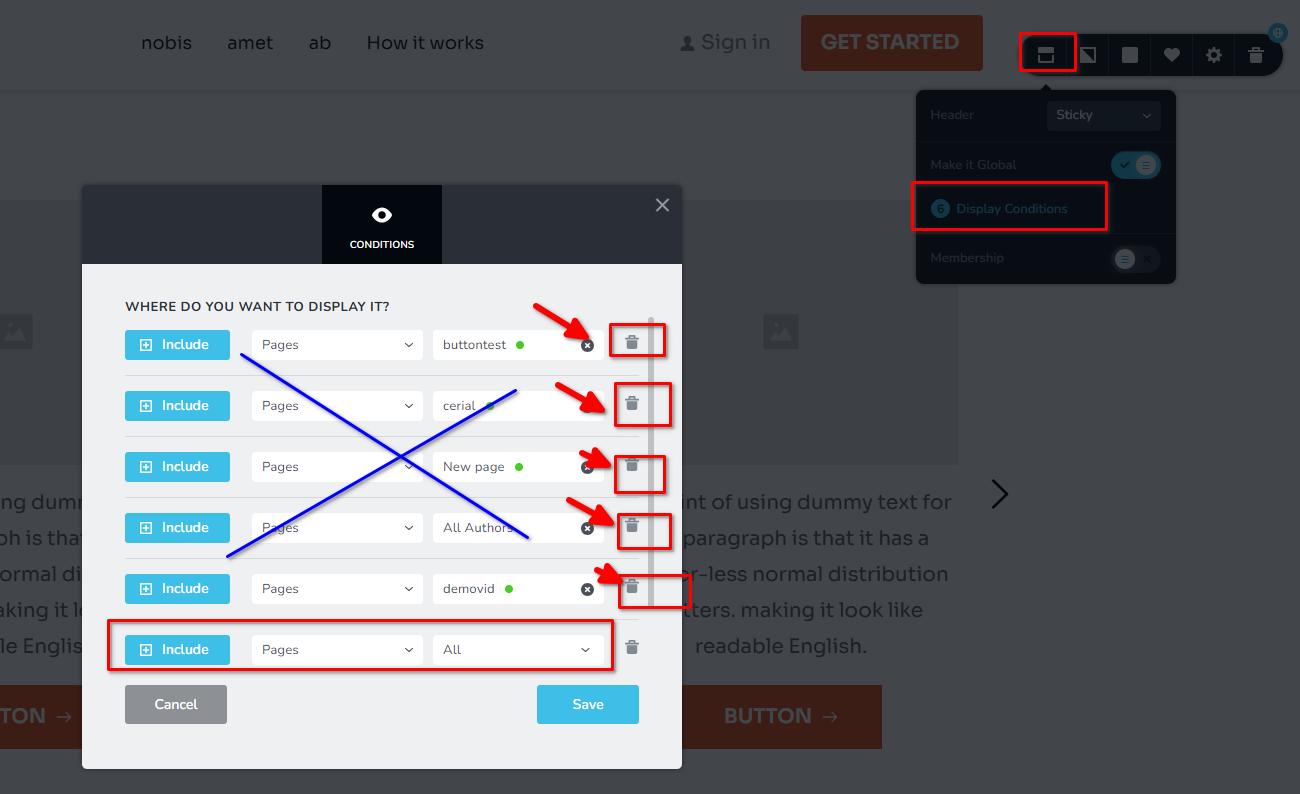
This problem can occur when there are too many display conditions. If you notice that there is a display condition for each individual page, try deleting the page-specific display conditions and instead add a single condition for all pages, posts, or any other applicable content. This should help reduce the number of display conditions and potentially resolve the issue.
Best regards,
Ariel H.0 -
Hi Ariel,
Thank you for your prompt response, in fact there's only one condition to my menu, it will appear in all page. But what intriguing the third and fourth menu on the list doesn't exist anymore. I kept only one menu as global element.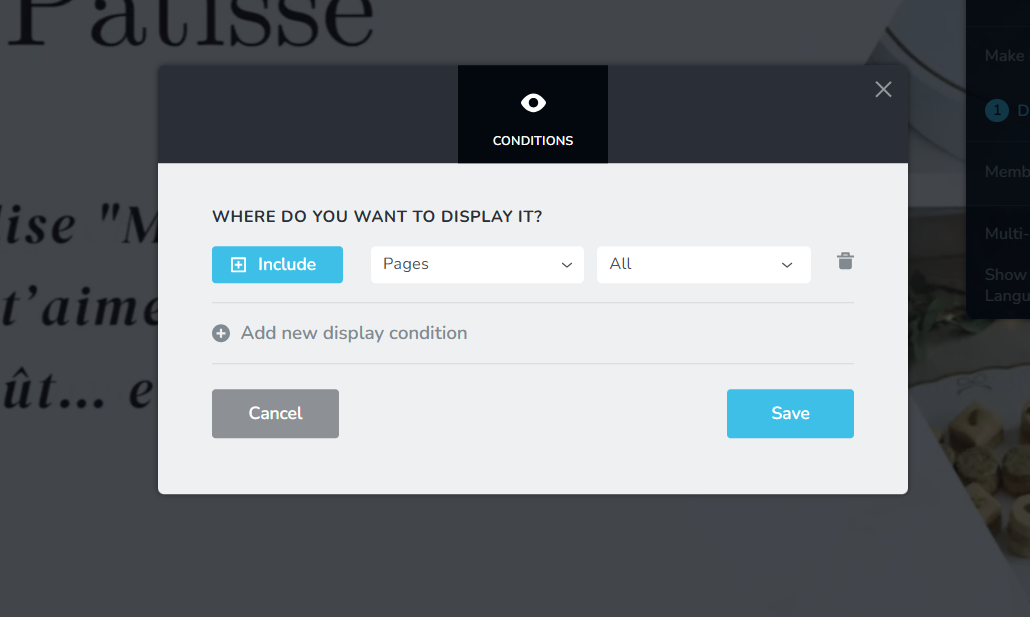 0
0 -

Hello Mahfoudh.
The above issue usually occurs when you delete a global block by selecting the "Trash" icon in the block settings
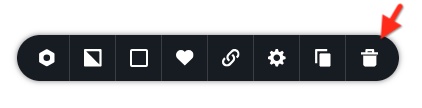
This methos is good for deleting a regular block. However to delete a global block, you must delete all the "Display Conditions" associated with the block one by one and click on "Save" button. For instance, you must delete the following four "Display Conditions" and then click on the "Save" button
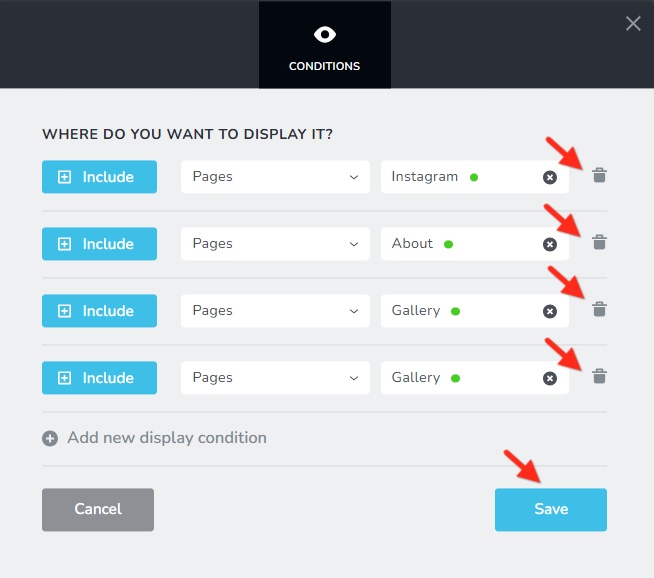
I have removed all the additional global blocks in your project following the above approach. Kindly check if you see the additional blocks when adding a new page.
0 -
Hello George,
You nailed it, that was the problem, and you fixed it.
Thank you very much.
Accordingly!0
Please sign in to leave a comment.
Comments
4 comments