Custom font "exploding" once published.

- I loaded Google's "Cabin" font for a paragraph of text under the heading.
- In this paragraph, I highlighted two words, made them bold, upper case and a different color from the rest.
I can see everything the way I like in the editor, but when it's published, the cabin font size gets changed to like 300px where only one character shows per line. It's pushed so far down the screen that on the published page, it simply doesn't show at all.
This occurs on all three pages.
Here is what it looks like after I re-load the editor, drag the text box up so I can see the first character in what was a paragraph of size 16px font...
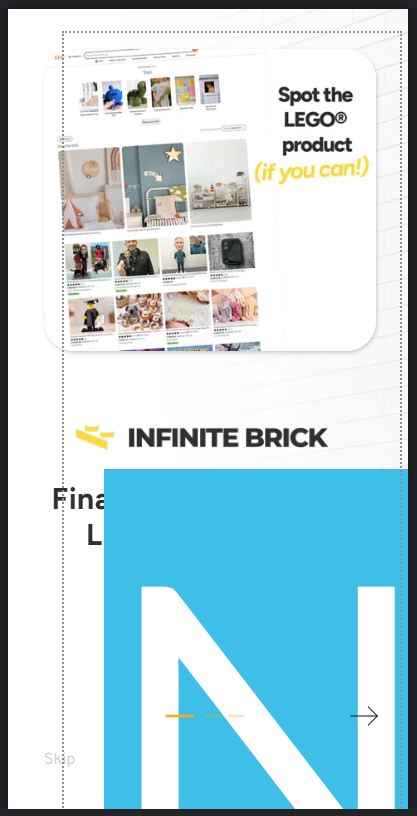
And here is what it originally looked like in the editor:

-

Hello Tyler,
Because the frontend and the web story editor screen have different aspect ratios, the editor's design does not always match the story frontend exactly. The web story builder currently has this flaw. I have made some changes to your design to make it look better in the story frontend. Please have a look at https://sable9eaed89a.brizy.site/
 0
0 -
Thanks, however, I think you missed the main issue.
Each slide had paragraph text beneath the heading. Upon saving, the 16pt font becomes 300pt font where one character fits per line. (see screenshot highlighted in blue).
That's not an editor discrepancy, that's a bug.0 -
Hello Tyler,
I could not reproduce the "main issue'. When I accessed your project, I did not see any enlarged text like in the above screenshot. Do you continue to face this issue or was it a one time incident which never repeated? If it happens again, kindly capture this issue in a screen recording and we will take a look.
0
Please sign in to leave a comment.
Comments
3 comments