SSL Certificate Expired – www.tale-drop.com

Hi,
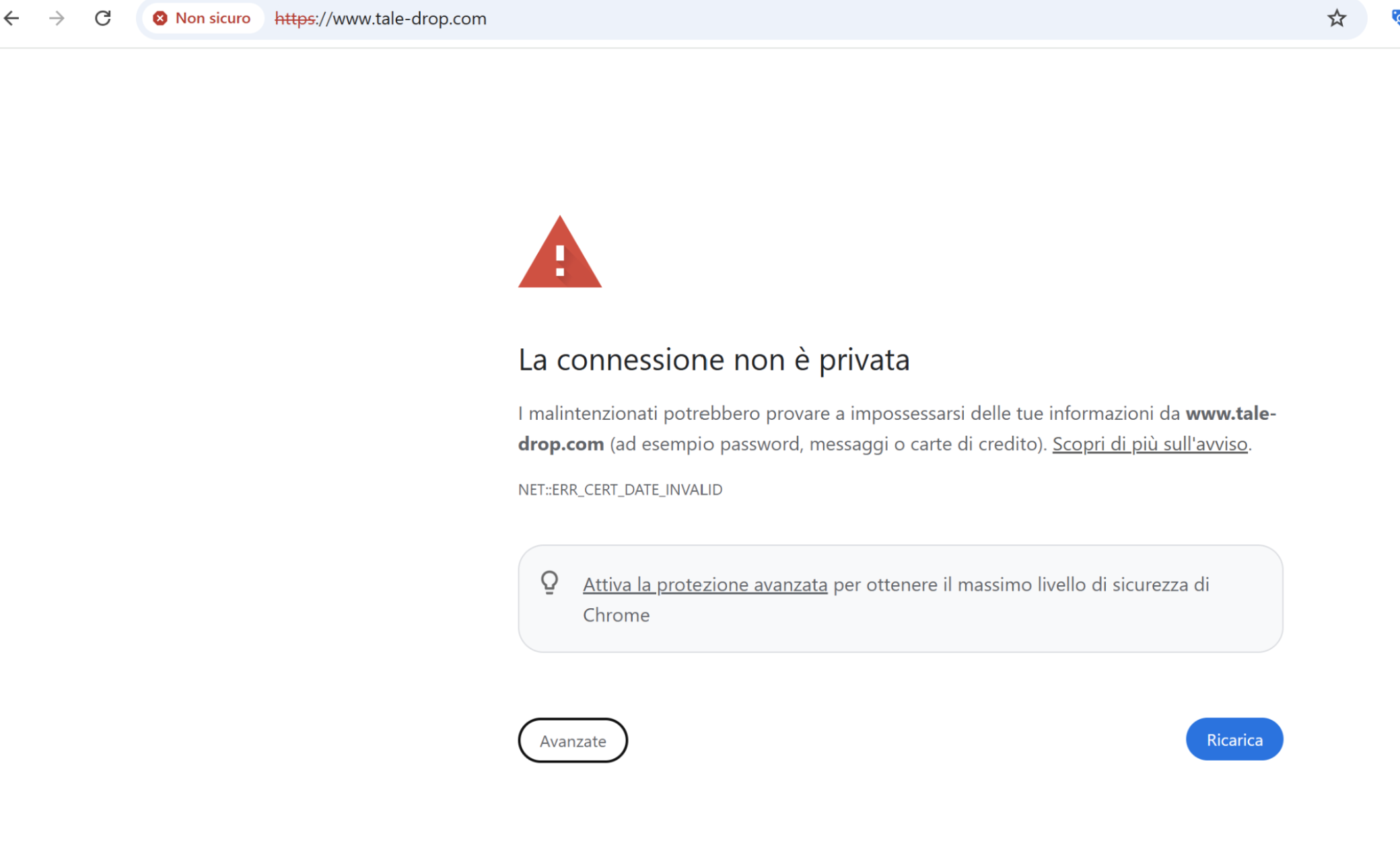
I have a Pro subscription with Brizy and my website www.tale-drop.com is currently inaccessible due to an expired SSL certificate.
The Let's Encrypt certificate expired on May 7, 2025, and as of today (June 8, 2025), the site shows the following browser error: “NET::ERR_CERT_DATE_INVALID”.
Could you please renew the SSL certificate immediately or force an update?
Thank you in advance!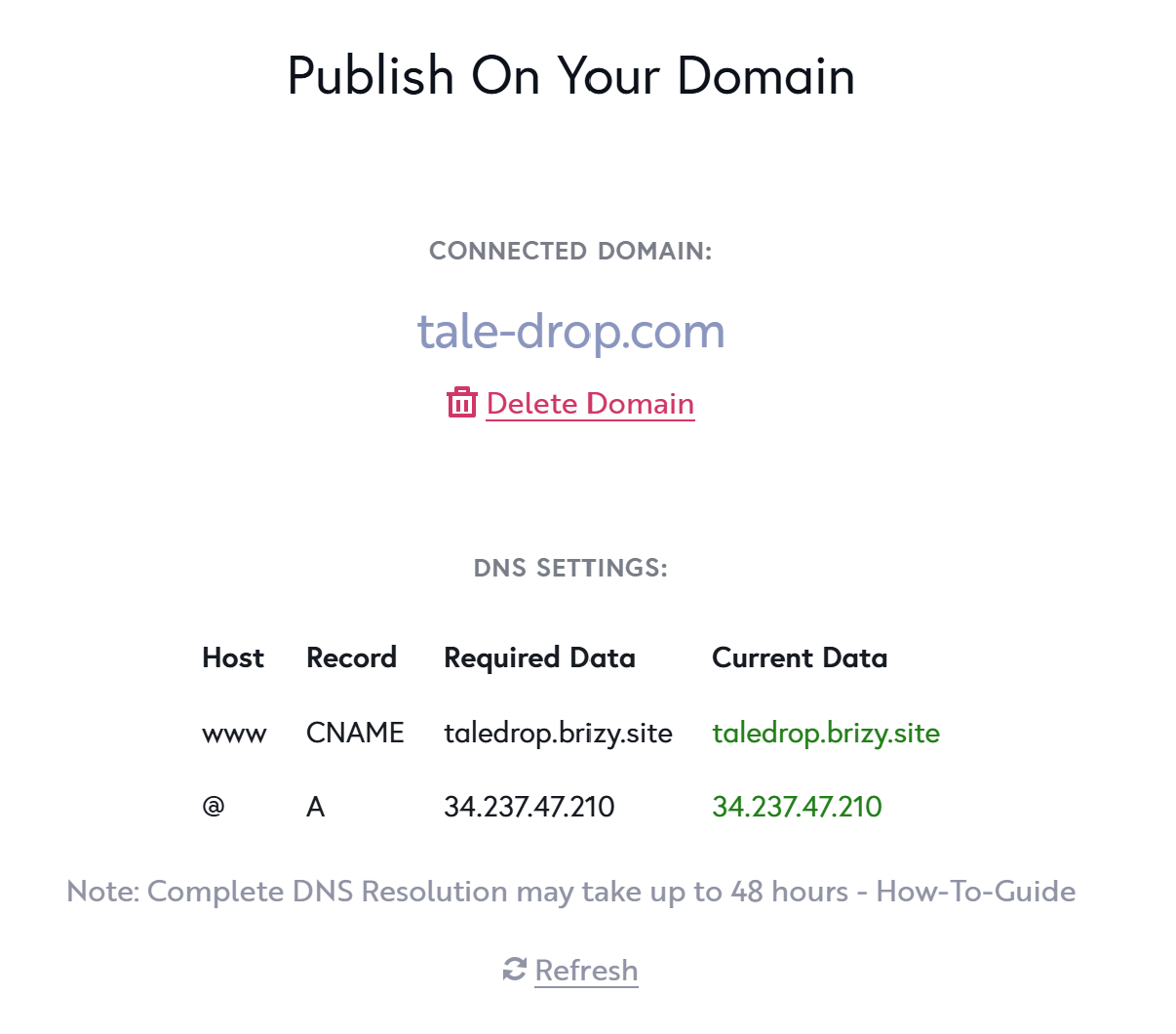

-
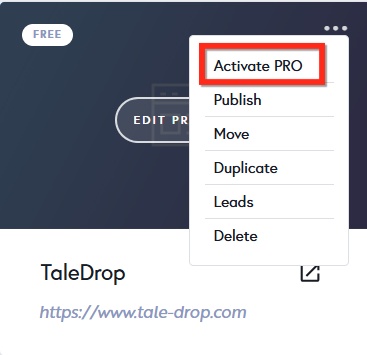
Just to clarify, even though I have a Pro subscription, my project "TaleDrop" is still marked as "FREE" in the Brizy dashboard (see attached screenshot):
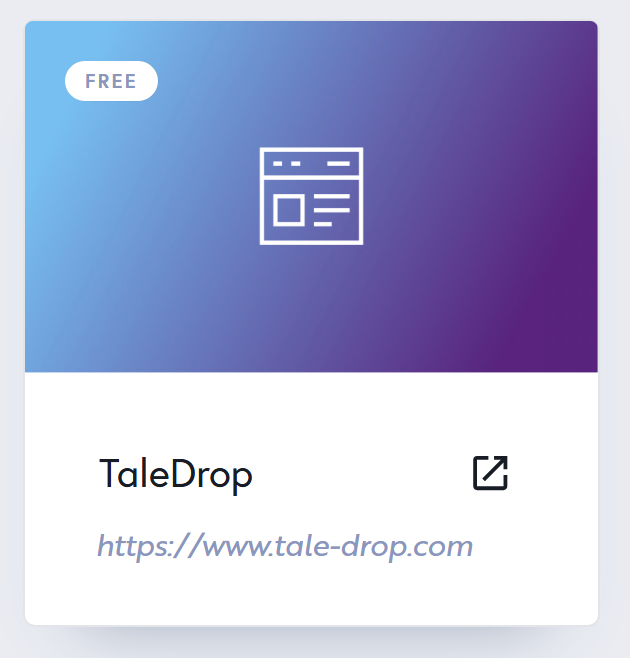
This might explain why the SSL certificate was not automatically renewed and the site is currently showing a "NET::ERR_CERT_DATE_INVALID" error.
Can you please make sure the site is correctly linked to my Pro plan and help with the SSL renewal?
Thanks again!
0 -

Hello Andrea,
For your domainname to correctly resolve to your Brizy Cloud project, your root domain should point exclusively to the Brizy Cloud server with IP 34.237.47.210 and no other external servers. Your domain currently points two external servers with the IPs 15.197.148.33 and 3.33.130.190.
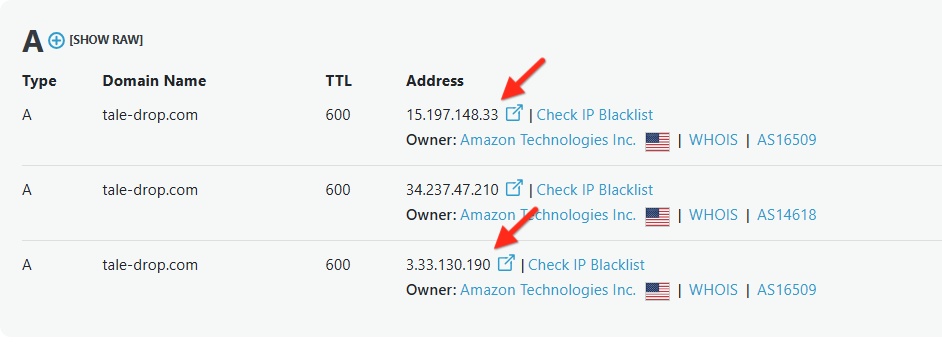
Kindly delete the A Records with the IPs 15.197.148.33 and 3.33.130.190 and get back to us. We will then install the SSL certificate.
Your Personal Cloud plan gives you access to 1 PRO license and unlimited FREE licenses. I have activated PRO feature for the above website by selecting the "Activate PRO" option in your project thumbnail. Now it is a PRO project.
 0
0 -
Now, the domain
tale-drop.comonly points to the IP 34.237.47.210, as requiredHowever, the SSL certificate has still not been installed, and the website is still showing the "NET::ERR_CERT_DATE_INVALID" error.
Could you please check on your side and complete the SSL setup?
Thank you for your support!
0 -
Hello Andrea,
We have installed the SSL certificate for your domain. If you continue to see the SSL protocol error, kindly reload the page in your browser.
0
Please sign in to leave a comment.
Comments
4 comments