Brizy Pro Not Working on My Domain

Dear Support Team,
I am a Pro user of Brizy, and I’m currently experiencing an issue with the Pro features on my domain. When I attempt to create a new page or post and click "Edit with Brizy," the editor fails to load and remains stuck on the loading screen.
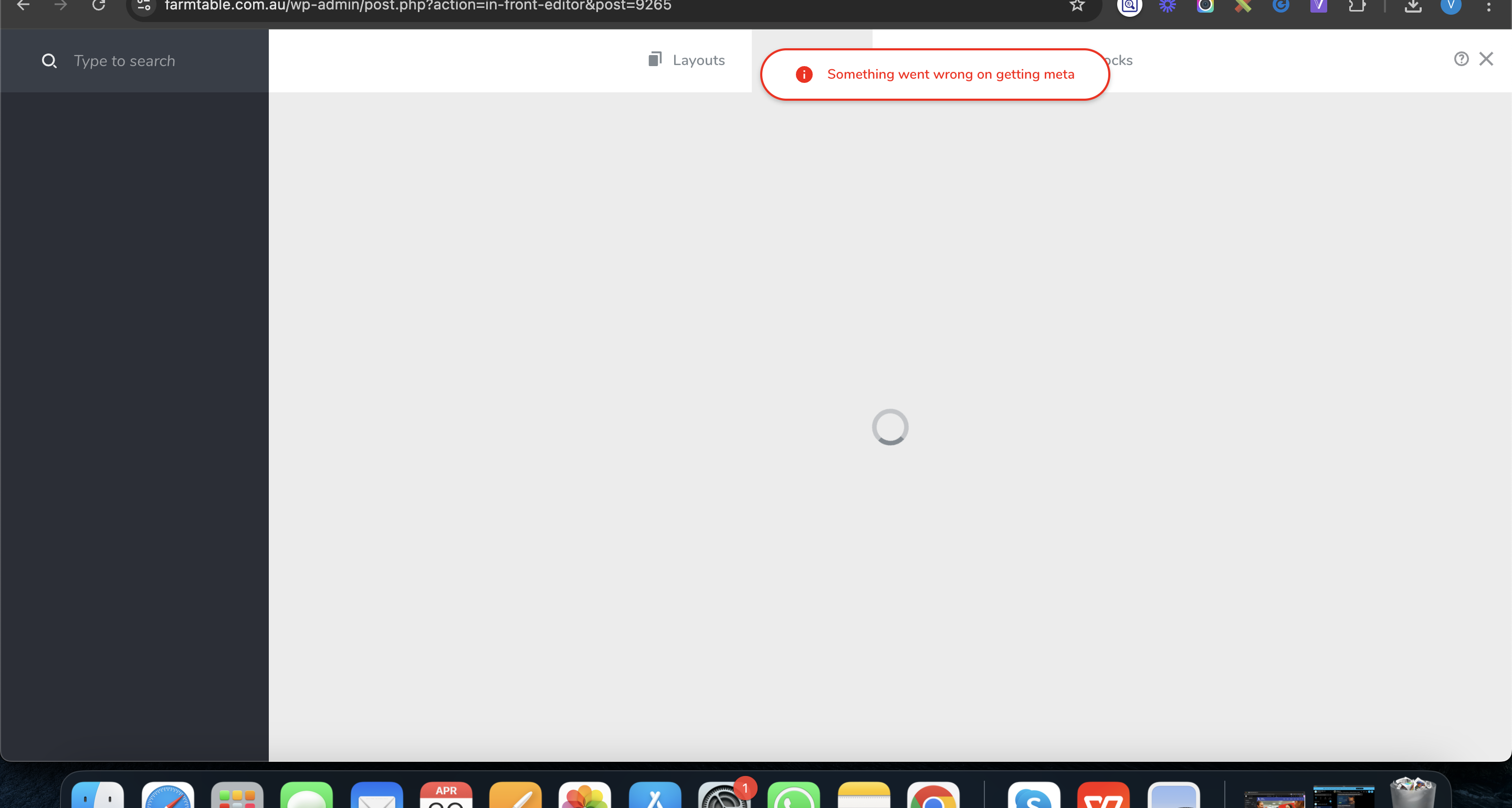
I have tried multiple times and across different browsers, but the issue persists.
I would appreciate your assistance in resolving this as soon as possible.
Best regards
-

Hi Rob,
Thank you for contacting us.
This issue is likely caused by a plugin or theme conflict. To troubleshoot, try disabling all plugins except Brizy and Brizy Pro to see if that resolves the issue. Additionally, switch to a different theme temporarily to check if the problem persists.
If disabling third-party plugins resolves the issue, re-enable them one by one while testing the page editor until the issue reoccurs, this will help identify the conflicting plugin. If switching themes resolves the issue, consider using a more compatible theme like Blocksy or Astra.
Please let us know how it goes. If the issue persists, we’ll be happy to assist you further.
Best regards,
Ariel H.0 -
We have not made any recent changes to our site, yet the Brizy Pro editor has suddenly stopped working. As this is a live website, we are unable to disable plugins or make major changes for testing purposes.
Could you please assist in troubleshooting the issue and advise us on the cause and resolution at your earliest convenience?
Thank you for your support.
0 -
Hi Rob,
We're sorry to hear you're having this issue with Brizy.
Could you please provide us temporary access your website so we can take a closer look? Kindly add us as an Admin user in your WordPress Dashboard and send the details to communitysupport@brizy.io:
Community Post link: https://support.brizy.io/hc/en-us/community/posts/26361992912658
WordPress Admin URL:
Username:
Password:Please make a full backup of your site as a precaution.
Best regards,
Ariel H.0 -
Hi Ariel H.
I have shared the login credentials with you via email. Kindly review them and assist in resolving the issue at your earliest convenience.
Your prompt support in this matter is highly appreciated.
Best regards,
Rob.0 -
Hi Rob,
Thank you for the update.
It looks like we haven’t received your WordPress admin credentials yet. Could you please double-check if you sent them using the format mentioned above? We receive several sets of credentials daily, and using the correct format helps us match them to the correct support request.
Best regards,
Ariel H.0 -

Just for your reference I have already shared the credentials with you yesterday only in the same format you requested.
I have replied on the same thread again. Please look into this on priority.
0 -
Hi Rob,
Thanks for the update. It’s possible that your email was filtered by our email security. Could you please share it here instead? For your security, any credentials you include will remain hidden until we approve the post.
Best regards,
Ariel H.0 -
Here it is.
0 -
Hi Rob,
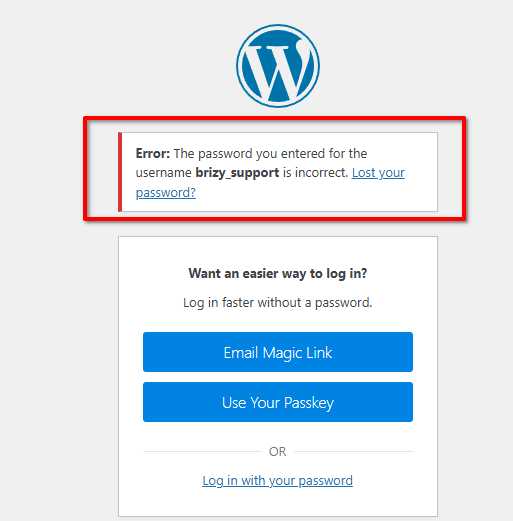
Thank you for the update. We tried using the credentials you sent, but unfortunately, they don't work on our end. Could you please double-check and share the updated login details?
Best regards,
Ariel H.0 -
Here is the new password
0 -
Hi Rob,
Thank you for the update.
I noticed a console error that seems to be contributing to the issue. To investigate further, could you please provide us with cPanel access as well?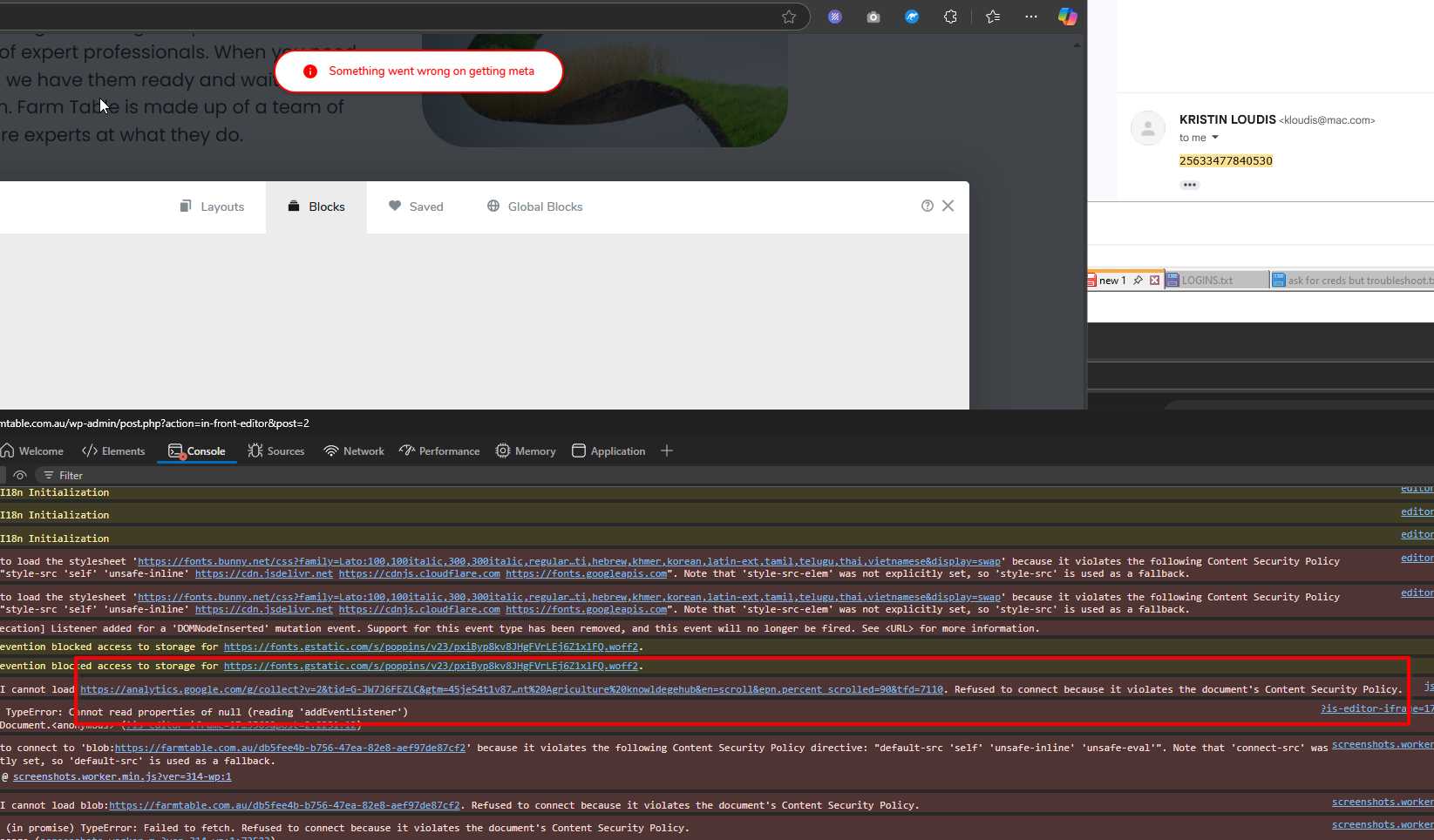
Looking forward to your reply.
Best regards,
Ariel H.0 -
Hi we have shared the cpanel details few days back and looking for a quick response. Our site is not working and if your team is not able to fix this then let us know and we can migrate to other options.
0 -
Hi Rob,
Apologies for the delay in getting back to you—I’m currently offline. To ensure you get timely assistance, please add communitysupport@brizy.io as an admin user to your WordPress site. This will allow my colleagues to perform a password reset and assist you even when I’m unavailable.
Going back to the issue with your site, please try setting Cloudflare to Development Mode and then check if you’re able to edit your pages. This can help bypass any caching issues that might be causing the problem.
Thank you for your patience.
Best regards,
Ariel H.0
Please sign in to leave a comment.
Comments
13 comments