Mega Menu is now messed up

Since updating to 6.16 the mega menu widths are fine in editor, but narrowed in page view.
-

Hi Michael,
Thanks for reaching out, and I’m sorry for the inconvenience.
Please try adding 1px padding to the affected block, then save your changes and preview the live site. This simple tweak can sometimes help resolve similar issues.
If this didn't help, also try disabling all plugins except Brizy and Brizy Pro to see if that resolves the issue. You can also temporarily switch to a different theme to check if the problem is theme-related. If you've added any custom code to your pages, try temporarily removing it as well.
If disabling other plugins fixes the issue, re-enable them one by one while testing the page to identify the conflicting plugin. If switching themes resolves it, consider using a more compatible theme such as Blocksy or Astra.
If the issue continues, please send temporary access to your WordPress Admin Dashboard to communitysupport@brizy.io with the subject line: 26240034184850. If you’ve changed your WordPress default admin login URL, please make sure to include the correct login link as well.
Looking forward to your response.
Best regards,
Ariel H.0 -
Ariel -
I have sent you an email at communitysupport@brizy.io. Thanks
0 -
Hi Michael,
Thank you for your cooperation. Here's how your site appears on my end—the mega menu seems to be working as expected.
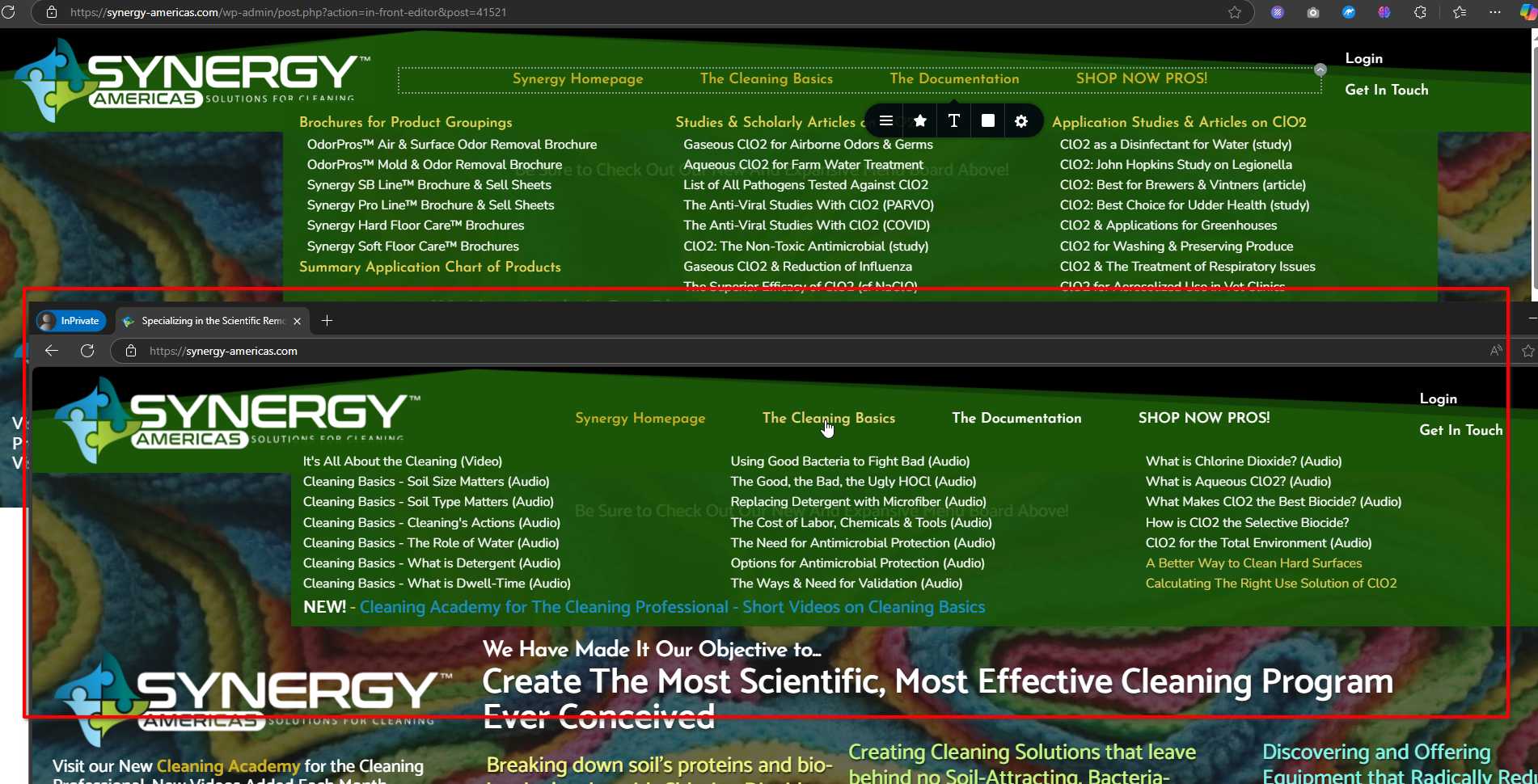
Could you please share a screenshot from your side for comparison?
In the meantime, you may also try clearing your browser cache or checking the site in a different browser.
Best regards,
Ariel H.0 -

If you activate Hummingbird (I had mentioned that I left it deactivated) you should see the problem.
0 -
Hi Michael,
Hummingbird Pro is active, and I’m viewing your site in Incognito mode.

Could you please try accessing the site using the following URL:
https://synergy-americas.com/?v=1Adding random parameters to the URL like this helps load an uncached version of the page.
Give it a try and let me know if you notice any difference.
Best regards,
Ariel H.0 -
I reactivated Hummingbird on Firefox, cleared the cache and it is now good here as well. Thank you.
0
Please sign in to leave a comment.
Comments
6 comments