Brizy Pro asked re-active, and once done Style is missing

My website asked to active the Brizy Pro again. I do NOT know why the license code was missing (maybe caused by auto upgrades?).
I active it again, but I Template I used was missing in the "Current Style" list. And then I re-install the template, but all I customized colors and typography was missing.
I want to know:
1. Are there any way to backup the Current Style "colors" and "typography"?
2. Why Brizy Pro is re-active, the template data is not saved in database?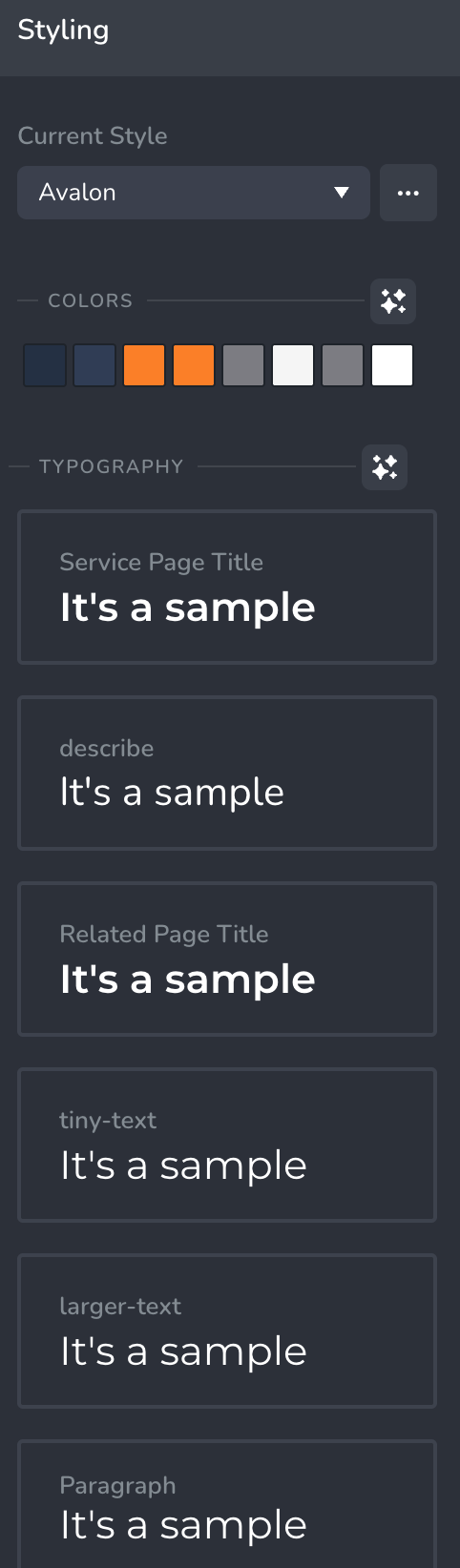
Regards,
R. K.
-

Hi R K,
Thanks for bringing this to our attention, and I’m really sorry for the trouble this has caused.For your first concern, a helpful tip is to duplicate the global style once you've customized the colors and typography. This way, you'll have a backup version saved in case something like this happens again.
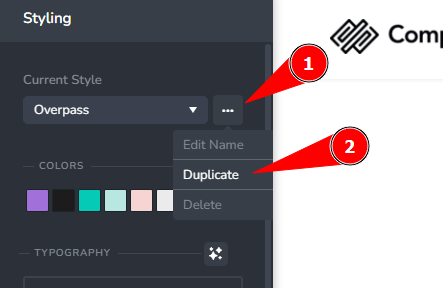
As for the Brizy Pro reactivation and missing template data, this is the first time we've encountered this kind of issue. We'll take note of it, try to replicate the behavior on our end, and keep an eye out for similar reports from other users.
Best regards,
Ariel H.0 -
Hi Ariel,
After I upgrade to the newest version, I got this issue again!!!
I have to re-enter the license key again. And the Template is missing, also the last time I Duplicate the styling is missed again... Please HELP!!!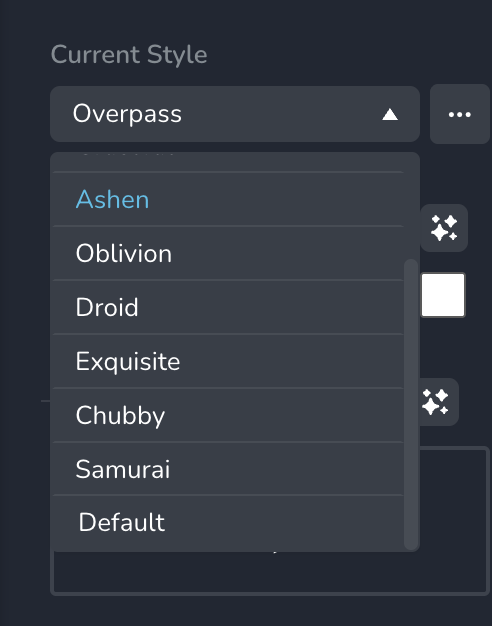
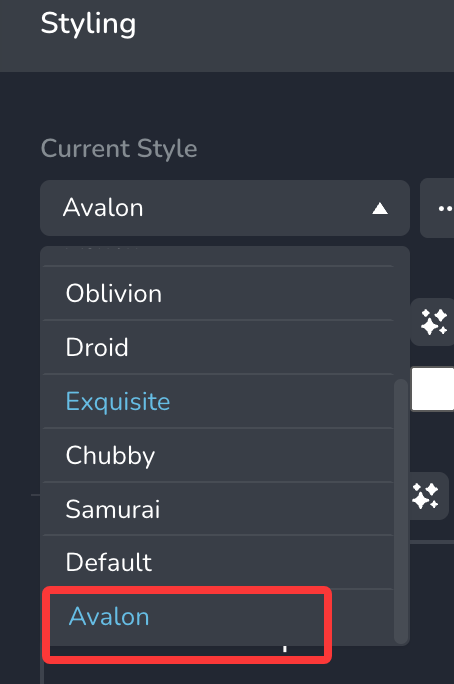
Also after install the template, still no duplicate style there:
Totally:
1. Why the license key is missing after brizy & pro upgrade;
2. Is there any way to backup the styles???
R. K.0 -
Hi R K,
Thank you for reaching out.
The issue you mentioned occurs due to a version mismatch. Please ensure that you have the following versions installed.
 0
0 -
My version is Brizy 2.7.14, Brizy Pro 2.7.6, should I downgrade the Brizy Pro? And is there any way I can get with the missing styles?
0 -
Hi R K,
Please share your WordPress admin login details with us so we can take a closer look. Please add us as an Admin user to your WordPress Dashboard and send the following details to communitysupport@brizy.io.
Community Post link: https://support.brizy.io/hc/en-us/community/posts/26149327357714
WordPress Admin URL:
Username:
Password:Looking forward to your reply.
Best regards,
Ariel H.0
Please sign in to leave a comment.
Comments
5 comments