My work using Brizy tools on innovastart.se has not been displayed correctly in the browser

Hi,
For over a week, all my work using Brizy tools on innovastart.se has not been displayed correctly in the browser. I have attached two images: one from the back office and another from the browser view. Everything looks fine in the Brizy editing tools, but the presentation is corrupt in the browser—fonts, design, and video appear distorted.
I have also read about other support issues. I have implemented the updates you provided, but they yielded no positive results. I have updated to WordPress 6.8, but that has not resolved the issue. What should I do next?
Regards
J Carlsson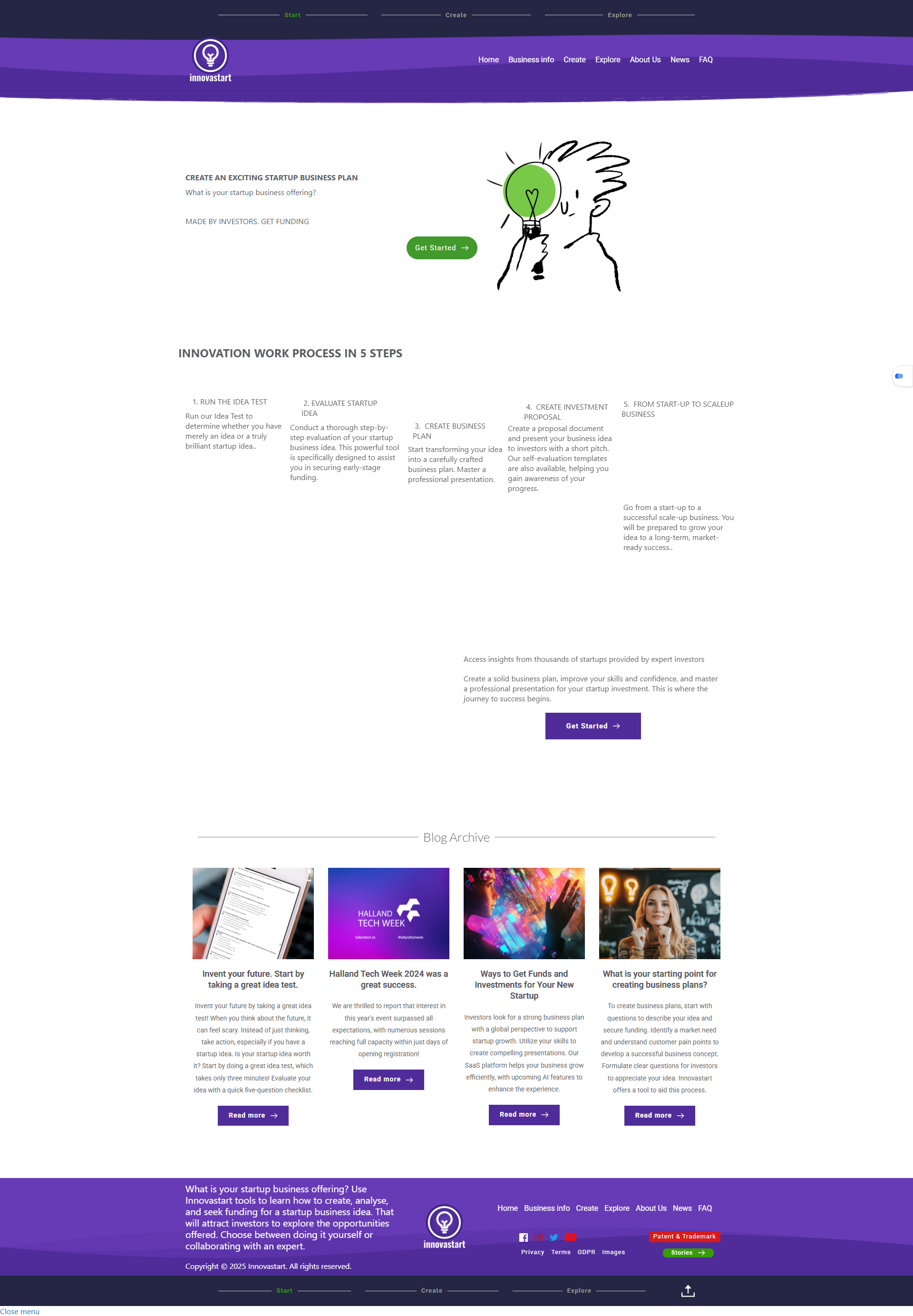

-

Hi Johnny,
Thanks for reaching out, and I’m sorry for the inconvenience.
Please try adding 1px padding to the affected block, then save your changes and preview the live site. This simple tweak can sometimes help resolve similar issues.
If this didn't help, also try disabling all plugins except Brizy and Brizy Pro to see if that resolves the issue. You can also temporarily switch to a different theme to check if the problem is theme-related. If you've added any custom code to your pages, try temporarily removing it as well.
If disabling other plugins fixes the issue, re-enable them one by one while testing the page to identify the conflicting plugin. If switching themes resolves it, consider using a more compatible theme such as Blocksy or Astra.
If the issue continues, please send temporary access to your WordPress Admin Dashboard to communitysupport@brizy.io with the subject line: 26145293380626. If you’ve changed your WordPress default admin login URL, please make sure to include the correct login link as well.
Looking forward to your response.
Best regards,
Ariel H.0 -
Hi Johnny,
Thank you for your cooperation.
It seems the issue was caused by hard caching. Disabling the LiteSpeed Cache plugin allows the page to display correctly.

We recommend trying one of LiteSpeed Cache’s presets to see if it resolves the issue.
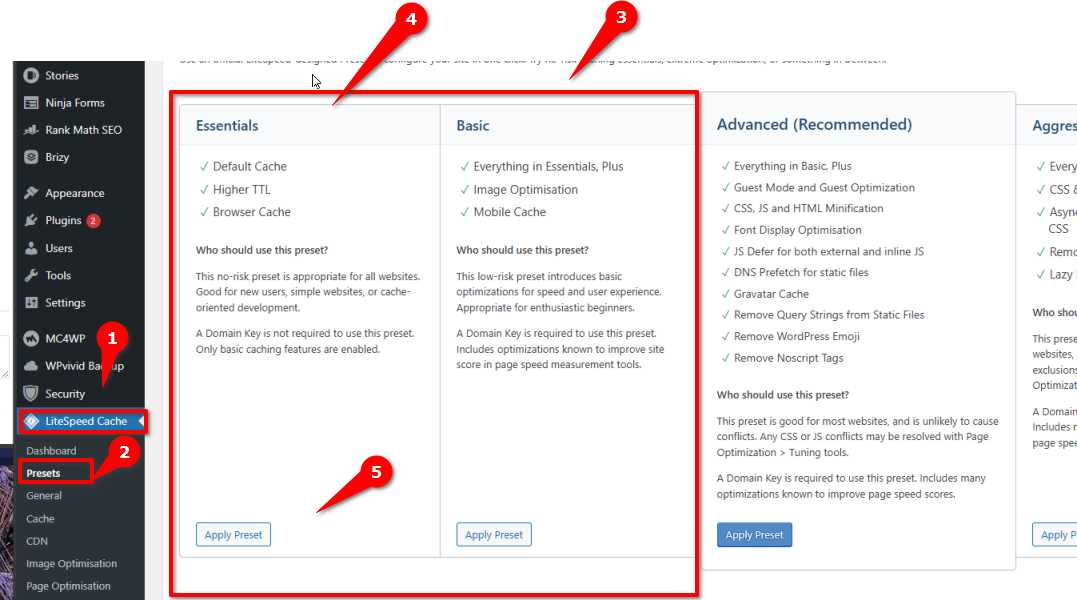
The plugin is currently disabled so the page continues to display as expected.
Let us know if you have any further questions!
Best regards,
Ariel H.0
Please sign in to leave a comment.
Comments
2 comments