Problem with activation Brizy Pro

Hello
I'm not able to activate Brizy Pro license key, The remote server response code is 403.
I contacted the hosting provider, they said everything is fine.
They suggested me to contact the plugin's developer for further support.
Thanks
Bojan
-

Hi Dylan,
Thank you for the update.
I have asked our senior support team to check this issue again.
In the meantime, do you have access to another hosting provider? If so, could you try activating your license there to see if the issue persists?
Have you checked with your hosting provider to see if they can provide a dedicated IP address for your website? This might help resolve the activation issue.
Best regards,
Ariel H.0 -

Hello Ariel,
Thank you for your response and for forwarding my issue to your support team.
My hosting provider, OVH, is indeed blacklisted by UCEProtect, but they are unable to contact them and therefore have no solution to offer me.
On your side, could you please provide a solution quickly, or proceed with a refund, given that I am unable to use your services?
Thank you in advance for your reply.
Best regards,
Dylan C.0 -
Hi Dylan,
Thank you for the update, and apologies for the delay.
Could you please try again when you have a moment? I've requested our senior support team to whitelist your domain.
Looking forward to hearing how it goes.
Best regards,
Ariel H.0 -
Hi Ariel,
Thank you for your help and for requesting the whitelist.
I just tested again, but unfortunately the issue still persists — I'm still getting a 403 error when trying to activate the license.
Could you please confirm whether the server IP address (5.135.23.164) has also been whitelisted, in addition to the domain?
Let me know once it's fully applied so I can test again.
Best regards,
Dylan0 -
Hi Dylan,
Thanks for the update, the IP address is correct.
To help us narrow down the cause, could you please try the following to activate your license:
- Use a different internet connection (e.g., mobile hotspot or another provider)
- Try accessing from a different browser
- If possible, test on a different device or PCThis information will help us investigate further and assist you more effectively.
Looking forward to your response!
Best regards,
Ariel H.0 -
Hi Ariel,
Thank you for your response.
I have completed all the requested tests:
I tried using several browsers (Chrome, Firefox…)
I used different devices
I changed networks (regular connection and mobile hotspot)
The result is always the same: activation fails with a 403 error.
Best regards,
Dylan C.0 -
Hi Dylan,
Thank you for getting back to me and for taking the time to run those tests.
I've reported the issue again to our senior support team for further investigation. I’ll keep you updated as soon as I receive any news from their side.
Thank you for your patience.
Kind regards,
Ariel H.0 -
Hi Dylan,
Thank you for your patience, could you please try again and let us know if everything is working now?
Kind regards,
Ariel H.0 -
Hi Ariel,
I just tried again, but it still doesn't work. I'm still getting the same 403 error.
Best regards,
Dylan C.0 -
Hi Dylan,
Thank you for your patience. I just wanted to let you know that another user experiencing the same issue was able to activate their license successfully, so it’s possible that the behavior may vary depending on the server setup.
I’ll continue following this up for you and will keep you updated as soon as we make any progress. I'm really sorry for the inconvenience this has caused and appreciate your understanding.
Best regards,
Ariel H.0 -
Hi Dylan,
Could you please add us as an Admin user to your WordPress Dashboard and send the login details to communitysupport@brizy.io. It looks like the credentials you provided earlier are no longer working, and we’ll need access to apply a workaround for you.
Community Post link: https://support.brizy.io/hc/en-us/community/posts/26007643334802
WordPress Admin URL:
Username:
Password:Looking forward to your response.
Kind regards,
Ariel H.0 -
Hi Ariel,
I've just sent an email with the login credentials to access the WordPress dashboard.
Feel free to let me know if you need anything else.Best regards,
Dylan C.0 -
Hi Dylan,
I noticed there's currently an issue with your website, it appears that JavaScript is disabled, and the plugin image thumbnails aren't displaying as expected.
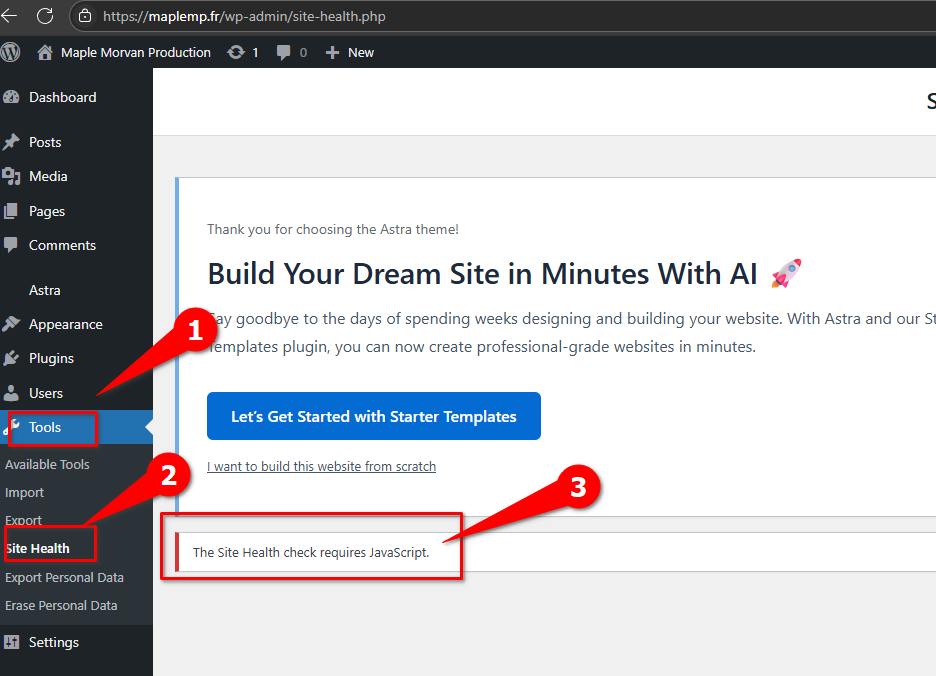
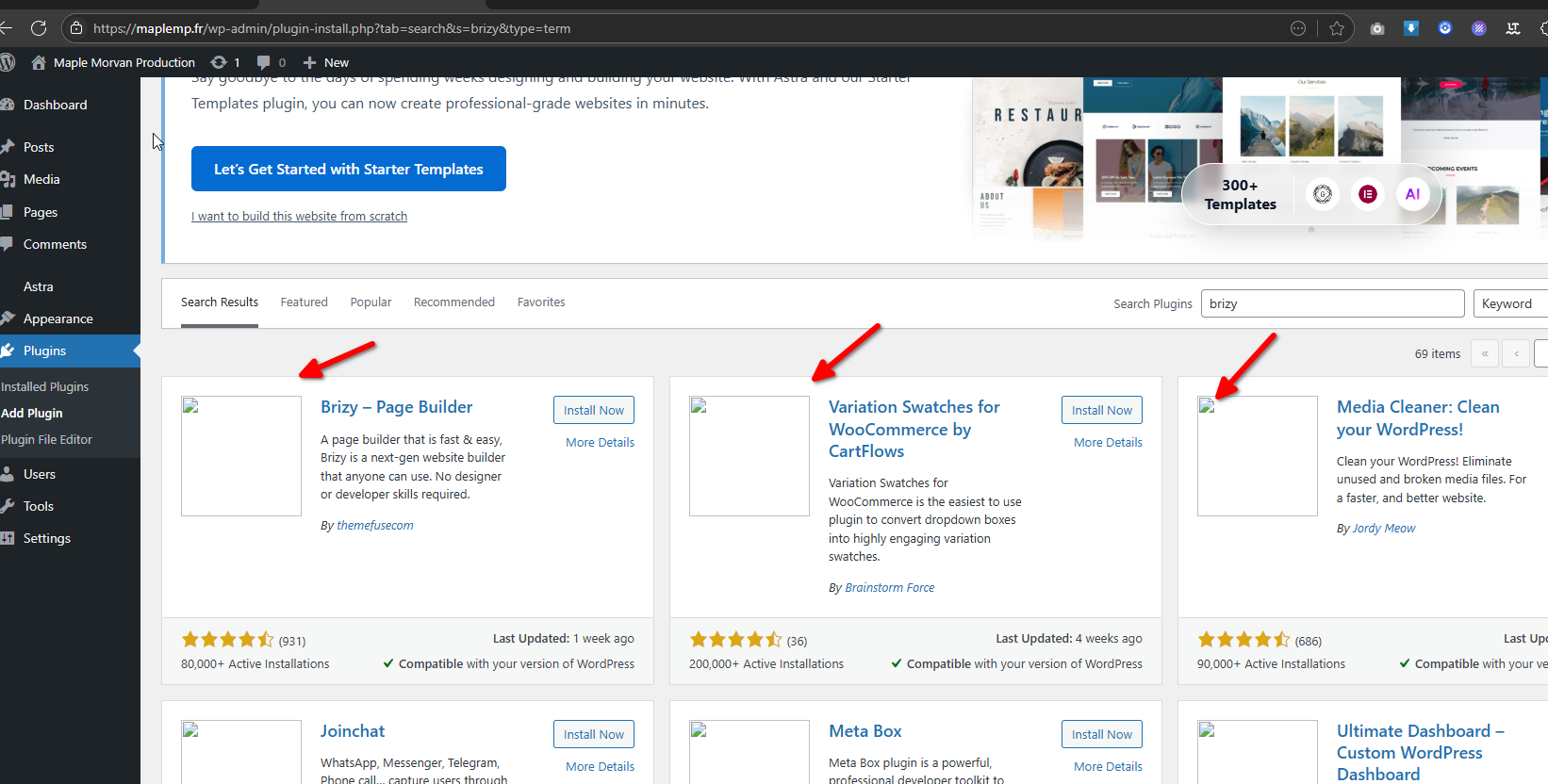
I recommend reaching out to your hosting provider to have this issue resolved first. Once it's sorted, feel free to let us know, and we'll be happy to take it from there.
Kind regards,
Ariel H.0 -
Hi Ariel,
Just wanted to let you know that the issue with JavaScript is now resolved.
It was caused by a misconfiguration in the site's security headers on my end (specifically the Content Security Policy). Everything is working fine now.Dylan C.
0 -
Hi Dylan,
We’ve assigned a temporary license key to your site so you can continue working without interruption while we work on a permanent solution.
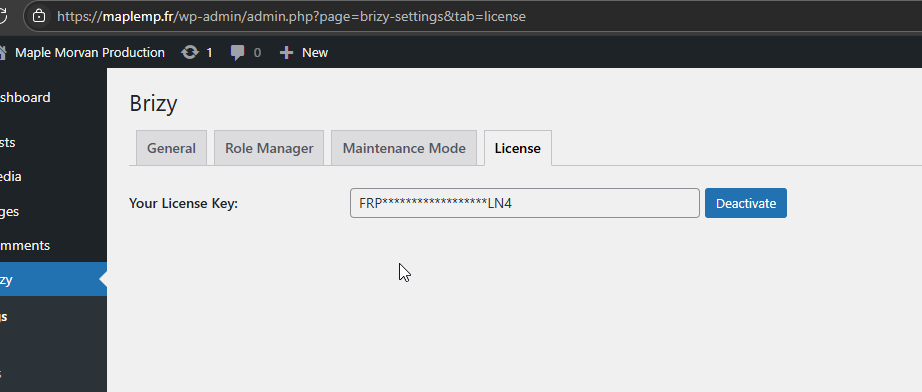
To activate the license, we cloned your website to a local environment and modified the hosts file to make it appear as though your domain was resolving to a local IP address. After successfully activating the license, we re-uploaded the updated site back to your server. If you’d like, I can provide detailed instructions on this process.
At the moment, your server is still blacklisted from our license server, which is preventing it from communicating and verifying the license activation. We attempted to whitelist your server’s IP address, but unfortunately, that didn’t resolve the issue.
With the temporary license in place, you should be able to use Brizy as expected. However, it seems that your Content Security Policy may be restricting some functionality, which could prevent you from editing pages with Brizy. We recommend reviewing and adjusting your CSP settings accordingly.
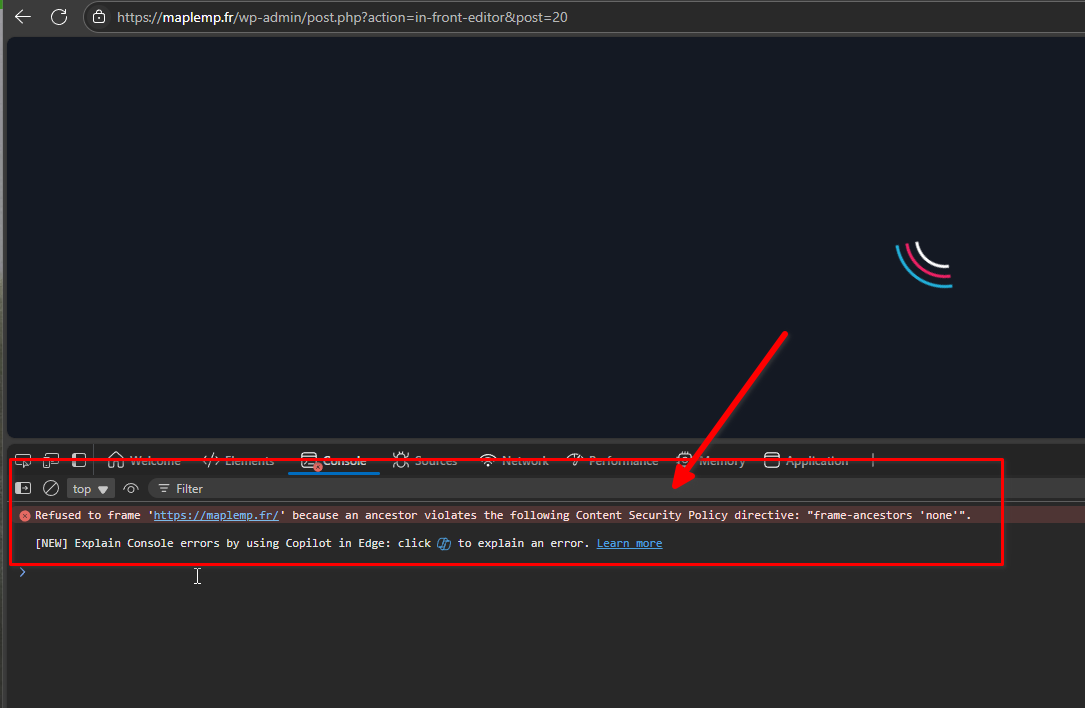
Best regards,
Ariel H.0 -
Hi Ariel,
I’ve updated the Content Security Policy (CSP) on my server as suggested.
Thank you again for all the help you’ve been providing throughout this process.
Please let me know if there’s anything else I should adjust on my end.
Best regards,
Dylan C.0 -
Hi Dylan,
It looks like your server is currently running a custom or experimental build of PHP. This may be causing compatibility issues with WordPress and Brizy, as these builds are not officially supported.
We recommend downgrading to a stable PHP version, such as 8.1, 8.2, or 8.3, all of which are fully supported and widely compatible with modern WordPress setups.
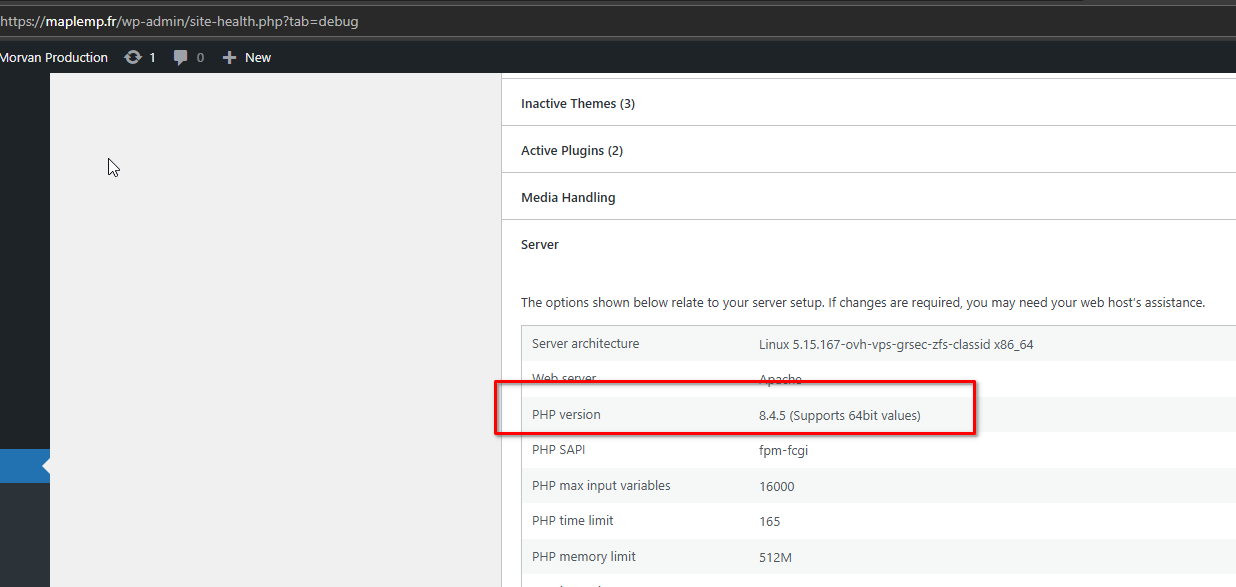
Once you’ve switched to a stable version, please try again and let us know if the issue persists. We're happy to assist further if needed.
Best regards,
Ariel0 -
Hello,
I am still encountering a 403 error when trying to activate Brizy Pro on several websites hosted on the same server.
Best regards,
Dylan C.0 -
Hi Dylan,
Thanks for the update.
If you're still encountering a 403 error, a temporary workaround is to activate your Brizy Pro license in a local development environment. Once you're done working on your website, you can migrate it to your live server.
Alternatively, you can set up a fresh WordPress installation locally, activate the license there, and then migrate the entire site or simply export the database to your live environment.
For local development, you can use tools like XAMPP**, WAMP, or Local by Flywheel. To handle the migration, we recommend the WPVivid plugin, which allows you to transfer your full site or just the database after activation.
Feel free to reach out if you need help with any part of the process.
Best regards,
Ariel H.0 -
Hi Ariel,
Thank you for the solution. It worked perfectly!
I really appreciate your help and quick support.
Best regards,
Dylan C.0
Please sign in to leave a comment.
Comments
50 comments