Your email was not sent

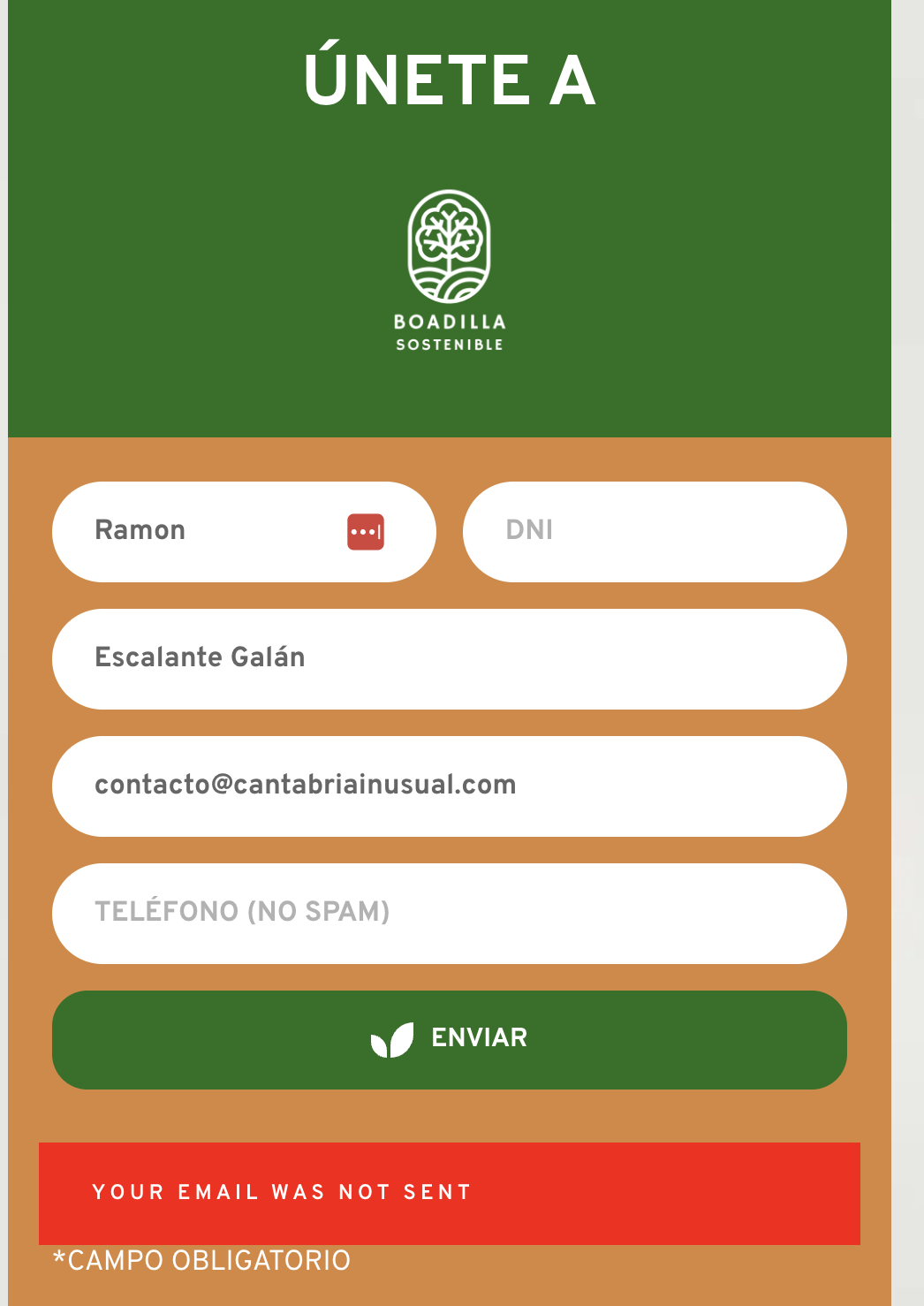
Hello. I've created several forms with Gmail, and none of them work. I've tried several different Gmail addresses, and none of them work. The message always appears... Your email was not sent.
My web is https://boadillasostenible.com/
-

Hello Ramon,
When submitting the form on your website, I see the error "Invalid address: (From): Remitente" in Chrome DevTools. See the screenshot at https://jmp.sh/SxdDVmW9
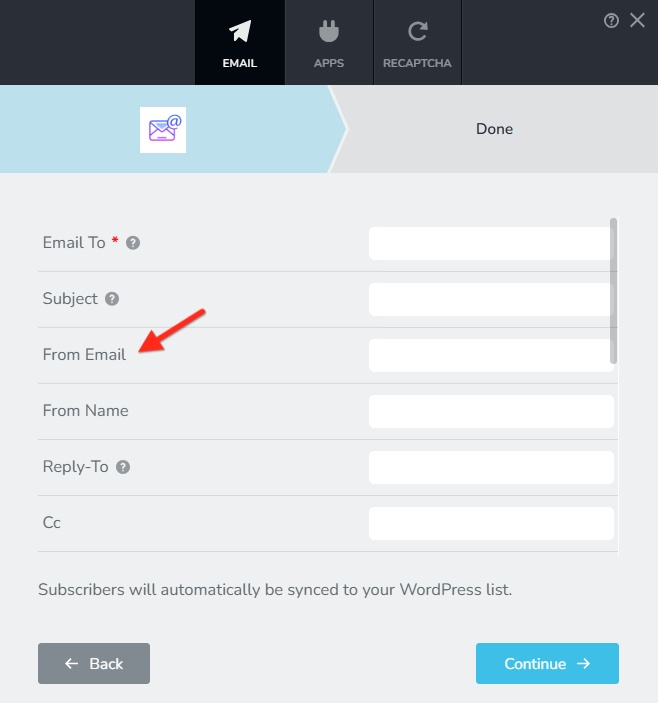
This error indicates that the sender email address ("From Email") is not valid according to Gmail SMTP server's rules. The "From Email" of your form should be same as the Gmail address you are using to authenticate your request.
You must use a Gmail address as your username and Google App Password as your password. Kindly refer to https://support.brizy.io/hc/en-us/articles/360044216151 for more details on generating Google App Password.
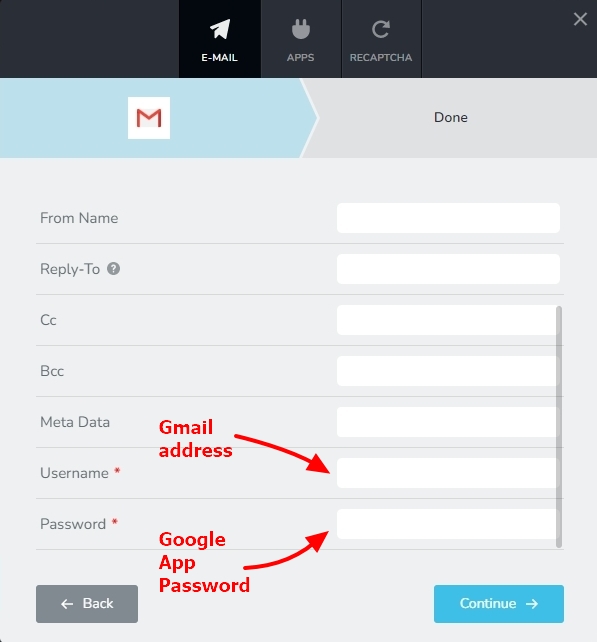
Please use the same Gmail address as your "From Email" as well and check if the issue resolves.
 0
0 -
Despite following your step-by-step instructions, I was unable to connect the form to Gmail or SMTP. I opted to configure it with the WordPress option and finally got it working. With the same Gmail address.
Still, I'm very disappointed that I couldn't get the forms to work the other way around.
Thanks
0 -
Hello Ramon,
Would you like us to demonstrate sending email notification through Gmail on a test page on your website? For the test, I will use my Gmail address, my Google App Password and my "From Email". You can then follow the same procedure for your homepage using your Gmail address, your Google App Password and your "From Email". We will need access to your project to do this.
0
Please sign in to leave a comment.
Comments
3 comments