Difference editor vs live

I am using acordeon element.
When in editor mode I can see all text in the block and no tag filters. And I want it that way.
Unfortunately, when I go out of editor, tag ALL appears, and the text is cut and not shown entirely. Please see screenshots and please helpme to find solution.
Editor:
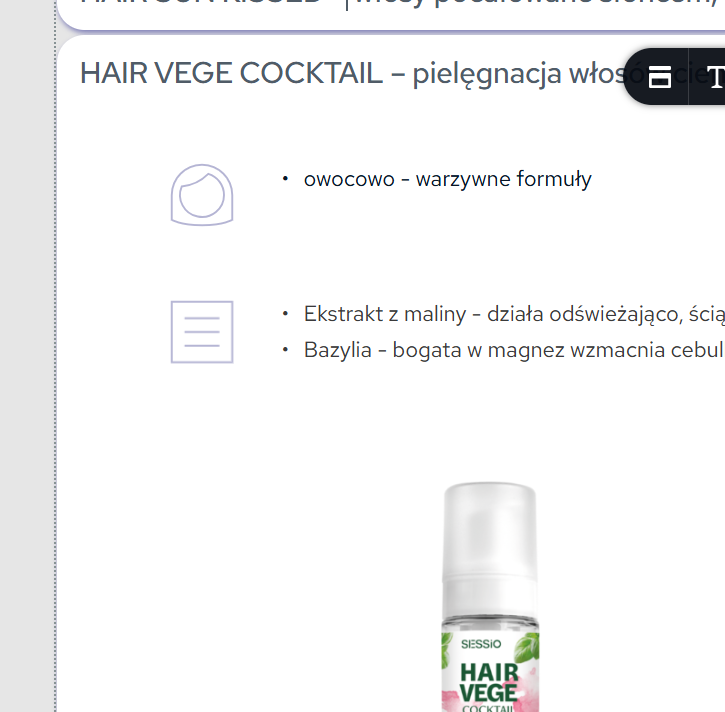
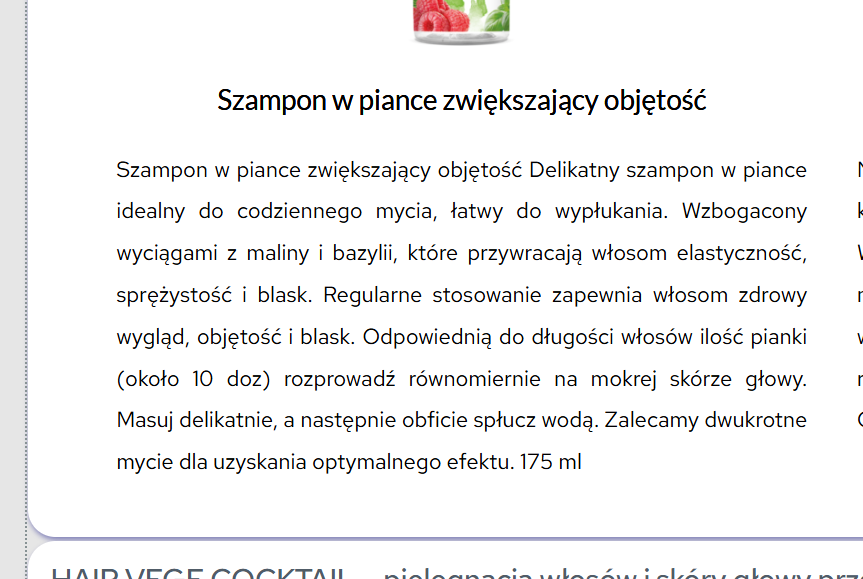
and out of editor... see the tag and not complete, three dotted text:
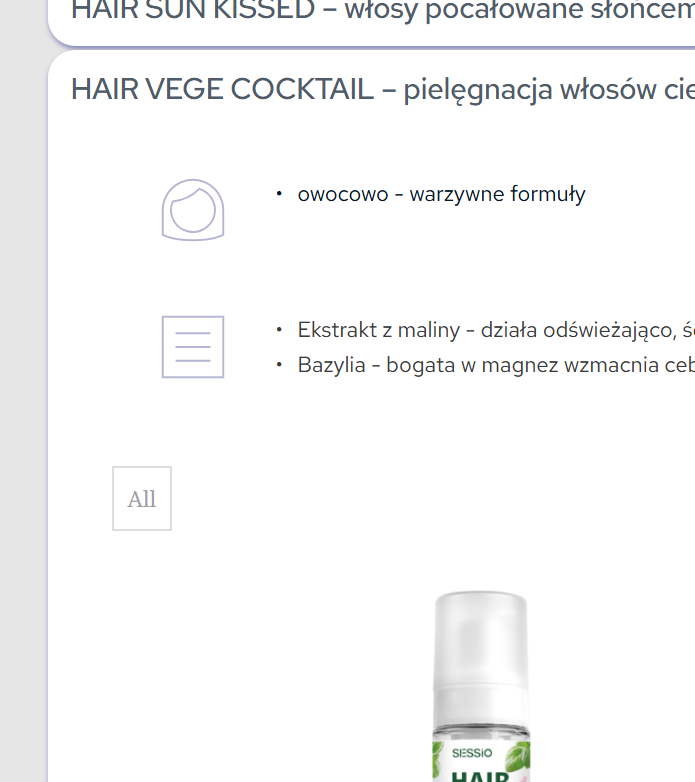
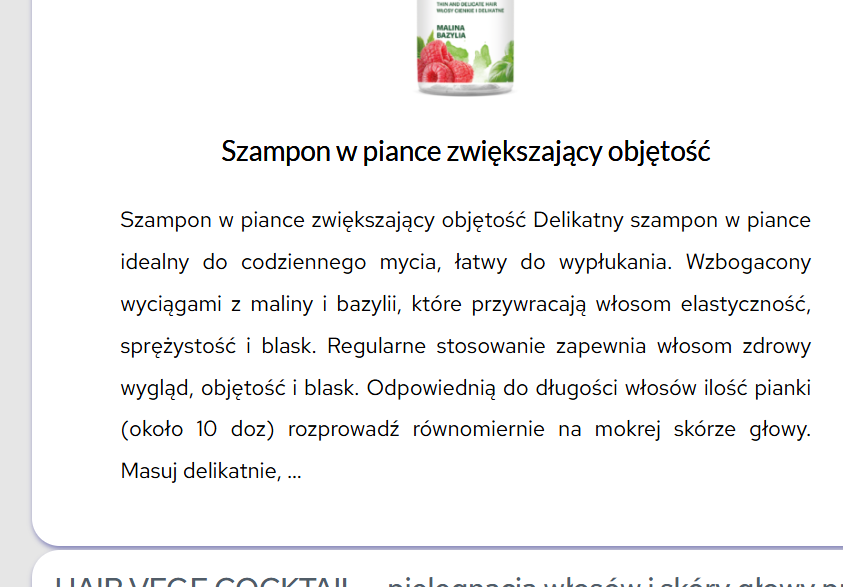
-

Hi Piotr,
Thank you for the details and screenshots. Could you also share the URL so we can take a closer look?
In the meantime, to troubleshoot, try disabling all plugins except Brizy and Brizy Pro and see if that resolves the issue. Additionally, switch to a different theme temporarily to check if the problem persists.
If disabling third-party plugins resolves the issue, re-enable them one by one while testing your site until the issue reoccurs to identify the conflicting plugin. If switching themes fixes the issue, consider using a more compatible theme like Blocksy or Astra.
Give this a try and let me know how it goes.
Best regards,
Ariel H.0 -
Excuse me the late reply...
Please find the example pages here: http://chan40.chantal.ogicom.pl/kosmetyki-drogeryjne/
Even when I lower the font size, and line height, text is being clipped, and All filter button shows up
0 -

Hello Piotr,
Click at the top right corner of the accordion element, select the "accordion" icon and check if "tags" are enabled. Disable "tags" here and check if the issue resolves.
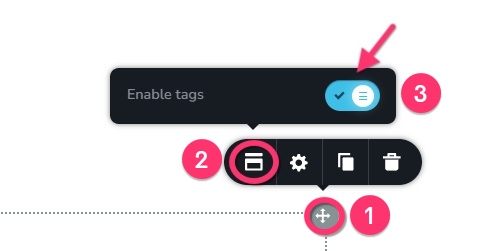 0
0 -
Thank you for your reply, but well, it does not resolve the issue.
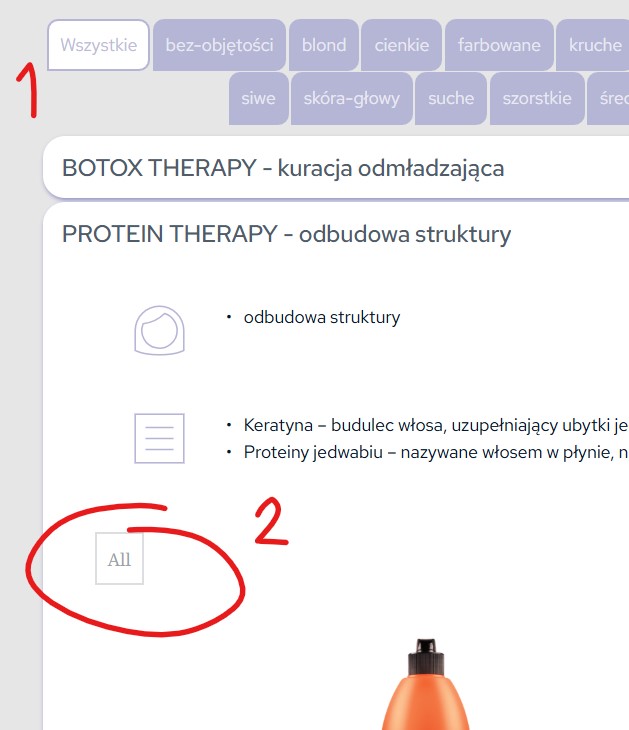
I need 1 (see screenshot) to remain, but 2 to disappear as 2 is not needed.
 0
0 -
Hello Piotr,
An accordion element usually displays its tags just above its first section and does not display it inside any of its sub sections. Hence the "All" tag displayed within an accordion section is unusual. Please check in the editor if you have added another Brizy element like a blank "Accordion" or "Posts" element where you see the "All" tag in the frontend.
If you can't find it, we would take a look at your WordPress Dashboard to troubleshoot it. Please add a new user to your WordPress Dashboard and send the following details to our email: communitysupport@brizy.io
- Support Forum link: https://support.brizy.io/hc/en-us/community/posts/25960301740306
- WordPress Admin URL:
- Username
- Password
Please let us know in this forum when you send us the email.
0
Please sign in to leave a comment.
Comments
5 comments