Issues with a few of my sites with Updating Brizy

Hi I have had the same issue with the last few updates, where Wordpress is still saying I need to update Brizy. I have to update the plugin by downloading it from your site and reuploading it to my site each time there is an update. Can you please tell me how to get rid of this false error?

-

Hello Cari,
The Brizy 2.510 version was removed from the WordPress plugin repository few months ago. Dashboard file caching for logged-in users could be the cause of your WordPress dashboard displaying the deleted plugin version. Disable caching for logged-in users under the various settings your caching plugin if you're using one. For instance
- Page Cache – Do not cache pages for logged-in users
- Object Cache – Disable caching for wp-admin requests
- Database Cache – Do not cache queries for logged-in users
- Minify – Disable minify for logged-in users
If you are using WP Rocket plugin, please ensure that user cache is disabled https://docs.wp-rocket.me/article/313-user-cache
0 -
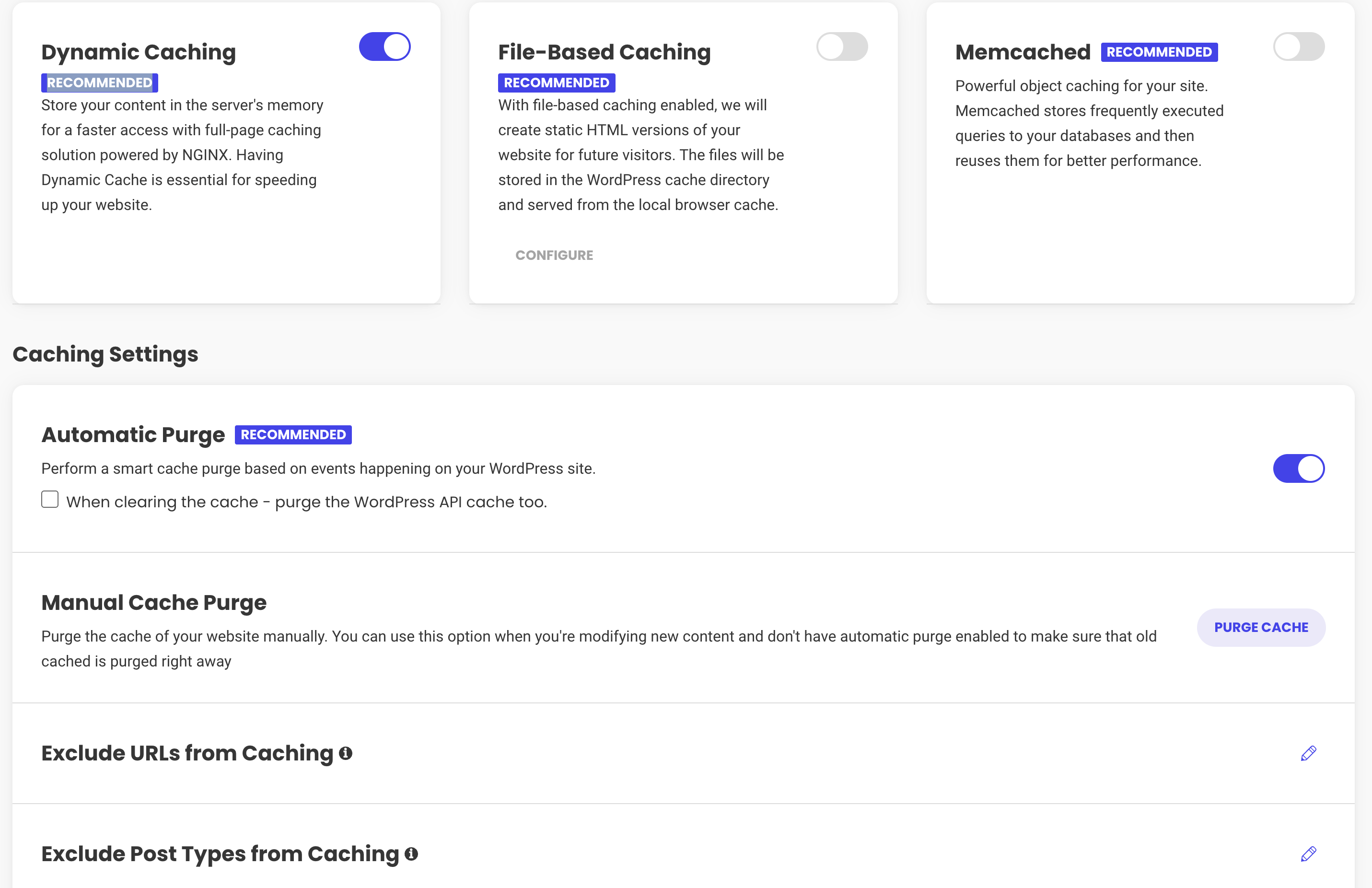
I dont see an option for this. I use SiteGround's Speed Optimizer. Can you please help guide me here.
 0
0 -
Hello Cari,
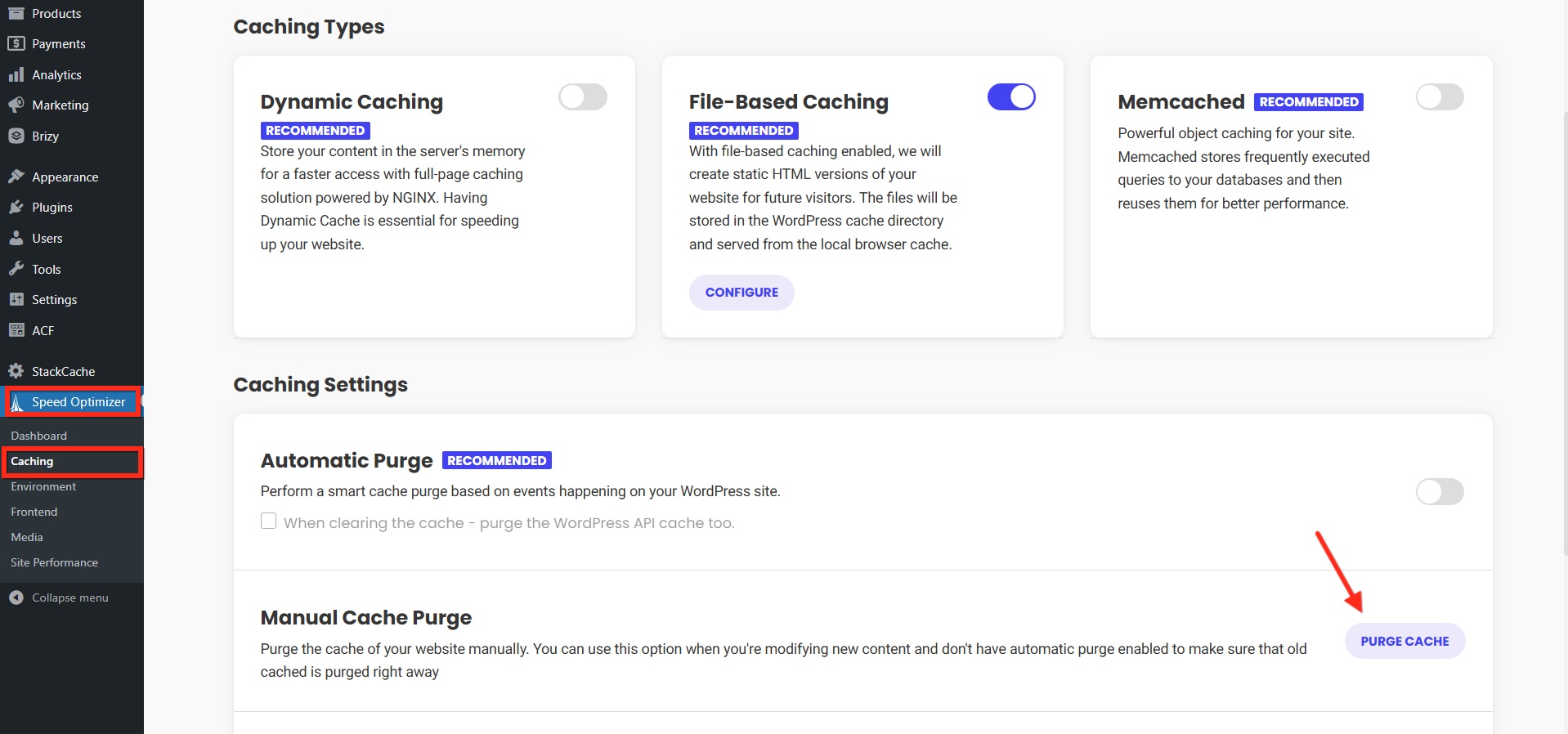
If you do not find an option to disable caching for logged-in users, kindly purge all cache by selecting the "Purge Cache" option under Speed Optimizer > Caching > Manual Cache Purge and check if the update notification disappears.
Please also sign into your WordPress Dashboard from a private (incognito) window of your browser and check if you see the update notification.
0 -
KC,
I did all of the above, and the notification is still there. Next steps?
0 -

Hi Cari,
We're sorry to hear you're having this issue with Brizy.
Could you also please provide temporary access the second website so we can take a closer look? Kindly add us as an Admin user in your WordPress Dashboard and send the details to communitysupport@brizy.io:
Community Post link: https://support.brizy.io/hc/en-us/community/posts/25744826596882
WordPress Admin URL:
Username:
Password:Please make a full backup of your site as a precaution.
Best regards,
Ariel H.0
Please sign in to leave a comment.
Comments
5 comments