Social Sharing for Brizy on Wordpress

I am trying to edit the social sharing for my Wordpress site built via Brizy. Right now the default image showing on iMessage is the original template I loaded, and I cannot figure out how to edit it via either Wordpress, Brizy or Yoast.
-

Hi Rebecca,
Thank you for contacting us. To better understand the issue, could you please share a screenshot or a screencast of what you're seeing when the link is shared on iMessage? This will help us understand the issue and possibly offer a solution.
Looking forward to your response.
Best regards,
Ariel H.0 -
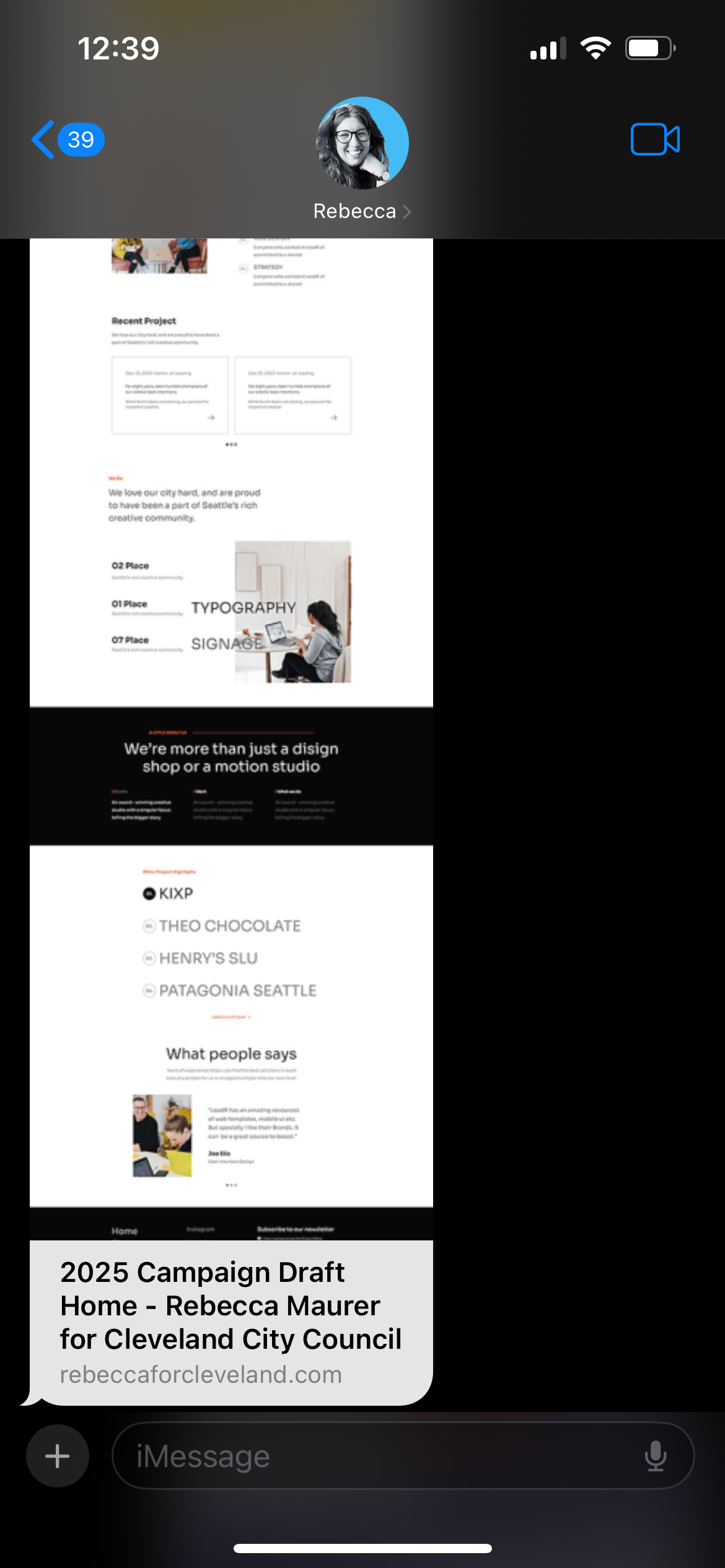
Sure, this is what shows up -- it is the full Leadr template that I imported into Brizy when I started working on the website. I cannot figure out how to edit it. Again, I'm using Brizy Pro's wordpress plugin.
0 -

Hi Rebecca,
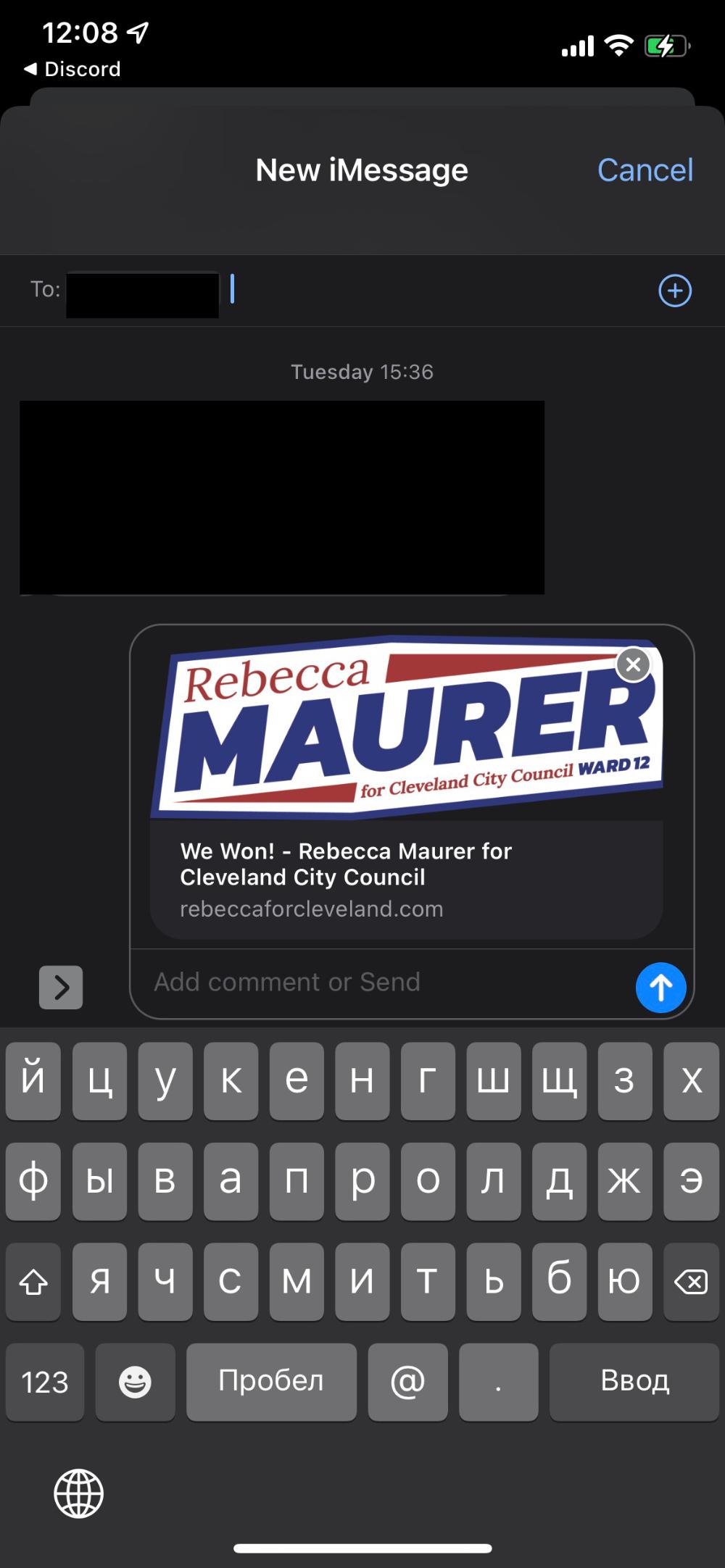
When sharing your URL on iMessage, we see this at our end. Do you continue to see the above social sharing preview? Kindly also try it on different iPhones.
 0
0 -
Hello -- that is the social image I see for rebeccaforcleveland.com. The screen shot I shared was when I shared rebeccaforcleveland.com/home-2. I need to be able to edit both social sharing images. I do NOT need a custom social sharing image based on the page. But I do need to be able to edit the social sharing image and make it consistent across all pages. I cannot figure out how to do either.
0 -
Hello Rebecca,
Kindly follow the procedure in the tutorial Control what your posts look like on social media to add social sharing image for your entire website or for individual pages. Please let us know if this helps you resolve the above issue.
0
Please sign in to leave a comment.
Comments
5 comments