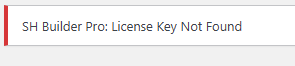
License Key Not Found

Hi
I am writing this after trying deactivate delete and reinstall of both free and pro. I am unable to view the license tab or white label option even after instructions followed .
I activated white label long back and tried migration without deactivating. since then the license tab is not visible. I updated to today's latest versions and still not able to find the license tab and today it says can you please help me

.
-

Hi Nischal,
Thank you for reaching out to us.
Please try resetting White Label and filling out the required fields. Don’t forget to click on the Show License tab and save your changes. Then, check if you can access the license tab.
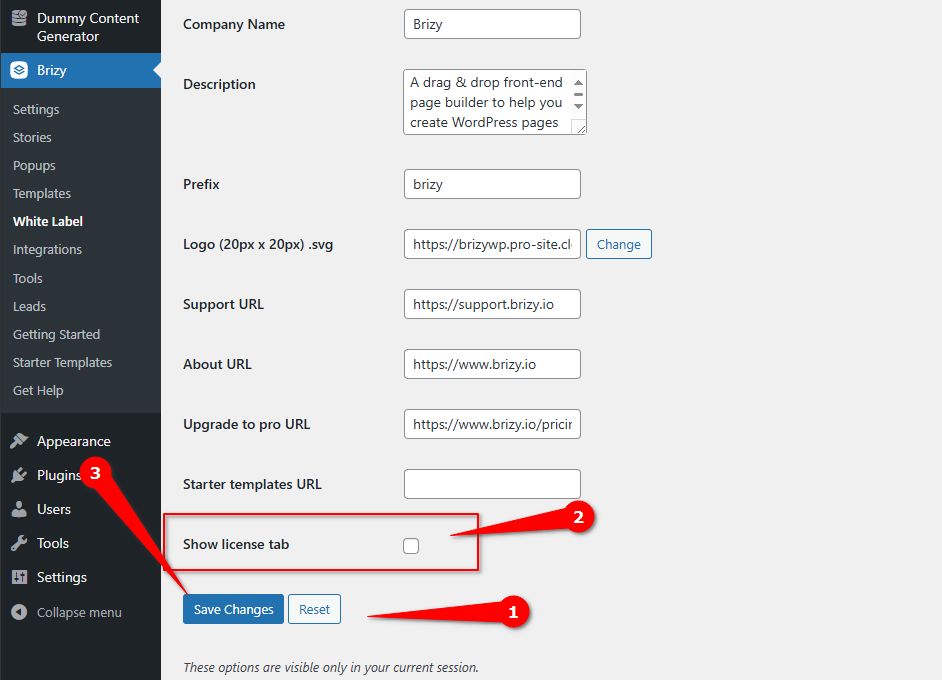
Give it a try and let me know how it goes.
Best regards,
Ariel H.0 -
Hi Ariel H,
Thanks for your quick reply
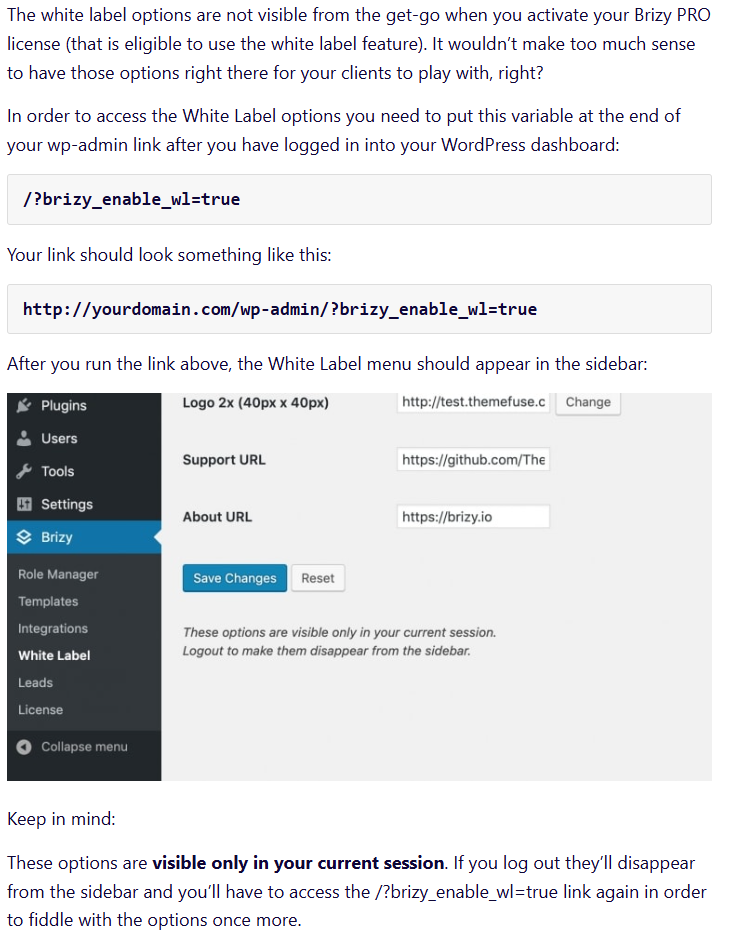
I followed all the steps from below screenshot but i don't see white label option. Is there any other way to activate white label.
As White label is Brizy pro feature and my error says License Key Not Found and license tab invisible. Will the white label feature activates without active key. Is there any other way to add key or activate white label
screenshot for reference
 0
0 -

Hello Nischal,
Since white label is a Pro feature, when disabling the Pro plugin, usually the white label gets disabled and Brizy branding gets visible. The white label brand is usually visible again when the Pro plugin is activated.
Missing license tab and the license key makes Brizy Pro inactive and this makes the white label options inaccessible. We need to fix the issues in the sequence given below.
- First, fix the issue with missing license tab and add a Pro license key. This will make Brizy Pro plugin fully functional
- Then access the white label options
If you have migrated your website from one host to another with white label option enabled, the Brizy specific database tables may have got corrupted. In this case, we will need to fix this issue in your WordPress database. Kindly give us access to your WordPress Dashboard and we will work on fixing this issue. Please add a new user to your WordPress Dashboard and send the following details to our email: communitysupport@brizy.io
- Support Forum link: https://support.brizy.io/hc/en-us/community/posts/25304813229202
- WordPress Admin URL:
- Username
- Password
Please let us know in this forum when you send us the email.
0 -
Hello Nischal,
We have received you WordPress credentials. However your website's availability is quite poor. It is available intermittently and WordPress Dashboard pages take 15-20 seconds to load when it becomes available. The hosting quality appears quite poor. We are still trying to access your website. Is there anything you can do about this?
0 -
Hi George
Sorry for the inconvenience. Yes it is hosted on a shared hosting. The service by the provider is very poor in recent times and they have not resolved the issue. After this Brizy issue get resolved. I am planning to switch to a better hosting immediately .
0 -
Hello Nischal,
We have created a private ticket for you. My colleague Basharat will keep in touch with your through email. Kindly look for an email from support@brizy.io in your Inbox.
0
Please sign in to leave a comment.
Comments
6 comments