Hover Animation Effect on Column working in editor but not on the website

Hi
Could you please advise how I get the hover animation styles to work. I have applied a "Move" animation to 3 columns on hover. They work in the editor but not on the front end. I've tried various animation styles but none seem to do anything (on the front end).
The site is here: https://tripleahoses.brizy.site/ ('Our Products & Services' section)
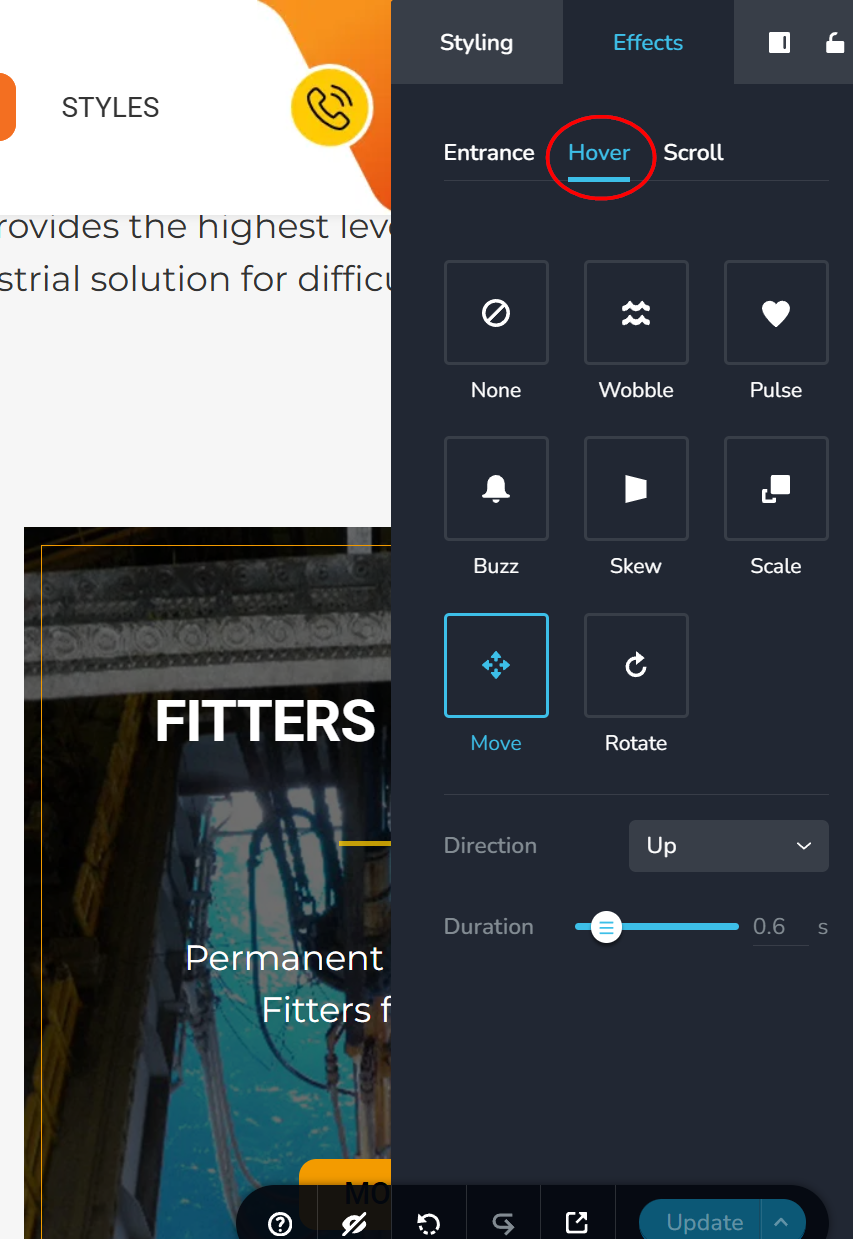
Thanks
Eva
-

Hello Eva,
Only one of the two works well when a hyperlink and a hover effect are added to the same column. The hyperlink in the "Our Products and Services" section works well, whereas the hover effect does not. To fix the issue, apply the hyperlink to one column and the hover effect to another.
I have moved the hyperlink from the outer column to the inner for "HOSE PRODUCTS"; now the hover effect as well as the hyperlink work. Kindly repeat the same for the "CONTAINERS" and "FITTERS FOR HIRE".
0 -
Thank you very much, I fixed the others however noticed the button hovers now do not work. I guess they are covered over by the animation hover somehow.
0 -
Hello Eva,
Kindly set a Z-index value of more than zero to the button containers to make the hover color visible. Follow the procedure at https://jmp.sh/4WuW3BJ6
The Z-index CSS property controls the stacking order of elements. Higher-valued Z-index items are positioned in front of lower-valued ones. The button has moved to a layer in front of the column and its other content by giving it a higher Z-index.
0 -
Thanks KC George, I should have thought of that! Thanks for the video too.
0
Please sign in to leave a comment.
Comments
4 comments