Popups

How do i select a specific page for the popup to appera on? I have tried to select conditions pages and cant find specific pages. What shall I type when I search for a page? If I want it to appear on my page named "Medlemsportalen Startsidan" but when I type that nothing happens. I use Brisy Pro for Wordpress and theme Blocksy.
-

Hello Bo-Lennart,
You can select a specific page for the popup to appear under the "Conditions" tab of the "Display Conditions" screen.
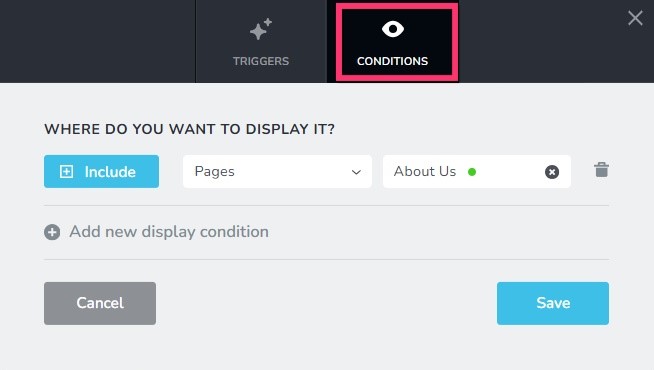 0
0 -
I Have tried to do so but when I select pages no pages show up to select. When I type the name for the side I want to select nothing happens. Is this a problem becaus I use them from blocksy to build my site?If I have a site built in Blocksy theme and sides edited with Brizy is there a way to select them?
0 -
Hello Bo-Lennart,
I am sorry; I do not understand "site built in Blocksy theme and sides edited with Brizy". Can you elaborate what this means? What are the steps to edit sides using Brizy in a page developed using Blocksy? Please also share the URL of a sample page.
0 -
I use theme Blocksy to construct our website. We also edit some of the sides with Brizy and have now bought Brizy pro in order to use popups. I can select on page load but not select which page I want it to appear on. It is not possible to find any side. Se screenshot.
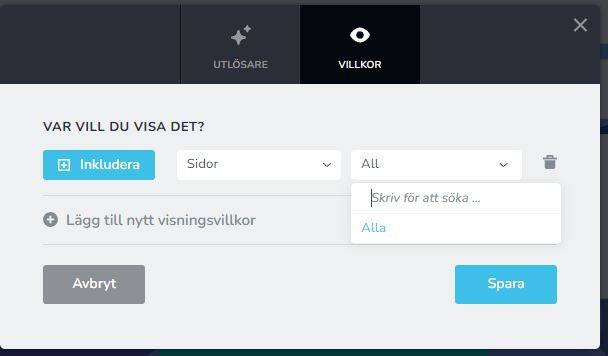
https://www.borasslaktforskare.se/wp-admin/post.php?action=in-front-editor&post=4211
0 -

Hi Bo-Lennart,
Thanks for the update.
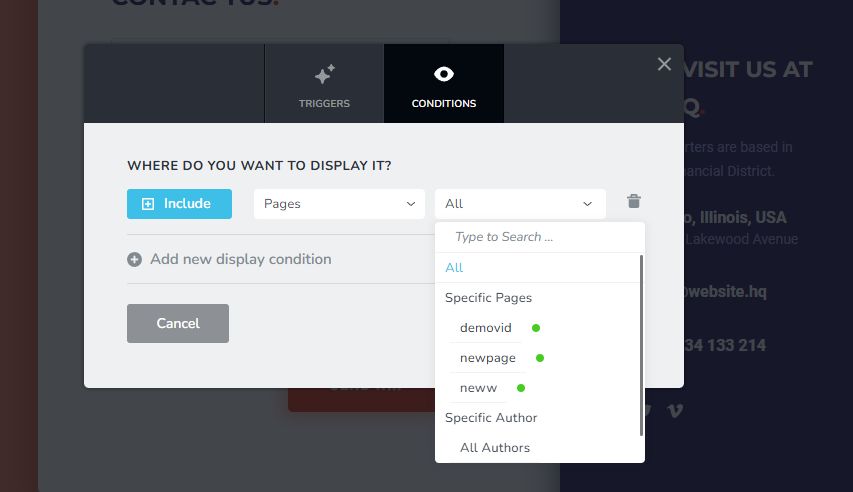
Could you please check if your pages and posts are published and not set to draft? If they're in draft mode, they won’t show up as options in the display conditions.
I am looking forward to your response.
Best regards,
Ariel H.0 -
The side i gave you the URL for is published (publicerad).
Se example for 3 pages.
 0
0 -
Hi Bo-Lennart,
Could you please provide temporary access to your WP Admin so we can take a closer look at your site? Kindly add us as an Admin user in your WordPress Dashboard and send the details to communitysupport@brizy.io:
Community Post link: https://support.brizy.io/hc/en-us/community/posts/25283677225106
WordPress Admin URL:
Username:
Password:Best regards,
Ariel H.0 -
I use plugin Temporary Login and have sent a mail with link to communitysupport@brizy.io For name Ariel H
I hope this functions
Bo-Lennart
0 -
Hi Bo-Lennart,
Thank you for reaching out. We haven't received the WordPress site credentials yet. We also attempted a password recovery but didn’t receive the email.
Could you please add the credentials in the forum? They won’t be visible immediately, as we need to approve the post first.
Let us know once you've done this, and we’ll proceed with checking the issue.
Best regards,
Ariel H.0 -
This is the link that should be sent:
Hello,
Click the following link to log into the system:
0 -
Hi Bo-Lennart,
Thank you for your cooperation.
The issue seems to be caused by a conflict with multiple plugins. Unfortunately, we’re unable to pinpoint the exact one due to the large number of plugins installed.
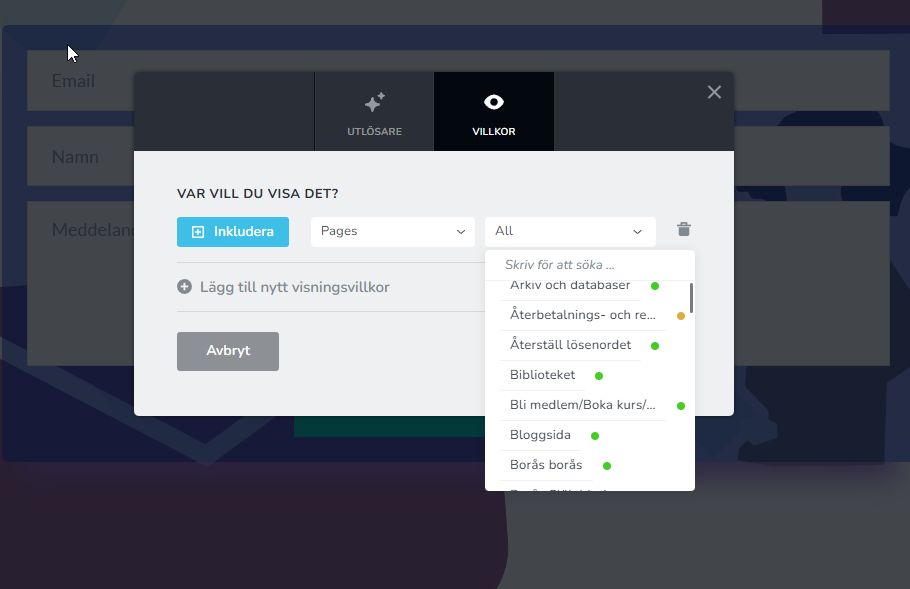
However, when all plugins—except Brizy and Brizy Pro—are disabled, the dropdown in the popup correctly displays all posts and pages.I recommend narrowing down the issue by disabling all plugins, then enabling them one by one. After each activation, refresh the popup and test it until the issue reoccurs. This should help identify the conflicting plugin.
Best regards,
Ariel H.0 -
I have identified conflicting plugin as wpDataTables. This a plugin that we cannot skip. Is there any way to go around the problem?
0 -
Hi Bo-Lennart,
Thank you for the update.
To work around the issue, please try disabling the wpDataTables plugin temporarily and then set the display conditions. Once you've done that, re-enable the plugin and check if it affects the functionality.
If everything works fine you can temporarily disable wpDataTables whenever you need to update the display conditions and turn it back on after publishing your changes.
If that’s not an ideal solution, I recommend reaching out to the wpDataTables support team to see if they can provide a fix or workaround for the conflict.
Please try this and let me know how it goes.
Best regards,
Ariel H.0
Please sign in to leave a comment.
Comments
13 comments