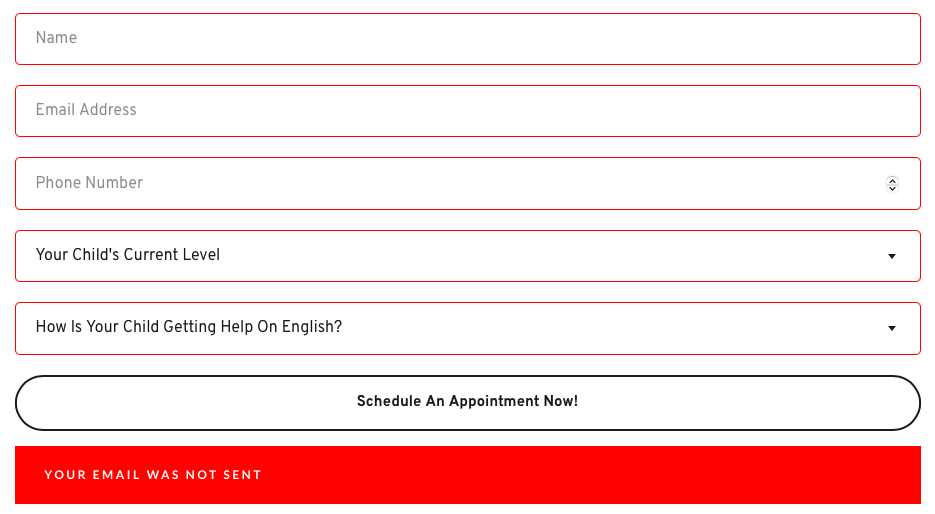
Contact forms in Brizy cloud do not get send

I did not do made any changes to the setting and the form just unable to send it out. Try looking under your similar support cases but still cannot resolve it. Any solution for this?
-

Hello Ming,
Kindly share the URL of the page where you are experiencing the above issue. We will take a look.
0 -
You can access on this link:
https://www.therightword.com.sg/1-1-exam-review0 -
Hello Ming,
Projects that are created after February 2021 use the current Brizy Cloud project format, while projects developed before Febraury 2021 use the legacy project format. A number of features that have been added in recent years, such as blogging, project duplication, multilingual websites, project cloning, AI builder, etc. are missing in legacy projects. Only projects developed after February 2021 have access to these features. Your project was developed using the legacy format.
The contact form is causing an Internal Server Error in your project. Since the legacy projects are not being maintained, you must recreate the project in the current project format to fix this issue. There isn't an automated procedure to migrate projects from the legacy format to the present one. However you can recreate the projects in the current Brizy Cloud project format, following a manual procedure.
- Save each page as a layout in the old project
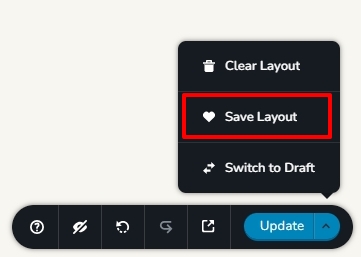
- Create a new project and add pages one by one and import the page layouts saved in step 1
- Copy paste the global styles and typography from the old to the new project
- Recreate menu, setup global blocks and display conditions
- Re-setup the email notifications for Brizy forms in the new project
- When everything is successfully migrated, add the custom domain to the newly created project.
We have created a new project and have named it "The Right Word Current" while your original project is renamed to "The Right Word Legacy" I have imported the 23 pages from the original project to the new project. Steps 1 and 2 have been completed. Kindly carry out steps 3,-6 to complete the project migration. Once you do this, the form should work fine. In case the form does not, kindly get back to us.
0 - Save each page as a layout in the old project
-
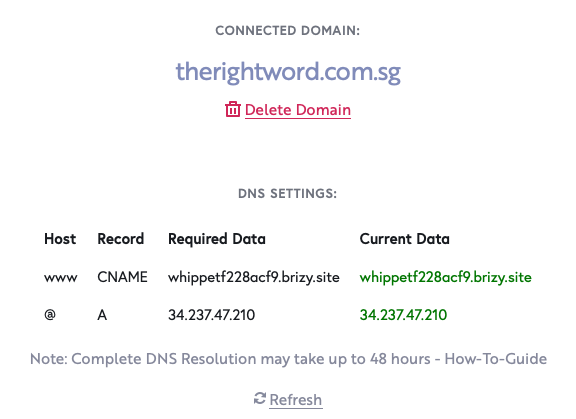
Thank you for the help. The contact form manage to work when I was setting up the new site. Now I have a new issue. I reconfigured the domain, I unable to access the URL. Even though the DNS setting is all connected.
 0
0 -
Hello Ming,
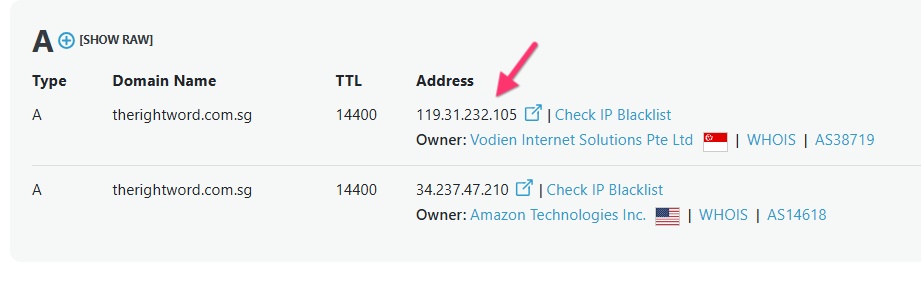
Apart from pointing to the Brizy Cloud server, your domain also points to a Vodien server with the IP 119.31.232.105. Kindly delete the A Record with the IP 119.31.232.105 and get back to us. We will install the SSL certificate for your domain
 0
0 -
I already removed the additional A record as mentioned.
0 -
Hello Ming,
The changes you have made are still being propagated. Several DNS servers around the world continue to have the A Record with the IP 119.31.232.105.
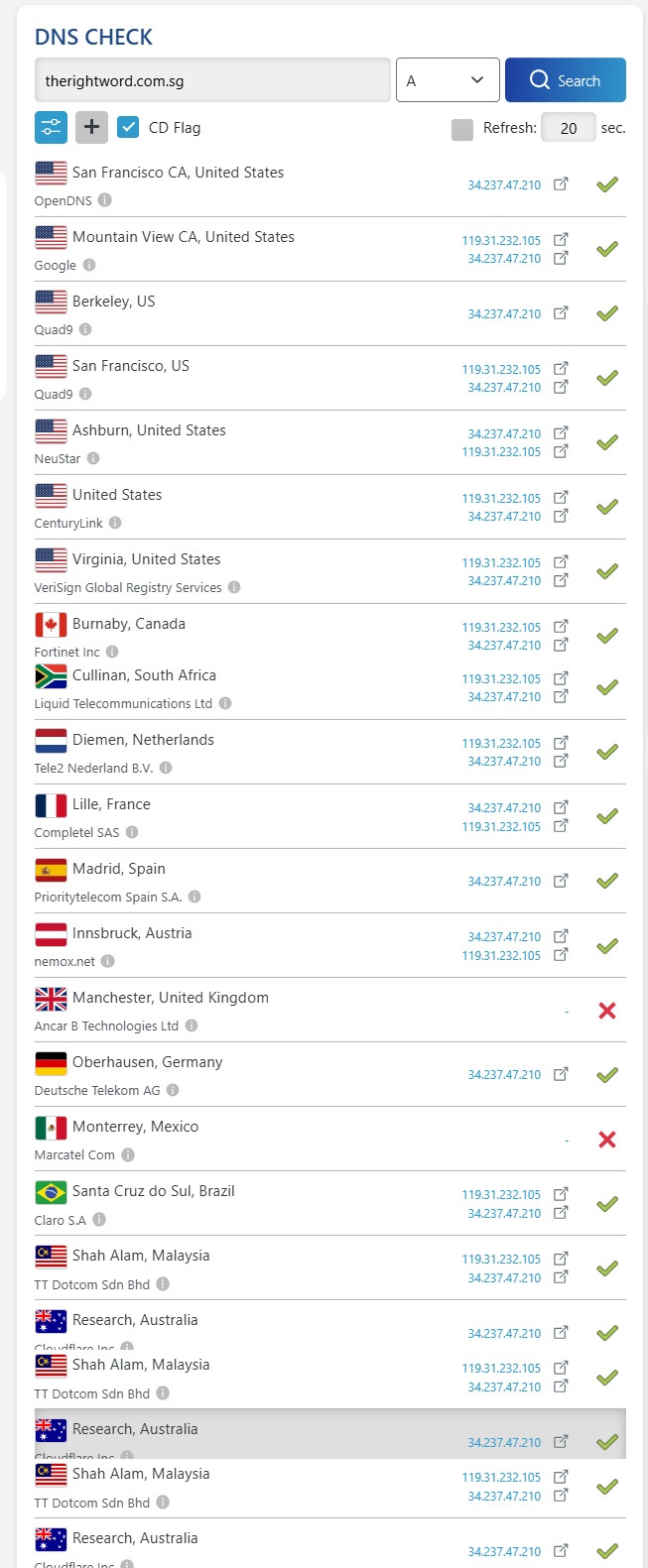
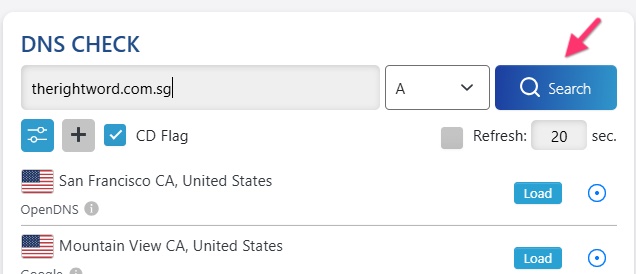
Keep a watch on the propagation status by visiting https://dnschecker.org/#A/therightword.com.sg and clicking on the "Search" button. When the additional IP gets deleted form most DNS servers, kindly let us know know; we will install the SSL certificate for you.
 0
0
Please sign in to leave a comment.
Comments
7 comments