Issue Uploading Background Images in Brizy - "File upload cancelled"

Hello,
I’m having an issue when trying to upload background images in Brizy. When I click to select an image, the upload window opens correctly, but I can’t click the "Select" button to upload the image. When I close the upload window, I get a message saying "File upload cancelled".
What I’ve tried so far:
-
Checked folder permissions on the server. The uploads folder has 755 permissions, and the files inside it have 644 permissions, as advised by my hosting support. Files upload correctly via FTP, but Brizy cannot upload the images.
-
Tried different browsers and incognito mode, but the issue persists.
-
Cleared the browser cache and also disabled all plugins (except Brizy), but the problem remains.
-
Checked my server’s PHP configuration. File upload limits are appropriate (file size limit up to 64MB), but the error still appears when trying to upload images.
Additional details:
- I am using the latest version of Brizy.
- The issue occurs specifically when uploading background images, it does not seem to affect other Brizy functionalities.
Has anyone else experienced this issue or have any suggestions on how to resolve it?
Thank you in advance for any help. I hope to get this sorted out soon!
-

Hi Daniela,
Please provide us with temporary access to your WP Admin page so we can take a look. Please add us as an Admin user to your WordPress Dashboard and send the following details to communitysupport@brizy.io.
Community Post link: https://support.brizy.io/hc/en-us/community/posts/25229241576082
WordPress Admin URL:
Username:
Password:Additionally, we will also need temporary access to FTP/cPanel:
FTP / cPanel host address:
Username:
Password:Best regards,
Ariel H.0 -
Hello, Ariel,
I’ve sent the access details to your support email, but I noticed that the address you provided:
communitysupport@brizy.io.(with a period at the end) didn’t work.I removed the period and sent the information to
communitysupport@brizy.ioPlease let me know if you received it or if anything else is needed.
Thank you very much for your help!
Best regards,
Daniela Lira0 -
Hello, Ariel and Brizy team,
I’m still experiencing the issue where image uploads fail with the "File upload cancelled" message, even after following all the suggested steps. I’ve tried:
- Using different browsers (Chrome, Firefox, incognito mode).
- Checking file size and server upload limits (everything is within the allowed range).
- Verifying folder permissions (755 for folders, 644 for files).
- Disabling all plugins except Brizy.
- Temporarily disabling antivirus, browser extensions, and the firewall.
- Testing with and without CDN enabled.
- Trying on a different computer and network.
- Changing DNS settings to Google DNS.
Despite all this, the problem persists, and I haven't received a response via email. I found that other users have been experiencing this issue for a long time, so I wonder if there are any deeper server-side or plugin-related conflicts.
Could you please confirm if there’s any ongoing investigation or a patch being developed for this? I appreciate any guidance you can provide, as this is blocking my progress on client projects.
Thank you so much for your support!
Best regards,
Dan1 -
Hi Dan,
Thanks for the update.
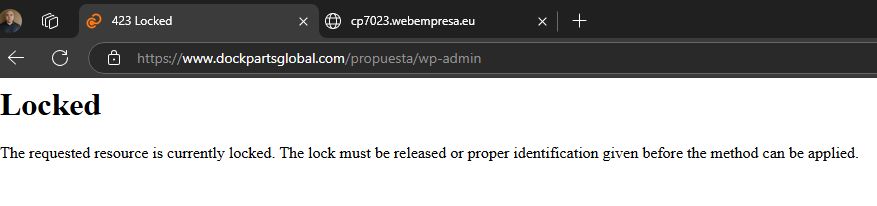
Unfortunately, we’re unable to log in to the sites you provided. It seems we don’t have access to your site or cPanel.
I believe the issues you’re experiencing are due to strict server restrictions. To confirm this, I can provide access to a test environment where you can try out Brizy’s functionality. Alternatively, if you have access to another hosting provider, you can install WordPress and Brizy there to see if the issue persists.
Best regards,
Ariel H.0 -
Hi Ariel,
Thank you for following up.
First, I must say that the customer service and problem resolution have been extremely lacking and frustrating. This is not a new issue — I’ve found similar cases in the forum that have remained unresolved for months. In fact, this problem has been around for "over a year", which is unacceptable for such a critical feature.
I’d like to try Brizy in the test environment you mentioned to see if the issue persists, but given this experience, I can’t recommend the service in good faith.
I look forward to your response and, most importantly, a real solution.
Best regards,
Dan1 -
Hi Dan,
Thank you for your patience and for sharing your concerns. I understand how frustrating this has been for you.
We’ve tested the issue on our end but haven’t been able to replicate it. Since server configurations can vary, some issues may be unique to certain environments. To help troubleshoot further, I’ve provided you with access to a test environment. You can access it using THIS LINK.
This is a shared hosting account I personally manage for testing purposes, and you’re welcome to use it to see if the issue persists.
Let me know how it goes, and I’ll be happy to assist further.
Best regards,
Ariel H.0 -
Hi Ariel,
Thank you for your support so far. I’ve decided to try Brizy Cloud to keep my project moving, but before closing this thread, I’d like to share some concerns:
- Lack of documentation: Clearer guides could help users solve issues without relying solely on forum support.
- Slow and unresolved support: The "File upload cancelled" issue has persisted for over a year, with no definitive fix despite multiple reports.
- Time and effort wasted: The hours spent troubleshooting and waiting for responses could be better used to build our projects.
I hope this feedback helps improve Brizy, as I’d love to keep using it long-term.
Looking forward to any updates.
Best regards,
Dan
0 -
Hi Dan,
Thank you for your feedback and patience. I’ll share your concerns with the team.
Best regards,
Ariel H.0
Please sign in to leave a comment.
Comments
8 comments