Making a Categories Page

Each month, I write Bible devotionals for a monthly sermon series. I want to create a page to display the categories of each sermon series only. I'd like to have it with the category's image (sermon series). Then, when they click that, it will display all the devotional posts for that category alone.
I've been researching how to do this but I can't find that answer.
Please help. Thanks!
-

Hi Rodney,
Thanks for contacting us.
In WordPress, you can use the Menu element to showcase categories for your blog posts. This allows you to create a menu linking directly to each sermon series category so that when a visitor clicks on one, they’ll see only the devotionals within that series.
Here’s a screencast demonstrating the setup: https://youtu.be/FqqushAMKW8
Give it a try, and if you have any questions or need further clarification, feel free to reach out.
Best regards,
Ariel H.0 -
Hello Ariel.
Thank you for the response.
It should be similar to the page below, except that it should show the categories instead of the individual posts. Each category represents a photo.
As much as I appreciate the menu, I'd rather have a page with categories displayed. I will need to manually put new items on the menu instead of having it appear automatically on the page.
Is there a plugin I can use for this that works with Brizy?
Also, can you recommend a template I can use for Brizy? I'm currently using "Intentionally Blank".
 0
0 -
Hi Rodney,
Thank you for the update.
Brizy doesn’t currently have a built-in feature to display visual blocks for categories as you described. However, you might find third-party Blog Grid or Post Grid plugins helpful in achieving this functionality.
Sorry for the inconvenience.
Best regards,
Ariel H.0 -
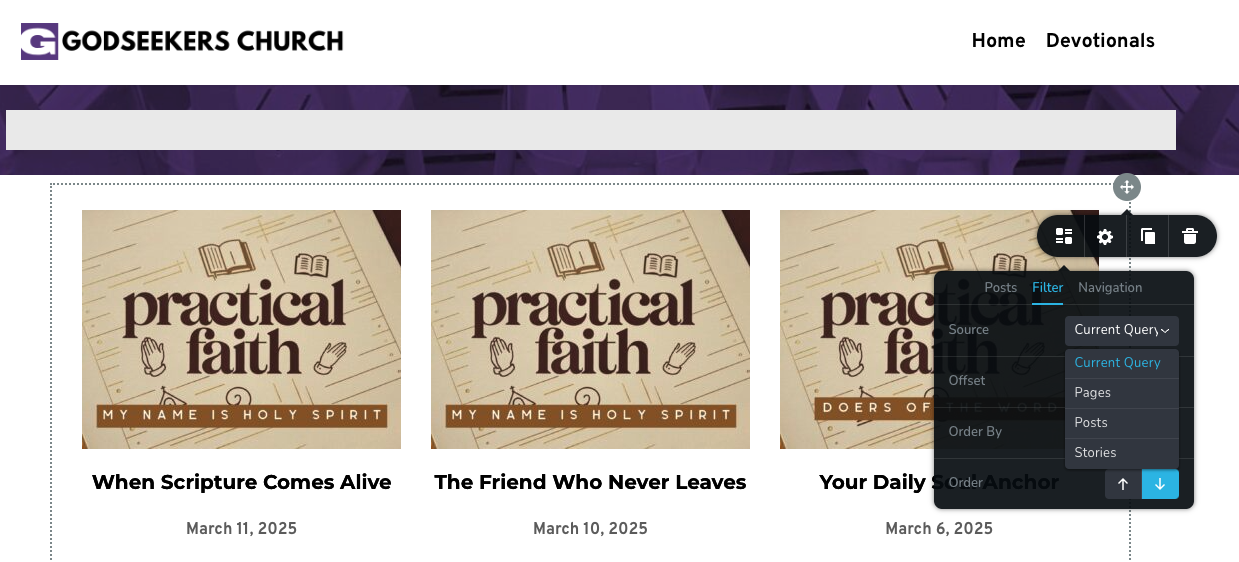
Actually, if we add Categories under the Filter Post, Page, etc., maybe we can do that.
 0
0 -
Hi Rodney,
Yes, you can try that too. Adding Categories under the Filter for Posts, Pages, etc., might help achieve the desired functionality.
Best regards,
Ariel H.0 -
What I mean is..Under the list..(pages, post, stories)..there could be a category. This way, it will just show the categories :D
0 -
Hi Rodney,
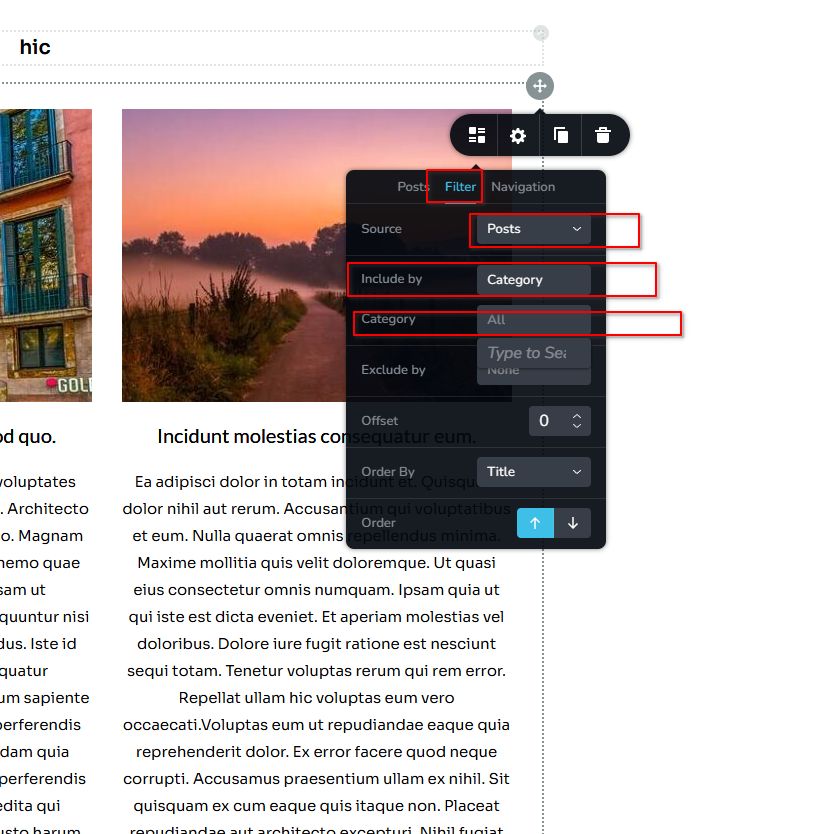
Sorry for the confusion, please use the Posts element instead.
 0
0 -
Yes, I think I did that. But it showed all posts. I just wanted to show the categories. :D
0 -

Hello Rodney,
What you are looking for is not currently available in Brizy Archive or Posts elements. Let me suggest two possible options you can consider
- Setup category listing using Metabox plugin following the procedure at Create Category Thumbnails or Featured Images Using Custom Fields
- If the lists of categories do not change often, a static listing may work. Create the listing of categories using static element like columns and images and hyperlink each column to its respective category archive page manually.
0
Please sign in to leave a comment.
Comments
9 comments