All images missing on 2nd language page

Hi Team Brizy,
we are suddenly missing all the images on our english version of this website. Can you help please?
https://nancy-heiber.com/?lang=en
PS. If you look at the german site it is working fine. This already occured before updating Brizy.
Regards, Leslie
-

Hi Leslie,
It looks like the issue might be related to caching. Could you try clearing your cache plugin and see if that helps?
If the issue persists, you can try isolating the cause by disabling all other plugins except Brizy, Brizy Pro, and your language translation plugin to check for a conflict. Additionally, switching to a different theme temporarily might help identify the problem.
If none of these troubleshooting steps resolve the issue, please let us know.
Best regards,
Ariel H.0 -
Hi Ariel, I am sorry, nor the plugin disabeling nor the switch to another theme changed anything. This site is very complex and I don't know how to solve this problem.
0 -
Hi Leslie,
We're sorry to hear you're having this issue with Brizy.
Please provide us with temporary access to your WP Admin page so we can take a look. Please add us as an Admin user to your WordPress Dashboard and send the following details to communitysupport@brizy.io.
Community Post link: https://support.brizy.io/hc/en-us/community/posts/25092951635986
WordPress Admin URL:
Username:
Password:Additionally, we will also need temporary access to FTP/cPanel:
FTP / cPanel host address:
Username:
Password:Best regards,
Ariel H.0 -
It was sent, Thank you
0 -
Hi Leslie,
Thank you for your cooperation.
We've temporarily rolled back your site to an older version of Brizy and Brizy Pro. This issue has been escalated to our developers for further investigation. I'll keep you updated as soon as we have any news.
Best regards,
Ariel H.0 -
Hi Leslie,
Thank you for your patience. Resolving this issue requires a manual fix, and we may need to update all pages for the changes to take effect. Please confirm if you have a backup of your website so we can proceed.
Best regards,
Ariel H.0 -
Hi Leslie,
I hope you're doing well. I just wanted to follow up on my previous email regarding the manual fix. Could you confirm if you have a backup of your website so we can proceed with the update?
Best regards,
Ariel H.0 -
Oh, sorry for the delay, Ariel! Somehow I do not get notified, when you post something...
However I was just looking here, because there ist again something missing (Language flags in Front End , even though it show in Brizy – see attached image).
But now I read you need to do a manual fix and we need to ensure a full back up first. We are a bit unsure, if our back up is enough: We saved als pages as layouts an exported them. We use "Duplicator" to make an archive as backup. We feel not so keen about might having to do a full new set up of the page with the things we git. Is there any better was to do a full back up in one place? Maybe with our provider?
And one other thing is: we are having a meta campaign running right now where the lead go to our landing pages. We would be very unhappy to mess something up at that time.
Can you also tell me, where I can switch on the notifications, so I get an email once you answer here?
Thank you, Leslie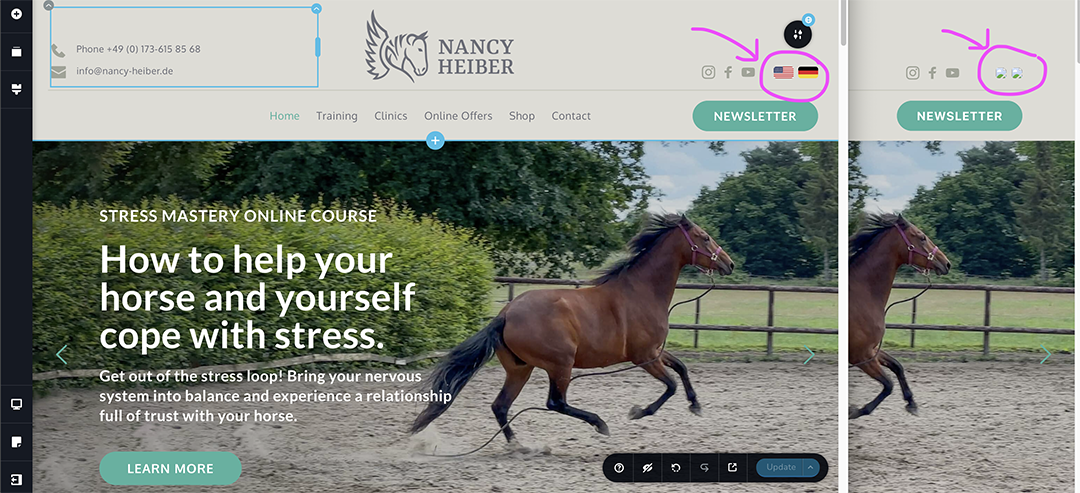 0
0 -
Hi Leslie,
Thank you for the update.
Duplicator is a good backup option, but we recommend keeping a local backup as well in case you need to revert. Another alternative you can try is All-in-One WP Migration and Backup, which stores a backup of your site on your server. About the language switcher flags, I will also report the issue to our devs.
Please let us know if you have your latest backup so we can proceed with the manual fix?
Regarding the email notifications, you'll need to check the settings of your email software to ensure notifications are enabled.
Best regards,
Ariel H.0 -
Hi Ariel, we did make a All-in-One WP Migration and Backup and downloaded it to our desktop. I did not find the option to store it on our server. So please proceed with the fixes.
Regards
Leslie
0 -
Hi Leslie,
Thank you for confirming that the backup has been completed and downloaded.
I've informed our senior support team to proceed with the manual fix. We’ll keep you updated once the this is completed.
All-in-One WP Migration and Backup plugin also keeps a backup in the server - https://i.imgur.com/aBy0wQM.png
Best regards,
Ariel H.0 -
Hi Ariel, are there any news about the page? I just noticed that the flags in the header are complete, but now the logo is lost.
0 -
Hi Leslie,
Thank you for waiting.
We've temporarily rolled back Brizy to an earlier version, a fix to this issue should be rolled out soon. We apologize for the delay. I will get back to you once I receive new information.
Best regards,
Ariel H.0 -
Thank you so much! It helped. Keep me updated.
0 -
Hi Ariel, This is URGENT (We have an active meta campaign running and wasting money!!!)
1. We have just noticed, that our menus are not working: on mobile the burger will not open, on webpage the submenus will pop up shortly and then disappears and is not clickable.2. AND AGAIN: Images are NOT showing the english sites: Here is one example:
https://nancy-heiber.com/please-breathe-deeply-online-course/?lang=en
3. And the footer is messed up too: there is usually a menu with "Imprint / privacy policy".
We did not do any updates to Brizy (did not dare to) and also there is a wordpress update available – we did not do. We are quite upset about repeatedly troubleshooting with Nancy's Site.
Is there anything that can be done to get it fixed and so it lasts? I also need to disable the Borlabs Cockies and install a new cookie we bought: Pixelmate. However here again: I did not dare to.
HELP please... Leslie and Nancy0 -

Hello Leslie,
- The hamburger menu appears working fine at my end. Please see my test at https://jmp.sh/qZYakNni If it is not working at your end, please let us know.
- Images at https://nancy-heiber.com/please-breathe-deeply-online-course/?lang=en are now working. To fix this issue, I made a minor change like adding a space at the end of a text and updated the page
- We have fixed the footer menu .Now the "Imprint" and "Privacy policy" links are visible in the footer
- For now, kindly do not update Brizy and Brizy Pro. Once meta campaign gets over, we can do this.
- It is a good practice to create a staging site to try out new changes first in staging and if it works well, repeat the changes to the live site. It is better to replace Borlabs Cockies plugin with Pixelmate on staging site first. If everything works great, you can repeat the changes on the live site.
0 - The hamburger menu appears working fine at my end. Please see my test at https://jmp.sh/qZYakNni If it is not working at your end, please let us know.
-
Hello KC, thank you so much for the very quick fix. I can see it fixed the menu and the pictures.
Unfortunately, we have more (and repeated) problems:
1.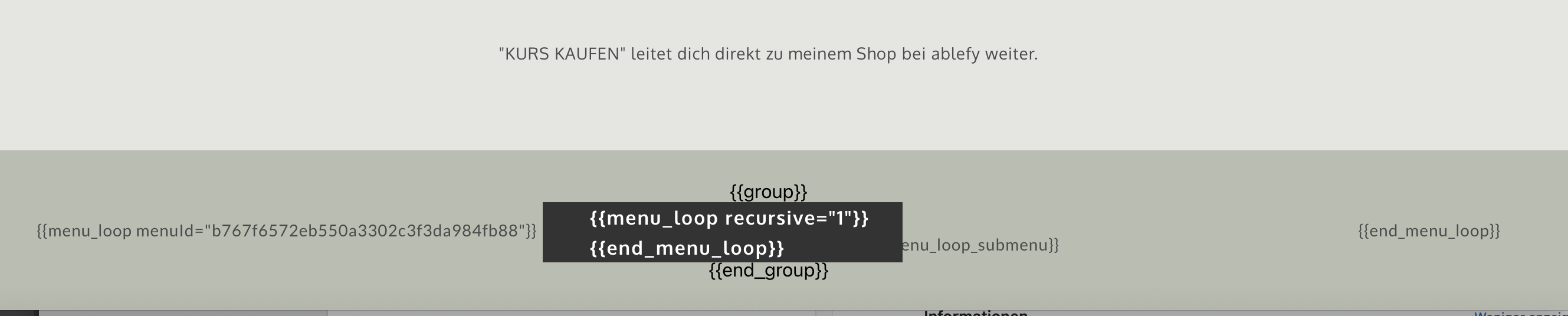 The Footer Menu is not working on the landing pages. There are very simple footers only having imprint and privacy policy.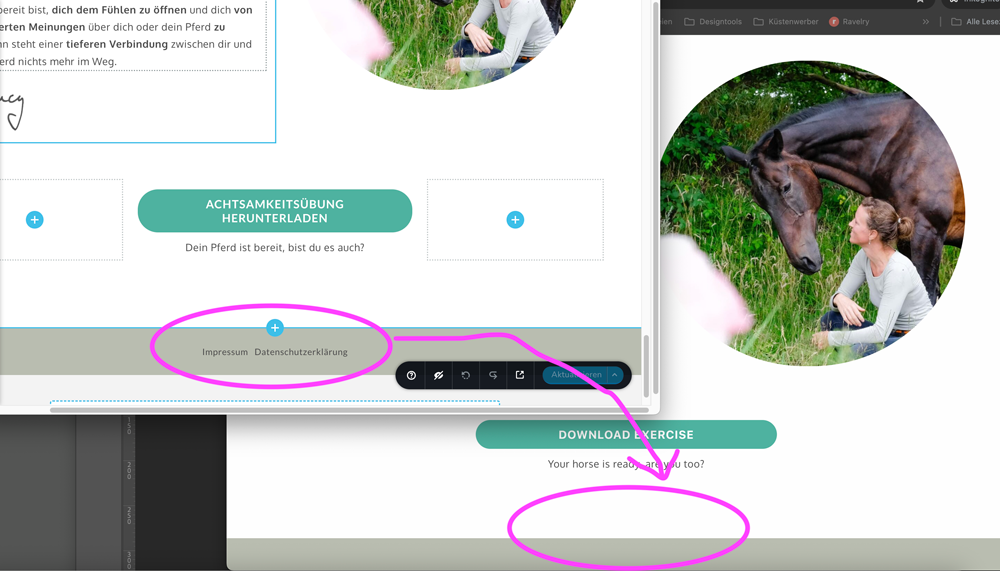
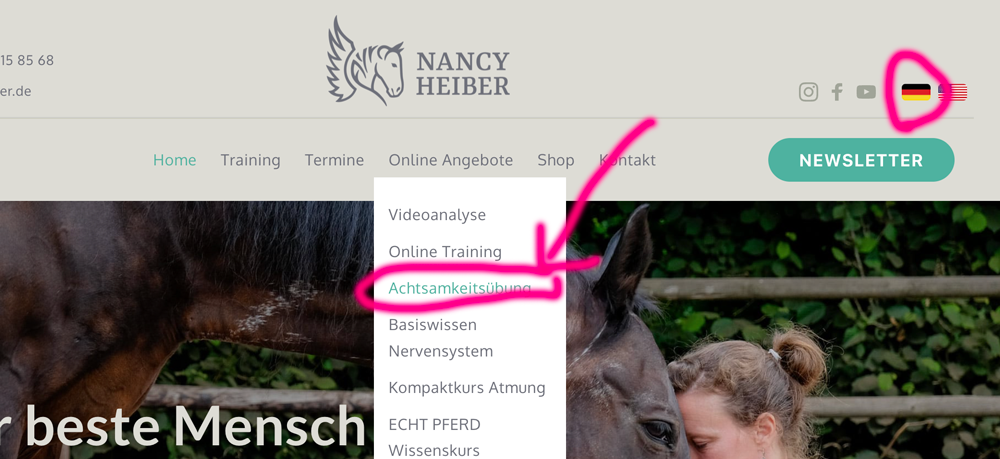
2. While checking this, we noticed another major problem. We had that just like now some time ago: If you are on the german page and go within the menu into training - then click "Achtsamkeitsübung" – this leads to the ENGLISCH "mindfulness exercise". On the english site the same exercise is connected to the correct landingpage. We had this some time ago but I do not remember how the fix got done.
3. We stoppt our META Campaign, until we are sure things are running good.
4. We have never made a staging site, but I like the idea. We have no experience in setting this up. Can you do it? And I checked with our provider, the don't offer this. But there is a wordpress plugin for this. Can you help or link a tutorial on how to set it up and how to work with it?
I think some difficulties come due to working with the multilingual plugin. The website is complex, however we have no other idea to set it up differently. Do you?
Thank you and best regards
Leslie0 -
Hello Leslie,
- I have fixed the errors in the footer of landing pages I could locate. In case if I have missed out any landing page, kindly follow these steps to fix the issue with the footer.
a. Deactivate the Autoptimize plugin
b. Make a minor edit to the page (like adding a space to the end of a text) and update the page
c. Once all the pages are updated, activate the Autoptimize plugin - German menu linking to English pages could be due to a specific setting within WPML. We could not identify the setting. WPML Support may be better suited to guide you on this.
- Since you have stopped the Meta campaign, its good to update the plugins to the latest versions and check for errors. Ideally you should do this in a staging site.
- You could consider using the WP Staging plugin to create a staging site. Please make a full backup of the your website before setting up staging. Have a look at this tutorial How To Setup A WordPress Staging Site Since you are setting up staging site for the first time, you could implement staging on a test site first, learn how to do it and then repeat on the live site.
0 - I have fixed the errors in the footer of landing pages I could locate. In case if I have missed out any landing page, kindly follow these steps to fix the issue with the footer.
-
Thank you so far. We will have a look into staging.
0

Please sign in to leave a comment.
Comments
19 comments