Image element not working.

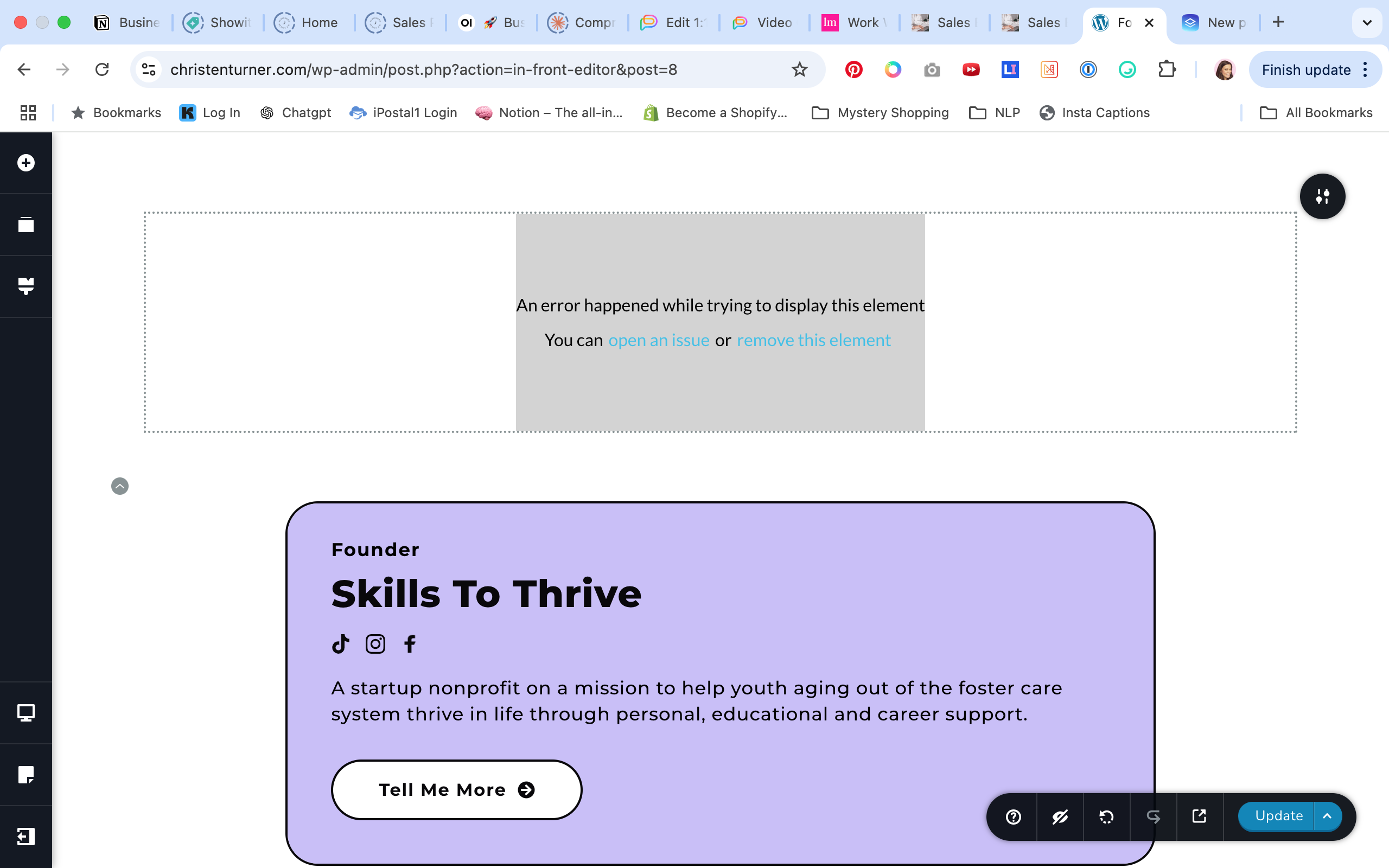
Just updated to version 2.6.8 of the Brizy Pro plugin and the image element is not working. I'm getting the error message if I click on existing images I had on the page and when I add a new image element.
-

Hi Christen,
Thank you for contacting us.
This issue often occurs due to version mismatch, please ensure that you have Brizy Version 2.6.12

Kind regards,
Ariel H.0 -

I have the same issue. While this is helpful, you don't exactly explain how to update these.
For me, both of these have the automatic updates enabled, but when I try to update the plugin, nothing happens. Do I need to download the most recent version?
EDIT - just downloaded and installed the newest version, however WordPress is telling me this is an OUTDATED version, despite this being the newest one. I'm on the most updated version of WP; is this plugin still viable for this WP update?
0 -
Hi Regina,
Please follow the steps in this screencast to update the plugins: https://youtu.be/48Pv5rklLsE
If the issue persists after following these steps, please provide your login details so we can take a closer look. Kindly add us as an Admin user in your WordPress Dashboard and send the details to communitysupport@brizy.io:
- Community Post link: https://support.brizy.io/hc/en-us/community/posts/25067057368338
- WordPress Admin URL:
- Username:
- Password:
Best regards,
Ariel H.0 -
Hey Ariel,
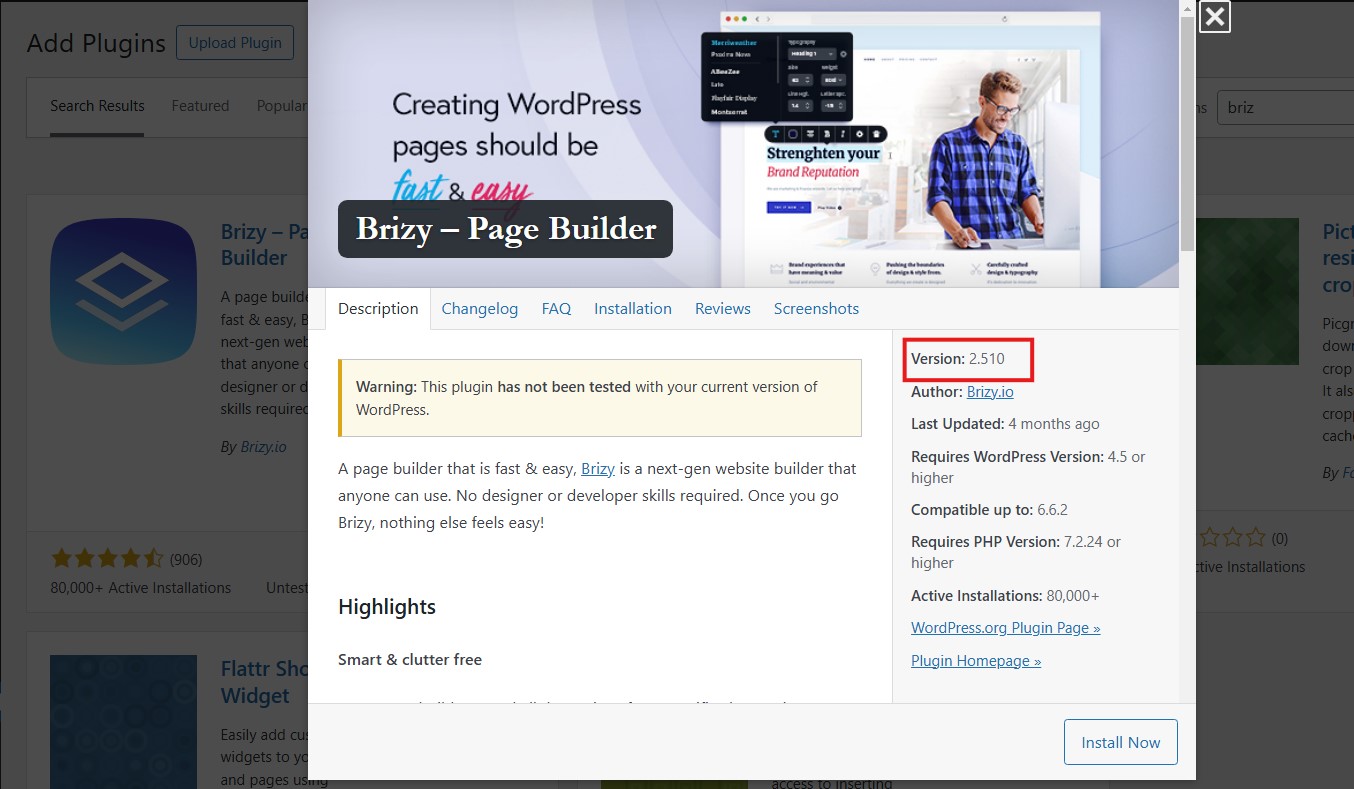
So I followed your instructions, however when I go to install the plugin, WordPress is showing the exact version I have (2.5.1) and not the updated one. I did send an email to community support, but also wanted to show the version that's showing on WP:
 0
0 -
Hi Regina,
I’m sorry for any trouble this has caused.
Unfortunately, this version of Brizy had some issues when updating, so we had to remove it from the WordPress.org repository. I sincerely apologize for the inconvenience.
Please follow the steps on this short screencast to resolve the issue: https://youtu.be/48Pv5rklLsE.
Please give it a try, and let me know if you have any questions or need further assistance.
Best regards,
Ariel H.0 -
Ariel,
This isn't helpful. You contradicted yourself by stating that you've removed the plugin, but yet you're telling me to follow the same video I received via email, which I followed and which ultimately didn't work because...YOUR PLUGIN IS OUT OF DATE.
I'm extremely annoyed by this, as it means I'm unable to update my website as certain pages have images. So now I have to wait for you guys to upload an ACTUAL update before I can work on my website. Please update your plugin, with an actual update your users are able to use.
0 -

Hi Regina,
We had uploaded Brizy 2.510 sometime ago and had deleted it from the plugin repository. However some users continue to see this version while most users don't. If the procedure Ariel recommended does not work for you, kindly try these steps
- Sign into your Brizy account at https://www.brizy.io/account/login
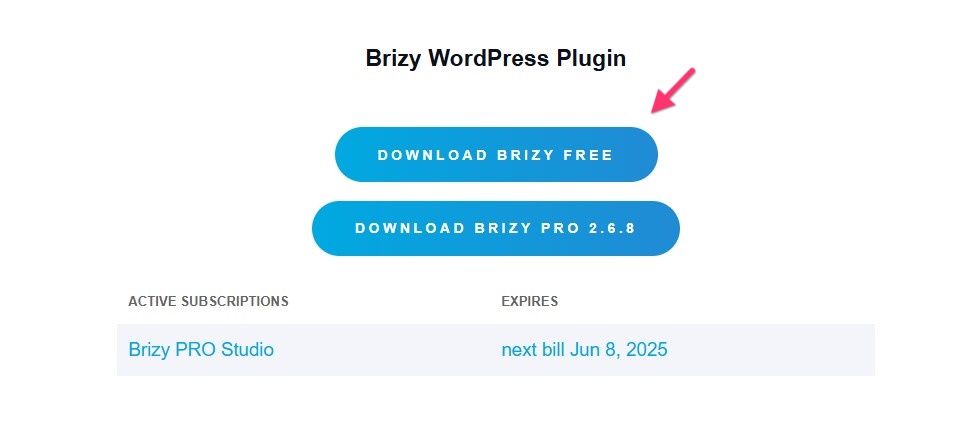
- Scroll down to the "Brizy WordPress Plugin" section and download the latest Brizy version by selecting the "Download Brizy Free" button
- Deactivate and delete the Brizy plugin
- Upload the Brizy ZIP file under Plugins > Add New Plugin > Upload Plugin
- Disable auto-update for the Brizy plugin and disregard the notification to update to version 2.510
0 -

I have the latest of both Brizy Free and Brizy Pro, I have this exact problem. I followed these directions and having the same exact issue. Need help on this assp as I have a delivery to make. I have 100 sites under management so this isn't a small request
0 -
Hi Michael ,
Thank you for contacting us.
Please share your WordPress admin login details with us so we can take a closer look. Please add us as an Admin user to your WordPress Dashboard and send the following details to communitysupport@brizy.io.
Community Post link: https://support.brizy.io/hc/en-us/community/posts/25067057368338
WordPress Admin URL:
Username:
Password:Looking forward to your reply.
Best regards,
Ariel H.0 -
This issue is happening for me again, but with ALL elements now. This is a brand new website that I just installed today with the latest plugin available. I will keep trying to troubleshoot the problem while waiting for a response.
0 -
I deactivated and deleted both the Brizy and Brizy Pro plugins and tried to reinstall using an earlier pro version, but still got the error. I ended up deleting the entire site with my host and reinstalling wordpress. I also installed a much earlier version of the pro plugin (2.6.4), and now everything is working fine. This is the same solution I used last time, but obviously deleting an entire website is not a feasible solution. The only reason I was able to do it was because I was completely overhauling the first site this happened on, and this time it was a brand new install (but I lost hours of design time on a project that has a tight timeline).
0 -
Hi Christen,
I apologize for the trouble you’ve gone through.
It seems that the issue you're experiencing may be related to specific hosting configurations, which require further investigation. If you're open to it, you can send your site credentials by following the procedure we shared in one of our replies in this support thread.
Best regards,
Ariel H.0
Please sign in to leave a comment.
Comments
12 comments