Mega menu not displaying correctly just on some pages

Hello, I've a mega menu, that works correctly on some page, like https://unsiteavous.fr/.
But on some others, like https://unsiteavous.fr/services/ or https://unsiteavous.fr/astuces/, mega menus aren't displaying correctly.
The header bar is general on the entire site :

And as you can see, all is fine in the brizy editor : 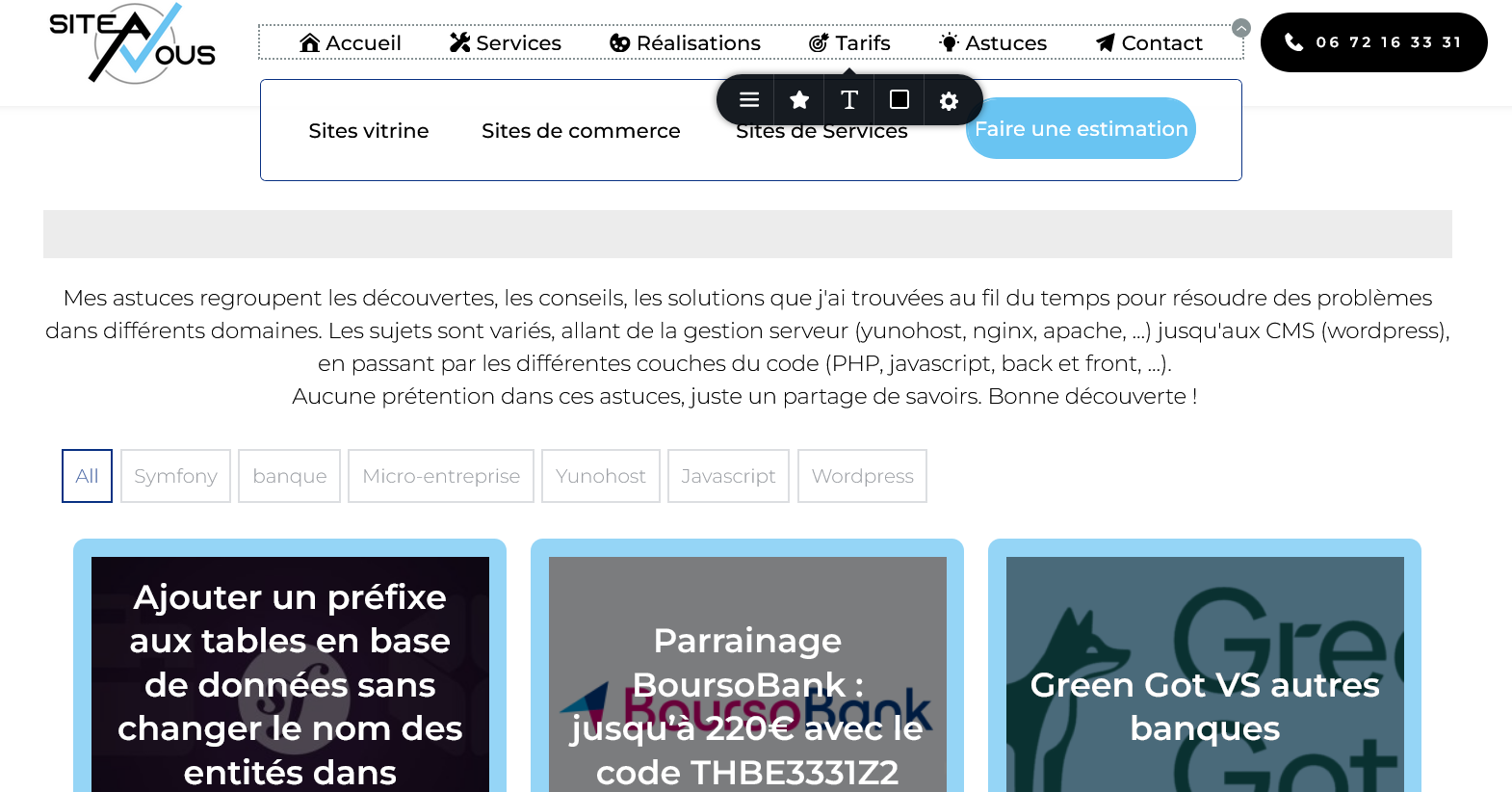
The problem is only for visitors, and only on some pages.
Wordpress : 6.7.2
brizy : Version 2.6.12
brizy pro : Version 2.6.8
-

Hi Théophile,
Thank you for reaching out.
Please try making a small adjustment to the block containing the menu element, such as adding 1px padding on all sides. Then, save the page and preview it to see if the issue is resolved. This forces Brizy to recompile the page.
If the issue is resolved, you can revert the change and save the page again.
If not, please try disabling all other plugins except Brizy and Brizy Pro to check for any conflicts with third-party plugins.
Please give it a try and let me know how it goes.
Best regards,
Ariel H.0 -
Hello Ariel,
A small adjustment doesn't change anything. I tried also to disable all others plugins, no more success.
0 -
Hi Théophile,
Could you please provide temporary access to your WP Admin so we can take a closer look at your site? Kindly add us as an Admin user in your WordPress Dashboard and send the details to communitysupport@brizy.io:
Community Post link: https://support.brizy.io/hc/en-us/community/posts/25059207589266
WordPress Admin URL:
Username:
Password:Best regards,
Ariel H.0 -
Hi Théophile,
Thank you for your cooperation.
The mega menus seem to be working now. Please check on your end to confirm. I also recommend clearing your browser cache before loading your site to avoid any caching issues.

Best regards,
Ariel H.0 -
All is fine, Thank you !
What have you done, just to understand how you have fix this bug ? Because I've spend a lot of time on it...0 -
Hi Théophile,
To resolve the issue, try duplicating the menu element on the affected pages and ensure you purge the cache.
Best regards,
Ariel H.0
Please sign in to leave a comment.
Comments
6 comments