Cal.com Embed

I am using Cal.com for booking, and they have "pop-up via element click" embed option.
Right now with inline embed (see below), each service menu is taking too much space... so I would like to use a button for each service menu , then with a click, the booking will pop-up.
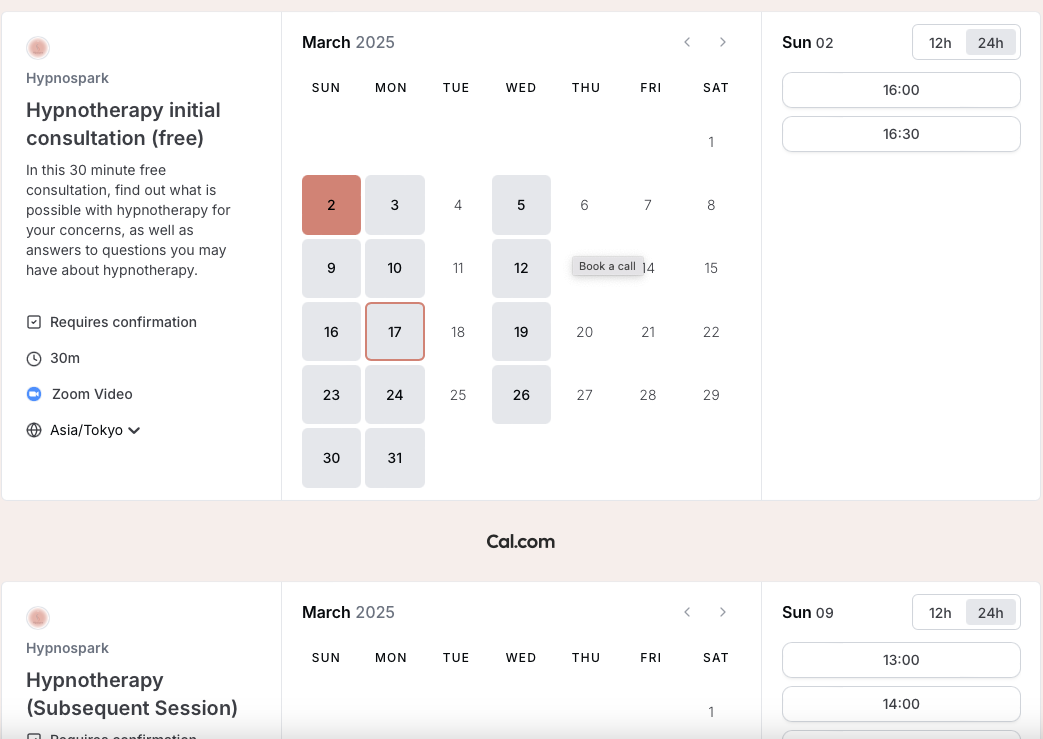
But, there is no option to link html for buttons... Is there way to make it work? Thank you.
-

Hello Makiko,
You can add a button for each consultation type and add a on-click popup to the buttons by selecting the "link" icon and the Popup tab.
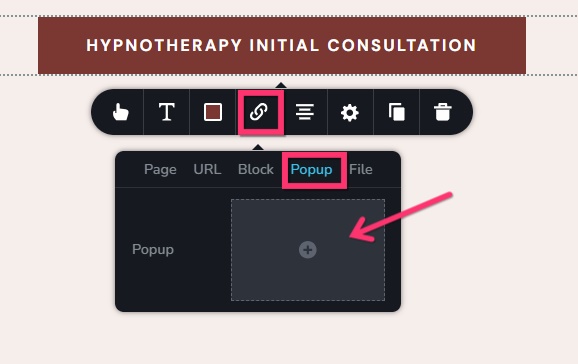
The popup builder will open. You can then add the booking inline code for the specific service within the popup builder. Have a look at this tutorial Learn How to Create Amazing Popups for the precure to create an on-click popup. Even though the tutorial is made for WordPress, follow the same procedure in your Brizy Cloud project. If you have more question, kindly get back to us.
0 -
Hi, K C George. I actually tried that and it didn’t work… After placing the pop up, clicking the button didn’t do anything… but I didn’t see the video you mentioned, so I will try that tomorrow and see what I did wrong. I will update afterwards. Thanks!
0 -
I tried the pop-up again just now, but it doesn't work... Here is the share link for the video recording of what I did. Please tell me what I am doing wrong. Thanks.
https://ln5.sync.com/dl/498e32960#sy96rkrm-kngfa7pw-ntkvhky4-8nrc26h6
0 -
Hello Makiko,
There were three Cal.com embed codes on your page. I have removed two inline embed code on your page and now the embed code added to the popup works fine at https://pig3644a813.brizy.site/contact Kindly check with Cal.com support if more than one booking code can be embedded to single page. If this is a limitation, having multiple on-click popups with Cal.com embed code will not be feasible.
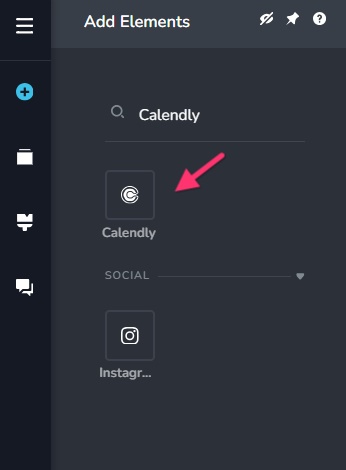
In case if this is a limitation, you may need to explore other booking software. If your client is open to switch to an alternate booking software like Calendly you can try the "Calendly" element in Brizy Cloud. Calendly seems to support multiple instances of booking code within a single page.
 0
0 -
K C George, Thank you so much for your help!!
I thought I erased all of the codes... Thank you for taking care of that.
It was interesting... in case there are others who use cal.com. I initially tried creating two buttons; each button for a designated service. But, when I placed the second button and inserted the inline embed code for another service, the second button didn't work, but then the second embed showed up on the first button below the first service.
So, I ended up having just one button with a pop-up that displays two schedulers vertically. Actually, I like it this way... simple and saves space.
So glad this worked out... for I don't really like Calendly... I like Tidycal and Cal.com far better than Calendly (and much cheaper).
K C George, thank you again... you've been so helpful with all of my issues!!
0
Please sign in to leave a comment.
Comments
5 comments